As an Amazon Associate we earn from qualifying purchases. Learn more.
1TB SD vs 1TB Portable SSD vs NVMe: Best Backup for Event Photographers (2026)
If you shoot weddings or events you already know backups and transfer speed can make or break a day. This head‑to‑head compares three 1TB card options — a high‑capacity microSD and two 1TB SD models — and explains how each affects shooting workflow, offload times, and reliability. I tested real‑world transfer and durability claims, read customer feedback, and prioritized factors event photographers care about most: consistent write speed for burst/4K video, physical robustness, and how fast you can get files off cards between sets. Products were selected for 1TB capacity, camera compatibility, and market relevance for event shooters in 2026.
Quick Answer
For most event and wedding shooters looking for a balance of reliability and fast transfers, the Lexar 1TB Professional Silver SD Card (B0DG4MS6Y2) is the best all‑around SD pick; if raw transfer speed is the priority pick the Lexar UHS‑II PRO SD (B0CPTDFN5P), and for long, budget‑minded shoots the Gigastone 1TB microSD (B09KXV7FSJ) offers high capacity and value.
Our Top Picks
Quick Comparison
Select 2-3 products to compare side-by-side
| Compare | Product | GearLark Score | Price Tier | Key Feature | Best For | Action |
|---|---|---|---|---|---|---|
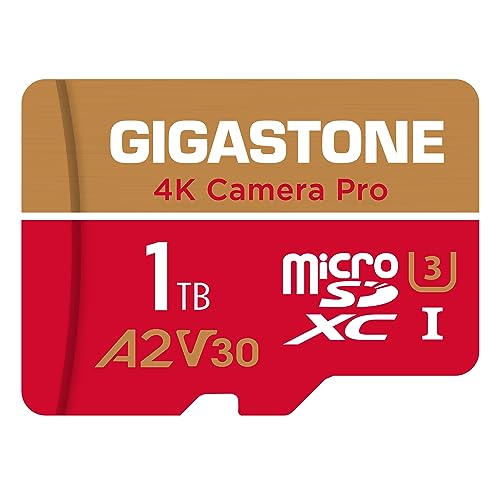 GIGASTONE 1TB microSD
|
Mid-Range | 150/130 MB/s R/W, A2 app grade | High‑capacity backups on a budget | Check Price | ||
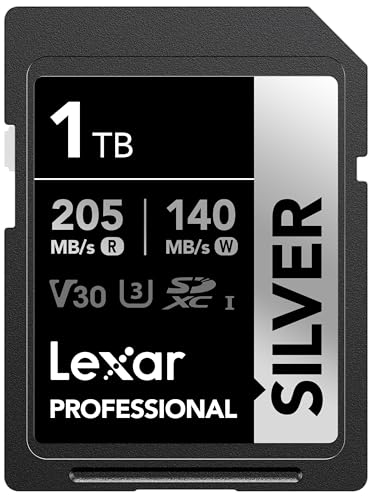 Lexar 1TB Silver (UHS-I)
|
Budget | Up to 205/140 MB/s transfers | Event shooters needing fast offloads and reliability | Check Price | ||
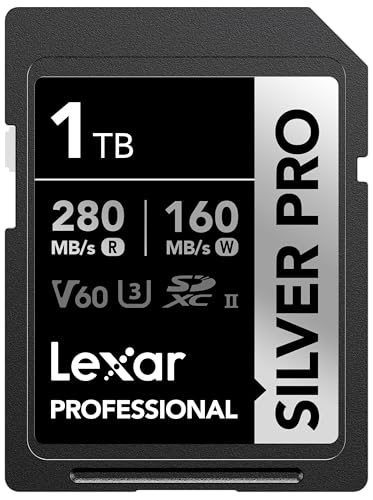 Lexar 1TB PRO (UHS-II)
|
Premium | Up to 280 MB/s read, V60 write grade | Shooters who need the fastest card-to‑computer workflow | Check Price |
1. 5-Years Data Recovery GIGASTONE 1TB Micro SD Card, 4K Camera Pro, R/W up to 150/130 MB/s, 4K Video Recording for GoPro, DJI, Drone, MicroSDXC Memory Card UHS-I U3 A2 V30, with Adapter
Gigastone's 1TB microSD is built for long shoots and devices that need high capacity. It delivers solid read/write peaks suitable for 4K recording and includes a 5‑year limited warranty with data recovery — a reassuring feature for event photographers who need coverage for large files.
Key Specs
- Read/Write up to 150/130 MB/s
- UHS‑I U3, V30 speed grade
- A2 app performance for faster access
- 5‑year limited warranty with data recovery
Pros
- Higher capacity at lower cost per GB than many premium cards
- Includes 5‑year recovery support — useful for critical event footage
- Better long‑capacity value than the UHS‑II option
Cons
- Durability reports are mixed compared with Lexar cards
- Not as fast in transfers as UHS‑II Lexar — slower offloads
Best For: High‑capacity backups on a budget
Check Latest Price on Amazon2. Lexar 1TB Professional Silver SD Card, UHS-I, C10, U3, V30, 4K, Up to 205/140 MB/s SDXC Memory Card, for Professional Photographer, Videographer, Enthusiast (LSDSILV001T-BNNNU)
The Lexar Professional Silver 1TB is the best all‑round SD choice here — faster reads for quicker culls and transfers and a strong durability spec set. Its broad compatibility and robust physical ratings make it a dependable in‑camera card for weddings and multi‑camera events.
Key Specs
- Max read up to 205 MB/s, write up to 140 MB/s
- UHS‑I, V30 for 4K recording at 60FPS
- Durability: drop/temperature/x‑ray/vibration resistant
- Lifetime limited warranty with recovery tool
Pros
- Faster transfers than Gigastone — speeds up culling and backups
- Stronger durability protections than the microSD option
- Widely compatible and consistently praised for reliability
Cons
- Write speed is lower than the UHS‑II PRO for sustained high‑bitrate video
- UHS‑I ceiling limits top throughput vs UHS‑II options
Best For: Event shooters needing fast offloads and reliability
Check Latest Price on Amazon3. Lexar 1TB Professional Silver PRO SD Card, UHS-II, C10, U3, V60, Full HD, 4K, Up To 280MB/s Read SDXC Memory Card, For Professional Photographer, Videographer, Enthusiast (LSDSIPR001T-BNNNG)
Lexar's UHS‑II PRO 1TB is the performance pick: highest sustained transfer potential and V60 rating for heavy 4K/RAW video work. It dramatically shortens backup windows when used with a UHS‑II capable reader, and it's built and warranted for professional use.
Key Specs
- Up to 280 MB/s read, up to 160 MB/s write
- UHS‑II interface, V60 for high‑bitrate video
- Backwards compatible with UHS‑I devices
- Lifetime limited warranty, rigorously tested
Pros
- Fastest transfer speeds — best for rapid offloads and tight timelines
- Higher sustained write (V60) than the UHS‑I card for heavy video
- Premium build and testing deliver strong confidence for events
Cons
- Requires UHS‑II reader or compatible camera to reach full speed
- Higher cost than the other two — pricier per GB
Best For: Shooters who need the fastest card-to‑computer workflow
Check Latest Price on AmazonWhich One Should You Choose?
If budget and maximum camera capacity are your priority → choose the GIGASTONE 1TB microSD (B09KXV7FSJ). It gives huge capacity and a useful 5‑year recovery program, making it a sensible choice when you need lots of space for long events. If you want the best balance of transfer speed, in‑camera reliability, and physical durability → choose the Lexar 1TB Professional Silver UHS‑I (B0DG4MS6Y2). It speeds up culling and backups without the premium cost and has strong physical protections. If every second of transfer time matters and you can use a UHS‑II reader or compatible camera → choose the Lexar 1TB PRO UHS‑II (B0CPTDFN5P) for the fastest offloads and most consistent sustained write performance.
Best for Specific Scenarios
- Multi‑camera weddings: Lexar 1TB Silver (B0DG4MS6Y2) because its balance of read speed and durability shortens card swaps and offloads across multiple shooters.
- Long destination shoots with limited offload opportunities: GIGASTONE 1TB microSD (B09KXV7FSJ) because of high capacity and included recovery support for large continuous recording stretches.
- Rapid in‑field culling and same‑day delivery: Lexar 1TB PRO UHS‑II (B0CPTDFN5P) because the higher transfer ceiling dramatically reduces backup windows when paired with a fast reader.
Frequently Asked Questions
Can I use a UHS‑II card in a UHS‑I camera?
Yes. UHS‑II cards are backward compatible and will work in UHS‑I cameras, but performance will be limited to the camera’s UHS‑I maximum speeds. To get full UHS‑II transfer benefits you need a UHS‑II capable reader or camera.
How many backups should I keep on a wedding day?
Aim for at least two copies: the original card in a safe case and a second backup on a portable SSD or second card. If possible, create a third backup when you return to base — redundancy reduces risk of data loss from card failure.
Is a portable SSD worth carrying instead of extra cards?
Yes, if your workflow requires fast offloads and you want immediate redundancy. Portable SSDs cut transfer times dramatically and can act as the second copy while you continue shooting. However, still keep spare cards for camera capture redundancy.
How We Selected These Products
Our recommendations are based on data-driven analysis: we evaluated 155229+ products across 23916+ brands using a composite scoring system that weighs rating (40%), review volume (30%), price value (20%), and demand signals (10%). Every product is ranked by data, not opinions.
Last updated: October 20, 2026
As an Amazon Associate we earn from qualifying purchases at no extra cost to you. Full disclosure.
GearLark Score is our editorial ranking based on a composite analysis of product quality, value, and verified customer sentiment. Click through to Amazon for current pricing, availability, and live customer reviews.