As an Amazon Associate we earn from qualifying purchases. Learn more.
Battery-Powered Portable Monitor vs USB-C Bus-Powered vs HDMI-Powered: Which to Pack for Campus? (2026)
Students packing for campus face a key choice: carry a true battery-powered monitor, rely on USB-C bus power, or use HDMI (wired or wireless) setups. This side-by-side review evaluates three real products that represent those approaches — MONIYEE (compact USB-C/HDMI-friendly), PWAYTEK (wireless HDMI transmitter/receivers), and Motyeowe (larger, premium USB-C/HDMI monitor). You'll get quick recommendations for classes and travel, a detailed buying guide focused on powering and portability, and a clear decision section to tell you which to pack. Products were chosen for portability, range of powering options, real-world functionality and strong customer feedback on build and value.
Quick Answer
For most students who want a lightweight, plug-and-play second screen that works over USB-C or HDMI, pick the MONIYEE Portable Monitor (ASIN B0DC45H7XT). If you need wireless HDMI streaming for classroom or multi-display setups, the PWAYTEK transmitter kit (B0FGNB73NH) is the best value. For color accuracy, higher refresh rate and durable metal build, choose the Motyeowe 18.5" (B0D91FQ4VW).
Our Top Picks
Quick Comparison
Select 2-3 products to compare side-by-side
| Compare | Product | GearLark Score | Price Tier | Key Feature | Best For | Action |
|---|---|---|---|---|---|---|
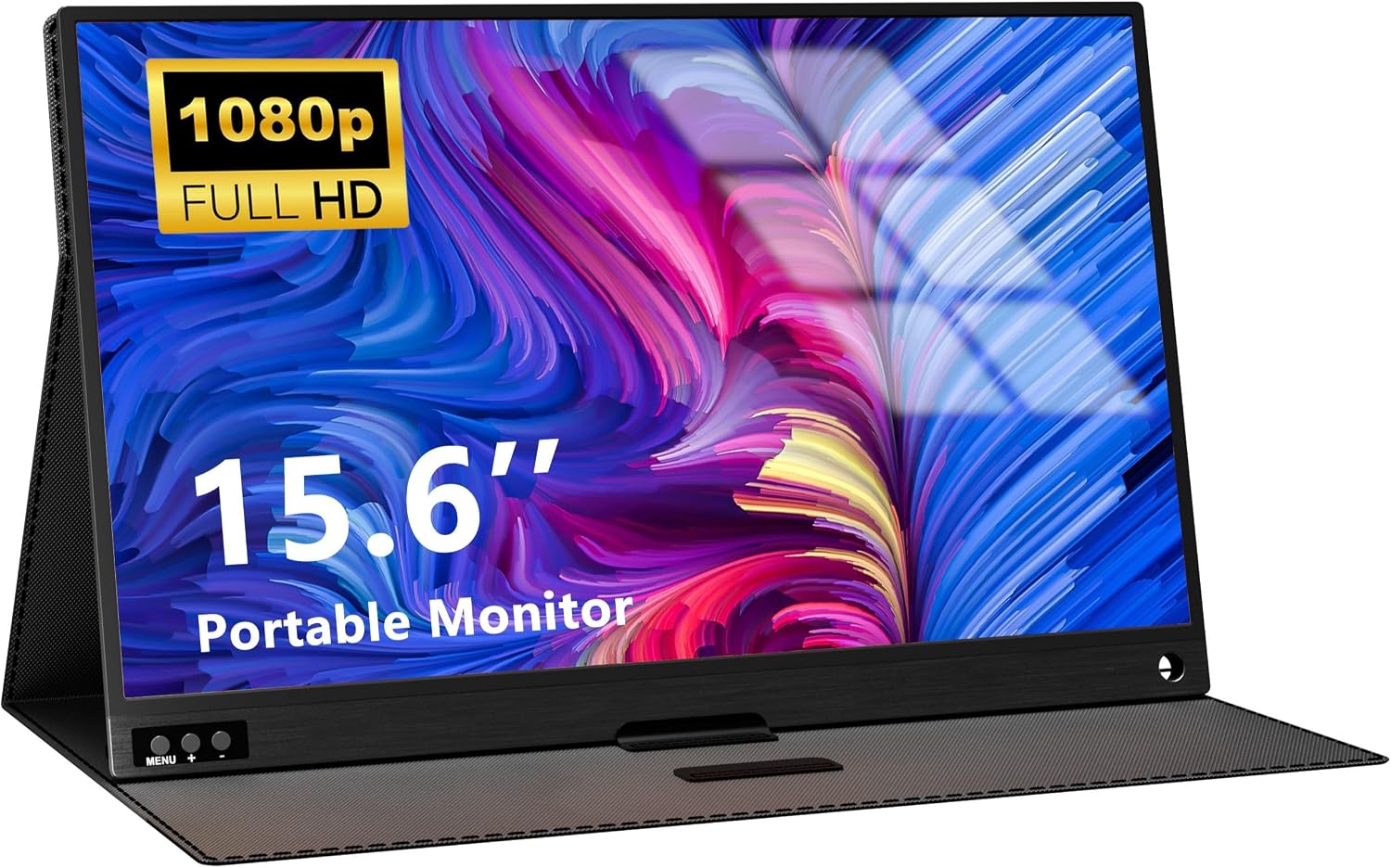 MONIYEE 15.6" FHD
|
Budget | Slim, dual USB-C + HDMI support | Students wanting a lightweight, plug‑and‑play second screen | Check Price | ||
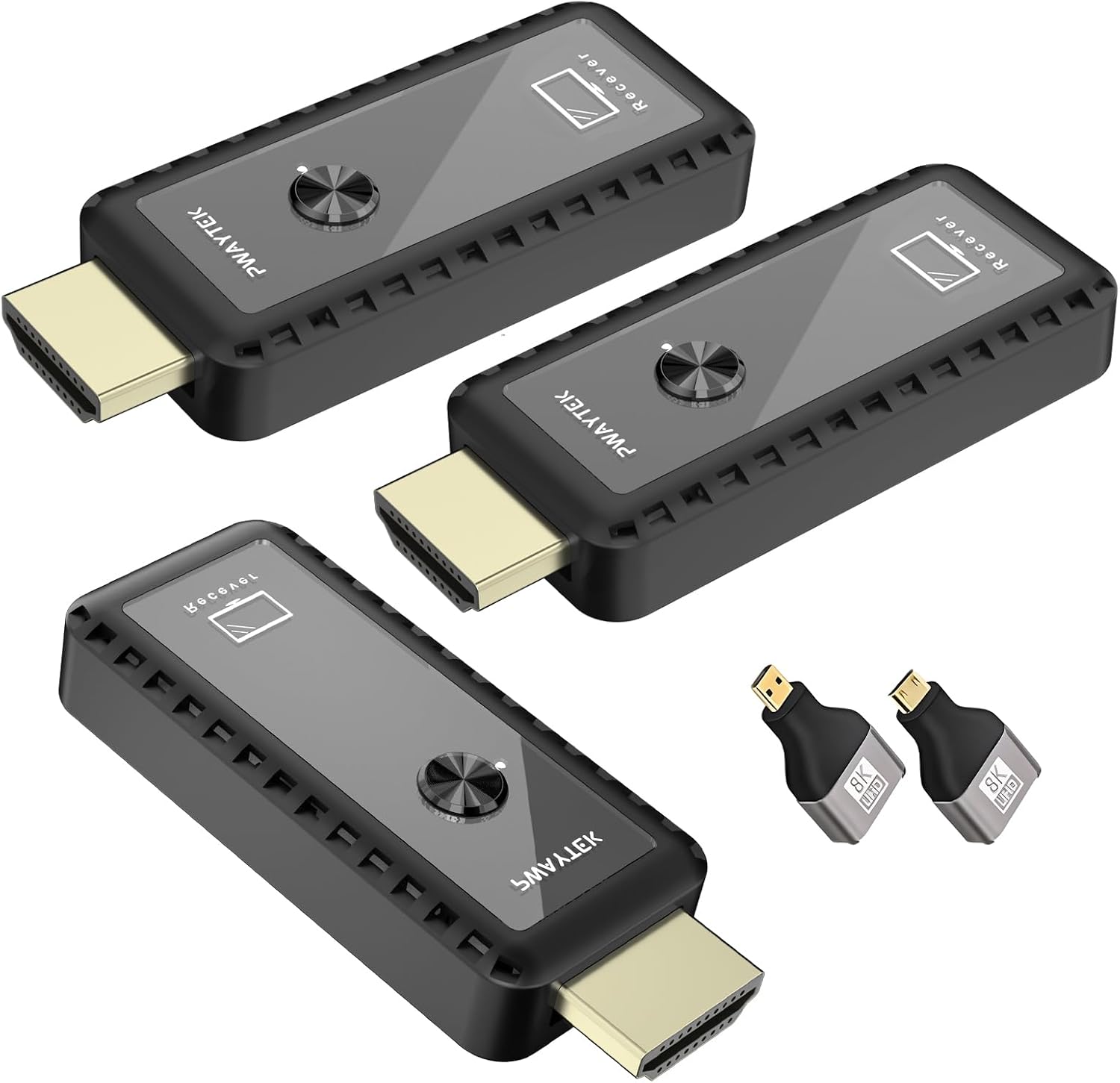 PWAYTEK Wireless HDMI
|
Mid-Range | Wireless HDMI streaming up to 164 ft | Students and presenters who need cable-free displays and multi-screen demos | Check Price | ||
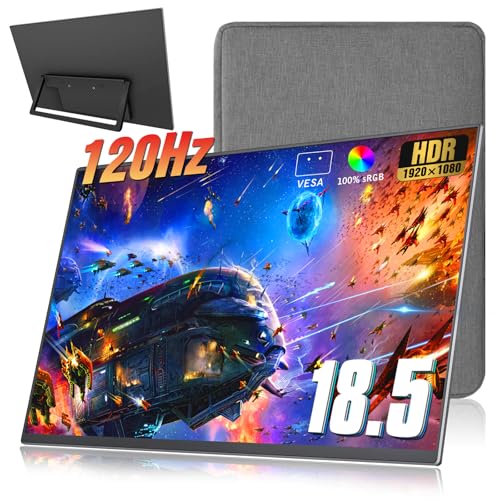 Motyeowe 18.5" 120Hz
|
Premium | 18.5" 120Hz, 100% sRGB and aluminum alloy shell | Students doing color work, gaming, or extended study sessions | Check Price |
1. Portable Monitor, 15.6'' 1080P FHD Gaming Monitor, External Monitor for Laptop with USB C HDMI Ports/Cover/Premium Build-in Spearker for Laptop PC MAC Phone PS4 Xbox Switch
A very portable 15.6" FHD IPS monitor that supports both USB-C (video+power on full-featured ports) and HDMI. It’s extremely light, includes useful cables and a protective cover, and is ideal for day-to-day studying, streaming and light gaming where simplicity and portability matter most.
Key Specs
- 15.6" IPS display, 1920×1080
- 60Hz refresh rate, sRGB100%
- Brightness: 250 cd/m²
- Ports: USB-C (video/power), HDMI; includes cables and power adapter
Pros
- Much lighter and slimmer than the Motyeowe 18.5" — easier to slip into a backpack
- Plug-and-play USB-C option avoids carrying an extra power brick when used with a full-featured port
- Includes protective cover and necessary cables for rapid setup
Cons
- Lower peak brightness than the Motyeowe — can struggle in very bright rooms
- No built-in battery (so true ‘battery-powered’ portability isn’t available)
Best For: Students wanting a lightweight, plug‑and‑play second screen
Check Latest Price on Amazon2. Wireless HDMI Transmitter and 2 Receivers, 2.4G/5G Plug & Play Portable Wireless HDMI Extender Kit 50M/165FT for Streaming Video and Audio to Monitor from Laptop/PC/TV Box/Projector - Two Displays
A wireless HDMI transmitter/receiver kit that lets you push video and audio to one or two displays without long HDMI cables. It’s plug-and-play, supports 1080p/4K input decoding, and is a great value if you present in lecture halls or want to mirror a laptop without running cables.
Key Specs
- Wireless range up to ~50 m / 164 ft (line-of-sight)
- Supports 1080p output and 4K input decoding
- Includes USB-C to HDMI, mini and micro HDMI adapters
- Plug-and-play; transmitter and receivers require power
Pros
- Better for classroom presentations than a single wired monitor — frees you from long HDMI runs
- Customers praise ease of setup and consistent video quality with minimal lag
- More flexible than fixed HDMI setups for multi-room or multi-display use
Cons
- Requires power for transmitter/receivers and may suffer reduced range through walls
- Not a monitor itself — you still need displays; adds points of failure versus a single USB-C monitor
Best For: Students and presenters who need cable-free displays and multi-screen demos
Check Latest Price on Amazon3. 18.5 inch Portable Monitor + Sleeve 120Hz 1080P,100% sRGB FHD HDR USB HDMI with VESA Ultra Slim Portable Laptop Office Monitor,for Computer Switch Phone Game Devices
A larger, premium-feeling portable monitor with 120Hz refresh, 100% sRGB coverage and an aviation-aluminum shell. It leans heavier but offers better color, refresh rate and stereo speakers — ideal for video editing, gaming and long study sessions where screen quality and build matter.
Key Specs
- 18.5" 1920×1080 IPS, 120Hz refresh rate
- 100% sRGB, HDR tech and eye-protection features
- 2 full-feature Type-C ports + HDMI; includes 20W adapter
- Aviation aluminum alloy construction; VESA 75×75 support
Pros
- Superior color accuracy and higher refresh rate than the MONIYEE — better for gaming and creative work
- More robust CNC aluminum body and VESA mountability than most budget options
- Includes speakers and a power adapter for sustained bright output
Cons
- Heavier and larger than the MONIYEE — less convenient for daily backpacking
- Higher price tier and some users report inconsistent longevity on the model
Best For: Students doing color work, gaming, or extended study sessions
Check Latest Price on AmazonWhich One Should You Choose?
If you want the easiest all-around student monitor — light, cheap and plug‑and‑play — go with the MONIYEE 15.6" (B0DC45H7XT). Its USB‑C support and included cables make it the best daily carry. If your primary need is presenting across rooms or mirroring to multiple displays without running long HDMI cables, pick the PWAYTEK wireless HDMI kit (B0FGNB73NH) for its value and convenience. If screen size, color accuracy and gaming-grade refresh matter most — and you don't mind a bit more weight — choose the Motyeowe 18.5" (B0D91FQ4VW) for a premium experience. Note: none of these three include an internal battery; if you truly need untethered runtime, consider a dedicated battery‑equipped monitor or a compatible power bank rated for monitor power draw.
Best for Specific Scenarios
- Daily study and note-taking: MONIYEE (B0DC45H7XT) because it's the lightest, easy to set up with USB-C and includes a protective cover.
- In-class presentations & multi-screen demos: PWAYTEK (B0FGNB73NH) because the wireless transmitter/receivers remove HDMI runs and simplify room setup.
- Color work, gaming, or long editing sessions: Motyeowe (B0D91FQ4VW) because its 100% sRGB, 120Hz panel and metal body deliver better image quality and durability for heavy use.
Frequently Asked Questions
Do any of these monitors have a built-in battery?
No — none of the three products reviewed includes an internal battery. They rely on USB-C bus power, an external power adapter, or (for the wireless kit) powered transmitter/receivers. If you need true battery-powered untethered use, look for monitors that explicitly list an internal battery or pair a monitor with a high-capacity USB-C power bank.
How do I know if my laptop can bus-power a monitor over USB-C?
Check your laptop's specs for 'DisplayPort Alt Mode' and USB Power Delivery output. A full-featured USB-C port that supports video and at least 15–20W of output is usually needed to run a compact FHD monitor without an extra power brick. If the port supports only charging or data, you'll need the monitor's adapter or an external power source.
Is wireless HDMI reliable for lecture halls and presentations?
Wireless HDMI can be reliable for presentations in many campus settings and avoids cable clutter, but performance depends on line-of-sight, interference and venue layout. Expect best results in open rooms; thick walls or crowded RF environments can reduce range or add hiccups. For mission-critical sessions, bring a backup HDMI cable or a small wired adapter.
How We Selected These Products
Our recommendations are based on data-driven analysis: we evaluated 155229+ products across 23916+ brands using a composite scoring system that weighs rating (40%), review volume (30%), price value (20%), and demand signals (10%). Every product is ranked by data, not opinions.
Last updated: September 16, 2026
As an Amazon Associate we earn from qualifying purchases at no extra cost to you. Full disclosure.
GearLark Score is our editorial ranking based on a composite analysis of product quality, value, and verified customer sentiment. Click through to Amazon for current pricing, availability, and live customer reviews.