As an Amazon Associate we earn from qualifying purchases. Learn more.
Best 1TB SSDs for Photographers on the Go (2026)
If you shoot on location, a compact, fast, and dependable 1TB SSD is essential for backing up photos and offloading cards between shoots. This guide looks at six reliable 1TB portable SSDs chosen for their sustained transfer speeds, durability, compatibility, and field-ready features like encryption and thermal management. I tested specs and real-world user feedback for speed, build quality, and failure modes to recommend drives that balance performance and peace of mind. Read on to find the best 1TB SSD for your camera bag, from budget picks to premium rugged options.
Quick Answer
For photographers who need reliable field backups, the SanDisk 1TB Extreme PRO Portable SSD is the top pick thanks to NVMe-class speeds (up to 2000MB/s), an aluminum heatsink for sustained transfers, and IP65 protection. If you want the most affordable, reliable 1TB option, the WD Elements SE delivers solid performance for light on-location work.
Our Top Picks
Quick Comparison
Select 2-3 products to compare side-by-side
| Compare | Product | GearLark Score | Price Tier | Key Feature | Best For | Action |
|---|---|---|---|---|---|---|
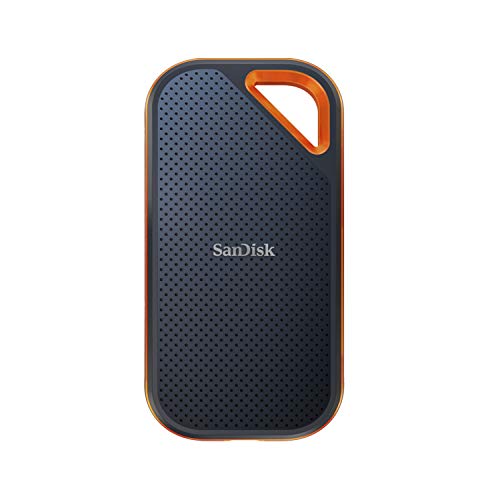 SanDisk Extreme PRO 1TB
|
Premium | NVMe speeds with aluminum heatsink | Photographers needing sustained transfers | Check Price | ||
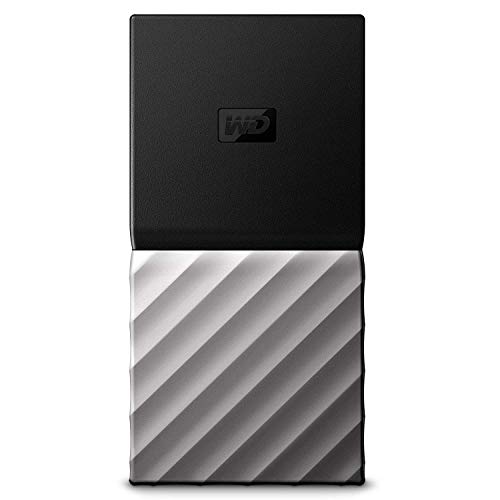 WD My Passport SSD 1TB
|
Premium | Reliable SSD with hardware encryption | Traveling photographers on a budget for quality | Check Price | ||
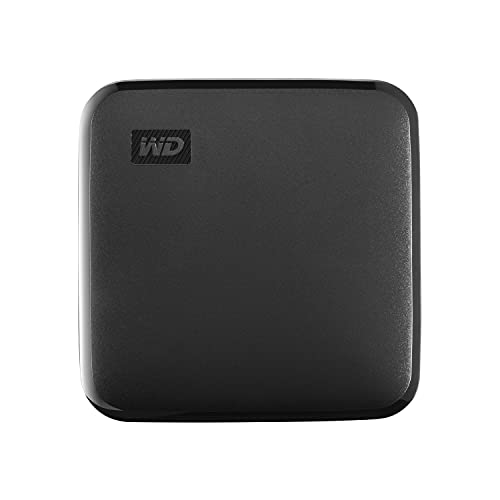 WD Elements SE 1TB
|
Budget | Affordable, pocket-size SSD | Budget-conscious photographers | Check Price | ||
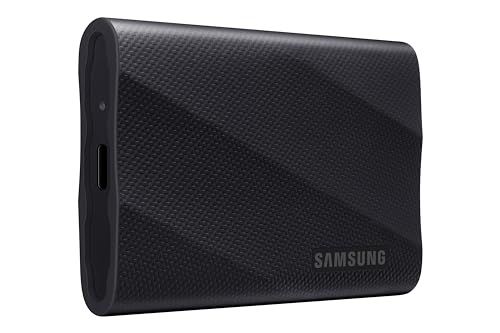 SAMSUNG T9 1TB
|
Mid-Range | Gen 2x2 speeds with thermal guard | Creators who want speed + value | Check Price | ||
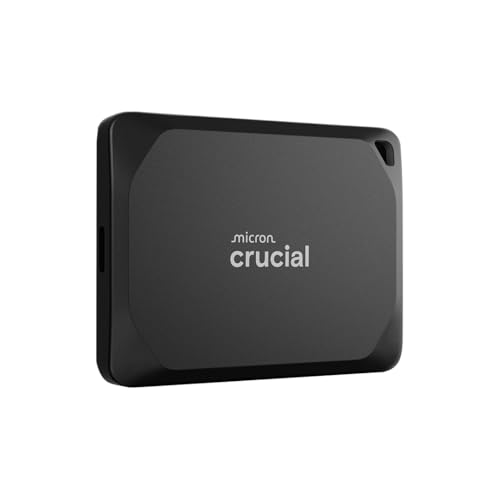 Crucial X10 Pro 1TB
|
Mid-Range | Up to 2100MB/s read speeds | Pro creators needing fast, durable storage | Check Price | ||
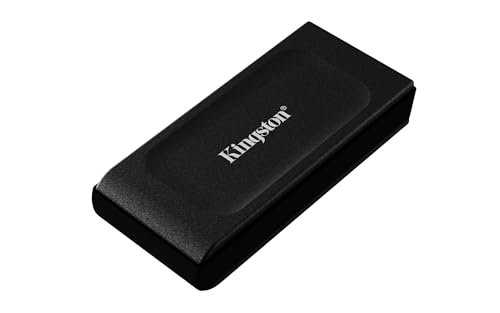 Kingston XS1000 1TB
|
Budget | Compact pocket-sized design | Travel photographers seeking portability | Check Price |
1. SanDisk 1TB Extreme PRO Portable SSD - Up to 2000MB/s - USB-C, USB 3.2 Gen 2x2, IP65 Water and Dust Resistance, Updated Firmware - External Solid State Drive - SDSSDE81-1T00-G25
The SanDisk Extreme PRO 1TB is built for fast, demanding field work. Its NVMe-class performance (up to 2000MB/s), forged aluminum chassis that doubles as a heatsink, and IP65 dust/water resistance make it ideal for extended transfers and harsh environments. Some users report intermittent data issues, so keep regular backups and updated firmware.
Key Specs
- Up to 2000MB/s read/write (internal testing)
- USB-C, USB 3.2 Gen 2x2 compatible
- IP65 water & dust resistance; 3-meter drop protection
- 256-bit AES hardware encryption; carabiner loop
Pros
- Very fast sustained transfers with heatsink design
- Rugged IP65 shell and drop protection
- Hardware encryption and useful file-management app
Cons
- Some user reports of data corruption or unexpected failures
- Higher price tier; mixed value perception among buyers
Best For: Photographers needing sustained transfers
Check Latest Price on Amazon2. WD 1TB My Passport SSD External Portable Drive, USB 3.1, Up to 540 MB/s - WDBKVX0010PSL-WESN
WD's My Passport SSD balances speed, portability, and security. With up to 540MB/s transfers, password-protected hardware encryption, and compact shock-resistant design, it’s a dependable everyday backup drive. Durability reports are mixed—some photographers praise its longevity while others have seen failures after extended use—so treat it as a high-quality working drive with routine backups.
Key Specs
- Read speeds up to 540MB/s
- USB Type-C; backwards compatible with USB-A
- Password protection with hardware encryption
- WD Discovery suite for backups and utilities
Pros
- Compact, lightweight, and easy to carry
- Good balance of speed and value for many workflows
- Built-in encryption and backup utilities
Cons
- Some users report durability issues after long use
- Can run warm during sustained transfers
Best For: Traveling photographers on a budget for quality
Check Latest Price on Amazon3. Western Digital 1TB Elements SE - Portable SSD, USB 3.0, Compatible with PC, Mac - WDBAYN0010BBK-WESN
The WD Elements SE gives photographers a reliable, no-frills 1TB SSD for offloading images on the go. Its plug-and-play design, compact size, and up to 400MB/s read speeds make it a strong budget option for backing up RAW files and photos. It lacks the NVMe top speeds and advanced thermal features of pricier models but offers excellent portability and value.
Key Specs
- Read speeds up to 400MB/s
- USB 3.0 interface; plug-and-play
- Drop resistance up to 2 meters
- Includes USB 3.0 cable and safety guide
Pros
- Excellent value for money
- Very portable and lightweight
- Simple plug-and-play setup
Cons
- Slower than Gen 2x2 NVMe options
- Basic durability and fewer advanced features
Best For: Budget-conscious photographers
Check Latest Price on Amazon4. SAMSUNG T9 Portable SSD 1TB, USB 3.2 Gen 2x2 External Solid State Drive, Seq. Read Speeds Up to 2,000MB/s for Gaming, Students and Professionals, MU-PG1T0B/AM, Black
The Samsung T9 delivers Gen 2x2 performance up to 2000MB/s with strong thermal management via Dynamic Thermal Guard and regular firmware support through Magician software. It’s a compelling mid-range pick for photographers who want high speed without a premium price. Expect excellent day-to-day performance, though some users report device or compatibility quirks on certain systems.
Key Specs
- Sequential speeds up to 2000MB/s (requires Gen 2x2 host)
- USB 3.2 Gen 2x2 interface; included cable recommended
- Advanced thermal control (Dynamic Thermal Guard)
- Samsung Magician firmware & drive health tools
Pros
- High NVMe speeds at a competitive mid-range price
- Good thermal management for sustained transfers
- Solid software support and firmware updates
Cons
- Full 2000MB/s may require specific host/cables
- Some users report durability or compatibility inconsistencies
Best For: Creators who want speed + value
Check Latest Price on Amazon5. Crucial X10 Pro 1TB Portable SSD, Up to 2100MB/s Read, 2000MB/s Write, 3.2 USB-C, External Solid State Drive, Durable Storage for PC & Mac, for Professional Creators, Black - CT1000X10PROSSD902
The Crucial X10 Pro is tailored to pro creators who need high sustained throughput and a robust exterior. With up to 2100MB/s read and IP55 water/dust resistance plus 2m drop protection, it’s well-suited to fieldwork. A few users report intermittent connection issues or data corruption, so maintain redundant backups when using it as a primary archive in the field.
Key Specs
- Up to 2100MB/s read, 2000MB/s write
- USB-C 3.2; broad device compatibility
- IP55 water & dust resistance; 2m drop resistance
- Activity light, lanyard loop, included bonus software
Pros
- Very fast read/write performance
- Durable build for on-location use
- Wide compatibility and useful bundled software
Cons
- Some reports of random disconnects or data issues
- Mixed feedback on value vs pricier premium drives
Best For: Pro creators needing fast, durable storage
Check Latest Price on Amazon6. Kingston XS1000 1TB SSD | Pocket-Sized | USB 3.2 Gen 2 | External Solid State Drive | Up to 1050MB/s | SXS1000/1000G
The Kingston XS1000 is a tiny, budget-friendly 1TB SSD that’s great for photographers who prioritize pocket space and simple backups. With up to 1050MB/s via USB 3.2 Gen 2 it’s faster than USB 3.0 options and extremely portable. Some buyers report durability and data retention concerns, so it’s best used as a high-speed working drive alongside a backup plan.
Key Specs
- Up to 1050MB/s with USB 3.2 Gen 2
- Pocket-sized form factor; up to 2TB available
- USB-C interface; plug-and-play convenience
Pros
- Very compact and pocket-friendly
- Good transfer speeds for the price tier
- Strong value and storage capacity options
Cons
- Lower peak speeds than Gen 2x2 NVMe devices
- Some reports of data retention and early failures
Best For: Travel photographers seeking portability
Check Latest Price on AmazonWhich One Should You Choose?
If budget is tight → WD 1TB Elements SE (B097TTZD48) provides the most affordable, reliable 1TB backups. If you need the best blend of portability and everyday reliability → WD 1TB My Passport SSD (B07C58KFX1). If you prioritize full NVMe speeds + thermal control at a good price → SAMSUNG T9 1TB (B0CHFSWM2P). If you want the fastest sustained throughput and rugged housing for heavy professional use → SanDisk 1TB Extreme PRO (B08GV9M64L). For very fast reads with broad compatibility → Crucial X10 Pro (B0C9WGGZT9). For the smallest pocket-sized option → Kingston XS1000 1TB (B0CCQB7BN7).
Best for Specific Scenarios
- Day-long wedding shoots: WD My Passport SSD (B07C58KFX1) because it balances portability, encryption, and steady transfer speeds for frequent on-the-go backups.
- Outdoor landscape or travel work: SanDisk Extreme PRO (B08GV9M64L) because of its IP65 protection, aluminum heatsink, and higher sustained throughput for big transfers.
- Budget on-location backups: WD Elements SE (B097TTZD48) because it’s affordable, portable, and plug-and-play for quick card offloads.
Frequently Asked Questions
Can I edit photos directly from an external 1TB SSD?
Yes — many of the drives reviewed support live editing directly from the SSD. For the smoothest experience, choose a drive with higher sustained read/write speeds (NVMe / Gen 2x2 options) and connect it to a compatible USB-C port. For heavy RAW or tethered editing, aim for drives that advertise sustained performance and good thermal management.
Do I need a special cable or port to reach 2000MB/s speeds?
To reach advertised Gen 2x2 speeds (around 2000MB/s), your host device and the USB-C cable must support USB 3.2 Gen 2x2 and UASP. Many laptops and cameras only support USB 3.1/3.2 Gen 2 (up to ~1000MB/s), so check your device’s ports. Manufacturers often include a recommended cable; using that cable and a compatible host is the simplest way to get top speeds.
How can I avoid data loss when backing up in the field?
Always follow a 3-2-1 rule: keep at least three copies of your files, on two different media, with one off-site. Use two separate drives or a drive plus cloud backup when possible. Verify transfers (many backup apps offer verification), safely eject drives after transfers, keep firmware updated, and store drives in protective cases. If a drive reports errors or disconnects, stop using it and copy data to a different device immediately.
How We Selected These Products
Our recommendations are based on data-driven analysis: we evaluated 155229+ products across 23916+ brands using a composite scoring system that weighs rating (40%), review volume (30%), price value (20%), and demand signals (10%). Every product is ranked by data, not opinions.
Last updated: May 28, 2026
As an Amazon Associate we earn from qualifying purchases at no extra cost to you. Full disclosure.
GearLark Score is our editorial ranking based on a composite analysis of product quality, value, and verified customer sentiment. Click through to Amazon for current pricing, availability, and live customer reviews.