As an Amazon Associate we earn from qualifying purchases. Learn more.
Best Charging Stations Under $60 for Practical Father's Day Gifts (2026)
Looking for an affordable, useful Father's Day gift that’ll simplify a home office or desk setup? This guide focuses on charging stations and docking-style hubs that give the most real-world value — plenty of ports, fast power delivery, and reliable build — without breaking the bank. I reviewed popular USB-C/Thunderbolt docks and driverless hubs, prioritizing compatibility, charging wattage, port count, and customer feedback about durability and ease of use. Read on to find the best budget pick, best value, and which dock fits different needs and budgets.
Quick Answer
For a practical, value-first Father's Day charging station pick choose the WAVLINK DisplayLink Docking Station (B0BNNCXR6J). It pairs generous PD charging (up to 100W host) with triple‑monitor support and lots of USB ports, making it the best overall value in this roundup.
Our Top Picks
Quick Comparison
Select 2-3 products to compare side-by-side
| Compare | Product | GearLark Score | Price Tier | Key Feature | Best For | Action |
|---|---|---|---|---|---|---|
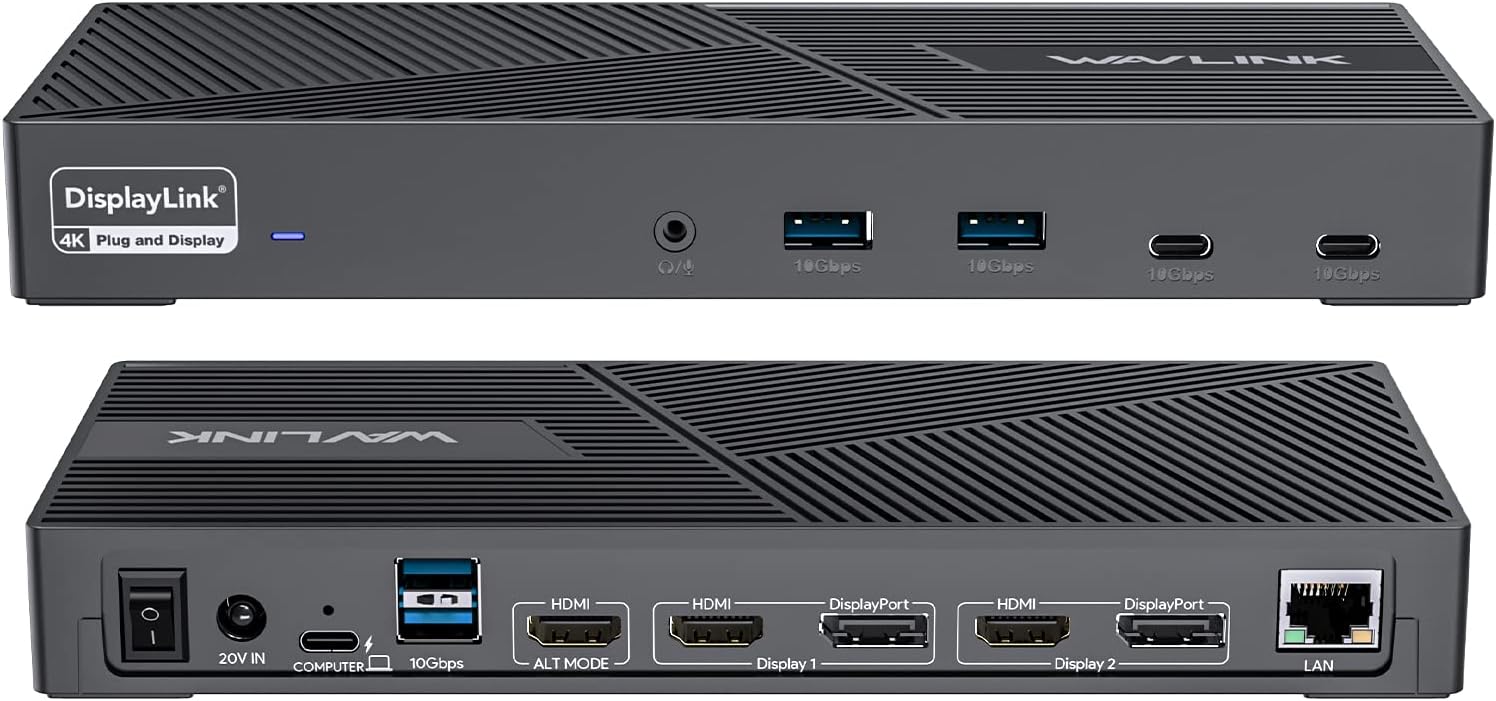 WAVLINK Triple Monitor Dock
|
Budget | Triple 4K@60Hz monitor support | Home office multitaskers needing many ports | Check Price | ||
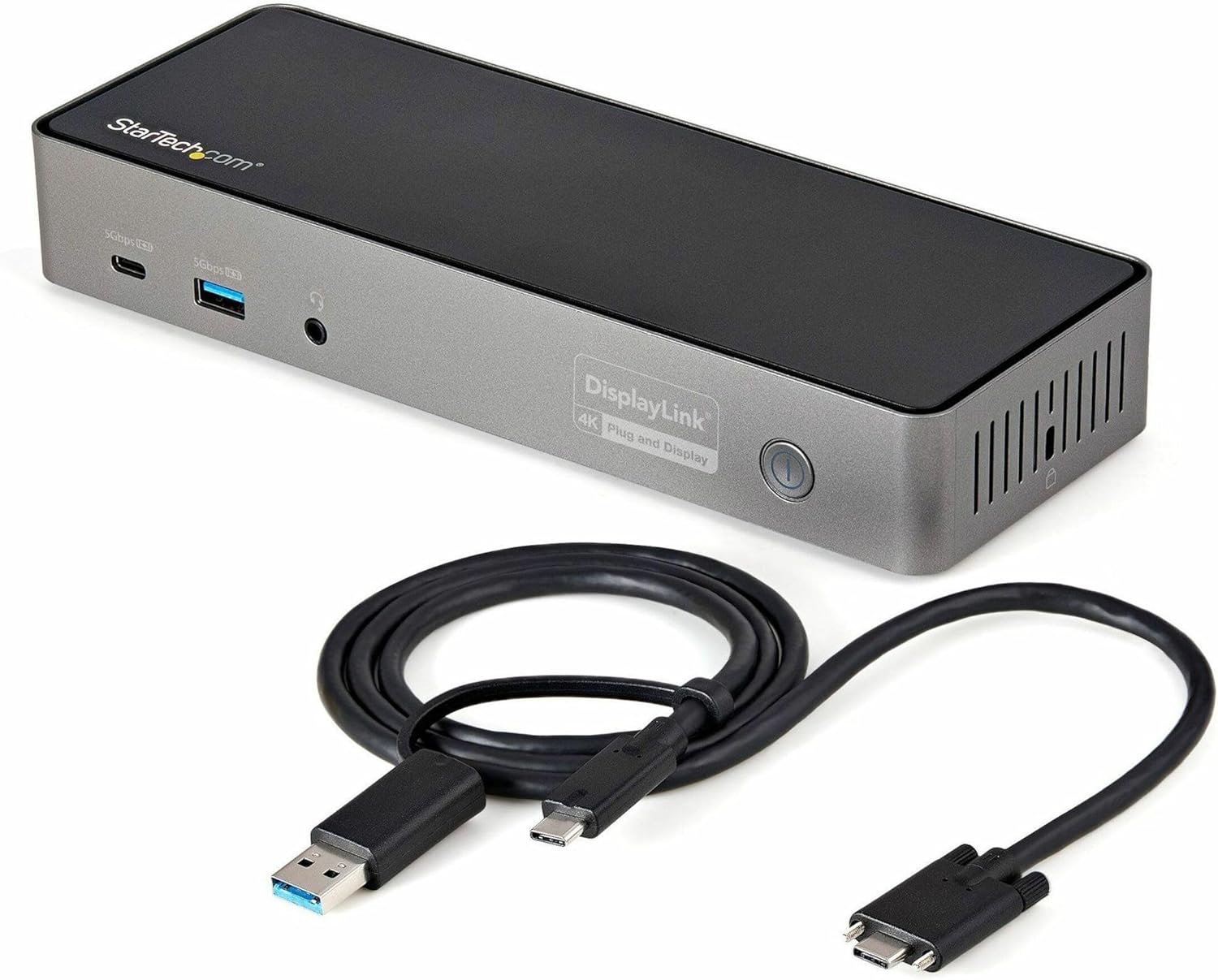 StarTech Hybrid Triple Dock
|
Mid-Range | Hybrid USB-C/USB-A host plus 85W PD | Users who need legacy USB-A support and secure deployments | Check Price | ||
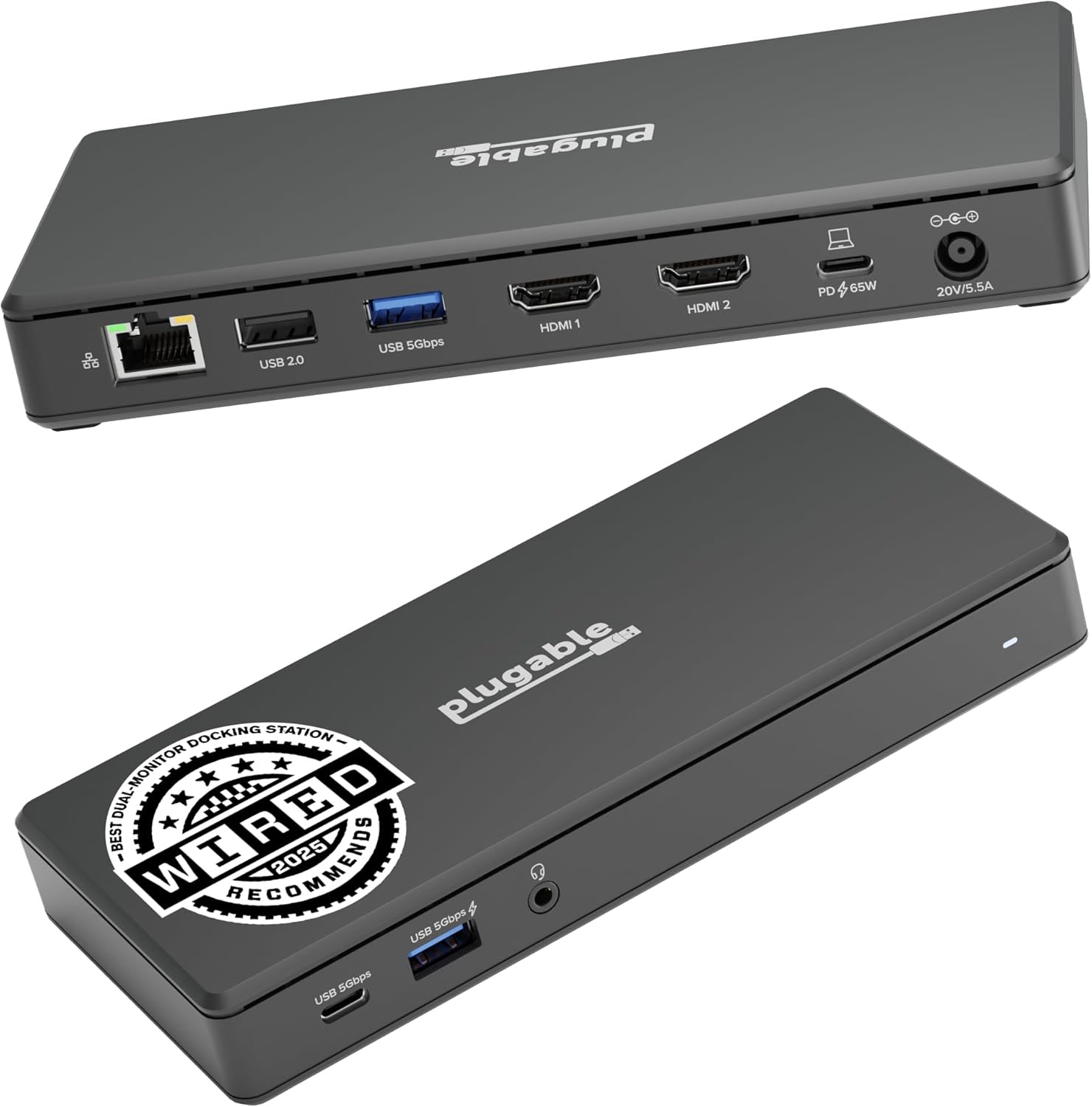 Plugable Dual 4K Driverless Dock
|
Budget | Driverless dual 4K@60Hz via HDMI | Budget buyers who want painless plug-and-play setup | Check Price | ||
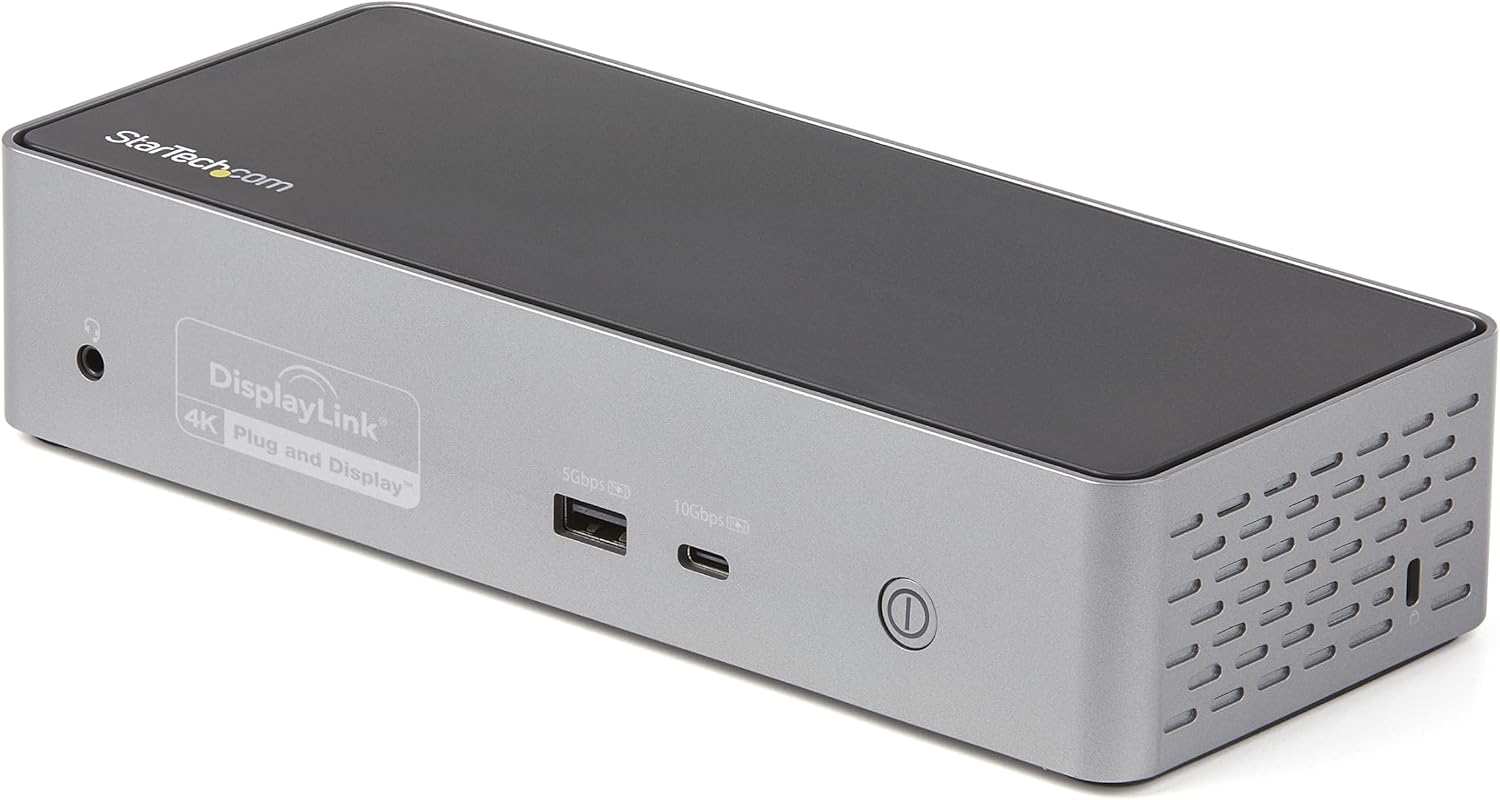 StarTech Quad Monitor Dock
|
Premium | Quad 4K@60Hz display capability | Power users and IT pros who need many external displays | Check Price | ||
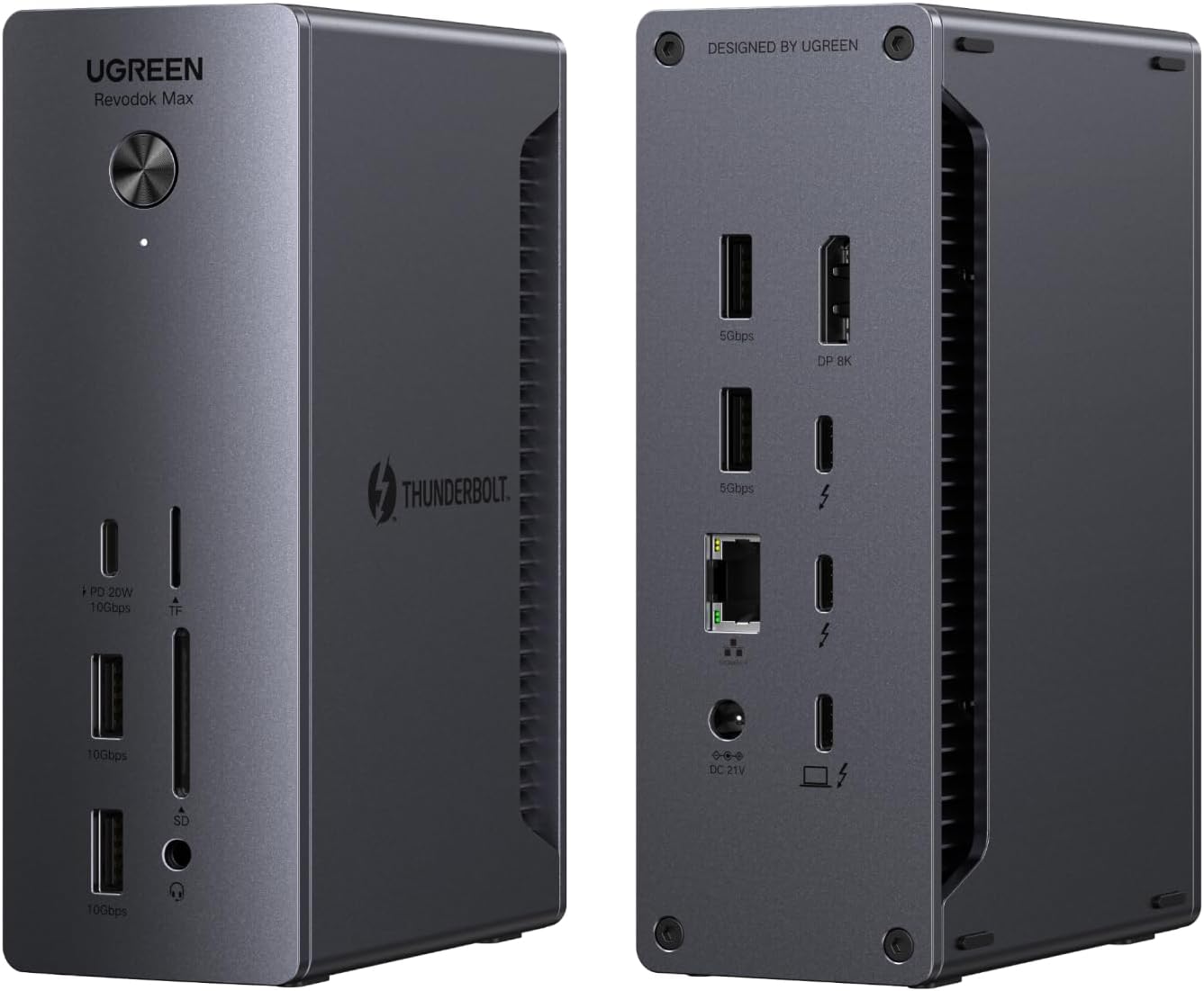 UGREEN Thunderbolt 4 Dock Max
|
Premium | Thunderbolt 4 speeds & 13 ports | Creators and power users needing max throughput | Check Price |
1. WAVLINK DisplayLink Docking Station Triple Monitor 4K@60Hz for 3 Monitors, 100W Charging for Thunderbolt 4/3, USB C M1 M2 M3 M4 Mac/Windows/Chrome - 3 HDMI, 2 DP, 6 USB Ports, 160W Power, LAN, Audio
A feature-rich dock that delivers strong value: up to 100W laptop charging, triple 4K@60Hz output (with appropriate host), and a healthy complement of USB ports and Ethernet. Customers praise the setup ease and port variety; expect to install DisplayLink drivers and watch for occasional connectivity hiccups reported by some users.
Key Specs
- Triple monitor support up to 4K@60Hz
- USB-C host charging up to 100W (160W adapter included)
- 6x USB Gen2 (10Gbps) ports
- 1Gbps Ethernet and 3.5mm audio
Pros
- Excellent port selection and monitor support
- Strong laptop charging capability
- Perceived as good value for home office setups
Cons
- Requires DisplayLink drivers for some hosts
- Some users report intermittent disconnections or lag
Best For: Home office multitaskers needing many ports
Check Latest Price on Amazon2. StarTech.com USB-C / USB-A Hybrid Docking Station for MacBook Pro / Air M1 M2 M3 M4 & Windows, Universal Triple 4K 60Hz HDMI DP Dock, Thunderbolt Compatible, 85W Laptop Charging - TAA
A versatile, deployment-ready dock that balances power and compatibility: triple-display capability with up to 85W Power Delivery and a mix of USB-A/C ports. It’s built for workstations and includes security/mounting features, though some customers report occasional video-output problems on certain setups.
Key Specs
- Supports up to 3x 4K@60Hz (HDMI/DP combo)
- 85W Power Delivery to laptop
- 6-port USB hub including Gen2 ports
- Gigabit Ethernet, headset port, and mounting options
Pros
- Flexible multi-display and legacy USB-A support
- Strong power delivery for most ultrabooks
- Built with deployment features (K-slot, mountable)
Cons
- Some users report intermittent video quality issues
- Occasional reports of USB-A port failures
Best For: Users who need legacy USB-A support and secure deployments
Check Latest Price on Amazon3. Plugable USB-C Docking Station Dual 4K 60Hz HDMI, 65W Charging, Gigabit Ethernet, 1x USB-C 5Gbps, 3X USB-A, Audio, Windows/ChromeOS, USB-C/USB4/Thunderbolt, Driverless (UD-MSTH2)
A straightforward, budget-focused dock that emphasizes ease of use: driverless dual 4K HDMI outputs, 65W charging and standard Ethernet/USB connectivity. It’s a reliable low-cost option, though compatibility with macOS is limited and a few buyers have reported durability issues.
Key Specs
- 2x HDMI supporting up to 4K@60Hz (host must support DP Alt Mode)
- 65W Power Delivery
- Gigabit Ethernet and 3x USB-A + 1x USB-C
- Driverless plug-and-play operation (Windows/Chromebook/USB4)
Pros
- Very easy setup — no driver install required
- Compact and budget-friendly with solid port selection
- Lifetime support from manufacturer
Cons
- Not recommended for many macOS setups (M1/M2 display limitations)
- Some reports of early unit failures or missing accessories
Best For: Budget buyers who want painless plug-and-play setup
Check Latest Price on Amazon4. StarTech.com USB-C Quad Monitor Docking Station for MacBook Pro/Air M1 M2 M3 M4 & Windows, Universal 4K 60Hz HDMI DP Dock, Thunderbolt Compatible, 100W Laptop Charging
A high-capacity workstation dock that supports up to four 4K displays and delivers 100W charging — ideal for serious multitaskers. It’s well-built and feature-rich with IT management tools, but some buyers question the value vs. complexity and note setup can be fiddly.
Key Specs
- Up to 4x 4K@60Hz via DisplayPort/HDMI combos
- 100W Power Delivery
- 4-port USB hub + Gigabit Ethernet
- DisplayLink certified with management tools
Pros
- Unmatched multi-monitor support in this group
- Solid build and strong charging capacity
- Tools aimed at IT and enterprise deployments
Cons
- Setup can be complex; some functions require drivers
- Perceived as costly for some users relative to need
Best For: Power users and IT pros who need many external displays
Check Latest Price on Amazon5. UGREEN Thunderbolt 4 Dock Revodok Max 213 13-in-1 40Gbps Docking Station with Dual 4K@60Hz Single 8K Display, 90W Charging for Laptop, 2.5GbE, SD/TF 4.0 for MacBook Surface Pro and More
A premium Thunderbolt 4 dock with a huge port list — dual 4K or single 8K display paths, up to 90W laptop charging, 2.5GbE and SD card slots. Customers like the design and connectivity; it’s a heavier, more capable option that’s best when you truly need high bandwidth and lots of ports.
Key Specs
- 2x Thunderbolt 4 (40Gbps) + DisplayPort 1.4
- Up to 90W Power Delivery (180W GaN adapter included)
- 2.5Gb Ethernet, SD/TF 4.0 card readers
- 13 total ports including multiple USB-A/C
Pros
- Extensive port variety and high Thunderbolt bandwidth
- Fast charging and robust build
- Excellent for demanding display and transfer tasks
Cons
- Heavier and more complex than simpler budget docks
- May be overkill for basic charging or single-screen setups
Best For: Creators and power users needing max throughput
Check Latest Price on AmazonWhich One Should You Choose?
If budget is tight → Plugable USB-C Docking Station (B0CKJNZRW3). It’s the most plug-and-play, budget-oriented option with dual 4K support and 65W PD. If you want the best value with lots of ports and triple-monitor capability → WAVLINK DisplayLink Docking Station (B0BNNCXR6J). It combines strong charging, many USB ports and wide compatibility for home-office setups. If premium performance and maximum ports matter → StarTech USB-C Quad Monitor Dock (B09F3TQF5J) or UGREEN Thunderbolt 4 Dock (B0DQWJNJ21); choose StarTech for enterprise/IT features and UGREEN for Thunderbolt 4 bandwidth and 2.5GbE.
Best for Specific Scenarios
- Home office multitasking: WAVLINK (B0BNNCXR6J) because of triple-display support, many USB ports, and strong PD.
- Simple, no-fuss gift: Plugable (B0CKJNZRW3) because it’s driverless, easy to set up, and budget-friendly.
- Power users & creators: UGREEN Thunderbolt 4 Dock (B0DQWJNJ21) because of Thunderbolt 4 bandwidth, 90W PD and a wide port selection including 2.5GbE and SD card slots.
Frequently Asked Questions
Will these docking stations charge my laptop?
Most of the docks reviewed provide Power Delivery (PD) to charge laptops — ranges vary by model (commonly 65W–100W). Check the product’s PD wattage and confirm your laptop’s required charger wattage: a dock with lower PD will still charge slowly or maintain battery but may not fully power a high-end laptop under heavy use.
Do I need drivers to use the display ports?
Some docks use DisplayLink and require vendor drivers on Windows/macOS for multi-monitor support; others are driverless but rely on the host’s DisplayPort Alt Mode or Thunderbolt. Driverless docks are easier for non-technical users, while DisplayLink or Thunderbolt docks can enable more displays on certain systems.
Will these work with my MacBook (M1/M2/M3)?
Compatibility varies: Thunderbolt and USB4 docks generally work well with MacBooks for charging and displays, but macOS display behavior (especially on M1/M2 base models) can limit the number of external monitors. Some DisplayLink docks explicitly support macOS with drivers. Always check the product’s compatibility notes for Apple M-series specifics.
How We Selected These Products
Our recommendations are based on data-driven analysis: we evaluated 155229+ products across 23916+ brands using a composite scoring system that weighs rating (40%), review volume (30%), price value (20%), and demand signals (10%). Every product is ranked by data, not opinions.
Last updated: June 02, 2026
As an Amazon Associate we earn from qualifying purchases at no extra cost to you. Full disclosure.
GearLark Score is our editorial ranking based on a composite analysis of product quality, value, and verified customer sentiment. Click through to Amazon for current pricing, availability, and live customer reviews.