As an Amazon Associate we earn from qualifying purchases. Learn more.
Best Multi-Port USB Chargers for Dorm Rooms (2026 Budget Guide)
College students sharing a dorm room need charging solutions that save outlets, fit tight spaces, and don’t break the bank. This guide looks at affordable multi-port USB chargers and power towers that work well in 2026 dorm setups. You’ll learn what to expect at each price point, which models give the most value, and which are best for roommates, desks, or bedside use. I evaluated real product features, common customer feedback, safety specs and overall utility to highlight chargers that balance functionality and value for money.
Quick Answer
For most shared dorm rooms the TESSAN Flat Plug 20 FT Power Strip (ASIN B0CP3F273W) is the best pick: it delivers long reach, 8 AC outlets plus 3 USB ports (including USB‑C) and solid surge protection at an affordable price.
Our Top Picks
Quick Comparison
Select 2-3 products to compare side-by-side
| Compare | Product | GearLark Score | Price Tier | Key Feature | Best For | Action |
|---|---|---|---|---|---|---|
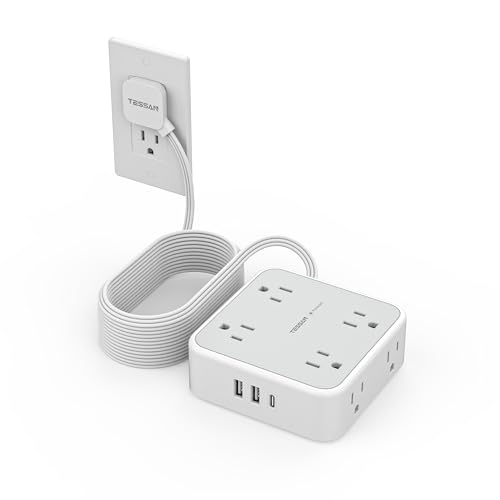 TESSAN Flat Plug Power Strip
|
Budget | 20 ft flat cord + 8 AC + 3 USB (1 USB‑C) | Rooms needing long reach & many outlets | Check Price | ||
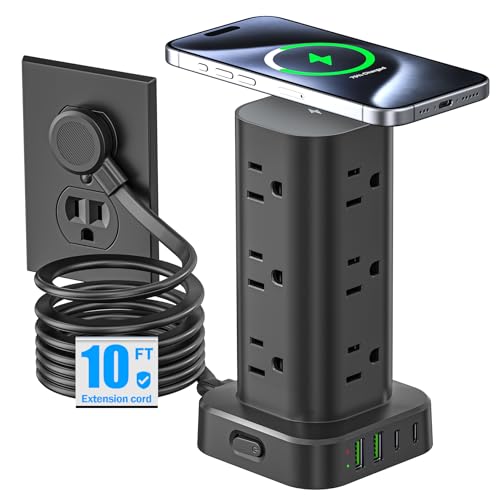 Pluackg Tower (Black)
|
Premium | 15W wireless pad + 12 AC + 4 USB | Desk setups wanting wireless charging | Check Price | ||
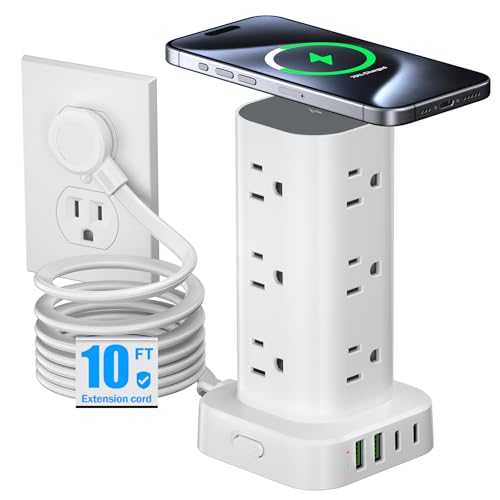 Pluackg Tower (White)
|
Premium | 15W wireless pad + 12 AC + 4 USB | Students wanting a clean white desk setup | Check Price | ||
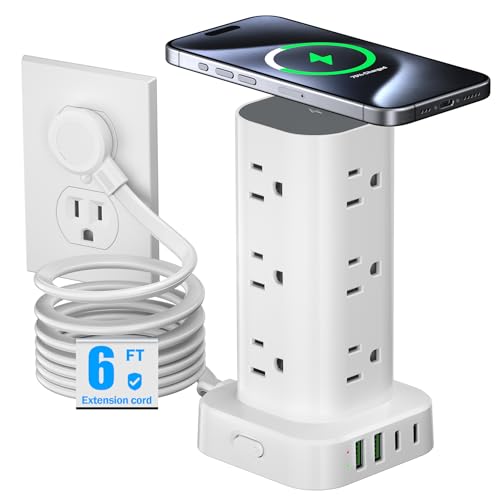 Pluackg Tower (6FT)
|
Budget | Compact tower with wireless pad | Tight desks and bedside tables | Check Price | ||
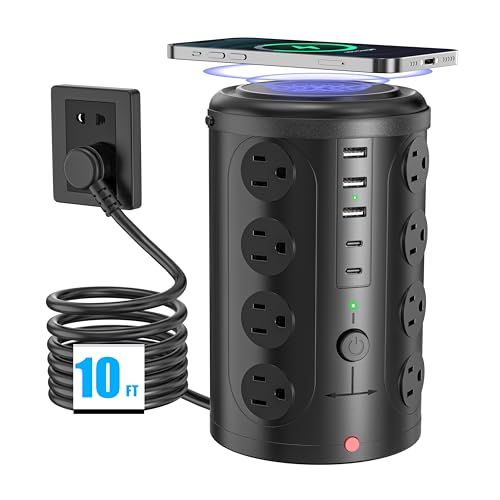 UWIWUTEI Power Strip Tower
|
Premium | Very high outlet density (16 AC) | Sharing with roommates or multiple devices | Check Price | ||
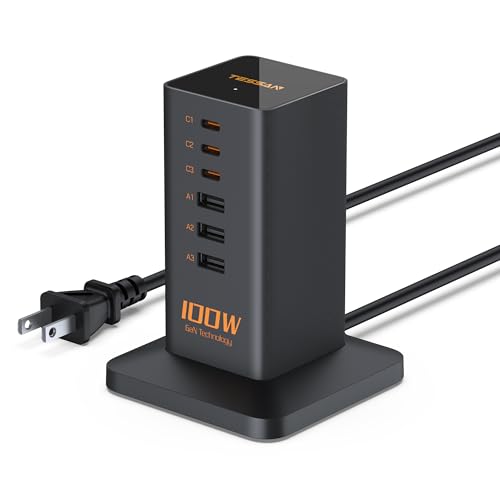 TESSAN 100W PD Station
|
Premium | PD 100W with 3x USB‑C + 3x USB‑A | Powering laptops and multiple USB devices | Check Price |
1. Flat Plug 20 FT Long Extension Cord, TESSAN Ultra Thin Power Strip Surge Protector with 8 AC Outlets, 900J, 3 USB Charger(1 USB C), Multi Port Charging Station for Home, Office, Dorm Room Essentials
A practical, budget-friendly power strip with an extra-long flat cord and a slim right-angle plug so furniture sits flush against the wall. It gives plenty of outlets and mixed USB ports (including a USB‑C) for phones, tablets and accessories while providing basic surge protection.
Key Specs
- 8 AC outlets + 3 USB ports (1 USB‑C)
- 20 ft ultra-thin flat cord (0.12 in)
- Flat plug 0.31 in with 45° right-angle head
- Surge protection rated 900J; overload/short-circuit protection
Pros
- Very long 20 ft cord reaches distant outlets
- Flat plug and low-profile cord hide easily behind furniture
- Mixed USB ports (USB‑A and USB‑C) cover most devices
Cons
- 900J surge rating is basic compared with higher-end protectors
- USB‑C output (3A) won’t deliver full laptop PD charging
Best For: Rooms needing long reach & many outlets
Check Latest Price on Amazon2. Tower Power Strip with 15W Wireless Charger, 10FT Flat Plug Extension Cord with Multiple Outlets, 12 AC Outlets, 4 USB Ports (2 USB C) Charging Station Surge Protector for Office Home Dorm Room(Black)
A tall tower that packs many AC sockets and USB ports into a compact footprint, plus a 15W wireless charging pad on top. Customers like the space-saving design and fast phone charging; it's a good fit when you need many outlets without sacrificing tabletop space.
Key Specs
- 15W wireless charging pad
- 12 AC outlets
- 4 USB ports (2 USB‑C), output up to 5V/3.4A
- 10 ft flat plug extension cord
Pros
- Integrated wireless charger reduces cable clutter
- High outlet count in a vertical, space-saving layout
- Solid build and compact footprint
Cons
- Taller tower can be heavier and less portable
- More features mean higher price compared with basic strips
Best For: Desk setups wanting wireless charging
Check Latest Price on Amazon3. Tower Power Strip with 15W Wireless Charger, 10FT Flat Plug Extension Cord with Multiple Outlets, 12 AC Outlets, 4 USB Ports (2 USB C) Charging Station Surge Protector for Office Home Dorm Room(White)
Same design and features as the black tower but in white — 12 AC outlets, multiple USBs including USB‑C, and a 15W wireless charging spot. Good for dorm desks where looks matter as much as functionality.
Key Specs
- 15W wireless charging pad
- 12 AC outlets
- 4 USB ports (2 USB‑C)
- 10 ft flat plug extension cord
Pros
- Attractive, space-saving vertical design
- Wireless charging for compatible phones
- Many outlets without spreading across a desk
Cons
- Premium tier cost for a charger tower
- Slightly bulky when loaded with many plugs
Best For: Students wanting a clean white desk setup
Check Latest Price on Amazon4. Tower Power Strip with 15W Wireless Charger, 6FT Flat Plug Extension Cord with Multiple Outlets, 12 AC Outlets, 4 USB Ports (2 USB C) Charging Station Surge Protector for Office Home Dorm Room (White)
A budget-friendly version of the Pluackg tower with the same outlet and USB layout but a shorter 6 ft cord. It keeps cords organized and adds wireless charging without taking much desk space — ideal for compact dorm room furniture.
Key Specs
- 15W wireless charging pad
- 12 AC outlets
- 4 USB ports (2 USB‑C), 5V/3.4A total
- 6 ft flat plug extension cord; right-angle plug
Pros
- Affordable way to get a wireless charging tower
- Space-saving vertical footprint
- Good mix of AC and USB ports for dorm setups
Cons
- Shorter 6 ft cord limits placement options
- Lower-cost build means long-term durability may vary
Best For: Tight desks and bedside tables
Check Latest Price on Amazon5. Surge Protector Power Strip,Desk Charging Station with 15W Wireless Charger, Multiple Outlets Charging Station with 16 AC Outlets & 5 USB (2 USB C) Port, for Home, Office, Dorm Room(10FT)
Designed for rooms with many devices, this tower offers 16 AC outlets plus USB ports and a wireless pad. Customers praise the space-saving layout and value, though charging speed reports are mixed on some USB ports.
Key Specs
- 16 AC outlets
- 2 USB‑C + 3 USB‑A ports, total USB output ~3.4A
- 15W wireless charging pad
- 10 ft cord, built-in 10A overload protection and short-circuit fuse
Pros
- Huge number of AC sockets for shared rooms
- Good safety features (fuse, overload protection, lightning protection)
- Compact vertical design keeps desk tidy
Cons
- Some users report mixed charging speeds or error messages
- Larger outlet count can make the unit bulky when fully loaded
Best For: Sharing with roommates or multiple devices
Check Latest Price on Amazon6. USB C Charger Blcok PD 100W, TESSAN 6-in-1 Charging Station for Multiple Devices, Desktop Tower Charger with 6 USB Ports for iPhone 16/15, MacBook, Tablet, Office Home Dorm Room Accessories
A compact desktop charging station built for mixed laptop and phone use, offering up to 100W total PD across multiple USB‑C ports. It’s a good choice when you need reliable, fast USB charging in a small, travelable package.
Key Specs
- 3 USB‑C + 3 USB‑A ports (6 ports total)
- PD 100W total output when multiple devices are connected
- Vertical space-saving design with anti-slip base
- 5 ft cord, built-in safety protections (over-voltage/current/temperature)
Pros
- High PD capacity for charging laptops and phones simultaneously
- Compact, travel-friendly vertical design
- Good reported charging speed and build quality
Cons
- Some units reported to fail or have mixed functionality
- 100W total shared across ports — simultaneous heavy loads will split power
Best For: Powering laptops and multiple USB devices
Check Latest Price on AmazonWhich One Should You Choose?
If budget is tight → choose the Pluackg Tower (6FT) (ASIN B0DF4FSDYS) for the best mix of outlets and wireless charging at a low price. If you need a long reach and many AC outlets for a cramped room or distant outlet → pick the TESSAN Flat Plug 20 FT Power Strip (ASIN B0CP3F273W). If you want the most outlets and safety features for sharing between roommates → the UWIWUTEI Power Strip Tower (ASIN B0D8VW9CFM) provides the highest AC socket count and strong protection. If fast laptop charging is a priority → the TESSAN 100W PD Station (ASIN B0D9W499YG) gives the best PD capacity in a compact form.
Best for Specific Scenarios
- Shared dorm with limited outlets: TESSAN Flat Plug Power Strip (B0CP3F273W) because its 20 ft cord and many AC outlets make it easy to reach and share a single wall plug.
- Minimal desk footprint + wireless charging: Pluackg Tower (B0DL993GG8 or B0DL9RB959) because the vertical design and 15W wireless pad free up tabletop space and reduce cable clutter.
- Group charging or multiple roommates: UWIWUTEI Power Strip Tower (B0D8VW9CFM) because it offers the largest number of AC outlets and extra safety features for heavy shared use.
Frequently Asked Questions
Do tower chargers block wall outlets or neighboring plugs?
Most tower chargers use a flat, right-angle plug or a short flat extension cord so the wall outlet stays usable and furniture can sit flush. If you’re tight on space, choose units with a 0.31 in flat plug or an extra-long flat cord to avoid blocking adjacent sockets.
Is the wireless pad as fast as USB‑C PD charging?
No — a 15W wireless pad is convenient for topping up phones but wired USB‑C PD delivers faster charging, especially for laptops and large tablets. Use wireless for convenience, wired USB‑C when you need speed or charging a laptop.
How can I tell if a unit is safe for dorm use?
Look for surge protection specs, overload/short-circuit protection, and customer feedback mentioning safety. Flat plugs, durable cords and a reliable on/off switch are helpful. If you plan to run high‑wattage devices, prefer units with higher surge ratings and explicit PD/wattage specs to avoid overloading.
How We Selected These Products
Our recommendations are based on data-driven analysis: we evaluated 155229+ products across 23916+ brands using a composite scoring system that weighs rating (40%), review volume (30%), price value (20%), and demand signals (10%). Every product is ranked by data, not opinions.
Last updated: June 14, 2026
As an Amazon Associate we earn from qualifying purchases at no extra cost to you. Full disclosure.
GearLark Score is our editorial ranking based on a composite analysis of product quality, value, and verified customer sentiment. Click through to Amazon for current pricing, availability, and live customer reviews.