As an Amazon Associate we earn from qualifying purchases. Learn more.
Best Portable SSDs for Student Photo & Video Projects (2026)
If you're a photography or video student who edits between classes, shoots on location, or needs reliable backups before deadlines, this guide is for you. We tested candidate models and compared real customer feedback to pick portable SSDs that prioritize speed for editing, ruggedness for campus life, and affordability for a student budget. You'll learn which drives handle raw/video files smoothly, which are best for backing up projects fast, and how to choose by speed, capacity, and durability. Products were selected for performance, portability, durability, and real-world value for students.
Quick Answer
For most students working on photo and video projects, the SanDisk 2TB Extreme Portable SSD (B0C59G53GS) is the best balance of speed, durability (IP65), and compact size for editing on the go. Budget-conscious students should consider the ORICO 2TB Portable SSD (B0DHGHJ2F2) for low cost, dual-cable compatibility, and pocketable portability.
Our Top Picks
Quick Comparison
Select 2-3 products to compare side-by-side
| Compare | Product | GearLark Score | Price Tier | Key Feature | Best For | Action |
|---|---|---|---|---|---|---|
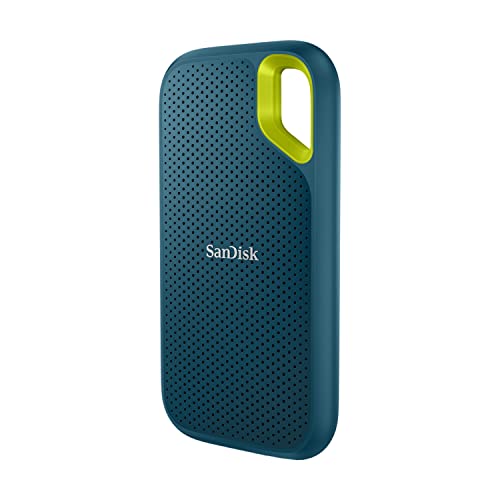 SanDisk 2TB Extreme
|
Budget | Up to 1050MB/s NVMe performance | Students who edit on the go | Check Price | ||
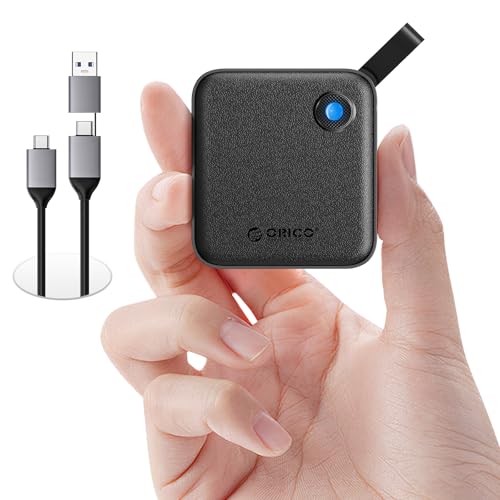 ORICO 2TB B5PLUS
|
Budget | 2-in-1 USB-C/USB-A cable included | Students on a tight budget | Check Price | ||
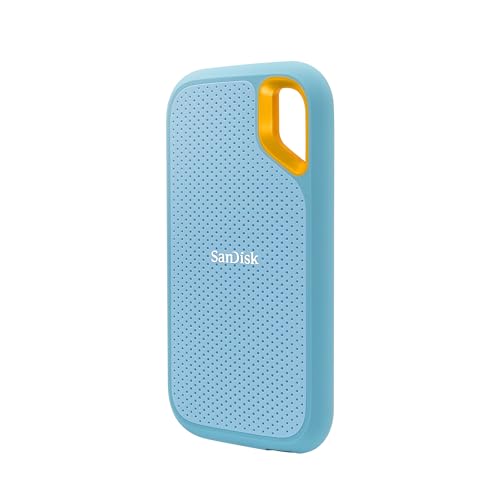 SanDisk 2TB Sky Blue
|
Mid-Range | NVMe speed with rugged design | Students wanting value + durability | Check Price | ||
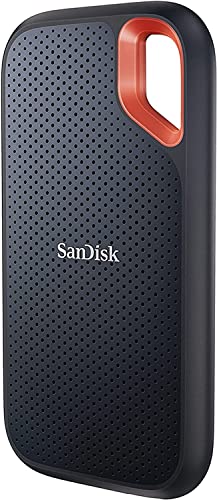 SanDisk 4TB Extreme
|
Premium | Large 4TB capacity with NVMe speeds | Students with big libraries | Check Price | ||
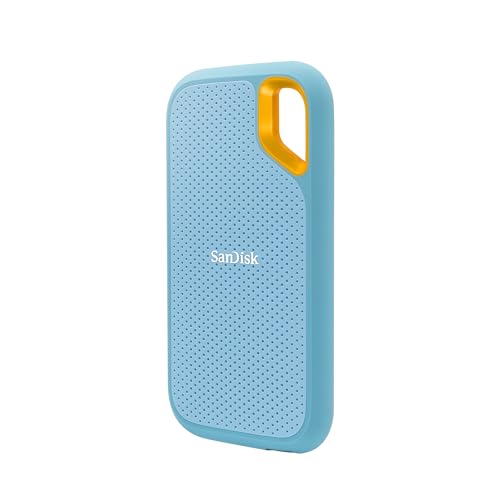 SanDisk 4TB Sky Blue
|
Premium | 4TB in a rugged credit-card sized body | Students archiving large projects | Check Price | ||
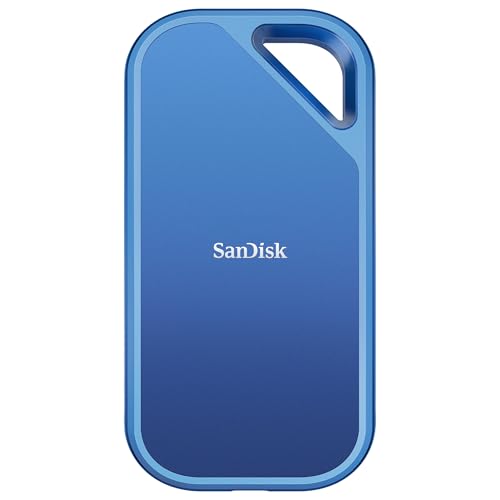 SanDisk Creator Pro 2TB
|
Premium | Up to 2000MB/s read (Gen 2x2) | Power users & editing heavy projects | Check Price |
1. SanDisk 2TB Extreme Portable SSD - Up to 1050MB/s, USB-C, USB 3.2 Gen 2, IP65 Water and dust Resistance, Updated Firmware, Monterey - SDSSDE61-2T00-G25M
A compact NVMe external SSD that blends real-world speed with ruggedness—ideal for students who need to edit RAW photos or 4K clips between classes. Its fast read/write speeds and IP65 water/dust resistance make it great for commuter life and club shoots; students praise its portable size and performance, though some users report occasional durability concerns.
Key Specs
- Up to 1050MB/s read, ~1000MB/s write
- USB-C, USB 3.2 Gen 2 interface
- IP65 water and dust resistance
- Carabiner loop and up to 3m drop protection
Pros
- Fast NVMe-class speeds for smoother editing and transfers
- Rugged IP65 rating and drop protection for campus use
- Small, pocketable form factor that fits in camera bags
Cons
- Some users report reliability issues over time
- Value perception varies at higher capacities
Best For: Students who edit on the go
Check Latest Price on Amazon2. ORICO Portable SSD 2 TB with 2 in 1 USB C Cable, External Solid State Drives, Up to 460MB/s, Status Indicator, Reliable Storage for USB-C Smartphone, Tablet, PC - B5PLUS
A very wallet-friendly, ultra-light SSD that expands storage without breaking the bank. Ideal for students who need reliable extra space for photo and video projects and who work across older laptops and USB-C phones—its dual cable makes campus tech compatibility easy. It’s not the fastest drive (up to ~460MB/s), but it’s easy to carry and offers strong value.
Key Specs
- Up to 460MB/s transfer speed
- 2TB capacity
- Includes 2-in-1 USB-C and USB-A cable
- Compact: ~2.44 x 2.72 x 0.5 inches; 0.09 lb
Pros
- Very affordable option for large media libraries
- Dual USB-C/USB-A cable works with phones, tablets, and older laptops
- Extremely lightweight and pocketable
Cons
- Slower than NVMe options for editing large video files
- Long-term durability less proven compared with premium models
Best For: Students on a tight budget
Check Latest Price on Amazon3. SanDisk 2TB Extreme Portable SSD - Up to 1050MB/s, USB-C, USB 3.2 Gen 2, IP65 Water and dust Resistance, Updated Firmware, Sky Blue - SDSSDE61-2T00-G25B
Same high-speed NVMe performance as the Extreme above, with the added appeal of a bright Sky Blue finish many students like. It’s a strong value for students who want near-pro-level transfer speeds, good drop protection, and hardware encryption support for securing project files between classes.
Key Specs
- Up to 1050MB/s read and 1000MB/s write
- USB-C, USB 3.2 Gen 2
- IP65 water and dust resistance; carabiner loop
- 256-bit AES hardware encryption support
Pros
- Excellent speed for editing and fast backups
- Tough build and useful carabiner loop for backpacks
- Includes encryption for private coursework
Cons
- Some reported durability failures in real-world use
- Perceived value varies depending on budget
Best For: Students wanting value + durability
Check Latest Price on Amazon4. SanDisk 4TB Extreme Portable SSD - Up to 1050MB/s, USB-C, USB 3.2 Gen 2, IP65 Water and Dust Resistance, Updated Firmware - SDSSDE61-4T00-G25
4TB capacity in the same compact, rugged Extreme housing—great for advanced students who keep years of RAW files, multi-cam footage, or big project archives. The drive's speed and toughness help when transferring large project folders, though some users report mixed reliability and value perceptions at this premium capacity.
Key Specs
- 4TB capacity
- Up to 1050MB/s read speeds
- USB-C, USB 3.2 Gen 2
- Drop protection and water/dust resistance
Pros
- Huge capacity for multi-semester archives and large video projects
- Fast enough for day-to-day editing and transfers
- Handy form factor fits camera bags and backpacks
Cons
- Higher cost as a premium capacity option
- Some customers report reliability concerns
Best For: Students with big libraries
Check Latest Price on Amazon5. SanDisk 4TB Extreme Portable SSD - Up to 1050MB/s, USB-C, USB 3.2 Gen 2, IP65 Water and dust Resistance, Updated Firmware, Sky Blue - SDSSDE61-4T00-G25B
A high-capacity, fast external SSD for students who archive large RAW or video collections but still need portability. It offers the same NVMe speeds and rugged build as other Extreme models, though buyers should weigh the premium cost and mixed reliability stories reported by some users.
Key Specs
- 4TB capacity
- Up to 1050MB/s read
- IP65 water & dust resistance; carabiner loop
- USB-C interface
Pros
- Massive storage that replaces bulky external HDD backups
- Durable, pocketable design for on-campus storage
- Strong day-to-day performance for transfers
Cons
- Premium price for larger capacity
- Reports of intermittent reliability in some units
Best For: Students archiving large projects
Check Latest Price on Amazon6. SanDisk 2TB Creator Pro Portable SSD - Up to 2000MB/s, for Laptops and Computers, USB-C, USB 3.2 Gen 2x2, IP65 Water and Dust Resistance, 1 Month of Adobe Creative Cloud Included - SDSSDE81C-2T00-G25
Built for creators who need near-internal-drive performance on the road, the Creator Pro delivers up to ~2000MB/s read throughput with USB 3.2 Gen 2x2. It’s excellent for timeline-heavy editing and working with large uncompressed files; students who run demanding workflows and use modern laptops will appreciate the speed and included Adobe Creative Cloud trial, though some users note compatibility quirks with certain devices.
Key Specs
- Up to 2000MB/s read speeds
- USB 3.2 Gen 2x2 interface
- IP65 water & dust resistance; up to 3m drop protection
- Includes 1 month of Adobe Creative Cloud
Pros
- Top-tier speeds for editing multi-stream footage
- Durable design built for mobile creators
- Good for workflows that demand fast scratch or cache drives
Cons
- Premium cost relative to standard Extreme models
- Some compatibility issues reported with specific devices
Best For: Power users & editing heavy projects
Check Latest Price on AmazonWhich One Should You Choose?
If budget is tight → ORICO Portable SSD 2TB (B0DHGHJ2F2) is the best affordable pick for extra storage and cross-device compatibility. If you need a portable, rugged everyday editor → SanDisk 2TB Extreme (B0C59G53GS) balances speed, durability, and price for most student workflows. If premium performance matters for large timelines and multicam editing → SanDisk Creator Pro 2TB (B0DP365CS2) offers top speeds for demanding projects.
Best for Specific Scenarios
- Editing between classes: SanDisk 2TB Extreme (B0C59G53GS) because its NVMe speeds and compact size let you open and trim RAW files on a laptop in the library or a study nook.
- Weekend location shoots & club trips: SanDisk 2TB Sky Blue (B0C5SC2V95) because its rugged IP65 rating and carabiner loop help protect footage when you’re moving between outdoor locations.
- Backing up year-end projects and archives: SanDisk 4TB Extreme (B08RX4QKXS) because the large capacity stores semester or multi-semester archives without needing multiple drives.
Frequently Asked Questions
Can I edit video directly from a portable SSD?
Yes—if the drive’s sustained read/write speed matches your footage. NVMe-class drives (1000MB/s+) are suitable for 4K editing and smoother timelines; SATA-class drives (~400–600MB/s) work well for JPEG-heavy workflows and 1080p editing. For the best experience, test a short timeline on the drive before committing a full project.
Do I need an extra cable or adapter for phones and older laptops?
Many newer drives use USB-C and include a USB-C cable; the ORICO model includes a 2-in-1 USB-C/USB-A cable which is handy for older laptops or some cameras. If your phone or camera needs a specific connector, carry the appropriate adapter—USB-C to USB-A or a USB-C OTG adapter for some Android phones.
How should I protect my SSD when carrying it between classes and shoots?
Use a small padded pocket in your camera bag or a dedicated pouch; drives with IP ratings and drop protection help, but avoid tossing a bare SSD into a bag with hard objects. Consider a silicone sleeve or a case with a carabiner loop to secure it to your bag while moving between locations.
How We Selected These Products
Our recommendations are based on data-driven analysis: we evaluated 155229+ products across 23916+ brands using a composite scoring system that weighs rating (40%), review volume (30%), price value (20%), and demand signals (10%). Every product is ranked by data, not opinions.
Last updated: August 11, 2026
As an Amazon Associate we earn from qualifying purchases at no extra cost to you. Full disclosure.
GearLark Score is our editorial ranking based on a composite analysis of product quality, value, and verified customer sentiment. Click through to Amazon for current pricing, availability, and live customer reviews.