As an Amazon Associate we earn from qualifying purchases. Learn more.
Best RAM Upgrades for Creators Editing Video on Laptops (2026 Guide)
If you edit video or manage big photo libraries on a laptop, RAM matters more than ever: it reduces swapping, keeps timelines responsive, and speeds multicam previews. This guide is for mobile creators who need recommendations prioritized for multitasking and editing workflows — not desktop replacement gaming rigs. I evaluated current 2026 laptop models for DDR5 memory capacity and upgrade paths, CPU/GPU balance for hardware-accelerated encoding, display suitability for color work, and real-world signals like build quality and reported battery/durability notes. Read on to find which laptop fits your editing style and how to plan RAM upgrades.
Quick Answer
For creators editing video on a laptop, the ASUS TUF F16 (B0FNZTFRQS) is the best overall pick — it supports up to 64GB DDR5, pairs a 16-core Intel i7 with an RTX 5060 for fast timeline scrubbing and GPU-accelerated exports. If you want the most budget-friendly option with 32GB DDR5 out of the box, choose the HP Victus 15 (B0CFS492CP).
Our Top Picks
Quick Comparison
Select 2-3 products to compare side-by-side
| Compare | Product | GearLark Score | Price Tier | Key Feature | Best For | Action |
|---|---|---|---|---|---|---|
 ASUS TUF F16 |
Premium | Supports up to 64GB DDR5 RAM | Power-hungry mobile creators | Check Price | ||
 HP Victus 15 (1TB) |
Budget | 32GB DDR5 out of the box | Budget-conscious video/photo creators | Check Price | ||
 HP Victus 15 (2TB) |
Budget | 2TB PCIe SSD for larger local projects | Photographers and video editors needing local storage | Check Price |
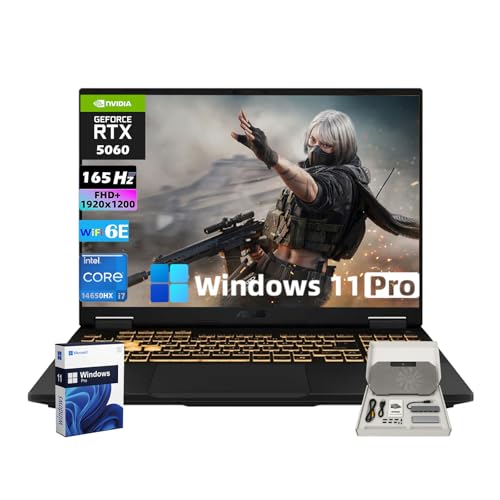
1. ASUS TUF F16 Gaming Laptop - 16" FHD+ 165Hz Display 300 nits, Intel 16 Core i7-14650HX, NVIDIA GeForce RTX 5060, Windows 11 Pro, WiFi 6E, Backlit Keyboard (32GB DDR5 RAM | 1TB SSD)
The ASUS TUF F16 is a strong choice for on-the-go editors who need headroom for large timelines and background tasks. With a 16-core i7, RTX 5060 GPU, and support for up to 64GB DDR5, it gives GPU-accelerated exports and smooth multicam playback while offering robust I/O for docks and external drives.
Key Specs
- CPU: Intel Core i7-14650HX (16-core, up to 5.2GHz)
- RAM: 32GB DDR5 (expandable up to 64GB)
- Display: 16" FHD+ 1920x1200, 165Hz, 100% sRGB
- GPU: NVIDIA GeForce RTX 5060 (8GB GDDR7)
- Storage: 1TB PCIe SSD; up to 4TB supported
Pros
- Very strong CPU/GPU balance for editing and export
- High RAM ceiling (up to 64GB DDR5) — great for big projects
- Durable chassis and extensive ports (Thunderbolt/HDMI)
Cons
- Some users report mixed stability/software quirks after setup
- Battery life is modest for long unplugged editing sessions
Best For: Power-hungry mobile creators
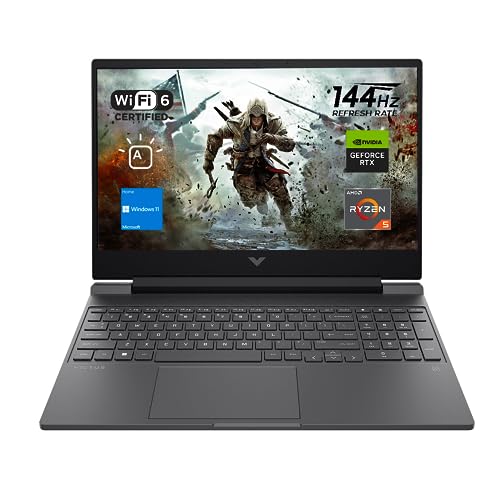
Check Latest Price on Amazon2. HP Victus 15 Gaming Laptop, 15.6" FHD 144Hz Display, AMD Ryzen 5 7535HS, 32GB DDR5 RAM, 1TB PCIe M.2 SSD, NVIDIA GeForce RTX 2050, HDMI, Webcam, Backlit Keyboard, Wi-Fi 6, Windows 11 Home, Silver
The HP Victus 15 delivers solid editing performance for creators on a tighter budget: a multi-core Ryzen 5, 32GB of DDR5 RAM, and a snappy PCIe SSD keep timelines responsive and exports reasonable. It’s a practical mobile workstation for quick edits, proxy workflows, and multi-tab productivity, though battery life and audio may not impress power users.
Key Specs
- CPU: AMD Ryzen 5 7535HS (6 cores, up to 4.55GHz)
- RAM: 32GB DDR5
- Display: 15.6" FHD 144Hz Anti-Glare
- GPU: NVIDIA GeForce RTX 2050 (4GB GDDR6)
- Storage: 1TB PCIe M.2 SSD
Pros
- Good value — strong performance per dollar for editing tasks
- 32GB DDR5 handles multitasking and browser-heavy workflows
- Fast boot and file transfers with PCIe SSD
Cons
- Battery life has been reported as short under heavy load
- Some units show inconsistent functionality or audio quality
Best For: Budget-conscious video/photo creators
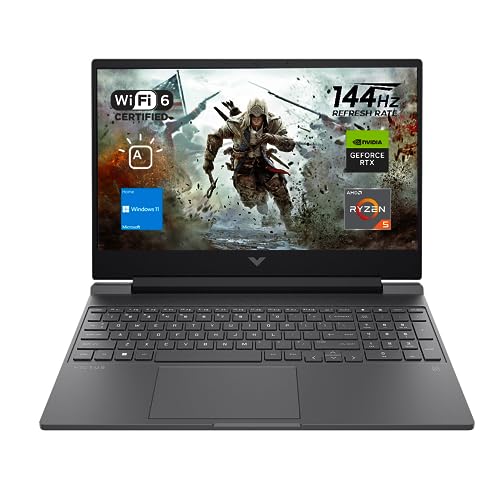
Check Latest Price on Amazon3. HP Victus 15 Gaming Laptop, 15.6" FHD 144Hz Display, AMD Ryzen 5 7535HS, 32GB DDR5 RAM, 2TB PCIe M.2 SSD, NVIDIA GeForce RTX 2050, HDMI, Webcam, Backlit Keyboard, Wi-Fi 6, Windows 11 Home, Silver
This HP Victus 15 mirrors the 1TB model’s core performance but adds a roomy 2TB SSD — ideal if you want to keep more project files locally without relying on external drives. It still provides 32GB DDR5 for smooth editing, but expect similar battery and mixed functionality notes.
Key Specs
- CPU: AMD Ryzen 5 7535HS (6 cores)
- RAM: 32GB DDR5
- Display: 15.6" FHD 144Hz
- GPU: NVIDIA GeForce RTX 2050 (4GB)
- Storage: 2TB PCIe M.2 SSD
Pros
- Large onboard storage reduces reliance on external drives
- 32GB DDR5 supports real editing timelines and multitasking
- Good overall value for creators who store projects locally
Cons
- Reports of limited battery life under heavy workloads
- Some buyers note inconsistent functionality or louder fans
Best For: Photographers and video editors needing local storage
Check Latest Price on AmazonWhich One Should You Choose?
If budget is tight → choose the HP Victus 15 (B0CFS492CP) for 32GB DDR5 performance and solid value. If you need the most local storage for large projects → pick the HP Victus 15 2TB (B0CFSK1XPC). If you want the best long-term performance and upgrade headroom for heavy 4K/8K editing → pick the ASUS TUF F16 (B0FNZTFRQS) for its higher RAM ceiling, stronger CPU/GPU pairing, and wider port selection.
Best for Specific Scenarios
- Mobile documentary editor: ASUS TUF F16 because its 16-core CPU and upgradeable RAM keep multicam timelines smooth during field edits.
- Content creator on a budget: HP Victus 15 (B0CFS492CP) because 32GB DDR5 and a PCIe SSD let you edit and export short-form video without overspending.
- Photographer with large local libraries: HP Victus 15 2TB (B0CFSK1XPC) because the roomy internal SSD reduces reliance on external drives and speeds file access.
Frequently Asked Questions
How much RAM do I really need for 4K video editing on a laptop?
Aim for at least 32GB DDR5 for basic 4K editing and responsive timelines. If you work with multicam, heavy effects, or large RAW files, 64GB (or a laptop that supports upgrading to 64GB) will make a noticeable difference in smoothing previews and reducing disk swaps.
Can I upgrade RAM later, or should I buy the highest spec now?
Check whether the laptop uses SODIMM slots (user-replaceable) or soldered memory. If RAM is upgradeable, you can start with 32GB and add more later, which is often more cost-effective. If memory is soldered, buy the highest practical capacity now to avoid future limitations.
Does more RAM speed up exports?
More RAM helps when exports involve large caches, multiple background tasks, or complex timelines, because it reduces swapping to SSD. Exports themselves are often CPU/GPU-bound, so pair increased RAM with a strong CPU and GPU for the best export time improvements.
How We Selected These Products
Our recommendations are based on data-driven analysis: we evaluated 155229+ products across 23916+ brands using a composite scoring system that weighs rating (40%), review volume (30%), price value (20%), and demand signals (10%). Every product is ranked by data, not opinions.
Last updated: November 11, 2026
As an Amazon Associate we earn from qualifying purchases at no extra cost to you. Full disclosure.
GearLark Score is our editorial ranking based on a composite analysis of product quality, value, and verified customer sentiment. Click through to Amazon for current pricing, availability, and live customer reviews.