As an Amazon Associate we earn from qualifying purchases. Learn more.
Best USB Microphones for Student Podcasting & Online Classes (2026)
Students who record podcasts, host group projects, or want better audio for online classes need microphones that are compact, easy to use, and resilient enough for dorm or campus life. This roundup tests plug-and-play USB condenser mics and webcam mics that balance clear voice capture, decent noise rejection, and durable builds. You’ll learn which models give the best voice clarity, which include useful accessories (arms, filters), and how to choose based on your study setup. Products were chosen for USB plug-and-play simplicity, noise control (cardioid or noise-reduction mics), portability, and real-world durability feedback.
Quick Answer
For most students the FIFINE Studio Condenser T669 is the best pick — it delivers clear cardioid condenser vocal capture, a full accessory kit (boom arm, shock mount, pop filter) and simple USB plug-and-play setup. If budget is tight, the EMEET C960 webcam provides solid built-in microphones and easy plug-and-play convenience for lectures and study calls.
Quick Comparison
Select 2-3 products to compare side-by-side
| Compare | Product | GearLark Score | Price Tier | Key Feature | Best For | Action |
|---|---|---|---|---|---|---|
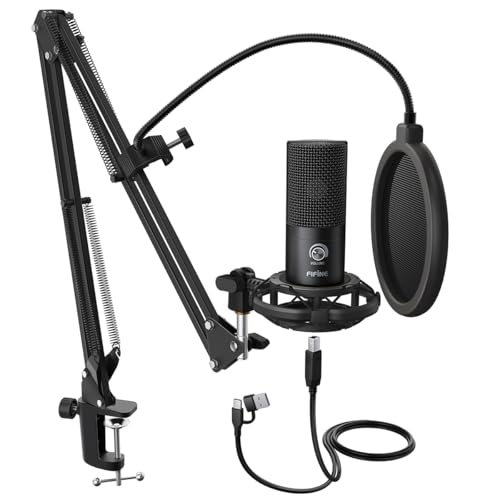 FIFINE T669
|
Premium | Complete kit with boom arm and pop filter | Students who want a ready-to-record setup | Check Price | ||
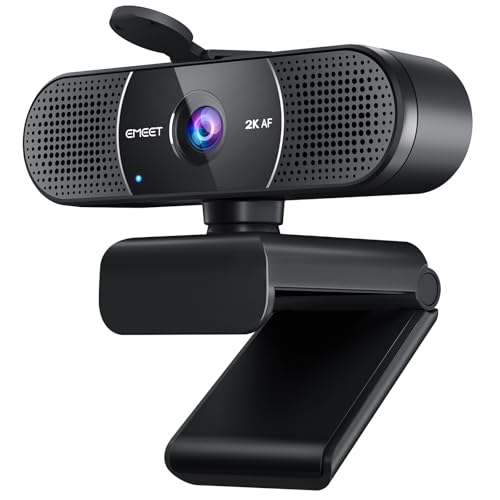 EMEET C960
|
Budget | 2K webcam with dual noise-reduction mics | Students who want one device for video + audio | Check Price | ||
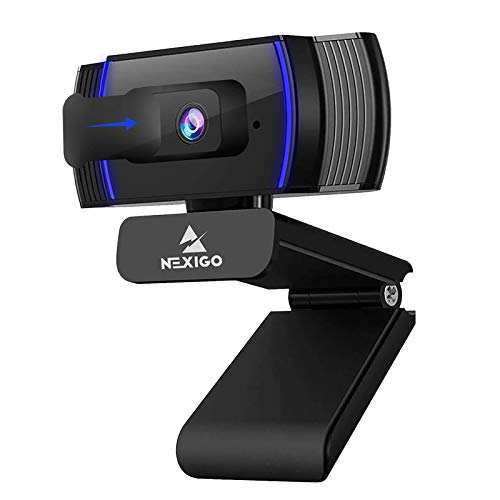 NexiGo N930AF
|
Budget | 1080p autofocus with noise-canceling mic | Students needing reliable class calls on a budget | Check Price | ||
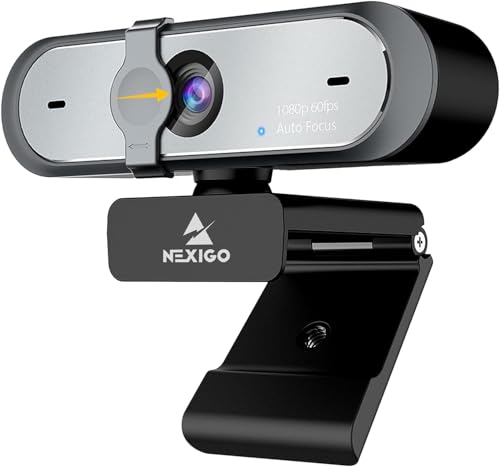 NexiGo N660P Gen2
|
Premium | 1080p at 60fps with stereo noise reduction | Students who stream or record high-frame video | Check Price | ||
![Singing Machine Karaoke Machine for Kids and Adults with Wired Microphone - Built-In Speaker with LED Disco Lights - Wireless Bluetooth, CD+G & USB Connectivity - Black [Amazon Exclusive]](/assets/images/products/B01EVKUHI4.jpg) Singing Machine Karaoke
Singing Machine Karaoke
|
Premium | Wired mic with USB recording port and Bluetooth | Casual recordings and fun group sessions | Check Price | ||
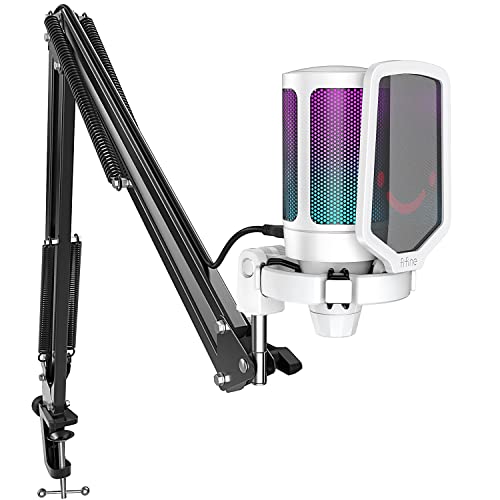 FIFINE A6T
|
Mid-Range | RGB condenser with mute/volume controls | Students who want style + functionality for streaming | Check Price |
1. FIFINE Studio Condenser USB Microphone Computer PC Microphone Kit with Adjustable Boom Arm Stand Shock Mount for Instruments Voice Overs Recording Podcasting YouTube Vocal Gaming Streaming-T669
The T669 is a full starter podcast kit built around a cardioid condenser capsule that focuses on the speaker and reduces room noise. It ships with a sturdy steel scissor arm, shock mount, double pop filter and a long USB cable so students can mount it to a dorm desk and get clean-sounding recordings right away.
Key Specs
- USB plug-and-play (USB-B to USB-A/C included)
- Cardioid condenser capsule for front-facing pickup
- Includes steel scissor boom arm, shock mount, double pop filter
- 8.2ft cable; table clamp and detachable desktop mount
Pros
- Clear vocal capture ideal for podcasting and lectures
- Full accessory package (boom arm, pop filter, shock mount)
- Easy plug-and-play setup for laptops and PCs
Cons
- Mixed durability reports — some users report damage after drops
- Can pick up background noise in very noisy dorm rooms
Best For: Students who want a ready-to-record setup
Check Latest Price on Amazon2. EMEET C960 2K Webcam with Microphone, 2K QHD, 2 Noise-Reduction Mics, TOF Autofocus Streaming Webcam with Privacy Cover, Plug&Play USB Webcam for Calls/Conference, Zoom/Skype/YouTube, Laptop/Desktop
The EMEET C960 is a plug-and-play 2K webcam that includes dual microphones with a noise-reduction chip and AGC—handy for online classes when you also need a camera. It’s simple to set up and offers adaptive lighting and a privacy cover, making it a compact all-in-one option for study calls and lecture capture.
Key Specs
- 2K QHD video at 30fps with TOF autofocus
- Dual noise-reduction microphones with AGC
- Plug-and-play USB, removable privacy cover
- Adjustable image via vendor software (brightness, color)
Pros
- Excellent picture quality with easy setup
- Built-in noise-reduction mics simplify classroom calls
- Privacy cover and adaptive lighting features
Cons
- Microphone performance is mixed for serious podcasting
- Some reports of intermittent functionality in long-term use
Best For: Students who want one device for video + audio
Check Latest Price on Amazon3. NexiGo N930AF Webcam with Microphone for Desktop, Autofocus, Webcam for Laptop, Computer Camera, 1080p HD USB Web Camera, Compatible with Zoom/Switch 2/Teams/Webex
The N930AF is a straightforward 1080p webcam with a built-in noise-canceling microphone and privacy cover. It’s a solid, low-cost way to improve online class audio without buying a separate mic, offering plug-and-play convenience and good value.
Key Specs
- 1080p FHD at 30fps with autofocus (can be turned off)
- Built-in noise-canceling microphone
- Privacy cover and foldable mounting clip
- 2m USB cable; optional configuration software
Pros
- Clear picture and plug-and-play ease
- Good value for lecture calls and group projects
- Noise cancellation helps in moderately noisy rooms
Cons
- Autofocus can be inconsistent for some users
- Not as natural-sounding as a dedicated condenser mic
Best For: Students needing reliable class calls on a budget
Check Latest Price on Amazon4. NexiGo N660P (Gen 2) 1080P 60FPS Webcam with Software Control, Dual Microphone & Cover, Autofocus, HD USB Computer Web Camera, for OBS/Gaming/Zoom/Skype/FaceTime/Teams/Twitch
The N660P Gen 2 pairs 1080p60 video with a stereo noise-reduction mic and a privacy shutter, making it a good choice for students who record higher-frame presentations or stream while attending class. It’s plug-and-play with long USB cabling and vendor software for adjustments.
Key Specs
- 1920x1080 at 60fps; auto white balance and exposure
- Built-in stereo noise reduction microphone
- Privacy shutter and 6.5ft USB cable
- Plug-and-play compatibility with major OSes
Pros
- Smooth 60fps video with adjustable settings
- Stereo mic provides clear audio for talk-style recordings
- Privacy shutter protects when not in use
Cons
- Autofocus speed is mixed in user reports
- Still not a substitute for a dedicated podcasting mic for best vocal quality
Best For: Students who stream or record high-frame video
Check Latest Price on Amazon5. Singing Machine Karaoke Machine for Kids and Adults with Wired Microphone - Built-In Speaker with LED Disco Lights - Wireless Bluetooth, CD+G & USB Connectivity - Black [Amazon Exclusive]
The Singing Machine is primarily a party karaoke system but includes a wired mic and USB connectivity for recording. It’s best for casual use and group entertainment rather than focused podcasting—useful if you also want a portable speaker and Bluetooth playback for study breaks.
Key Specs
- Wired microphone with USB port and CD+G player
- Built-in speaker and LED disco lights
- Bluetooth streaming and two mic jacks for duets
- USB record/playback functionality
Pros
- Fun, multi-function device for group use and recording
- Bluetooth and USB make it flexible for parties and casual recordings
- Easy setup for kids and non-technical users
Cons
- Build quality and longevity are sometimes reported as weak
- Sound quality and mic durability not tuned for serious podcasting
Best For: Casual recordings and fun group sessions
Check Latest Price on Amazon6. FIFINE Streaming Gaming USB Microphone Kit, PC Condenser RGB Mic Compatible with PS4/PS5, Plug and Play for Music Recording, Online Game, Discord, Twitch, with Pop Filter, Shock Mount-A6T White
The A6T balances affordability and features: a USB-C plug-and-play condenser capsule with cardioid pattern, RGB lighting, mute/volume controls and a boom arm. Reviewers praise its sound quality relative to price and the intuitive controls for quick dorm-room setup.
Key Specs
- USB-C plug-and-play with 8.3ft cable
- Cardioid pickup pattern; volume knob and mute
- Includes pop filter, shock mount and boom arm
- RGB lighting for streamer aesthetic
Pros
- Good sound quality for the price and easy setup
- Handy mute and volume control on the mic body
- Attractive RGB design with included mounting accessories
Cons
- Durability and long-term sturdiness are mixed
- RGB and design prioritize looks over professional isolation
Best For: Students who want style + functionality for streaming
Check Latest Price on AmazonWhich One Should You Choose?
If you want the clearest voice and a ready-to-record kit → FIFINE Studio Condenser T669. If budget is tight and you want one device for video calls and decent audio → EMEET C960. If you stream or need higher-frame video with solid audio → NexiGo N660P Gen2. If you want a compact, attractive mic with handy controls and value → FIFINE A6T. If your priority is casual group fun and Bluetooth playback as well as a mic → Singing Machine Karaoke.
Best for Specific Scenarios
- Solo student podcaster: FIFINE T669 because it delivers a cardioid condenser and full accessory kit for controlled, clear voice recordings.
- Quick online classes & video calls: EMEET C960 because its plug-and-play 2K camera with noise-reduction mics simplifies setup and improves clarity on calls.
- Streaming or recording presentations: NexiGo N660P Gen2 because 1080p60 video plus stereo noise-reduction mics produce smoother video with reliable audio.
Frequently Asked Questions
Do I need an audio interface with a USB microphone?
No. USB microphones have built-in audio interfaces, so they connect directly to your laptop via USB and work plug-and-play. An external interface is only necessary if you want XLR microphones or more advanced routing and preamps.
Are webcam microphones good enough for a podcast?
Webcam mics are fine for casual podcasts, interviews, and online classes, but they usually lack the warmth and isolation of dedicated condenser microphones. For a polished podcast, a USB condenser mic with a cardioid pattern and a pop filter is preferable.
How can I reduce dorm-room background noise when recording?
Position a cardioid mic close to your mouth (6–12 inches), use a pop filter and shock mount, record in a quiet corner with soft surfaces (blankets, pillows) to damp reflections, and enable any noise-reduction features in your recording software. Webcam mics with built-in noise reduction help for calls but are less effective than proximity and room treatment for recordings.
How We Selected These Products
Our recommendations are based on data-driven analysis: we evaluated 155229+ products across 23916+ brands using a composite scoring system that weighs rating (40%), review volume (30%), price value (20%), and demand signals (10%). Every product is ranked by data, not opinions.
Last updated: August 23, 2026
As an Amazon Associate we earn from qualifying purchases at no extra cost to you. Full disclosure.
GearLark Score is our editorial ranking based on a composite analysis of product quality, value, and verified customer sentiment. Click through to Amazon for current pricing, availability, and live customer reviews.