As an Amazon Associate we earn from qualifying purchases. Learn more.
Best Wireless Keyboards Under $60 for Couples' Nightstands (2026)
Looking for a quiet, compact wireless keyboard to keep on a couples' nightstand? This guide focuses on low-noise boards that won’t wake a partner, fit small bedside surfaces, and give solid value for under-$60 budgets. I reviewed the available options for compact size, key sound profile, battery life, ease of pairing, and overall value. The list emphasizes bedside-friendly features — slim profiles, silent keys or linear mechanical switches, and simple wireless setup — and highlights the Budget Pick and Best Value choices up front.
Quick Answer
For quiet, compact bedside typing under $60 the cimetech Wireless Keyboard and Mouse Combo (ASIN B0BG2BS9VV) is the top pick — it pairs slim, low-noise keys with a plug-and-play USB receiver and strong value. If you want a compact mechanical option, consider the DIERYA DK63 (ASIN B0CP5PC7ZY) for superior build and switch choices.
Our Top Picks
Quick Comparison
Select 2-3 products to compare side-by-side
| Compare | Product | GearLark Score | Price Tier | Key Feature | Best For | Action |
|---|---|---|---|---|---|---|
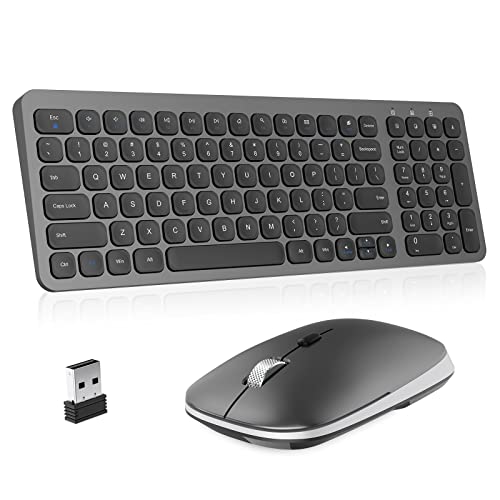 cimetech Combo (Gray) |
Budget | Quiet low-profile keys | Couples who need a silent bedside board | Check Price | ||
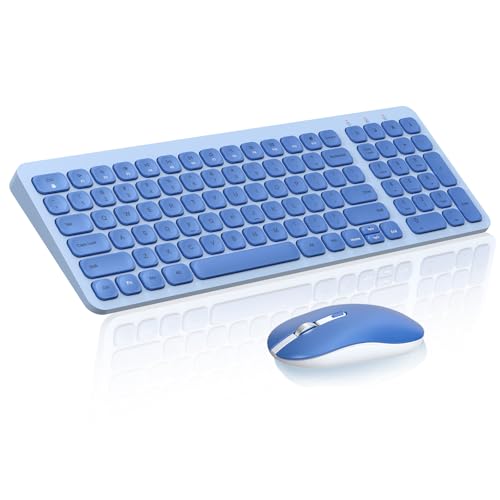 cimetech Combo (Blue) |
Budget | Colorful options + silent clicks | Buyers who want style and quiet typing | Check Price | ||
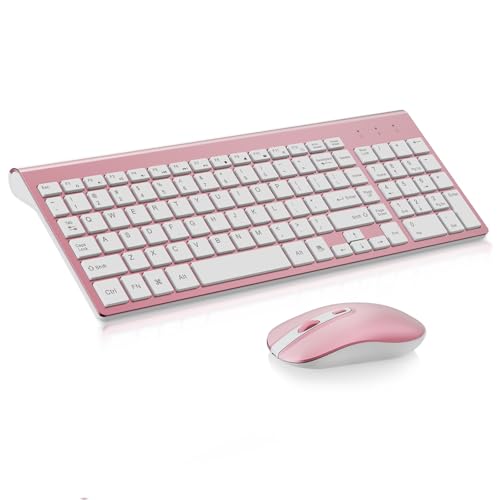 cimetech Combo (Rosegold) |
Budget | Slim look + mouse storage | Style-conscious bedside setups | Check Price | ||
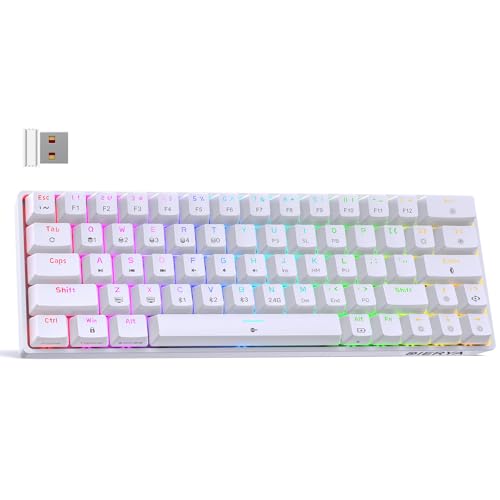 DIERYA DK63 (Blue) |
Premium | 60% mechanical with multiple modes | Users who want a compact mechanical feel | Check Price | ||
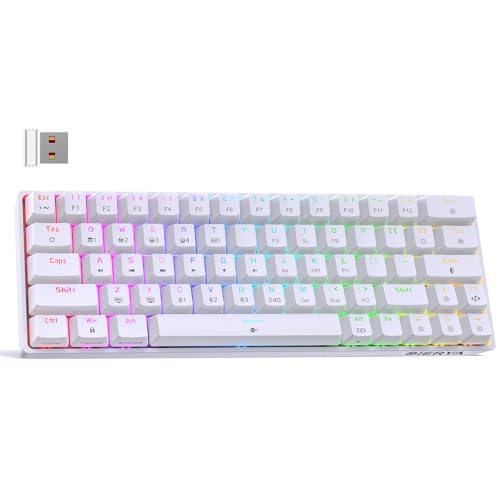 DIERYA DK63 (Red) |
Premium | Quiet linear red switches | Nighttime typists who want mechanical quiet | Check Price |
1. cimetech Wireless Keyboard and Mouse Combo, Compact Full Size Wireless Keyboard and Mouse Set Less Noise Keys 2.4G Ultra-Thin Sleek Design for Windows, Computer, PC, Notebook, Laptop - Gray
A slim, full-size keyboard + mouse combo built for quiet typing and travel. The low-profile, noise-reduced keys and plug-and-play 2.4GHz USB receiver make it an easy bedside pairing with solid value — though some buyers report mixed long-term durability.
Key Specs
- 2.4G wireless USB receiver (plug-and-play)
- Full-size layout with numeric keypad (99 keys)
- Ultra-thin profile and tilt angle
- Quiet profile keys; reported range ~10m
Pros
- Very quiet key profile suitable for bedrooms
- Slim, travel-friendly design and looks
- Simple plug-and-play setup with one receiver
Cons
- Durability concerns reported over months of use
- Functionality and build consistency are mixed
Best For: Couples who need a silent bedside board
Check Latest Price on Amazon2. cimetech Wireless Keyboard Mouse Combo, Compact Full Size Wireless Keyboard and Mouse Set Less Noise Keys 2.4G Ultra-Thin Sleek Design for Windows, Computer, PC, Notebook, Laptop - Blue
Same platform as the gray combo but with a blue finish — quiet low-profile keys, slim footprint, and a contoured quiet mouse. It’s strong on initial value and looks, but expect variability in long-term reliability for a very low price.
Key Specs
- 2.4G wireless with nano receiver
- Full-size keyboard with media hotkeys
- Noise-reduced profile keys
- Auto-sleep and on/off switches to conserve battery
Pros
- Attractive color options and finish
- Low-noise keys for late-night use
- Battery-saving features and simple controls
Cons
- Some users report the USB receiver or keyboard failing after months
- Mixed reports on functionality across units
Best For: Buyers who want style and quiet typing
Check Latest Price on Amazon3. cimetech Wireless Keyboard and Mouse Combo, Compact Full Size Wireless Keyboard and Mouse Set 2.4G Ultra-Thin Sleek Design for Windows, Computer, Desktop, PC, Notebook - Rosegold
A budget-friendly combo with a rosegold finish and a slim keyboard profile. It offers quiet typing and a mouse with nano receiver storage, making it convenient for nightstand use — excellent value initially, though durability can be inconsistent.
Key Specs
- 2.4G wireless; nano receiver stores in mouse
- Full-size layout with media keys (partial Mac limitations)
- Noise-reduced keys and on/off switches
- DPI-adjustable mouse (up to 1600 DPI)
Pros
- Looks premium for a budget price
- Mouse stores receiver to reduce loss
- Quiet key action suited for bedside use
Cons
- Hotkeys may not be fully Mac-compatible
- Reported durability issues after several months
Best For: Style-conscious bedside setups
Check Latest Price on Amazon4. DIERYA DK63 60% Wireless Mechanical Gaming Keyboard | Bluetooth/2.4G/Wired | RGB Backlit | Anti-Ghosting Compact 63-Keys Mini Keyboard | with Blue Switch | for Windows Laptop PC Gamer Typist-White
A compact 60% mechanical keyboard with 63 keys, multiple connection modes (Bluetooth/2.4G/wired) and customizable RGB. The tactile blue switches give satisfying feedback and solid build quality, making it a great compact alternative for those who prefer mechanical switches in a nightstand-friendly size.
Key Specs
- 63-key 60% layout; FN layer access
- Bluetooth 5.0 / 2.4G / wired USB modes
- 3000mAh battery (longer life with backlight off)
- RGB backlight with 18 modes; custom software
Pros
- Great mechanical feel and compact footprint
- Multiple connectivity options for phones/tablets
- Solid build and strong value for features
Cons
- Blue switches are louder than silent linear options
- Some users report occasional Bluetooth drops over time
Best For: Users who want a compact mechanical feel
Check Latest Price on Amazon5. DIERYA DK63 60% Wireless Mechanical Gaming Keyboard | Bluetooth/2.4G/Wired | RGB Backlit | Anti-Ghosting Compact 63-Keys Mini Keyboard | with Red Switch | for Windows Laptop PC Gamer Typist-White
Same compact DK63 platform but with quiet linear red switches for smoother, quieter mechanical typing — a better mechanical pick for bedside use. Offers long battery standby and a rich feature set, but brings slightly higher complexity in shortcuts and software.
Key Specs
- Red linear switches (~40dB) with 600k durability
- Tri-mode: Bluetooth 5.0 / 2.4G / wired USB
- 3000mAh battery; ~90 hours w/o backlight
- RGB lighting with multiple modes
Pros
- Linear red switches reduce mechanical noise
- Versatile connectivity and long standby
- Compact layout saves nightstand space
Cons
- Requires learning FN shortcuts for full functionality
- Backlight drains battery faster if used constantly
Best For: Nighttime typists who want mechanical quiet
Check Latest Price on AmazonWhich One Should You Choose?
If budget is tight → choose a cimetech combo (ASIN B0BG2BS9VV or B0B1ZF1BLB). They deliver the quiet keys and slim profile you want at excellent value. If you want a compact mechanical feel and can trade a bit of noise for typing quality → go with DIERYA DK63 (ASIN B0CP5PC7ZY for Blue or B0CP5SZ2JB for Red). If you prefer quiet mechanical switches for night use → DIERYA DK63 Red (ASIN B0CP5SZ2JB) balances mechanical feedback with lower noise. If style and a mouse with receiver storage matter most → the rosegold cimetech (ASIN B0B1ZF1BLB) is the best budget style pick.
Best for Specific Scenarios
- Two-person bedroom where one types at night: cimetech combos (ASIN B0BG2BS9VV) because of very quiet low-profile keys.
- Small nightstand or shared bedside table: DIERYA DK63 (ASIN B0CP5PC7ZY) because the 60% layout frees space while keeping full functionality via FN layers.
- Stylish setup that needs a handy mouse receiver: cimetech rosegold (ASIN B0B1ZF1BLB) for receiver storage and an attractive finish.
Frequently Asked Questions
Are mechanical switches too loud for bedside use?
Not always. Linear mechanical switches (like DIERYA's red switches) are quieter than tactile or clicky switches. If silence is crucial, pick low-noise linear switches or a quiet membrane/scissor keyboard.
Is 2.4GHz USB receiver better than Bluetooth for a nightstand?
A 2.4GHz USB receiver offers the most reliable, instant plug-and-play connection — great if you want zero fuss. Bluetooth is more flexible for phones/tablets but can suffer occasional drops on some units.
How important is backlighting for bedside keyboards?
Backlighting is nice for late-night typing but shortens battery life. Prefer adjustable brightness or the option to turn lighting off to extend runtime. For true stealth/quiet use, unlit or dim modes are best.
How We Selected These Products
Our recommendations are based on data-driven analysis: we evaluated 155229+ products across 23916+ brands using a composite scoring system that weighs rating (40%), review volume (30%), price value (20%), and demand signals (10%). Every product is ranked by data, not opinions.
Last updated: November 23, 2026
As an Amazon Associate we earn from qualifying purchases at no extra cost to you. Full disclosure.
GearLark Score is our editorial ranking based on a composite analysis of product quality, value, and verified customer sentiment. Click through to Amazon for current pricing, availability, and live customer reviews.