As an Amazon Associate we earn from qualifying purchases. Learn more.
Complete Compact Charging Station Setup for Dorms & Small Apartments (2026 Guide)
If you live in a dorm or small apartment and need a compact, roommate-friendly way to charge phones, laptops, tablets, and even VR gear, this complete setup guide lays out a tidy kit you can assemble in 2026. You’ll get device-specific docks for VR headsets, a clamp-mounted multi-port power hub for shared desks or bedside areas, and a compact surge-protected charging station with retractable cables to minimize clutter. Products were chosen for build quality, multi-device functionality, surge protection, and cable-management design—each selection weighs real customer feedback on durability, charging performance, and ease of installation.
Quick Answer
For an all-in-one, roommate-friendly compact charging station, the alcopanda Charging Dock for Meta Quest 2 is the best pick for VR owners, while the Hurra Charging Dock is the best budget VR option. For a general multi-device desk hub with clamp-mount convenience and strong surge protection, the Jgstkcity 90W Desk Clamp Power Strip (ASIN B0FHPD1H7V) is the top choice.
Our Top Picks
Quick Comparison
Select 2-3 products to compare side-by-side
| Compare | Product | GearLark Score | Price Tier | Key Feature | Best For | Action |
|---|---|---|---|---|---|---|
 alcopanda Quest 2 Dock
|
Mid-Range | Auto-clamping magnetic USB-C charge | VR owners who want tidy, fast charging | Check Price | ||
 Hurra Quest 3S/3 Dock
|
Budget | LED status lights + magnetic suction ports | Budget VR users who want simple status LEDs | Check Price | ||
 Jgstkcity 90W Clamp (White)
|
Premium | Clamp-mount with 12 USB ports (6 PD) | Shared desks and bedside edge-mount charging | Check Price | ||
 Jgstkcity 90W Clamp (Black)
|
Premium | Same clamp hub in black finish | Those who want the clamp hub in a darker color | Check Price | ||
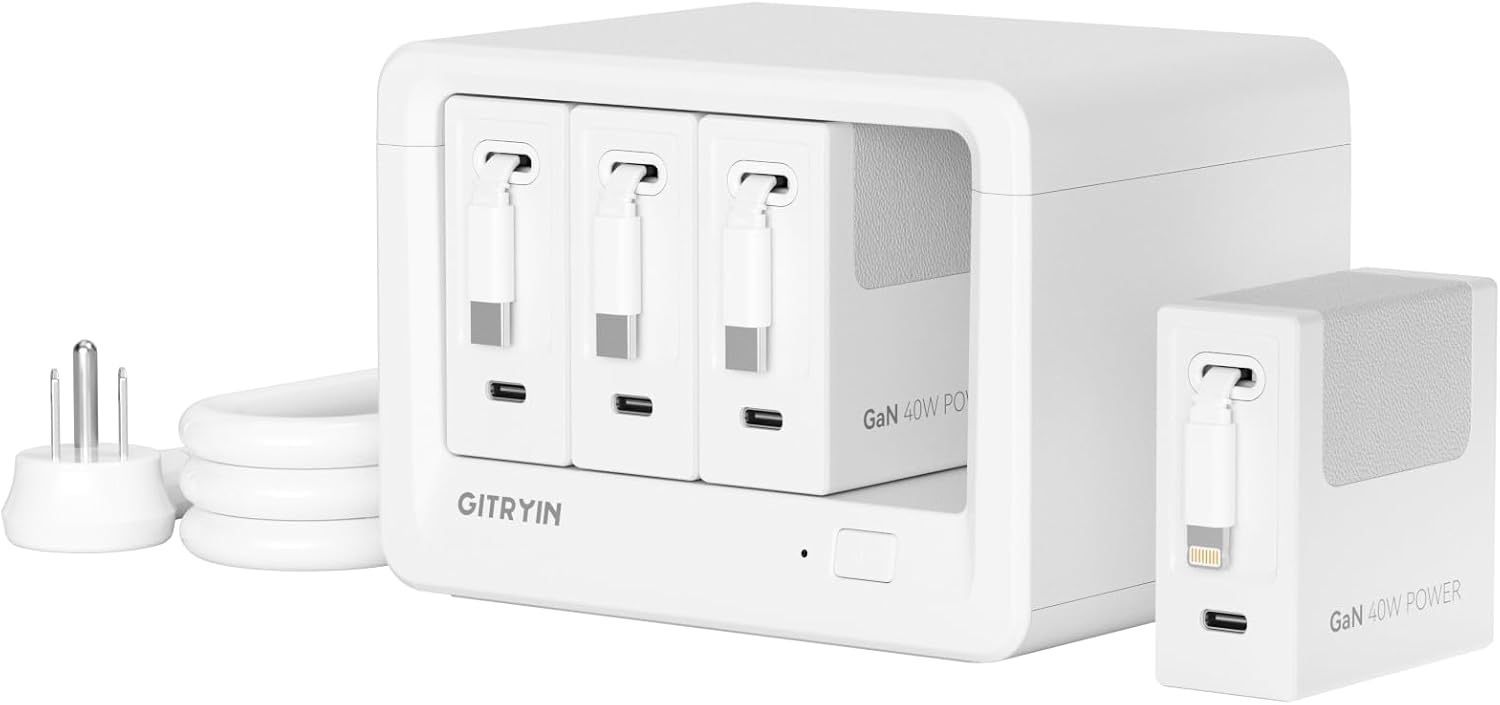 GITRYIN 12-in-1 Station
|
Premium | Retractable Type‑C and Lightning cables | End-tables and living spaces that need tidy retractable cables | Check Price |
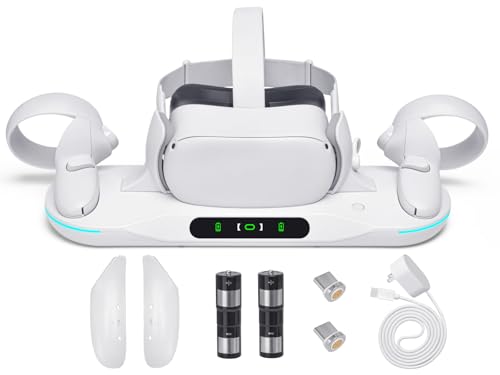
1. Charging Dock for Meta Quest 2, Auto-Clamping VR Charging Station with 2 Rechargeable Batteries and USB-C Charger and Cable
A focused VR charging dock that stores and recharges a Quest 2 headset plus two controllers with included rechargeable batteries. Customers like the clean appearance and easy setup, and the dock adds convenient auto-clamp and magnetic charging; expect mixed reports on long-term durability and occasional connectivity issues.
Key Specs
- Charges headset + 2 controllers simultaneously
- Includes 2 x 1800 mAh rechargeable controller batteries and covers
- Magnetic USB‑C connector with auto-clamp
- Over-voltage/under-voltage/overload/short circuit protection
Pros
- Fast, all-in-one VR charging for headset and controllers
- Includes rechargeable batteries and covers to cut AA use
- Smart auto-clamp keeps headset stable while charging
Cons
- Some users report intermittent controller charging or connectivity problems
- Durability concerns reported (straps and mechanical parts)
Best For: VR owners who want tidy, fast charging
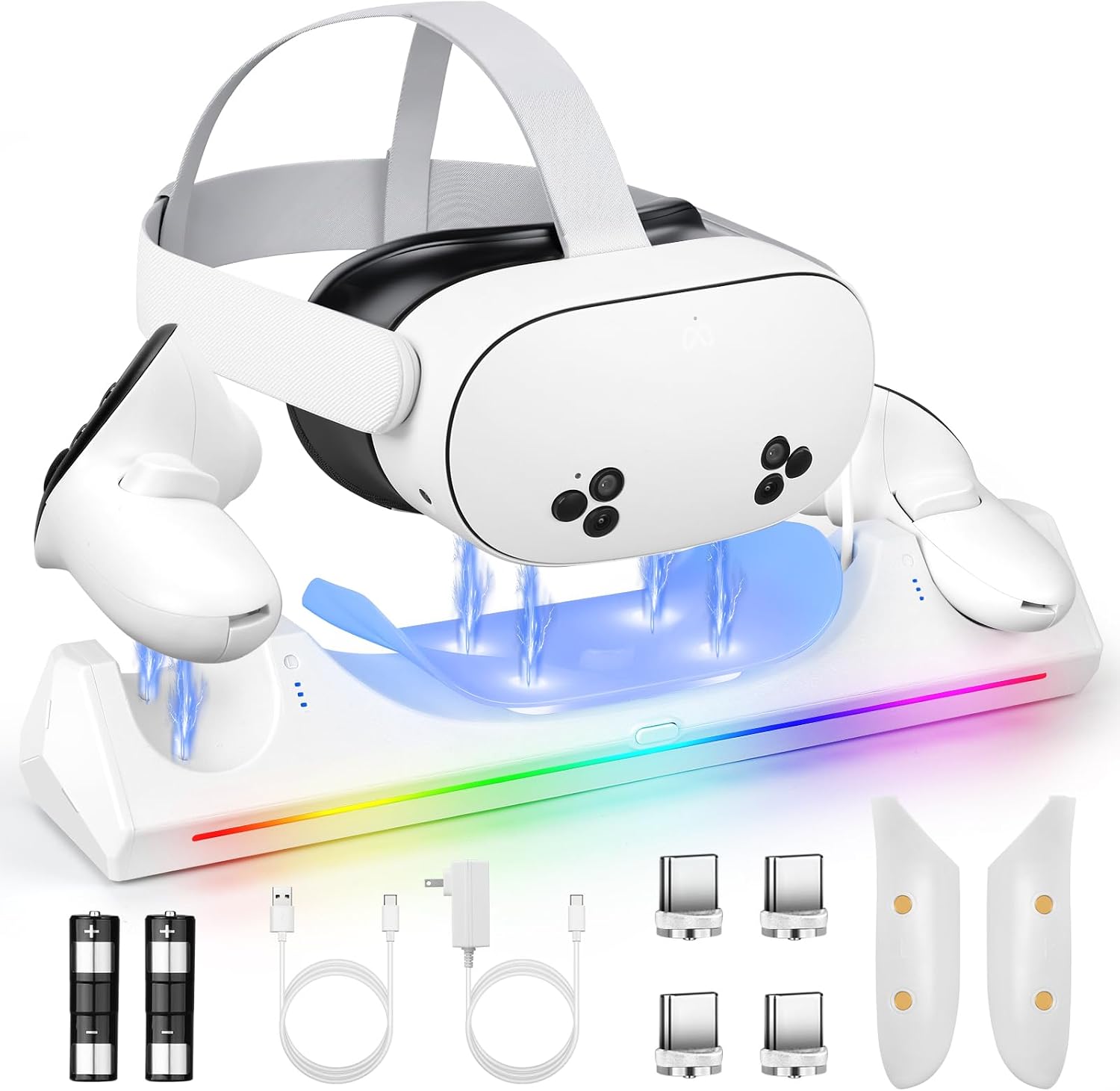
Check Latest Price on Amazon2. Charging Dock for Meta Quest 3S/3, VR Charging Station for Oculus Quest 3S Support LED Indicator/Magnetic Charging Headset & Controllers, with 2 Rechargeable Batteries, USB-C Charger & Cable
A budget-friendly magnetic charging dock for Quest 3S/3 that includes rechargeable batteries and LED status indicators. It earns praise for charging speed in some reports and good value when it works, but a few users mention reliability dropping over time.
Key Specs
- Fast charging for headset and 2 controllers (4–6 hours)
- LED status indicator (blue charging, green full) with sleep mode
- Magnetic suction charging ports
- Includes 2 x 2100 mAh rechargeable batteries and multiple connectors
Pros
- Clear LED indicators make charging status easy to see
- Magnetic ports simplify placement and remove fiddly plugs
- Includes reusable batteries to avoid disposables
Cons
- Some buyers report the dock stopped working after several weeks
- Mixed opinions on long-term value and reliability
Best For: Budget VR users who want simple status LEDs
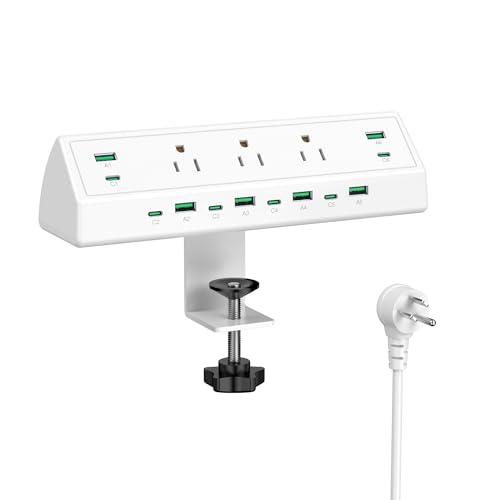
Check Latest Price on Amazon3. Jgstkcity 90W Desk Clamp Power Strip,12 USB Ports (6 PD 45W USB-C),Surge Protector,ETL Listed Power Hub Extension Cord,Fast Charging Station for Home Office Desk Edge Mount (White, 12 USB-90W)
A heavy-duty, clamp-mounted power hub that frees up small-surface real estate with 3 AC outlets, six 45W PD USB-C ports and six USB-A ports. It's praised for build quality, installation ease, and fast charging, making it ideal for roommate setups—though a few users reported occasional port failures over time.
Key Specs
- 3 AC outlets + 6 USB-C (45W PD) + 6 USB-A (QC 3.0)
- 90W total USB output; up to 45W per port
- Desk clamp fits up to 1.96 in thickness
- ETL-listed surge protection (900 Joules)
Pros
- Massive multi-device capacity keeps cords tidy and shared-friendly
- Sturdy clamp mount installs quickly without tools
- ETL listing and multiple safety protections
Cons
- Some users report individual USB-C ports failing with extended use
- High port density can mean power distribution limits under full load
Best For: Shared desks and bedside edge-mount charging
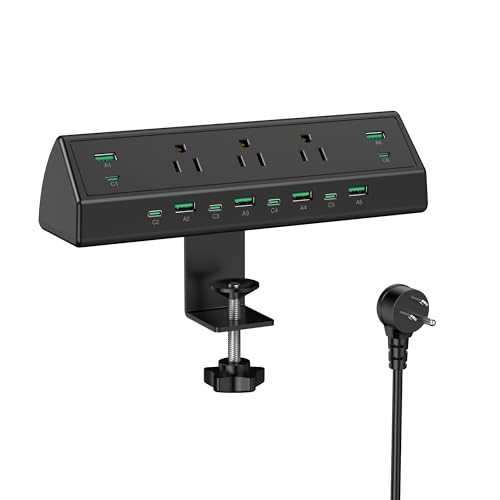
Check Latest Price on Amazon4. Jgstkcity 90W Desk Clamp Power Strip,12 USB Ports (6 PD 45W USB-C),Surge Protector,ETL Listed Power Hub Extension Cord,Fast Charging Station for Home Office Desk Edge Mount (Black,12 USB-90W)
Black variant of the same 90W clamp-mounted power station, matching the white model feature-for-feature. It offers the same multi-port convenience and surge protection; user feedback mirrors the white unit’s praise for build quality and occasional reports of port issues.
Key Specs
- 3 AC outlets + 6 USB-C (45W PD) + 6 USB-A (QC 3.0)
- 90W total USB output; max 45W per port
- Clamp fits desks up to 1.96 in
- Built-in surge protection (900 Joules), fire-retardant materials
Pros
- All the capacity and safety features of the white model in black
- Solid installation and a clean, low-profile look
- Good for multiple roommates and shared chargers
Cons
- Reports of ports intermittently failing under heavy daily use
- Large footprint of cables and clamp may not suit every desk edge
Best For: Those who want the clamp hub in a darker color
Check Latest Price on Amazon5. 12-in-1 Desktop Charging Station with 3 Retractable Type-C Chargers and 1 Lightning Charger, 40W USB-C Power Strip with 31.5in Cable, Extension Cord with 1020J Surge Protection for Home Office
A compact charging station focused on cable management with retractable Type-C and Lightning cables plus multiple AC and USB ports. Customers praise its clean design, sturdiness, and retractable cable convenience; it’s a great fit for tight spaces but has lower PD wattage compared to some clamp hubs.
Key Specs
- 4 AC outlets and 4 USB-C ports
- 3 retractable 40W Type-C chargers + 1 retractable Lightning charger
- 31.5 in cable length; slim 1.1 in design
- ETL-certified with 1020J surge protection
Pros
- Retractable cables eliminate visible clutter on end tables
- Solid build and compact footprint for small living areas
- Strong surge protection and safety features
Cons
- Lower overall PD output than high-watt clamp hubs for heavy laptops
- Retractable cable system may wear with very heavy daily use
Best For: End-tables and living spaces that need tidy retractable cables
Check Latest Price on AmazonWhich One Should You Choose?
If you own a Quest 2 VR headset and want the cleanest, all-in-one VR charging solution → choose the alcopanda Charging Dock for Meta Quest 2 (B0DJLXJFV). If budget is tight and you need a basic VR charger for Quest 3S/3 → pick the Hurra charging dock (B0DJQCLZ9R). If you need a roommate-friendly multi-device hub that clamps to a desk edge with lots of PD ports and strong surge protection → go with the Jgstkcity 90W Desk Clamp Power Strip (B0FHPD1H7V or B0FHP6X35F). If you want compact retractable cords and a tidy end-table charging solution with top-tier surge protection → the GITRYIN 12-in-1 Station (B0F6LL62QP) is the best fit.
Best for Specific Scenarios
- Dorm desk with limited surface: Jgstkcity 90W Desk Clamp Power Strip (B0FHPD1H7V) because the clamp frees up tabletop space and supplies many USB-C PD ports for roommates.
- Shared living room or bedside end-table: GITRYIN 12-in-1 Station (B0F6LL62QP) because retractable cables keep the area neat and the 1020J surge protection is robust for multiple devices.
- VR gamer who wants tidy storage and included batteries: alcopanda Charging Dock for Meta Quest 2 (B0DJLXJFV) because it charges headset and controllers simultaneously and includes rechargeable controller batteries.
Frequently Asked Questions
Do I need surge protection in a dorm or small apartment?
Yes. Surge protection guards sensitive electronics against voltage spikes from storms or building wiring issues. For multi-device setups look for models with at least several hundred joules; the reviewed premium stations include 900–1020J ratings and listed safety certifications which improve protection.
Can these hubs charge a laptop and phone at the same time?
Yes, but check the PD wattage per port. Laptops generally need 45W–100W; hubs like the Jgstkcity 90W offer multiple 45W PD ports suitable for many laptops. If you run several high-draw devices simultaneously, be aware of total-watt limits and distribution—performance can dip under full load.
Will the VR charging docks work for all Quest controllers and headsets?
The docks reviewed are designed for specific headset models (Quest 2 or Quest 3S/3). They use magnetic USB-C connectors and included or replaceable controller batteries. Verify compatibility with your exact headset model before buying and follow the manufacturer’s battery installation notes to ensure reliable charging.
How We Selected These Products
Our recommendations are based on data-driven analysis: we evaluated 155229+ products across 23916+ brands using a composite scoring system that weighs rating (40%), review volume (30%), price value (20%), and demand signals (10%). Every product is ranked by data, not opinions.
Last updated: September 27, 2026
As an Amazon Associate we earn from qualifying purchases at no extra cost to you. Full disclosure.
GearLark Score is our editorial ranking based on a composite analysis of product quality, value, and verified customer sentiment. Click through to Amazon for current pricing, availability, and live customer reviews.