As an Amazon Associate we earn from qualifying purchases. Learn more.
Complete Home Office Docking & Connectivity Upgrade (2026)
Fall is the ideal time to tidy up and future‑proof your home office. This guide shows a complete upgrade plan for 2026: a primary docking station (or KVM when you share devices), a clean single‑cable monitor, robust cables and a surge/smart power solution so your desk looks neat and runs reliably. You’ll find tested dock and KVM options across budget, mid‑range and premium tiers plus a USB‑C monitor pick, and guidance on choosing the right combination for your workflow. Products were selected for connectivity breadth, PD charging capacity, multi‑monitor support and real‑world reliability signals from buyer feedback.
Quick Answer
For a full home-office docking upgrade, the Hiearcool 11‑in‑1 Docking Station (ASIN B09J2C9DSK) is the best overall pick for most users thanks to triple-display support and 100W PD. If you need a budget KVM-style switch, the MLEEDA 2‑monitor KVM (ASIN B0DY7RW6RK) balances features and price, while the v AV Access 13‑in‑1 dock (ASIN B0F2MSCLCL) is the best value for multi‑4K setups.
Our Top Picks
Quick Comparison
Select 2-3 products to compare side-by-side
| Compare | Product | GearLark Score | Price Tier | Key Feature | Best For | Action |
|---|---|---|---|---|---|---|
 Hiearcool 11‑in‑1 Dock
|
Budget | Triple‑display expansion & 100W PD | Users who want many ports and multi‑display on a budget | Check Price | ||
 v AV Access 13‑in‑1 Dock
|
Mid-Range | Triple 4K monitor support (2×60Hz +1×30Hz) | Power users needing multi‑4K displays and fast USB speeds | Check Price | ||
 v AV Access Dual KVM
|
Premium | Dual‑PC KVM with 4K@60Hz & EDID | Users who switch between 2 laptops/PCs with shared monitors and peripherals | Check Price | ||
 Dell WD15 (Renewed)
|
Mid-Range | 180W adapter and USB‑C dock compatibility | Buyers seeking a budget mid‑range OEM dock or replacement | Check Price | ||
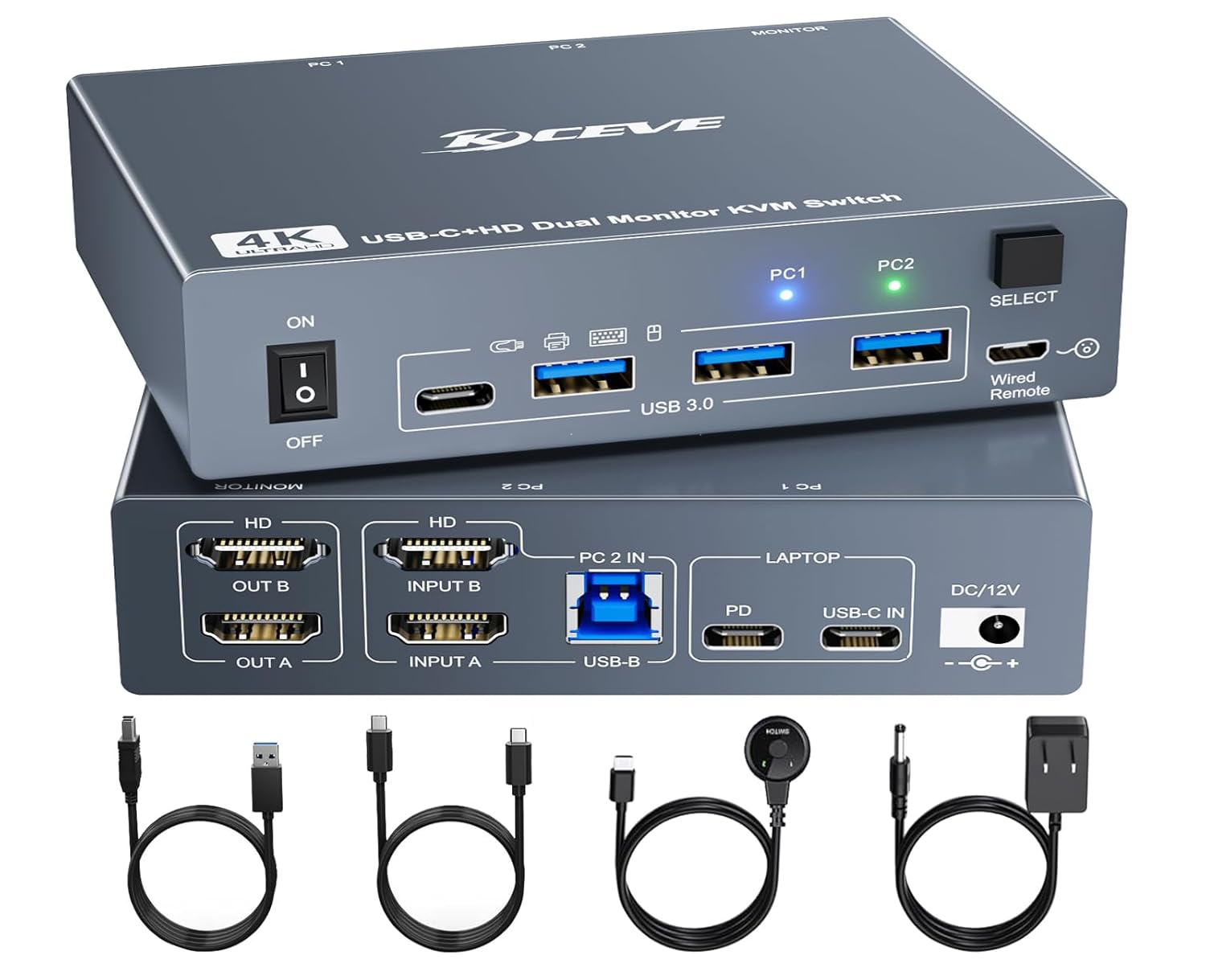 MLEEDA 2‑Monitor KVM
|
Budget | 2‑PC KVM with 4×USB3.0 and 4K@60Hz | Home users sharing monitors between desktop and laptop | Check Price | ||
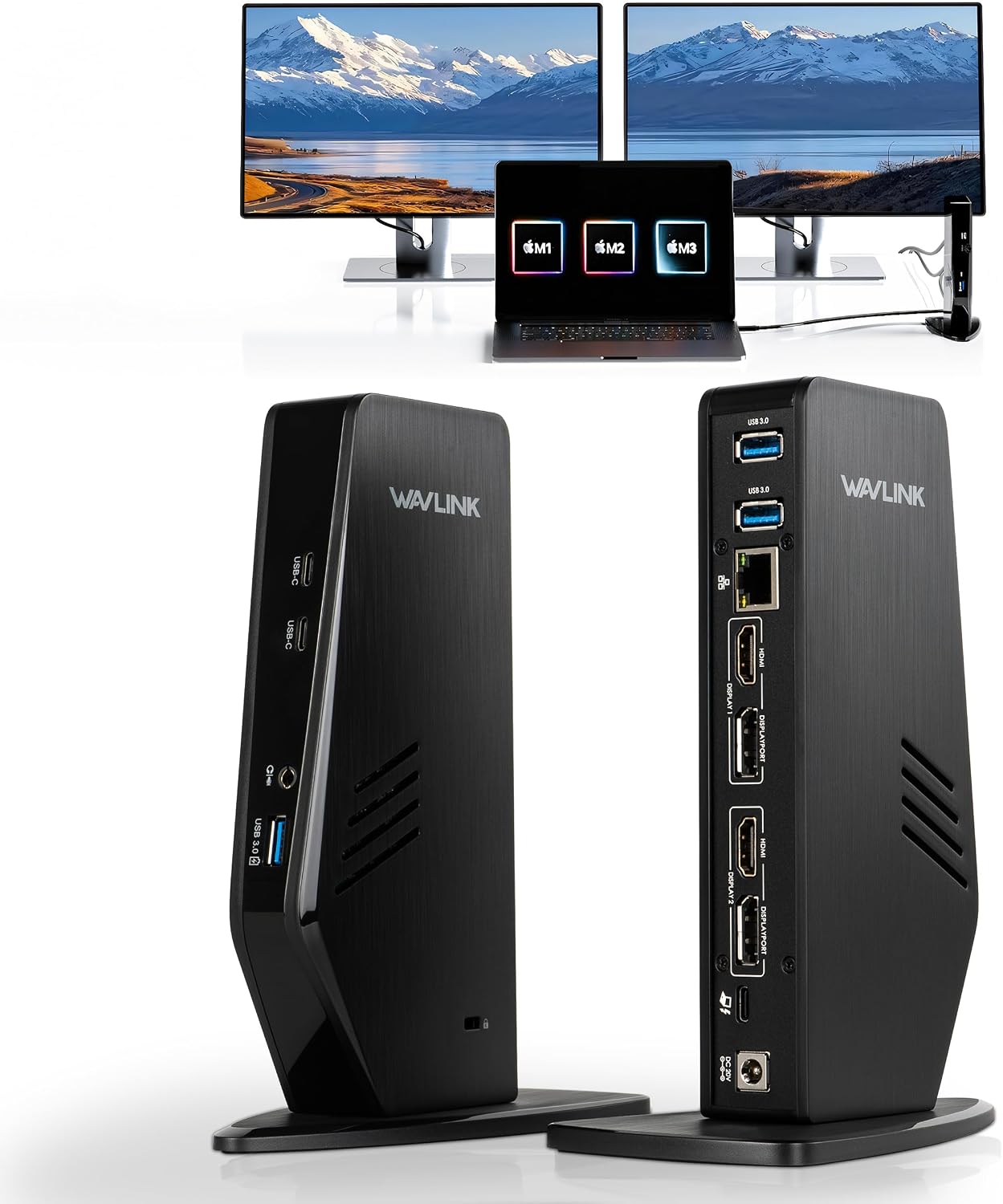 WAVLINK 13‑in‑1 Dock
|
Mid-Range | DisplayLink‑based dual 4K@60Hz support | Mac users needing dual displays via DisplayLink and mixed OS households | Check Price | ||
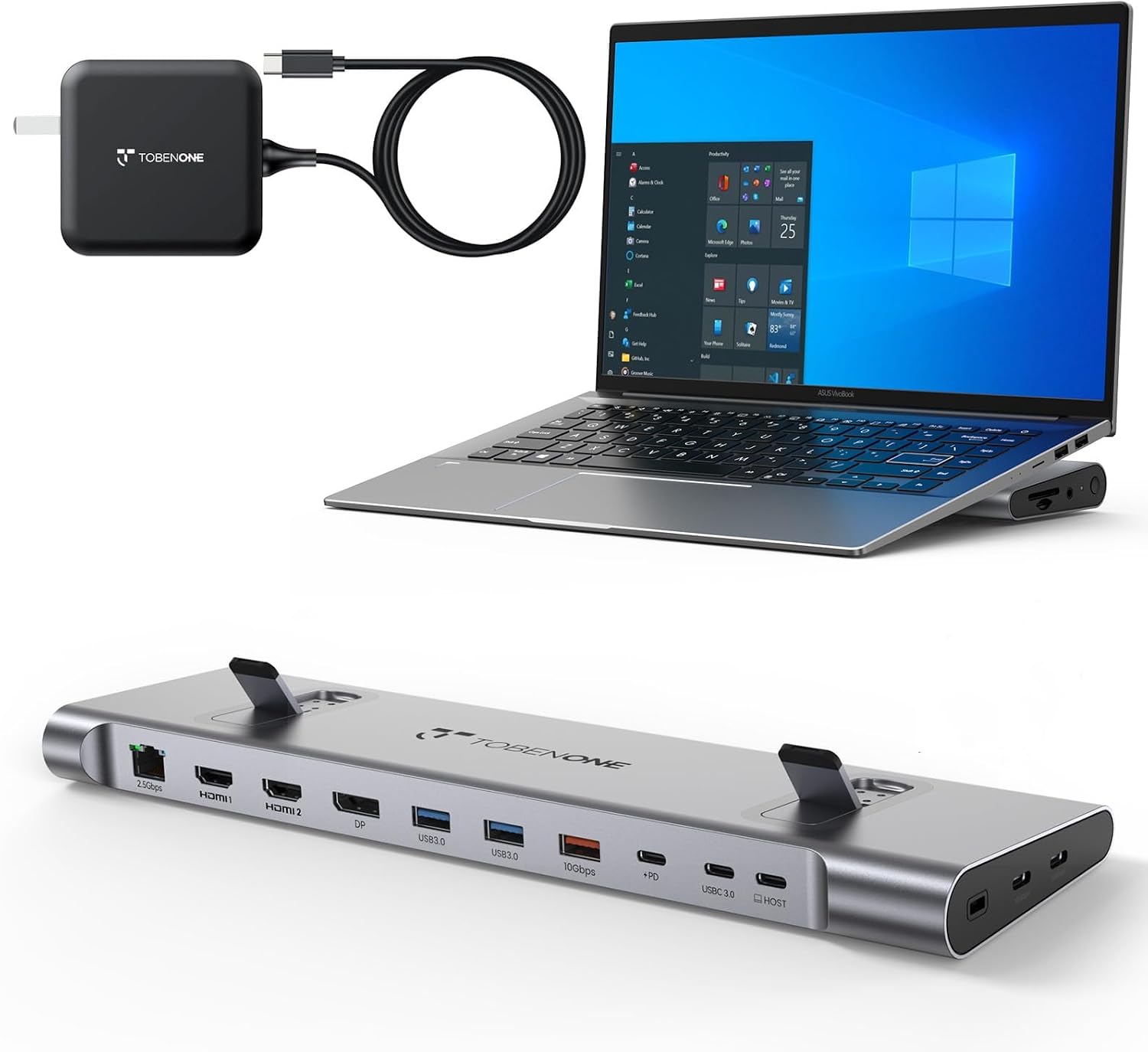 TobenONE 16‑in‑1 Dock
|
Premium | 100W GaN III charger + 2.5Gbps Ethernet | Power users needing top bandwidth and future‑proof ports | Check Price | ||
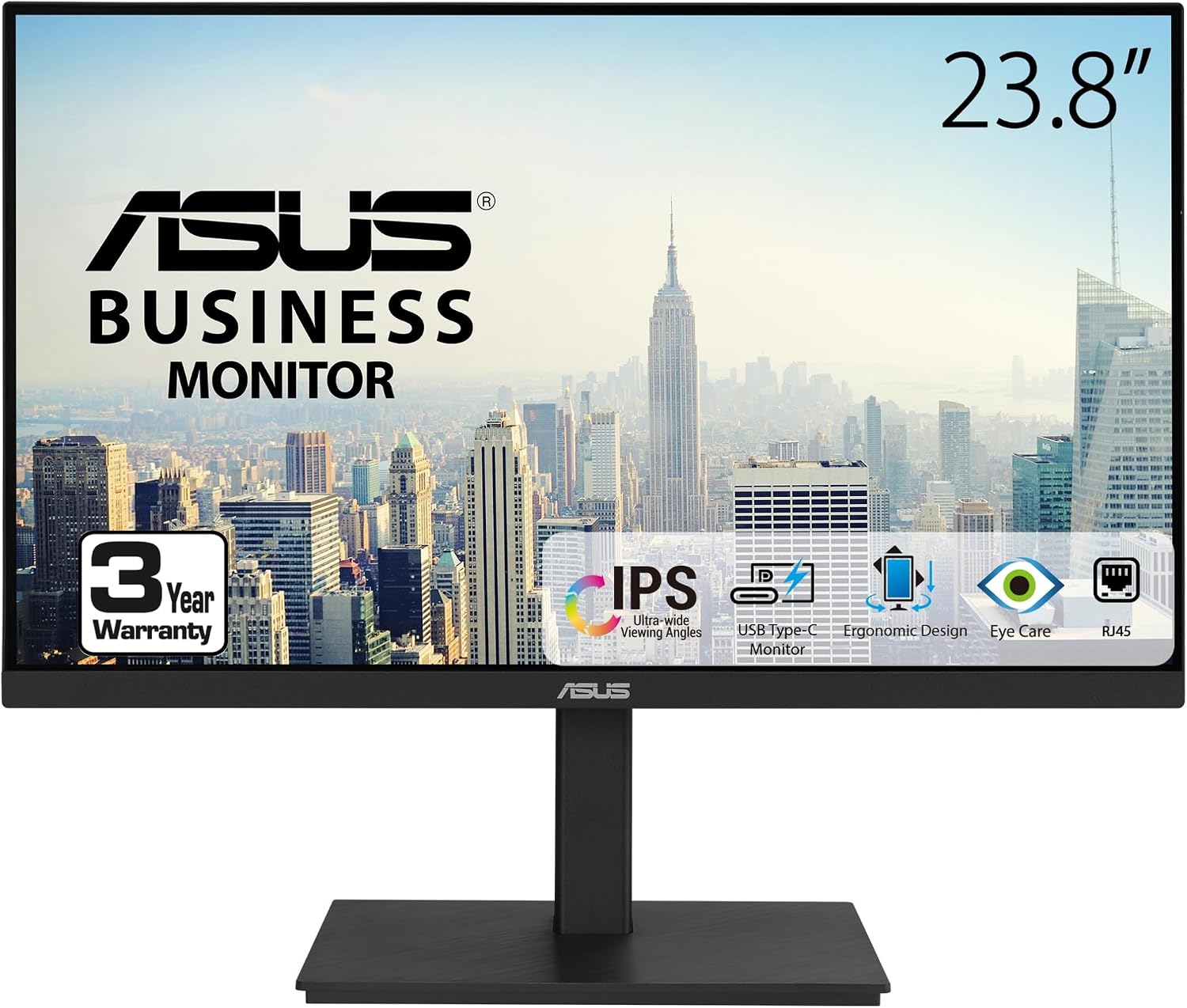 ASUS 23.8" Dock Monitor
|
Premium | USB‑C single‑cable docking with RJ45 | Users who want a clean single‑cable laptop docking monitor | Check Price |
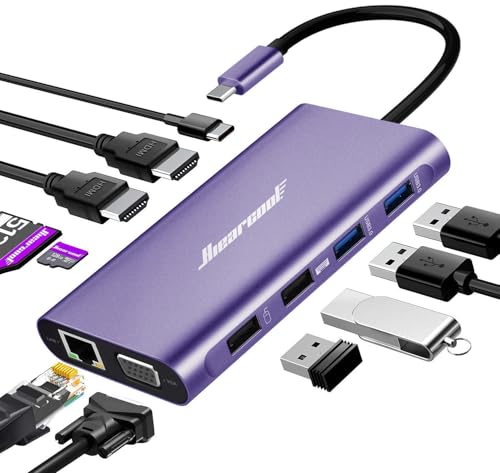
1. Hiearcool Docking Station,11IN1 USB C Docking Station,Dual Monitor Laptop Docking Station USB C Dock for Dell HP Lenovo Universal Docking Station for Office and Work from Home
The Hiearcool 11‑in‑1 is a compact, feature‑dense dock that supports triple displays (HDMI x2 + VGA) along with gigabit Ethernet, SD/TF slots and up to 100W power delivery. It’s an economical way to add many ports and multi‑monitor productivity to modern USB‑C laptops, though macOS users should note display mode limits.
Key Specs
- Ports: 2×4K HDMI, 1×VGA, 2×USB 3.0, 2×USB 2.0, SD/TF
- 100W Power Delivery (PD 3.0)
- Gigabit Ethernet (10/100/1000 Mbps)
- Triple display support (Mirror/Extend/Video Wall modes)
Pros
- Very broad port set and triple‑display support
- 100W PD and built‑in safety protections
- Compact, portable design with two‑year product care
Cons
- macOS only supports mirror mode for multiple displays
- Build and long‑term durability less proven vs premium docks
Best For: Users who want many ports and multi‑display on a budget
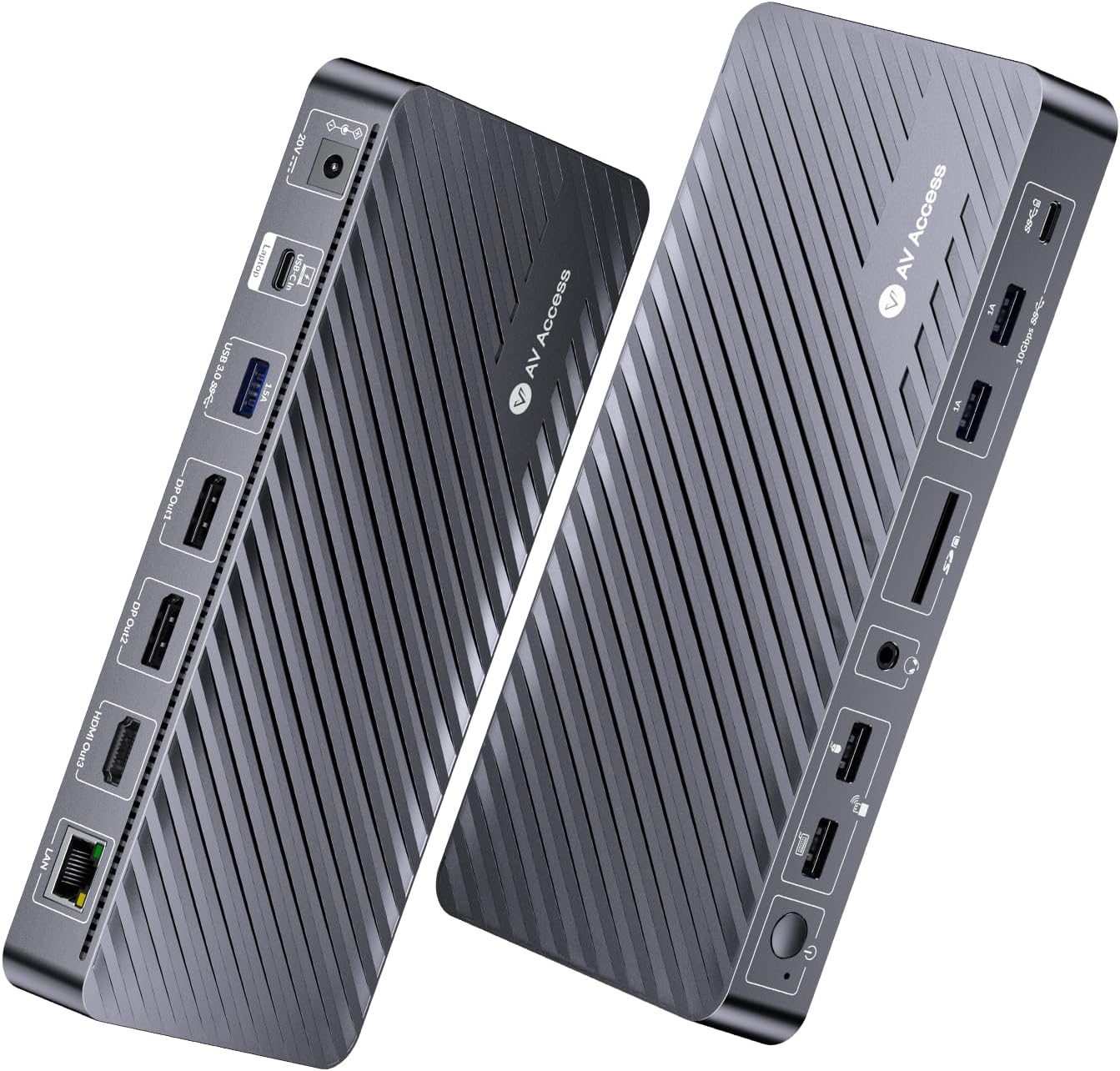
Check Latest Price on Amazon2. Docking Station 3 Monitors, 13-in-1 Laptop Docking Station with 120W Power Adapter, 4K HDMI and 2 x DP, 100W PD, 10Gbps USB-C/A, Ethernet, Audio, SD, USB-C Dock for MacBook/Chrome/Dell/HP/Lenovo
This v AV Access dock pushes triple 4K output for Windows laptops with MST, offers 100W charging, 10Gbps USB transfer rates and a robust port mix—an excellent mid‑range choice if you run several monitors and need fast wired data. Mac users will find macOS limitations on multi‑monitor extension; a few buyers also reported occasional reliability variance, but many praise its strong connectivity and build.
Key Specs
- Triple display: up to 2×4K@60Hz + 1×4K@30Hz (Windows/MST)
- 100W laptop charging via single cable
- 10Gbps USB‑A/C ports and Gigabit Ethernet
- 13 ports: HDMI, DP, USB3.0/2.0, SD slot, audio
Pros
- Exceptional multi‑monitor capability for Windows laptops
- Very fast 10Gbps data ports
- Driver‑free plug‑and‑play on many systems
Cons
- macOS doesn’t support MST extended displays
- Some users report mixed long‑term reliability
Best For: Power users needing multi‑4K displays and fast USB speeds
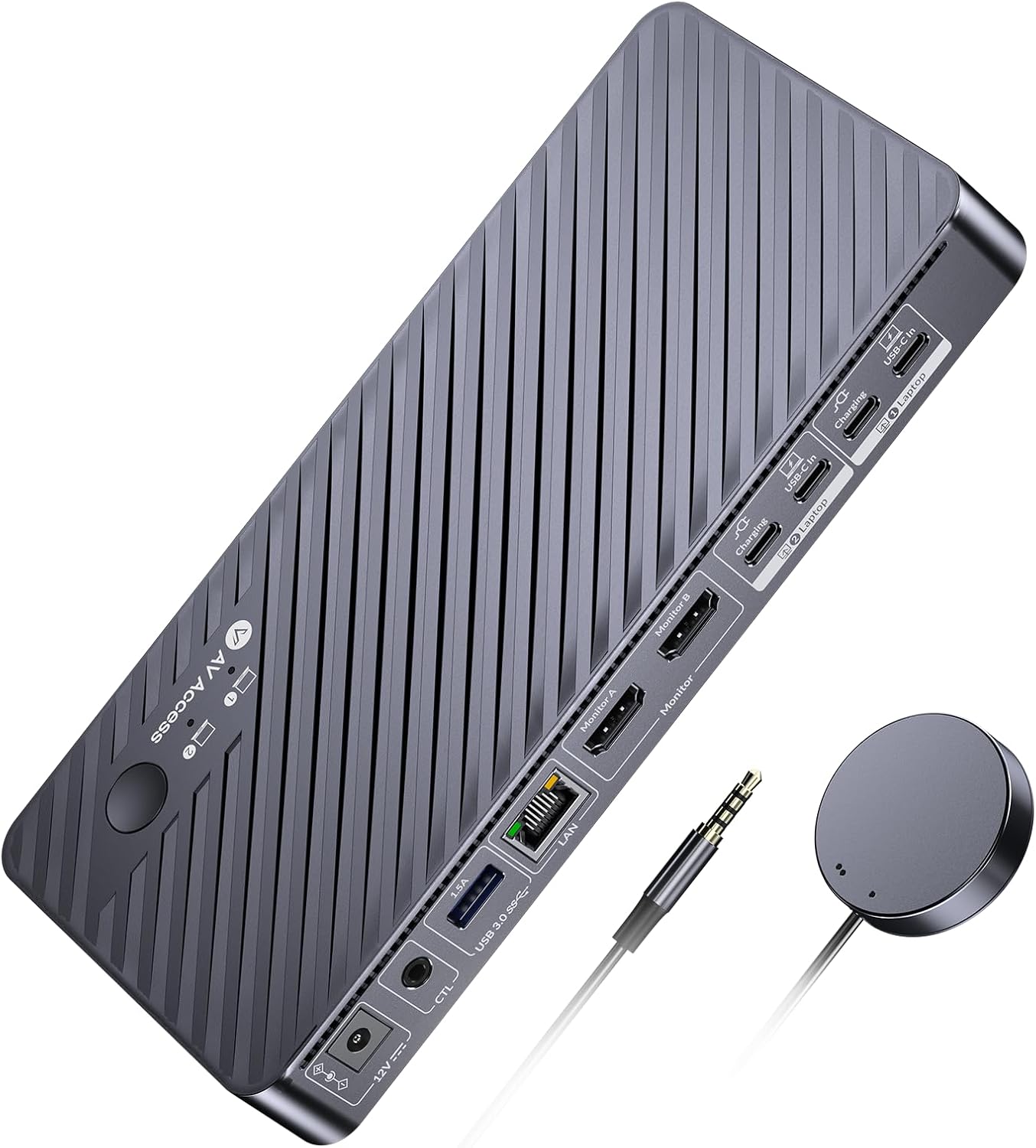
Check Latest Price on Amazon3. AV Access Docking Station KVM Switch 2 Monitors 2 Laptops, 4K KVM Switch Dual HDMI Monitor, 100W PD for Each PC, 1G Ethernet, EDID Emulation, Ideal for Home Office & Gaming
This AV Access KVM combines a docking station with a KVM switch so two laptops can share dual monitors and USB peripherals with quick switching, EDID emulation and 100W PD per PC. It’s ideal for designers or managers who juggle work and personal systems; some buyers note mixed impressions on value and build, but many praise the solid connectivity and minimal lag.
Key Specs
- 2×HDMI outputs up to 4K@60Hz
- 11 shared ports including 3×USB3.0, USB‑C, SD, Gigabit LAN
- Dual USB‑C MST inputs and 100W charging support
- EDID emulation and wired remote switching
Pros
- Seamless switching between two computers with EDID support
- Full docking feature set with high PD wattage
- Good connectivity and minimal lag for most workflows
Cons
- macOS cannot output extended dual external displays
- Some users report mixed build quality and value impressions
Best For: Users who switch between 2 laptops/PCs with shared monitors and peripherals
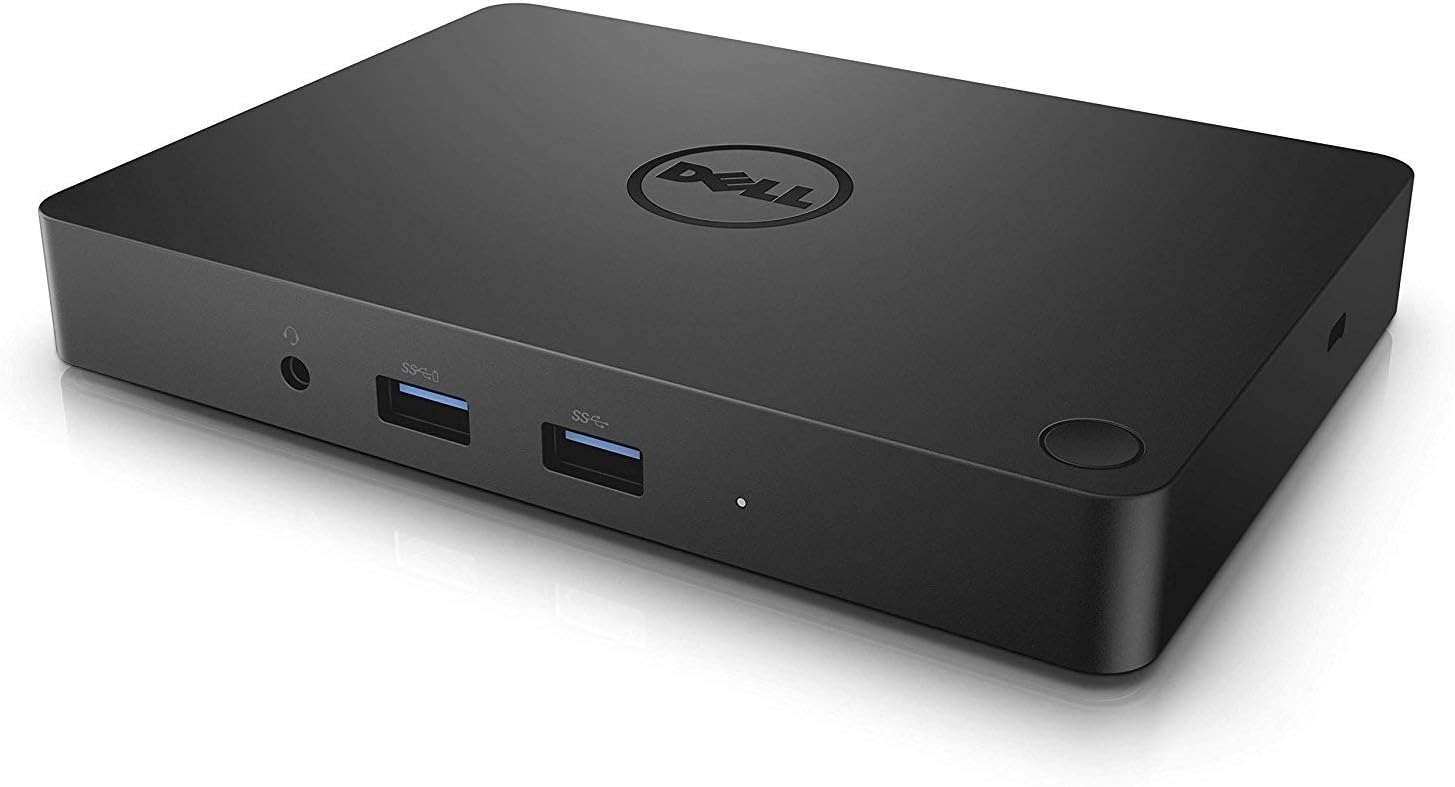
Check Latest Price on Amazon4. Dell WD15 Monitor Dock 4K with 180W Adapter, USB-C, (450-AEUO, 7FJ4J, 4W2HW) (Renewed)
The Dell WD15 (renewed) offers OEM docking with a high‑wattage adapter and multiple outputs at an affordable mid‑range price. It can be a great value if refurbished quality is good, but buyer reports indicate refurbishment consistency varies—inspect returns/support options if choosing a renewed unit.
Key Specs
- Designed for USB‑C laptop docking with multiple display outputs
- Ships with 180W power adapter
- OEM Dell hardware (renewed condition varies)
Pros
- Potentially strong value versus buying new OEM docks
- Includes a high‑wattage adapter suitable for power‑hungry laptops
- Familiar Dell compatibility for many business laptops
Cons
- Refurbished units can vary in condition and port reliability
- Some buyers report non‑functioning ports or power issues
Best For: Buyers seeking a budget mid‑range OEM dock or replacement
Check Latest Price on Amazon5. KVM Switch 2 Monitors for 1 Laptop and 1 Desktop 4K@60Hz, USB C HDMI Dual Monitor KVM Switch,Docking Station KVM Switches with 4 USB 3.0 Port, 80W PD Charging, Wired Remote and USB-C Cable Included
MLEEDA's dual‑monitor KVM is an affordable way to share two displays and USB peripherals between a laptop and desktop, offering 4K@60Hz support, 80W PD and a wired remote. It’s a great budget KVM, though some buyers mention cheap cables and occasional switching delays—use quality display cables for best results.
Key Specs
- Supports 4K@60Hz on two monitors
- 4×USB3.0 ports for shared peripherals
- 80W USB‑C charging port; includes power adapter and cables
- Wired remote control for quick switching
Pros
- Affordable dual‑monitor KVM with good feature set
- Includes remote and necessary cables
- Solid compatibility across Windows, macOS, Linux
Cons
- Included cables reported as lower quality/short
- Some users report delays or brief disconnects during switching
Best For: Home users sharing monitors between desktop and laptop
Check Latest Price on Amazon6. WAVLINK USB 3.0 and USB-C Universal Laptop Docking Station with 100W, Dual Monitor Docking Station for Windows or Mac, 4K HDMI (2 HDMI,2 Display Ports,3 USB-A, 2 USB-C, Ethernet, Audio&Mic)
WAVLINK’s 13‑in‑1 dock uses DisplayLink to deliver dual 4K@60Hz output and lots of ports with an included power adapter—helpful if your Mac or USB‑A laptop lacks native MST support. It requires a driver and has occasional quirks noted by users (beeps or setup steps), but offers a very wide port selection.
Key Specs
- Dual 4K@60Hz or single 5K@60Hz with DisplayLink
- Includes 100W power adapter (supports up to 65W to laptop)
- 2×HDMI, 2×DP, 3×USB‑A 3.0, 2×USB‑C, Gigabit Ethernet
- Requires DisplayLink driver for full functionality
Pros
- Very flexible port set including multiple video outputs
- Works around OS MST limits via DisplayLink
- Includes power adapter and necessary cables
Cons
- Requires DisplayLink driver and extra setup for some systems
- Some users report occasional beeps/noise or driver headaches
Best For: Mac users needing dual displays via DisplayLink and mixed OS households
Check Latest Price on Amazon7. TobenONE USB-C Docking Station 3 Monitors & Dual Monitor,Laptop Dock Stand with 100W GaN III Charger, 2.5Gbps Ethernet,2 HDMI & DP (Single 4K@120Hz), 6 USB Ports for Dell/Hp/Lenovo
TobenONE is a premium, highly connected dock with 16 ports, 100W GaN charging, 10Gbps USB options and a 2.5Gbps Ethernet port—great for creators and heavy‑transfer workflows. Customers praise its compact, well‑built design and port density; note it’s not aimed at Mac users for extended external displays and comes at a premium.
Key Specs
- Triple monitor support with 2×HDMI + DP (single up to 8K@30Hz or 4K@120Hz)
- 100W GaN power supply; 10Gbps USB‑A/C ports
- 2.5Gbps Ethernet for faster wired networking
- 16‑in‑1 port configuration
Pros
- High PD wattage and modern GaN power design
- Very fast USB and 2.5Gb Ethernet for heavy transfers
- Compact, premium build with broad port coverage
Cons
- Premium price tier
- Not recommended for Macs that lack MST for extended multi‑monitor
Best For: Power users needing top bandwidth and future‑proof ports
Check Latest Price on Amazon8. ASUS 23.8 1080P Docking Monitor (VA24ECPSN) - Full HD, IPS, 75Hz, Adaptive-Sync, Speakers, Eye Care, Low Blue Light, Flicker Free, USB-C, RJ45, HDMI, Frameless, Height Adjustment, VESA Wall Mountable
The ASUS VA24ECPSN is a 23.8" IPS monitor with USB‑C docking that supplies up to 65W charging, Ethernet passthrough and a fully adjustable stand—ideal for tidy desks and single‑cable workflows. It offers great ergonomics and eye‑care features, though creatives wanting higher than 1080p may prefer a larger or higher‑resolution display.
Key Specs
- 23.8" Full HD IPS, up to 75Hz with Adaptive‑Sync
- USB‑C with up to 65W charging and RJ45 LAN passthrough
- Tilt, swivel, pivot and height adjustments; VESA mountable
- Built‑in speakers and low‑blue‑light/flicker‑free tech
Pros
- One‑cable docking convenience with Ethernet passthrough
- Excellent ergonomics and eye‑care features
- Sharp 1080p image and easy setup
Cons
- 65W charging may be low for high‑power laptops
- 1080p resolution may feel limited for detailed creative work
Best For: Users who want a clean single‑cable laptop docking monitor
Check Latest Price on AmazonWhich One Should You Choose?
If budget is tight → choose the Hiearcool 11‑in‑1 Dock (B09J2C9DSK) for maximum ports and 100W PD at a budget price. If you need a true KVM to switch between two systems → pick the v AV Access Dual KVM (B0DD3X51XS) or the more affordable MLEEDA KVM (B0DY7RW6RK). If you want the best value for multi‑4K workflows → go with the v AV Access 13‑in‑1 Dock (B0F2MSCLCL). If you prefer a clean single‑cable monitor setup → choose the ASUS 23.8" Dock Monitor (B0BFC8J7QZ). For heavy transfers and future‑proof networking → TobenONE (B0DSPF7CSH) with 2.5Gb Ethernet is the premium pick.
Best for Specific Scenarios
- Frequent multi‑monitor productivity: v AV Access 13‑in‑1 Dock (B0F2MSCLCL) because it supports triple 4K outputs and 10Gbps data for fast workflows.
- Shared work/personal computers: v AV Access Dual KVM (B0DD3X51XS) because its EDID emulation and quick switching make swapping PCs painless.
- Single‑cable minimalist desk: ASUS 23.8" Dock Monitor (B0BFC8J7QZ) because USB‑C + Ethernet and height adjustment keep your workspace tidy.
Frequently Asked Questions
Will these docks charge my laptop while connected?
Most docks in this guide provide Power Delivery (PD). Check the dock’s PD rating—many offer 65–100W. Pick a dock with at least the wattage your laptop requires; 100W is safest for higher‑power laptops. Note some monitors provide 65W which may be low for larger machines.
Do these docks work with Apple M1/M2/M3 Macs for multiple external monitors?
M1/M2 Macs typically don’t support MST for extended multiple external displays. To get multiple external monitors you’ll usually need a DisplayLink‑based dock (requires a driver) or use monitors that chain from a Thunderbolt dock. Always check the product notes—several docks here explicitly state macOS limitations.
Should I choose MST (native) or DisplayLink?
Choose MST (native USB‑C/Thunderbolt) when your laptop supports DisplayPort Alt‑Mode and you want driver‑free, lower‑latency video. Choose DisplayLink when your OS/hardware can’t do MST (common on many Macs or older laptops) or when you need more external displays than MST allows. DisplayLink requires a driver and can use more CPU but works around OS limits.
How We Selected These Products
Our recommendations are based on data-driven analysis: we evaluated 155229+ products across 23916+ brands using a composite scoring system that weighs rating (40%), review volume (30%), price value (20%), and demand signals (10%). Every product is ranked by data, not opinions.
Last updated: September 17, 2026
As an Amazon Associate we earn from qualifying purchases at no extra cost to you. Full disclosure.
GearLark Score is our editorial ranking based on a composite analysis of product quality, value, and verified customer sentiment. Click through to Amazon for current pricing, availability, and live customer reviews.