As an Amazon Associate we earn from qualifying purchases. Learn more.
How to Run Reliable Wi‑Fi in a Large Apartment (2026)
If you share a wide, multi-room apartment with roommates or work from multiple rooms, a single consumer router often leaves you with dead zones and dropped calls. This guide shows full setups — mesh, extenders, and powerline — and walks through picks, placement, and the additional gear you’ll need for dependable Wi‑Fi across a large apartment in 2026. I selected products based on coverage claims, real-world feedback on setup and reliability, wired-backhaul support, and value. Below you’ll find role-based kit recommendations, placement tips for roommates, and a clear buying guide so you can build a complete, reliable network.
Quick Answer
For a large apartment with roommates, a whole-home mesh system is the most reliable choice — our top pick is the TP-Link Deco M5 3‑pack for seamless coverage and integrated security. If you need a budget/value option choose the TP-Link Deco S4 2‑pack; for Wi‑Fi 6 performance pick the TP-Link Deco X15 systems.
Our Top Picks
Quick Comparison
Select 2-3 products to compare side-by-side
| Compare | Product | GearLark Score | Price Tier | Key Feature | Best For | Action |
|---|---|---|---|---|---|---|
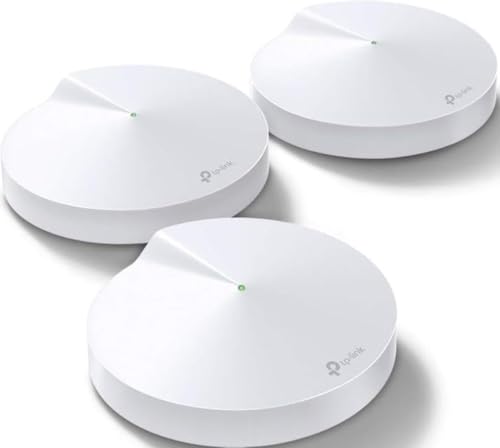 TP-Link Deco M5 (3-Pack)
|
Premium | 3‑unit seamless mesh with HomeCare security | Large apartments needing whole‑home coverage | Check Price | ||
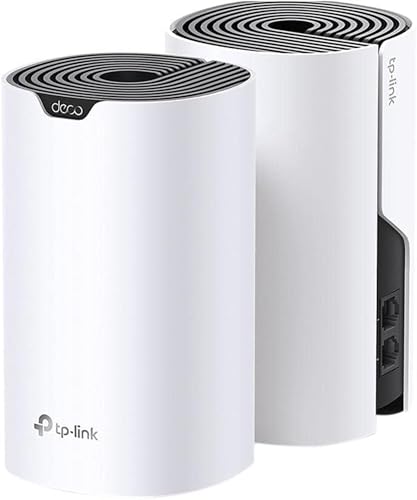 TP-Link Deco S4 (2-Pack)
|
Mid-Range | AC1900 mesh performance and strong value | Budget-conscious roommates in medium apartments | Check Price | ||
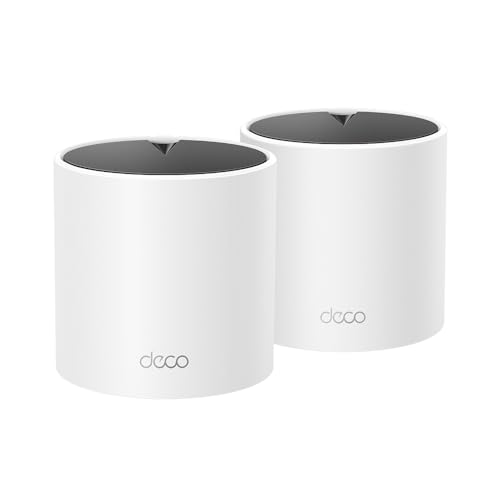 TP-Link Deco X15 (2-Pack)
|
Mid-Range | Wi‑Fi 6 AX1500 mesh with AI‑roaming | Future‑proofing and many simultaneous devices | Check Price | ||
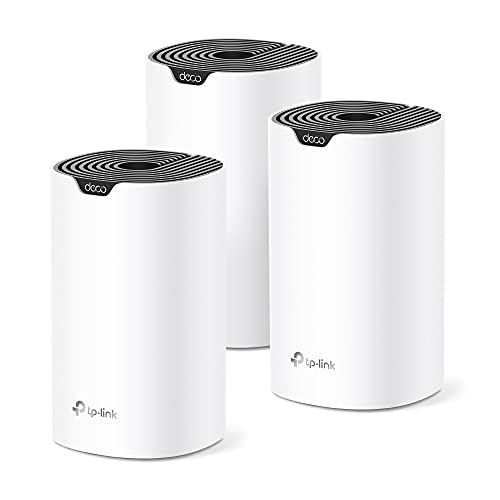 TP-Link Deco S4 (3-Pack)
|
Mid-Range | 3‑pack AC1900 mesh with extended coverage | Larger apartments needing a budget mesh expansion | Check Price | ||
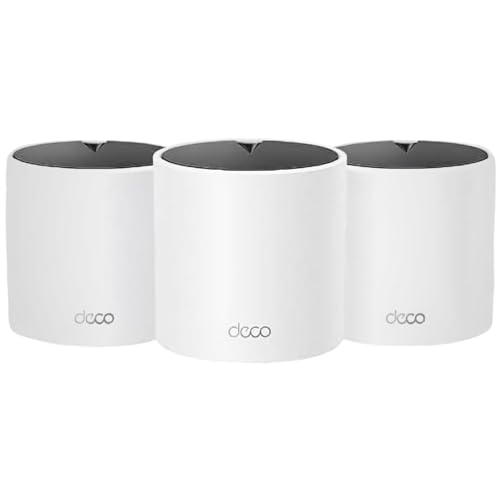 TP-Link Deco X15 (3-Pack)
|
Premium | Wi‑Fi 6 mesh with broad 3‑pack coverage | Wide apartments with lots of devices and streaming | Check Price | ||
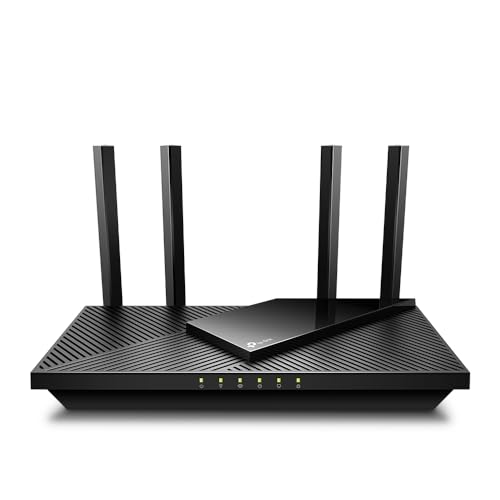 TP-Link Archer AX21 (AX1800)
|
Mid-Range | AX1800 Wi‑Fi 6 router with high‑gain antennas | Single-room setups that want Wi‑Fi 6 performance | Check Price |
1. TP-Link Deco M5 Mesh WiFi System - Up to 5,500 sq. ft. Whole Home Coverage and 100+ Devices,WiFi Router/Extender Replacement, Anitivirus, 3-Pack
The Deco M5 3‑pack is a polished mesh system that replaces routers and extenders with a single network name and automatic roaming. Users praise easy setup, broad coverage, and built‑in security tools, making it a strong all-in-one pick for roommates and multi-room layouts.
Key Specs
- Coverage: up to 5,500 sq. ft. (3 units)
- Ports: 2 Gigabit Ethernet ports per unit (WAN/LAN auto-sensing)
- Devices: designed for 100+ devices
- Security: TP‑Link HomeCare (lifetime basic protections)
Pros
- Seamless roaming with one SSID across units
- Easy mobile app setup and configuration
- Includes built‑in network security and parental controls
Cons
- Wi‑Fi 5 era hardware (not Wi‑Fi 6)
- Only two gigabit ports per unit limits wired endpoints
Best For: Large apartments needing whole‑home coverage
Check Latest Price on Amazon2. TP-Link Deco S4 Whole Home Mesh WiFi System - Up to 3,800 Sq.ft. Coverage, AC1900 WiFi Router and Extender Replacement, Parental Controls, Deco S4(2-Pack)
The Deco S4 2‑pack delivers AC1900 speeds and simple mesh roaming at a value-oriented price. Reviewers highlight fast setup and good signal where placed, making it a practical budget mesh for apartments up to a few thousand square feet.
Key Specs
- Coverage: up to 3,800 sq. ft. (2 units)
- Wi‑Fi: AC1900 speeds (tri‑stream)
- Ports: 2 Gigabit Ethernet ports per unit
- Device support: up to ~75 devices
Pros
- Excellent value for money
- User-friendly Deco app and quick installation
- Good coverage for small-to-medium floorplans
Cons
- Some connectivity reports are mixed in varied setups
- Lower coverage than larger mesh packs for very wide apartments
Best For: Budget-conscious roommates in medium apartments
Check Latest Price on Amazon3. TP-Link Deco X15 Dual-Band AX1500 WiFi 6 Mesh Wi-Fi System | Replaces Routers and Extenders | Covers up to 3,900 sq.ft. | 2 Gigabit Ports per Unit, Supports Ethernet Backhaul, 2-Pack
The Deco X15 brings Wi‑Fi 6 to mesh setups with AX1500 speeds and dynamic backhaul. It’s ideal if you want better capacity for streaming, video calls, and many smart devices while keeping setup simple via the Deco app.
Key Specs
- Wi‑Fi 6: AX1500 dual‑band (1201 Mbps on 5 GHz, 300 Mbps on 2.4 GHz)
- Coverage: up to 3,900 sq. ft. (2 units)
- Ports: 2 Gigabit Ethernet ports per unit; supports wired backhaul
- Device capacity: supports up to ~120 devices
Pros
- Wi‑Fi 6 delivers better device capacity and efficiency
- Supports wired Ethernet backhaul for stable links
- AI‑powered mesh roaming optimizes connections
Cons
- Coverage per 2‑pack may be tight for very wide apartments
- Some users report intermittent connectivity in complex RF environments
Best For: Future‑proofing and many simultaneous devices
Check Latest Price on Amazon4. TP-Link Deco S4 Mesh AC1900 WiFi System - Up to 5,500 Sq.ft. Coverage, Replaces WiFi Router and Extender, Gigabit Ports, Works with Alexa, Deco S4(3-Pack)
The Deco S4 3‑pack ups the coverage while keeping AC1900 performance and easy setup. It's a sensible mid-range option when you need more nodes to cover long hallways or multiple bedrooms without moving to Wi‑Fi 6 yet.
Key Specs
- Coverage: up to 5,500 sq. ft. (3 units)
- Wi‑Fi: AC1900 speeds; up to ~100 devices
- Ports: 2 Gigabit Ethernet ports per unit; supports Ethernet backhaul
- Voice: Alexa-compatible controls
Pros
- Good coverage spread with three nodes
- Affordable way to eliminate dead zones
- Parental controls and Alexa integration
Cons
- Uses older Wi‑Fi standard versus AX models
- Performance depends on node placement and apartment layout
Best For: Larger apartments needing a budget mesh expansion
Check Latest Price on Amazon5. TP-Link Deco X15 Dual-Band AX1500 WiFi 6 Mesh Wi-Fi System | Replaces Routers and Extenders | Covers up to 5,600 sq.ft. | 2 Gigabit Ports per Unit, Supports Ethernet Backhaul, 3-Pack
The Deco X15 3‑pack is the Wi‑Fi 6 option for very large apartments, combining AX1500 speeds with three nodes for better room-to-room performance and higher device capacity. It’s a good fit if you want to future‑proof and support many simultaneous users.
Key Specs
- Coverage: up to 5,600 sq. ft. (3 units)
- Wi‑Fi 6: AX1500 dual‑band
- Ports: 2 Gigabit Ethernet ports per unit; supports wired backhaul
- Devices: supports up to ~120 devices
Pros
- Wi‑Fi 6 across three nodes for stronger wide‑apartment coverage
- AI-driven mesh optimizes roaming behavior
- Built‑in network protection and parental controls
Cons
- Higher price tier for the 3‑pack
- Some users may see intermittent drops in complex RF environments
Best For: Wide apartments with lots of devices and streaming
Check Latest Price on Amazon6. TP-Link AX1800 WiFi 6 Router V4 (Archer AX21) Dual Band Wireless Internet, Gigabit, Easy Mesh, Works with Alexa - A Certified for Humans Device, Free Expert Support
The Archer AX21 is an affordable Wi‑Fi 6 router with strong range and easy setup. It’s a great value when you have a wired modem and want faster per‑device speeds, but for large apartments you’ll likely pair it with additional nodes or extenders for full coverage.
Key Specs
- Wi‑Fi: AX1800 dual‑band (up to ~1.8 Gbps total)
- Antennas: 4 high‑gain external antennas with beamforming
- Extras: VPN server support and EasyMesh compatibility
- Support: TP‑Link expert support and warranty
Pros
- Great value Wi‑Fi 6 router for individual rooms
- Strong range thanks to high‑gain antennas
- Includes VPN server options and robust firmware
Cons
- Not a multi‑node mesh by itself — needs extra nodes for wide coverage
- Fewer configuration conveniences for multi‑room roaming vs mesh
Best For: Single-room setups that want Wi‑Fi 6 performance
Check Latest Price on AmazonWhich One Should You Choose?
If you want the simplest, secure whole‑home solution with strong coverage: choose the TP‑Link Deco M5 (3‑pack). If budget is tight or you need a value mesh for a medium apartment: pick the TP‑Link Deco S4 (2‑pack or 3‑pack for more coverage). If you want Wi‑Fi 6 capacity and future‑proofing for many devices: go with the TP‑Link Deco X15 (2‑pack or 3‑pack depending on apartment size). If you only need faster performance in one room and plan to wire other rooms: the Archer AX21 router plus a switch or nodes is a cost‑effective approach.
Best for Specific Scenarios
- Roommates who stream & game: TP‑Link Deco X15 (3‑pack) because Wi‑Fi 6 handles many concurrent devices and reduces congestion.
- Budget shared apartment: TP‑Link Deco S4 (2‑pack or 3‑pack) because it balances coverage and value for money.
- Widest coverage with built‑in security: TP‑Link Deco M5 (3‑pack) because of its easy setup, seamless roaming, and HomeCare protections.
Frequently Asked Questions
Do I need wired backhaul for a mesh system in a large apartment?
Wired backhaul is not required but highly recommended when possible — it makes connections between mesh nodes stable and preserves wireless bandwidth for client devices. If running Ethernet isn’t practical, a powerline adapter between nodes can be a good alternative (performance varies with wiring quality).
Is Wi‑Fi 6 worth it for roommates?
Yes, Wi‑Fi 6 improves capacity and efficiency when many devices are active at once. For households with multiple streamers, gamers, or smart‑home devices, Wi‑Fi 6 mesh (like the Deco X15) helps maintain smoother performance under load.
Where should I place mesh nodes in a long apartment?
Place one node near the modem/main living area, another in the furthest heavy‑use room or office, and a third midway along a long hallway. Keep nodes visible and elevated (top of a shelf) and avoid metal objects or thick concrete between them. If performance lags, consider wired or powerline backhaul.
How We Selected These Products
Our recommendations are based on data-driven analysis: we evaluated 155229+ products across 23916+ brands using a composite scoring system that weighs rating (40%), review volume (30%), price value (20%), and demand signals (10%). Every product is ranked by data, not opinions.
Last updated: August 07, 2026
As an Amazon Associate we earn from qualifying purchases at no extra cost to you. Full disclosure.
GearLark Score is our editorial ranking based on a composite analysis of product quality, value, and verified customer sentiment. Click through to Amazon for current pricing, availability, and live customer reviews.