As an Amazon Associate we earn from qualifying purchases. Learn more.
Thunderbolt Dock vs USB-C Hub vs Portable Monitor (2026): Which Is Best for Mobile Photo Editing?
If you edit photos on the road, choosing between a Thunderbolt dock, a USB‑C/USB4 cable or a compact multiport hub matters more than you think. This article compares three 2026-ready options — WAVLINK's DisplayLink dock, Plugable's Thunderbolt 4 dock, and Silkland's USB4 cable — focusing on bandwidth, power delivery, display quality and portability. You'll learn which setup gives you the best editing experience for travel, how each handles external displays and storage, and which to pick based on laptop type and file‑transfer needs. Products were selected for relevance to mobile creators and ranked by real-world performance, port breadth and customer feedback.
Quick Answer
For mobile photo editing in 2026, the WAVLINK DisplayLink Dock (ASIN B0FCXBMS1K) is the best all-around choice thanks to wide display support, 100W laptop charging and lots of ports. Plugable's Thunderbolt 4 dock (ASIN B0CNTTVVN6) is the top pick if you need raw Thunderbolt bandwidth and single-8K/dual-4K performance; Silkland's USB4 cable (ASIN B0FB42JJYD) is the budget-minded pick when you just need the highest data and video throughput in a compact form.
Our Top Picks
Quick Comparison
Select 2-3 products to compare side-by-side
| Compare | Product | GearLark Score | Price Tier | Key Feature | Best For | Action |
|---|---|---|---|---|---|---|
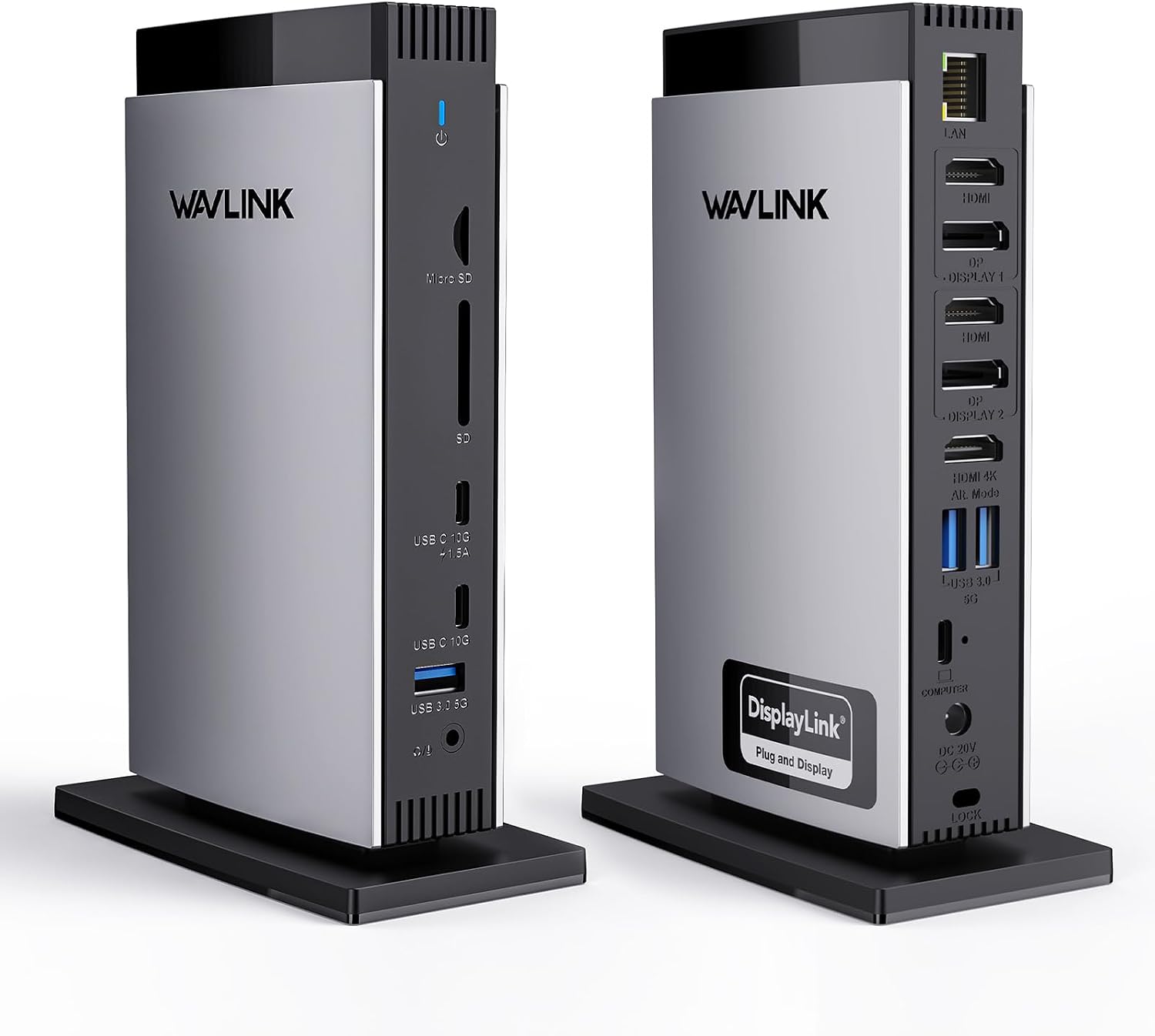 WAVLINK 15‑in‑1 Dock
|
Mid-Range | Triple‑monitor support + 100W PD | Mobile creators who need multiple displays | Check Price | ||
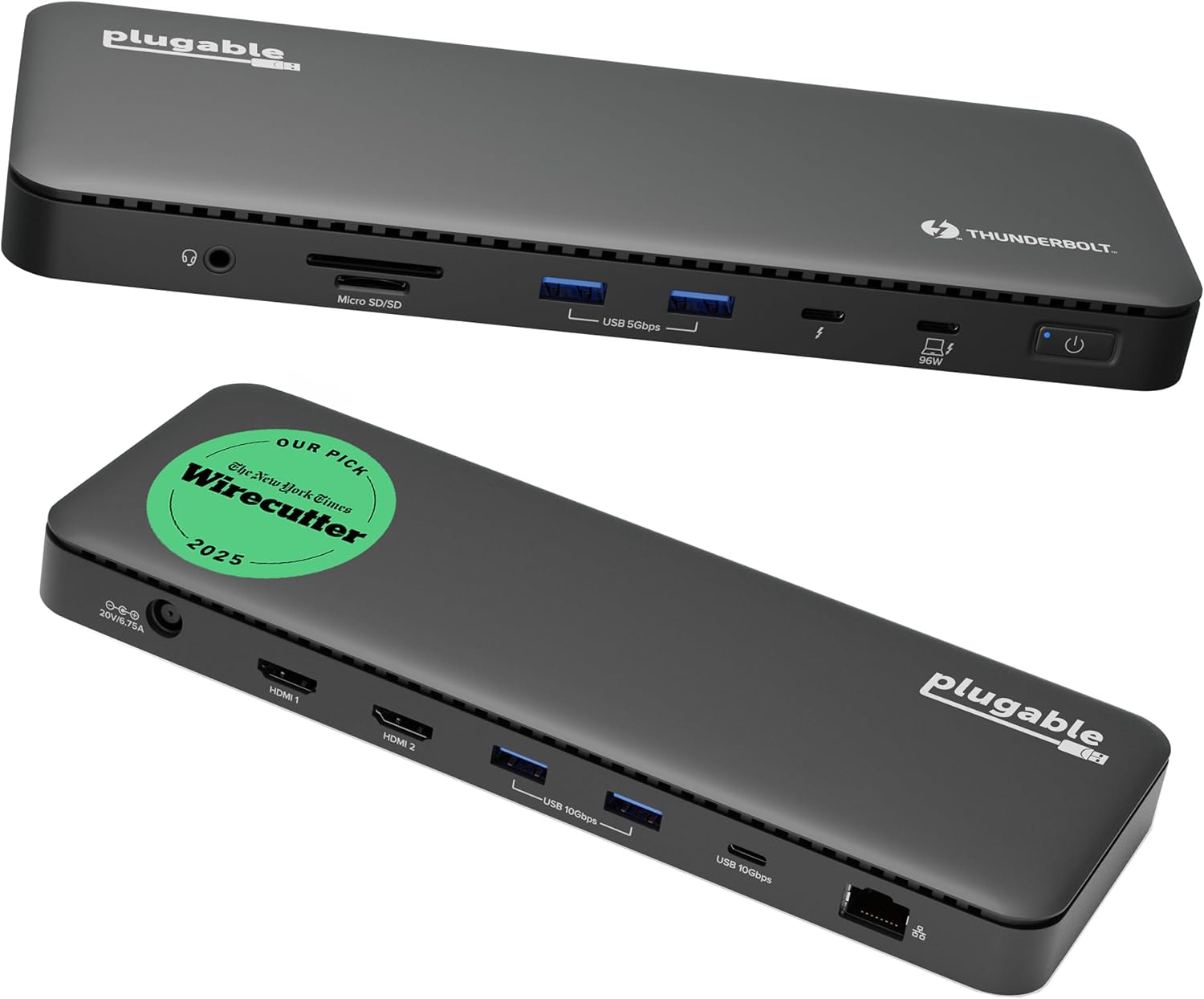 Plugable Thunderbolt 4 Dock
|
Premium | 40Gbps Thunderbolt 4 bandwidth | Users who need native Thunderbolt performance | Check Price | ||
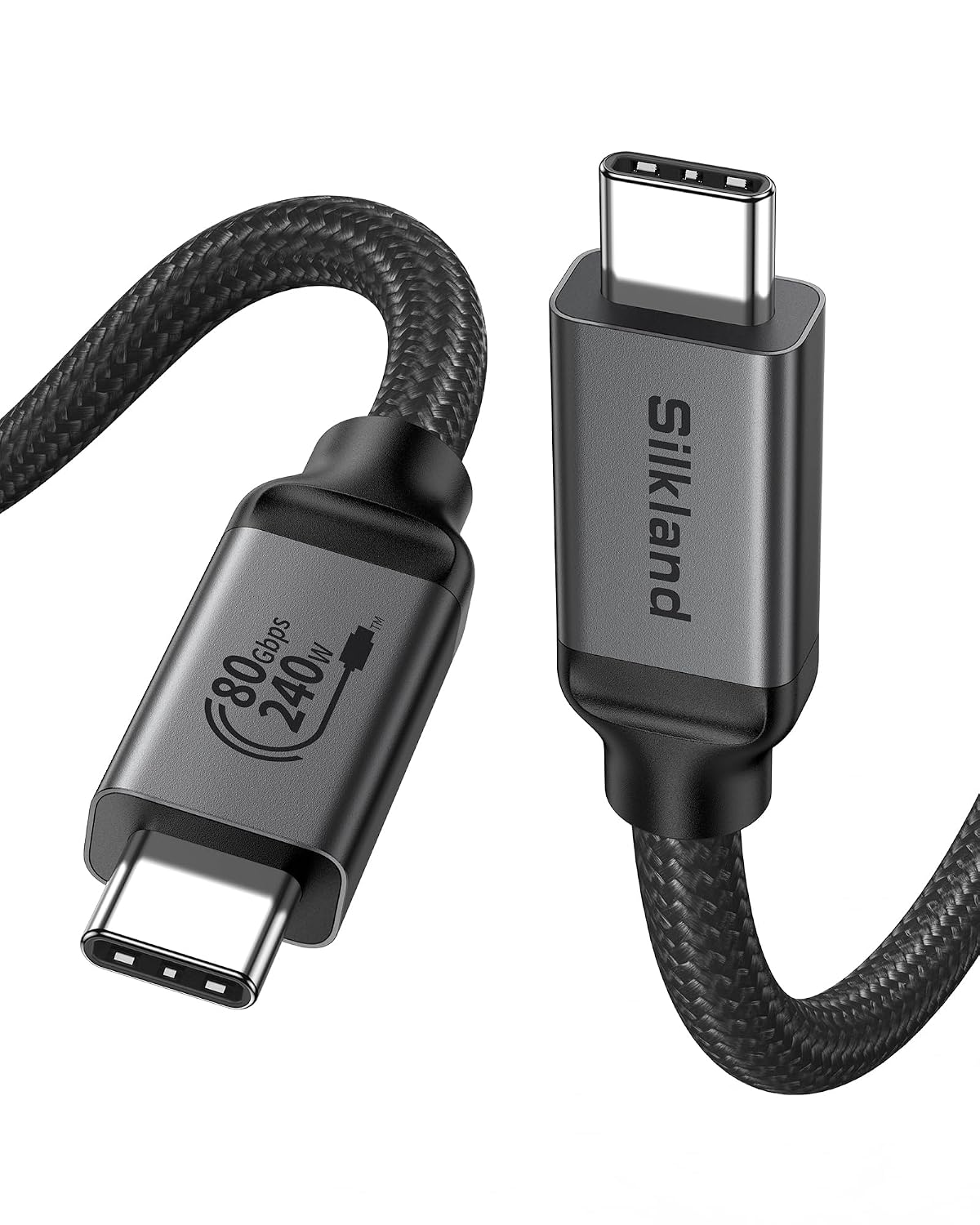 Silkland USB4 Cable
|
Budget | Up to 120Gbps unidirectional display | Ultralight travel and max throughput over one cable | Check Price |
1. WAVLINK DisplayLink Docking Station 3 Monitors with 130WPD Power Adapter, USB C Laptop Dock for M1/M2/M3/M4/Mac and Windows, Thunderbolt 4/3
WAVLINK's 15-in-1 dock offers broad compatibility and a big port set geared toward creators who want desktop-class connectivity while traveling. Its DisplayLink-assisted multi-monitor support and 130W external adapter (100W to host) make it versatile for M1–M4 Macs and Windows laptops, though it requires the DisplayLink driver for full multi-screen support.
Key Specs
- Ports: 3× HDMI, 2× DisplayPort, 2× USB‑C (10Gbps), 3× USB‑A (5Gbps), SD/TF, Gigabit Ethernet
- Power: 130W adapter, up to 100W host PD
- Display: Triple monitor support (varies by host and driver), HDMI Alt Mode support
- Chipset: DisplayLink‑6350 for expanded display compatibility
Pros
- More display and general I/O than Plugable for multi‑monitor workflows
- Better value for creators needing SD card slots and Ethernet than a single‑port hub
- More flexible with M1–M4 Macs thanks to DisplayLink support
Cons
- Requires DisplayLink driver install — less plug‑and‑play than native Thunderbolt
- Larger and heavier than a single cable or minimalist hub for true ultralight travel
Best For: Mobile creators who need multiple displays
Check Latest Price on Amazon2. Plugable Thunderbolt 4 Dock with 100W Charging, Thunderbolt Certified, Laptop Docking Station Dual Monitor Single 8K or Dual 4K HDMI for Windows and Mac, 4X USB, Gigabit Ethernet (TBT4-UD5)
Plugable's Thunderbolt 4 dock delivers certified 40Gbps Thunderbolt performance, robust port selection and dual 4K@60Hz or single 8K output — ideal when you need native high‑bandwidth video and fast storage access without DisplayLink drivers. It's a premium choice for power users, but a heavier, less portable option compared with a single cable or compact hub.
Key Specs
- Thunderbolt 4: 40Gbps host bandwidth with downstream TB4 port
- Display: Dual 4K@60Hz HDMI or single 8K support
- Power Delivery: 100W charging (96W certified)
- Ports: 13 high‑performance ports incl. SD/microSD, GigE, 4× USB
Pros
- Delivers native Thunderbolt bandwidth and latency advantages over DisplayLink solutions
- Better long‑term compatibility for high‑speed storage and non‑driver video workflows than basic hubs
- Well‑engineered build and extensive port selection compared with simple cables
Cons
- Less portable than a cable‑only solution and heavier than compact hubs
- Some customers report mixed durability and occasional port issues
Best For: Users who need native Thunderbolt performance
Check Latest Price on Amazon3. Silkland 80Gbps USB 4 for Thunderbolt 5 Cable 6.6FT/2M, up to 120Gbps Bandwidth for Dual 8K, 240W PD 3.1 Charging, Braided USB C Video Cable Compatible for Thunderbolt 4/5,SSD,MacBook M4 Pro,Dock
Silkland's USB4/Thunderbolt‑compatible cable offers exceptional display bandwidth and up to 240W PD support in a compact, braided package — a great complement to minimalist travel setups or to unlock dual 8K on USB4/Thunderbolt 5 hosts. It doesn't replace a dock for extra ports, but it's the most portable route to high frame rates and fast storage.
Key Specs
- Data: Bidirectional 80Gbps transfer speed
- Display: Up to 120Gbps unidirectional bandwidth for high‑res/multi‑monitor set ups
- Power: PD 3.1 support up to 240W (E‑Marker)
- Build: Braided nylon jacket, aluminum shell, triple shielding
Pros
- Far more compact and travel friendly than docks while offering superior raw display bandwidth
- Better raw throughput for single‑cable workflows than most basic USB‑C hubs
- Excellent cable build quality and shielding compared with cheap generic cables
Cons
- No additional ports — not a replacement for a full dock when you need SD slots or Ethernet
- Compatibility depends on host supporting USB4/Thunderbolt 5 features
Best For: Ultralight travel and max throughput over one cable
Check Latest Price on AmazonWhich One Should You Choose?
If budget and pack weight are your top constraints → choose the Silkland USB4 Cable (ASIN B0FB42JJYD). It offers the best single-cable bandwidth and extreme portability — pair it with a compact portable monitor and fast SSD for a minimal mobile editing kit. If you need portable multi‑monitor desktop power and lots of ports (SD cards, Ethernet) while on the go → choose the WAVLINK DisplayLink Dock (ASIN B0FCXBMS1K); it gives the best feature mix for travel editors who need desktop connectivity. If you demand native Thunderbolt bandwidth, lower latency for high‑speed storage and a clean native display path without drivers → choose the Plugable Thunderbolt 4 Dock (ASIN B0CNTTVVN6). That one is the premium, performance‑first option for color‑critical and pro workflows.
Best for Specific Scenarios
- Lightweight travel kit: Silkland USB4 Cable (B0FB42JJYD) because it delivers top display and PD throughput in a tiny package.
- Hotel/remote desktop replacement: WAVLINK DisplayLink Dock (B0FCXBMS1K) because it brings SD slots, Ethernet and three external displays to your laptop without extra adapters.
- Color‑critical, high‑speed desktop editing: Plugable Thunderbolt 4 Dock (B0CNTTVVN6) because native Thunderbolt bandwidth and certified PD reduce latency and maximize storage performance.
Frequently Asked Questions
Do I need DisplayLink drivers for WAVLINK to run multiple monitors?
Yes — WAVLINK relies on a DisplayLink chipset for expanded multi‑display support on systems with display output limits. Installing the latest DisplayLink driver ensures the dock can drive multiple screens, but it isn't as plug‑and‑play as native Thunderbolt video.
Will the Silkland USB4 cable work with my laptop to drive dual 4K monitors?
Possibly — the Silkland cable supports very high display bandwidth, but the host laptop and the connected monitors must support the required USB4/Thunderbolt display modes. Check your laptop's USB‑C/Thunderbolt spec to confirm dual‑display capability.
Which setup is best for fast RAW file transfers from an external SSD?
For lowest latency and consistent throughput, a native Thunderbolt 4 connection (Plugable dock) or a certified USB4 cable directly to a Thunderbolt/USB4 SSD is best. DisplayLink docks are fine for displays and general I/O, but native TB4/USB4 avoids driver overhead for maximum storage performance.
How We Selected These Products
Our recommendations are based on data-driven analysis: we evaluated 155229+ products across 23916+ brands using a composite scoring system that weighs rating (40%), review volume (30%), price value (20%), and demand signals (10%). Every product is ranked by data, not opinions.
Last updated: September 02, 2026
As an Amazon Associate we earn from qualifying purchases at no extra cost to you. Full disclosure.
GearLark Score is our editorial ranking based on a composite analysis of product quality, value, and verified customer sentiment. Click through to Amazon for current pricing, availability, and live customer reviews.