As an Amazon Associate we earn from qualifying purchases. Learn more.
Thunderbolt Dock vs USB-C Dock vs Portable USB-C Hub: Which Dorm Desk Dock Should You Buy? (2026)
Sharing a single outlet and a tiny dorm desk makes choosing a dock trickier than it looks. This head-to-head guide compares three popular 2026 docking approaches — a high-end Thunderbolt dock, a modern Thunderbolt 4 dock, and a DisplayLink/USB-C multi-monitor hub — so you can pick the right one for your laptop, monitor needs, and budget. We selected these models for their port sets, passthrough charging, video capabilities, heat management and real-world student-friendly traits (build quality, ease of use, value). Read on for a direct side-by-side breakdown and a clear recommendation for common dorm scenarios.
Quick Answer
For most students who need a reliable, full-featured dorm desk dock, the CalDigit TS3 Plus is the best pick — it delivers the most ports and sturdy aluminum build. If you want the best value with modern Thunderbolt 4 features choose the MOKiN Thunderbolt 4 Dock; if you need maximum monitor count and flexible USB-C compatibility, the TobenONE DisplayLink hub is the pick.
Our Top Picks
Quick Comparison
Select 2-3 products to compare side-by-side
| Compare | Product | GearLark Score | Price Tier | Key Feature | Best For | Action |
|---|---|---|---|---|---|---|
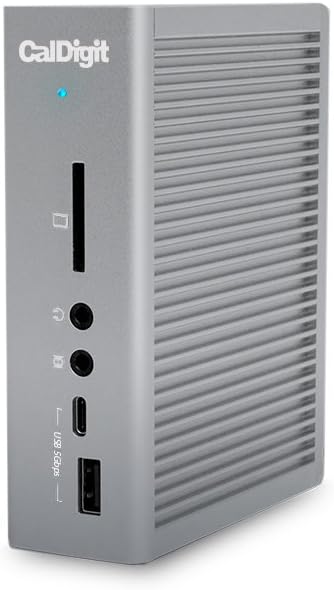 CalDigit TS3 Plus
|
Premium | Extensive port array & aluminum build | Students needing lots of ports & solid build | Check Price | ||
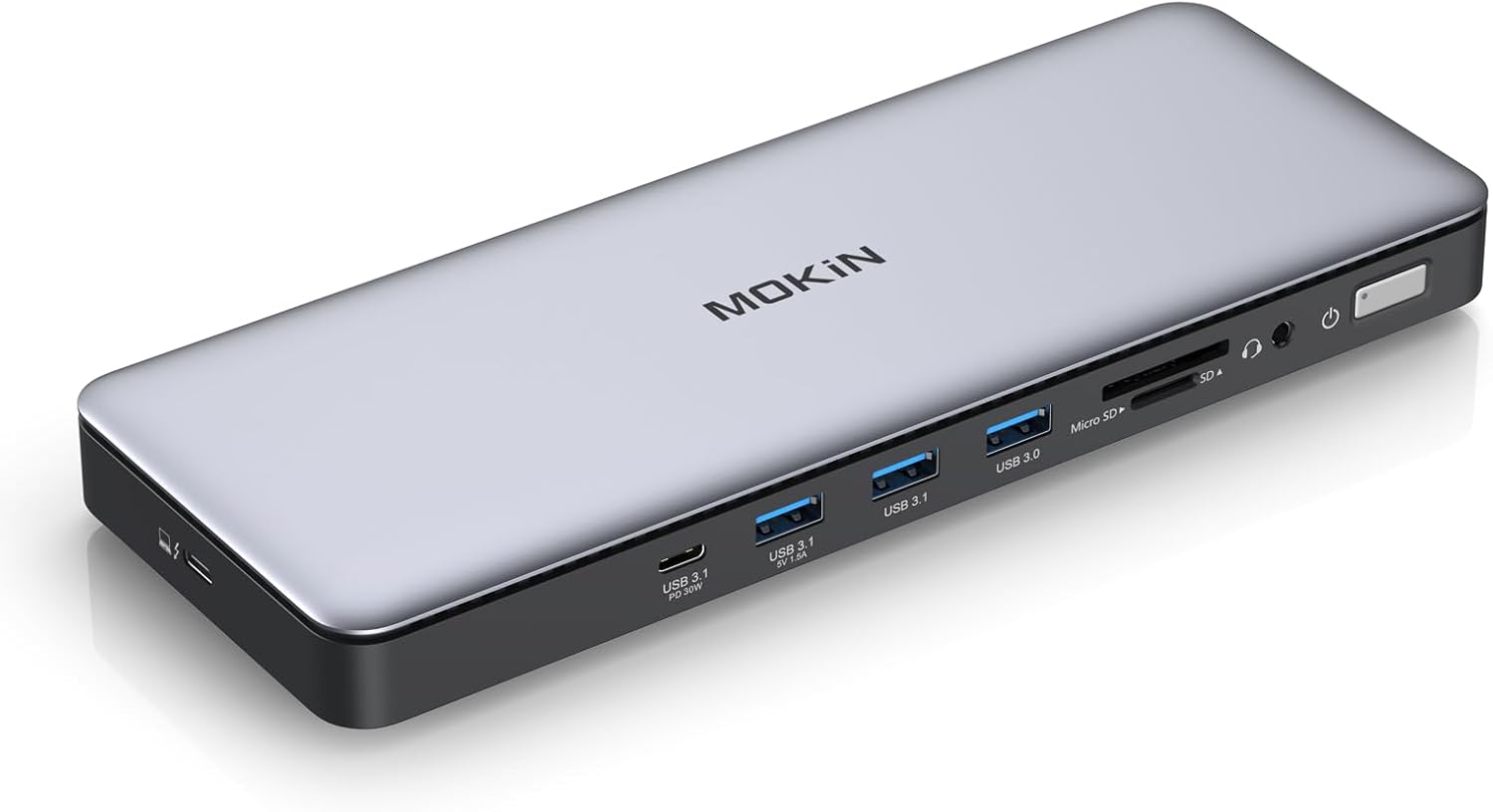 MOKiN Thunderbolt 4 Dock
|
Mid-Range | Thunderbolt 4 + 96W charging | Students who want modern TB4 features at value | Check Price | ||
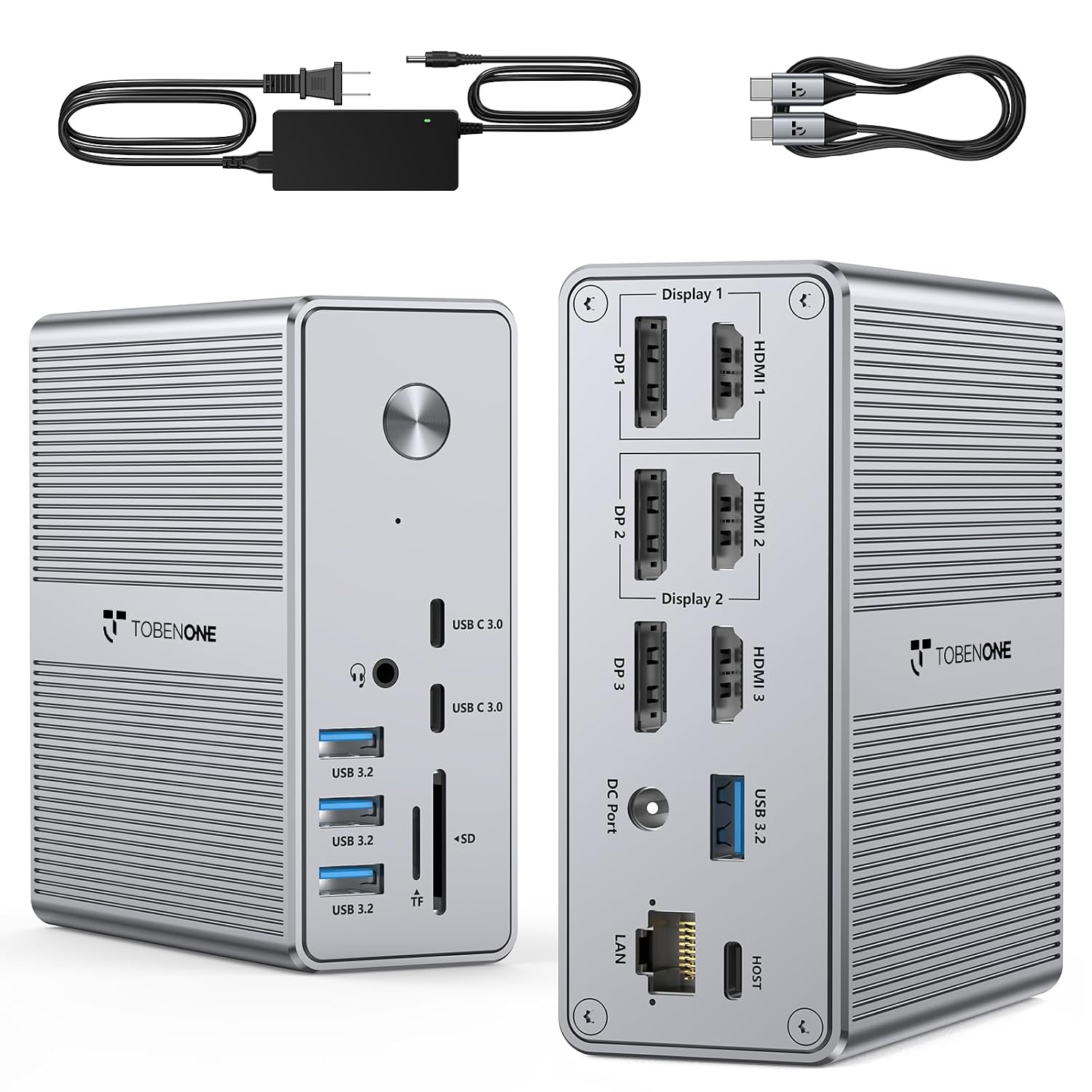 TobenONE DisplayLink Dock
|
Mid-Range | Triple 4K display support + 100W PD | Students needing the most monitors on a single port | Check Price |
1. CalDigit TS3 Plus Thunderbolt 3 Dock - 87W Charging, 7X USB 3.1 Ports, USB-C Gen 2, DisplayPort, UHS-II SD Card Slot, Gigabit Ethernet for Mac & PC, Thunderbolt 4 Compatible (0.8m/2.62ft Cable)
The CalDigit TS3 Plus is a rugged, port-dense Thunderbolt dock designed for users who want a desktop-class hub on a small desk. It supplies strong passthrough charging and a wide mix of USB-A/C, DisplayPort, SD and audio options, making it ideal for creative workflows or connecting many peripherals on a shared outlet.
Key Specs
- 2x Thunderbolt 3 ports (40Gb/s) and DisplayPort 1.2
- Up to 87W laptop charging via dock
- 5x USB-A, 1x USB-C 3.1 Gen2, UHS-II SD slot, Gigabit Ethernet
- Aluminum chassis with integrated heat sink (fanless)
Pros
- Far more ports than most USB-C hubs — better connectivity than TobenONE
- Sturdy aluminum build that feels premium and durable
- High passthrough charging (87W) for larger laptops
Cons
- Premium price tier compared with the other two
- Requires a Thunderbolt 3/4 host to access full feature set
Best For: Students needing lots of ports & solid build
Check Latest Price on Amazon2. MOKiN Thunderbolt 4 Dock - 16 Ports, USB C Docking Station 3 Monitors for Laptop with 2*Thunderbolt 4 Port, 96W Charger, 2.5Gbps Ethernet for Dell, HP, Lenovo, MacBook(Intel ThunderboltTM Certified)
The MOKiN Thunderbolt 4 Dock gives a modern feature set (Thunderbolt 4 compatibility, 96W PD, and 2.5GbE) at a mid-range price. It balances high-speed ports and multi-monitor support with competitive value, making it a strong choice for students who want future-proofing without the premium sticker.
Key Specs
- 2x Thunderbolt 4 (40Gbps) ports, supports triple 4K or one 4K@144Hz
- Up to 96W laptop power delivery
- 2.5Gb Ethernet, SD UHS-II, multiple USB-A/C high-speed ports
Pros
- Better value for Thunderbolt 4 capabilities than older TB3 docks
- Higher network bandwidth with 2.5GbE — faster than CalDigit's GigE
- Solid build and power delivery suitable for power-hungry laptops
Cons
- Mid-range price may still be heavy for strict dorm budgets
- Some customers report intermittent display compatibility issues
Best For: Students who want modern TB4 features at value
Check Latest Price on Amazon3. TobenONE DisplayLink Docking Station Triple Monitor with 120W Power Adapter, Triple 4K Display for MacBook Pro/Air, Thunderbolt 4/3, USB-C Windows(3X HDMI, 3X DP, 2xUSB-C, 4xUSB 3.2, SD/TF)
TobenONE's DisplayLink dock prioritizes maximum monitor flexibility and an enormous port list, including triple HDMI/DP combos and a 120W adapter that outputs up to 100W to laptops. It's the best multi-monitor option for cramped desks where you need to run 2–3 external screens from a single USB-C connection.
Key Specs
- 3x HDMI + 3x DisplayPort outputs, supports triple/quad 4K setups (DisplayLink)
- 120W power adapter with up to 100W laptop output
- 4x USB 3.2 ports, 2x USB-C, SD/TF slots; requires DisplayLink drivers
Pros
- Supports more external monitors than the other docks — best multi-monitor flexibility
- Large port count and included 120W adapter reduce need for extra chargers
- Strong value for users who need lots of display outputs
Cons
- Requires DisplayLink drivers — not plug-and-play for all OS setups
- Display quality or compatibility can be inconsistent on some systems
Best For: Students needing the most monitors on a single port
Check Latest Price on AmazonWhich One Should You Choose?
If budget and future-proofing are your primary concerns → choose the MOKiN Thunderbolt 4 Dock for modern TB4 features, 96W PD and 2.5GbE at a strong value. If you need the smallest risk of incompatibility and the most robust metal build with a huge variety of legacy ports → pick the CalDigit TS3 Plus (best overall) for its durability and broad connectivity. If your dorm desk workflow demands the most external monitors from one USB-C port and you don’t mind installing DisplayLink drivers → choose the TobenONE DisplayLink Dock for unmatched display flexibility.
Best for Specific Scenarios
- One outlet, many devices: CalDigit TS3 Plus — hardier power delivery and the widest port selection so you can centralize everything on a single dock.
- Future-proofing & performance: MOKiN Thunderbolt 4 Dock — TB4, 96W PD and 2.5GbE make it a strong all-rounder for newer laptops.
- Multiple external monitors: TobenONE DisplayLink Dock — supports triple/quad 4K outputs from one connection, ideal for multi-window study setups.
Frequently Asked Questions
Will these docks charge my laptop and my phone from a single outlet?
Yes — each dock includes passthrough power delivery: CalDigit up to 87W, MOKiN up to 96W, and TobenONE offers a 120W adapter with up to 100W laptop output. That lets you power your laptop and charge phones or earbuds from the dock so you don’t need multiple chargers on a shared outlet.
Do I need Thunderbolt to use these docks?
CalDigit and MOKiN need a Thunderbolt-capable host to unlock full performance and native multi-monitor support; they are Thunderbolt devices. TobenONE uses DisplayLink/USB-C and works with a wider range of USB-C laptops but requires installing DisplayLink drivers on some operating systems.
Which dock runs coolest for long study or streaming sessions?
Metal-chassis docks with integrated heat sinks (like the CalDigit TS3 Plus) tend to dissipate heat better and run cooler under sustained load than dense plastic hubs. Thunderbolt 4 docks like the MOKiN also manage heat well, while USB-C/DisplayLink hubs can run warmer depending on workload.
How We Selected These Products
Our recommendations are based on data-driven analysis: we evaluated 155229+ products across 23916+ brands using a composite scoring system that weighs rating (40%), review volume (30%), price value (20%), and demand signals (10%). Every product is ranked by data, not opinions.
Last updated: August 17, 2026
As an Amazon Associate we earn from qualifying purchases at no extra cost to you. Full disclosure.
GearLark Score is our editorial ranking based on a composite analysis of product quality, value, and verified customer sentiment. Click through to Amazon for current pricing, availability, and live customer reviews.