As an Amazon Associate we earn from qualifying purchases. Learn more.
USB-C Hub vs Docking Station vs Multiport Charger: Which Should You Buy in 2026?
Choosing between a USB‑C hub, a docking station and a multiport charger feels more relevant than ever in 2026. This guide is for people who juggle phones, watches and laptops and want the cleanest, most reliable charging setup. We focused on three current multiport chargers/power banks that represent common real‑world choices: a compact MagSafe power bank, a high‑capacity budget pack with built‑in cables, and a versatile wall‑plug + battery hybrid. Products were selected for real customer feedback, practical features (PD, MagSafe, built‑in cables), and travel usability so you can decide quickly which type fits your life.
Quick Answer
For most mobile users in 2026 the Gatatol Magnetic Power Bank (B0F5NZ6TPS) is the best overall pick — it balances MagSafe 15W wireless, 20W USB-C in/out, and compact travel-friendly design. Choose the Feob 26800mAh (B0DWJJ3ZQ4) if you need massive capacity on a budget; pick the Limitless PowerPro Go (B09887HDDF) if you want an all-in-one wall charger + bank + Qi pad.
Our Top Picks
Quick Comparison
Select 2-3 products to compare side-by-side
| Compare | Product | GearLark Score | Price Tier | Key Feature | Best For | Action |
|---|---|---|---|---|---|---|
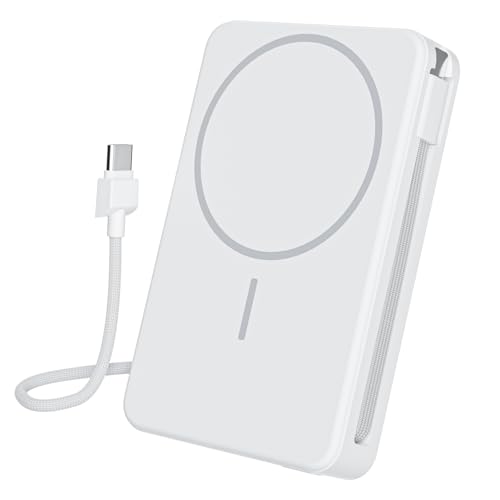 Gatatol Magnetic Power Bank
|
Mid-Range | MagSafe 15W + 20W USB‑C in/out | Portable iPhone users & travel | Check Price | ||
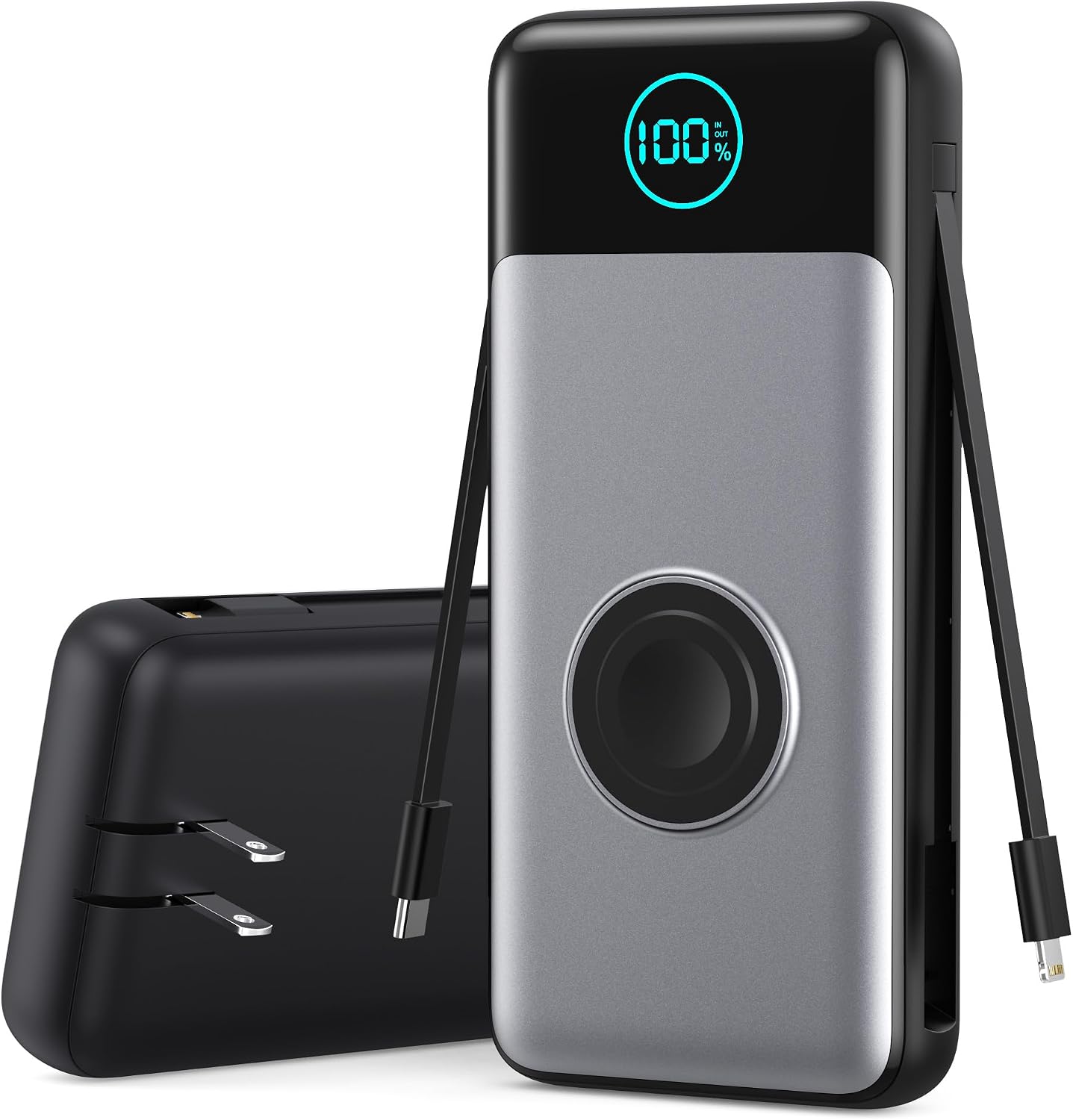 Feob 26800mAh Power Bank
|
Budget | Huge 26800mAh + built‑in cables & AC plug | Long trips, power‑hungry users | Check Price | ||
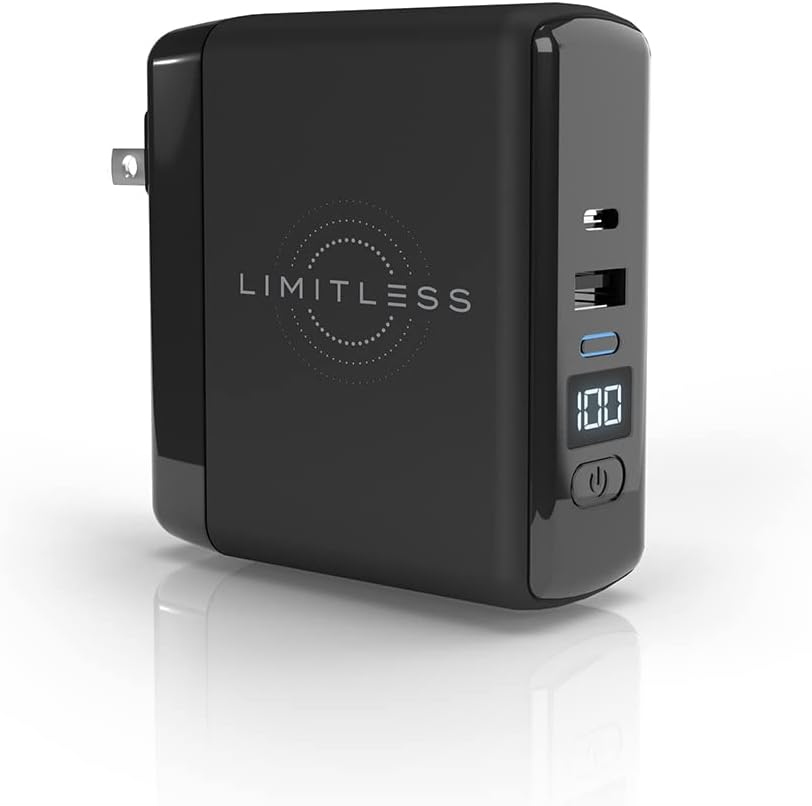 Limitless PowerPro Go
|
Premium | Retractable prongs + Qi 10W + PD | Frequent travelers needing wall + bank | Check Price |
1. Magnetic Power Bank, 10,000mAh Wireless Portable Charger for Mag-Safe 15W Fast Charging, Battery Pack with USB-C Cable 20W in/Out for iPhone Air/17/16/15/14/13/12/Plus/Pro/Pro Max, AirPods & More
A slim, pocketable 10,000mAh MagSafe-compatible power bank with built-in USB-C and Lightning cables. It focuses on fast, efficient phone charging and low operating temperatures — a smart daily driver for iPhone owners who want tidy, cable-free top-ups.
Key Specs
- Capacity: 10,000mAh
- MagSafe wireless: up to 15W
- USB-C: 20W in/out (built-in cable)
- Built-in Lightning cable; charges up to 4 devices
Pros
- More pocketable than Feob's large pack
- Better temperature control than Limitless per design notes
- MagSafe 15W wireless is faster than many basic Qi pads
Cons
- Lower total capacity than the Feob 26800mAh pack
- Fewer high‑power ports for simultaneous laptop charging
Best For: Portable iPhone users & travel
Check Latest Price on Amazon2. Portable Charger 26800mah for iPhone with Built-in Cables & AC Wall Plug,6-in-1 USB C Power Bank with iWatch Charger,25W PD Fast Charging Battery Pack for iPhone16/15/14/ 13/12,Android,Apple Watch etc
A budget-friendly heavy hitter: massive 26,800mAh capacity with built-in Type‑C and iPhone cables, a magnetic iWatch charger and even an AC wall plug to recharge the pack itself. Ideal when run time matters more than pocketability.
Key Specs
- Capacity: 26,800mAh
- Built-in USB-C and Lightning cables; magnetic iWatch charger
- Output: up to 25W PD (USB-C), up to 18W USB-A
- AC wall plug for recharging the power bank
Pros
- Much greater battery capacity than Gatatol or Limitless
- Built-in cables and AC plug reduce the need to carry extras
- Can charge multiple devices simultaneously (up to 5)
Cons
- Noticeably bulkier and less pocketable than the other two
- Size and weight may be impractical for light travel or daily carry
Best For: Long trips, power‑hungry users
Check Latest Price on Amazon3. Limitless PowerPro Go 10,000mAh Power Bank 3-in-1 Wall Charger with Type-C Power Delivery, USB-A, & Qi Wireless Charging, Digital Display & Fast Charging for iPhone Android, Samsung (Black)
A travel-focused hybrid that acts as a wall charger and a 10,000mAh power bank with a Qi pad and digital battery display. The retractable prongs and multiple charging modes make it a flexible pick for hotel stays and short trips.
Key Specs
- Capacity: 10,000mAh
- Retractable wall prongs for on‑the‑go outlet charging
- Qi wireless pad up to 10W; USB‑C PD (up to 18W) and USB‑A output
- Digital battery level display
Pros
- More versatile charging modes than Feob (wall plug + Qi pad)
- Retractable prongs make it easier to use as a travel wall charger
- Digital display gives clear battery status, better for easy planning
Cons
- Customers report occasional plug looseness and mixed long‑term durability
- Smaller capacity than the Feob 26800mAh option
Best For: Frequent travelers needing wall + bank
Check Latest Price on AmazonWhich One Should You Choose?
If budget and raw runtime are your priority, choose the Feob 26800mAh pack (ASIN B0DWJJ3ZQ4) — it delivers the most charges and built‑in cables for the lowest price. If everyday portability, MagSafe convenience and cooler operation matter most, pick the Gatatol Magnetic Power Bank (ASIN B0F5NZ6TPS) as the best overall compromise. If you want an all‑in‑one travel charger that doubles as a wall plug + battery + wireless pad, go with the Limitless PowerPro Go (ASIN B09887HDDF) — it’s the most versatile travel solution, but note its smaller capacity and some durability reports. Match your pick to whether you value capacity (Feob), pocketability & MagSafe (Gatatol), or wall+bank versatility (Limitless).
Best for Specific Scenarios
- Long road trips / multi‑device families: Feob 26800mAh — massive capacity and multiple simultaneous outputs keep phones and watches charged for days.
- Daily carry & iPhone users who want tidy charging: Gatatol Magnetic Power Bank — compact MagSafe 15W and built‑in cables make it the most pocketable daily companion.
- Business travelers who want fewer items: Limitless PowerPro Go — retractable prongs, PD and a Qi pad replace a wall charger plus a power bank for short trips.
Frequently Asked Questions
Do I need a docking station or a multiport charger?
Choose a docking station if you need persistent data/video expansion (multiple monitors, Ethernet, SD cards) attached to a laptop at a desk. Choose a multiport charger/power bank if you need portable power for phones, watches and occasional laptop top‑ups while traveling.
Can these power banks charge a laptop?
Some can top up small laptops if they provide sufficient PD wattage. The products reviewed here focus on 20–25W USB‑C output — good for phones and tablets and to trickle‑charge small laptops, but not ideal for running large ultrabooks under full load. For sustained laptop use, look for a higher‑watt PD power bank or a docking station with 45W+ PD.
Are built‑in cables and MagSafe worth it?
Built‑in cables simplify travel and reduce the chance of forgetting cords; MagSafe provides fast, aligned wireless charging for recent iPhones. If convenience and minimal gear matter to you, these features are worth the small extra cost; if you prioritize raw capacity, a plain high‑mAh pack may be better.
How We Selected These Products
Our recommendations are based on data-driven analysis: we evaluated 155229+ products across 23916+ brands using a composite scoring system that weighs rating (40%), review volume (30%), price value (20%), and demand signals (10%). Every product is ranked by data, not opinions.
Last updated: August 11, 2026
As an Amazon Associate we earn from qualifying purchases at no extra cost to you. Full disclosure.
GearLark Score is our editorial ranking based on a composite analysis of product quality, value, and verified customer sentiment. Click through to Amazon for current pricing, availability, and live customer reviews.