As an Amazon Associate we earn from qualifying purchases. Learn more.
How to Backup Photos on the Go: Compact Workflow for Student Photographers (2026)
When you're shooting between classes, on a weekend assignment, or traveling for a project, losing photos because you ran out of space or a card failed is a real headache. This guide shows a compact, practical workflow—camera to SD card to a portable SSD, then a quick cloud offload—so student photographers can back up reliably without carrying a laptop. You’ll learn which devices make each step faster and safer and why we picked these routers and SSDs based on portability, connection options, transfer speed, and real-world usability.
Quick Answer
For a compact, reliable on-the-go workflow use the NEWQ Filehub AC750 as a wireless SD reader and bridge to a portable SSD; for fast local storage choose the Seagate One Touch SSD for top transfer speeds. The NEWQ Filehub is best when you need direct SD-to-SSD or phone offloads without a laptop.
Our Top Picks
Quick Comparison
Select 2-3 products to compare side-by-side
| Compare | Product | GearLark Score | Price Tier | Key Feature | Best For | Action |
|---|---|---|---|---|---|---|
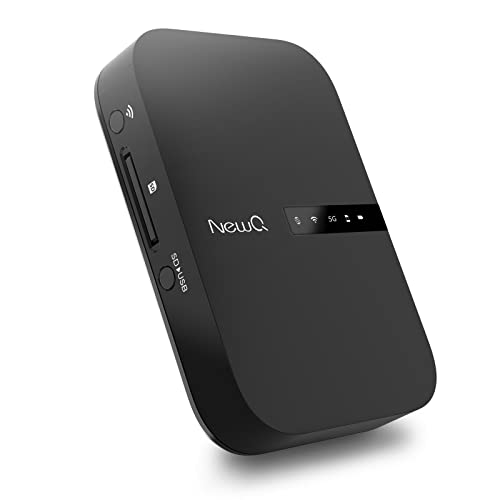 NEWQ Filehub AC750
|
Budget | Built-in Filehub SD/USB reader | Wireless SD-to-phone/SSD offloads | Check Price | ||
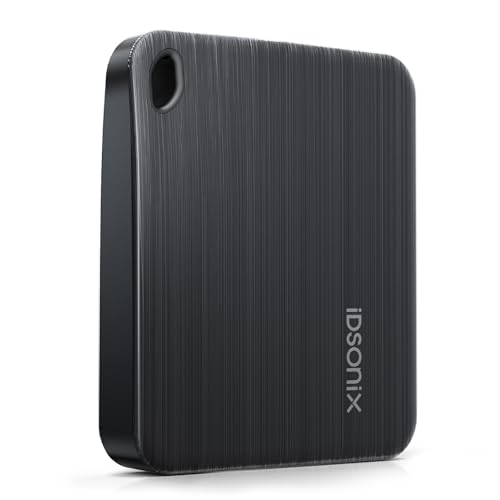 iDsonix 2TB SSD
|
Mid-Range | USB 3.2 Gen 1 (5Gbps) | Balanced speed and capacity | Check Price | ||
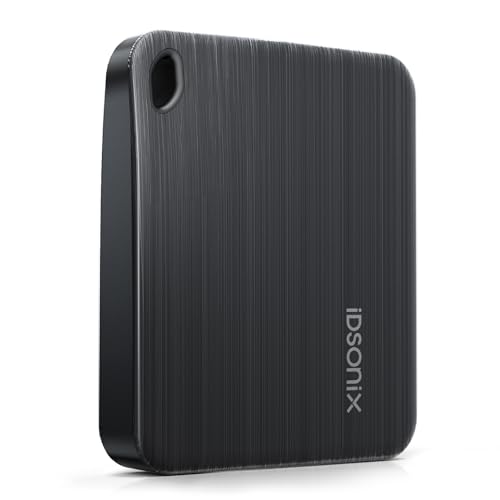 iDsonix 1TB SSD
|
Budget | Compact 1TB option | Students on a tight budget | Check Price | ||
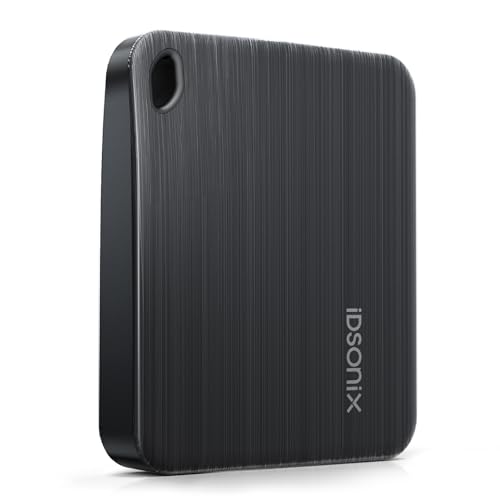 iDsonix 4TB SSD
|
Premium | High 4TB capacity | Long trips and heavy shooters | Check Price | ||
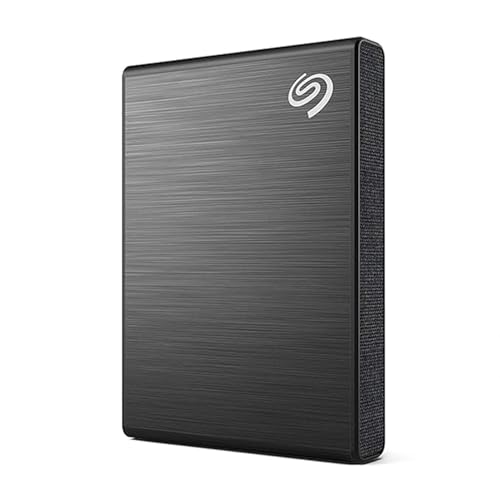 Seagate One Touch 2TB
|
Premium | Up to 1030MB/s transfer speed | Fast transfers and cloud-ready workflow | Check Price |
1. NewQ Filehub AC750 Travel Router: Portable Hard Drive SD Card Reader & Mini WiFi Range Extender for Travel | Wireless Access External Harddrive & USB Storage Device to Backup Photo & Files from iPhone
The NEWQ Filehub turns an SD card, USB drive or external hard drive into a wireless hard drive so you can offload camera cards without a laptop. It solves the core problem—backing up photos on the go—by reading your SD card and serving files over Wi‑Fi to your phone or directly to attached storage, making quick local copies before you push to cloud storage.
Key Specs
- Portable wireless router with AP/Router/Bridge modes
- Filehub SD/USB storage sharing function
- Dual-band Wi‑Fi (2.4GHz & 5GHz), up to 1300 Mbps
- Browser-based operation; optional app available
Pros
- Direct SD-to-device file access for instant backups
- Multi-mode router adds hotel Wi‑Fi bridge and hotspot options
- Small and lightweight for student travel
Cons
- Transfer speed and setup can be inconsistent across devices
- Some users report a learning curve with the interface
Best For: Wireless SD-to-phone/SSD offloads
Check Latest Price on Amazon2. iDsonix 2TB External SSD - USB 3.2 Gen 1 Read Speed up to 466MB/s Portable Solid State Drive for Backup Videos and Photos, Compatible with Mac, PC, Tablet, iPhone 15 - i5PLUS
This iDsonix portable SSD offers quick USB 3.2 Gen 1 transfers and a compact, scratch-resistant finish—helpful for students who need to clear SD cards during shoots. Hook it to a phone (with an adapter), camera, or the NEWQ Filehub and you get a fast local backup target that reduces the time you spend waiting between shooting sessions.
Key Specs
- USB 3.2 Gen 1 interface (up to 5Gbps)
- Available capacities up to 4TB; this model is 2TB
- Brushed surface to resist fingerprints and scratches
- Hanging-hole design for lanyard or backpack clip
Pros
- Good balance of speed and storage for student workloads
- Compact, durable-feeling brushed finish
- Multiple capacity choices to match project needs
Cons
- Long-term durability and brand reliability are debated
- No bundled software for automatic cloud sync
Best For: Balanced speed and capacity
Check Latest Price on Amazon3. iDsonix 1TB External SSD - USB 3.2 Gen 1 Read Speed up to 466MB/s Portable Solid State Drive for Backup Videos and Photos, Compatible with Mac, PC, Tablet, iPhone 15 - i5PLUS
The 1TB iDsonix gives budget-conscious students a compact, fast way to back up shoots between classes. It’s easy to stash in a camera bag and, when paired with a phone cable or the NEWQ Filehub, becomes a reliable local copy before you upload to the cloud.
Key Specs
- USB 3.2 Gen 1 (up to 5Gbps)
- 1TB capacity for day-to-day shoot backups
- Brushed, scratch-resistant surface
- Lanyard-friendly hanging-hole design
Pros
- Lower price point while keeping good transfer rates
- Small and easy to carry with camera gear
- Simple plug-and-play with most devices
Cons
- Lower capacity means more frequent archive work
- Similar durability concerns as other budget SSDs
Best For: Students on a tight budget
Check Latest Price on Amazon4. iDsonix 4TB External SSD - USB 3.2 Gen 1 Read Speed up to 466MB/s Portable Solid State Drive for Backup Videos and Photos, Compatible with Mac, PC, Tablet, iPhone 15 - i5PLUS
For multi-day shoots or students who keep large RAW archives, the 4TB iDsonix reduces how often you have to offload to archives. It pairs well with a wireless Filehub so you can offload multiple cards in the field and consolidate to one large, portable drive before cloud sync.
Key Specs
- USB 3.2 Gen 1 (up to 5Gbps)
- 4TB capacity for extended shoots
- Durable brushed finish
- Hanging-hole for easy carry
Pros
- Large capacity keeps you shooting longer without archiving
- Portable for travel-heavy workflows
- Same fast interface as smaller models
Cons
- Higher upfront cost for premium capacity
- Potential concerns about long-term durability
Best For: Long trips and heavy shooters
Check Latest Price on Amazon5. Seagate One Touch SSD 2TB External SSD Portable Black, speeds up to 1030MB/s, 6mo Mylio Photo+ subscription, 6mo Dropbox Backup Plan and Rescue Services (STKG2000400)
Seagate’s One Touch SSD gives students the fastest local transfer option in this list, helping you clear SD cards and push to cloud services quickly. Its bundled backup trial services and Rescue Data Recovery option add a safety net—useful when you need to move files to a cloud folder as soon as you reach Wi‑Fi.
Key Specs
- Speeds up to 1030MB/s for quick transfers
- Compact textile design for travel
- Includes limited trials for Mylio and Dropbox backup services
- Three-year limited warranty and Rescue Data Recovery service
Pros
- Very fast transfer rates speed up offload-to-cloud workflow
- Stylish, travel-friendly design
- Rescue service and warranty add long-term peace of mind
Cons
- Some users report occasional reliability issues
- Premium price compared to basic portable SSDs
Best For: Fast transfers and cloud-ready workflow
Check Latest Price on AmazonWhich One Should You Choose?
If budget is tight → choose the iDsonix 1TB SSD for a low-cost, fast local backup. If you need a laptop-free, wireless SD-to-phone/SSD workflow → choose the NEWQ Filehub AC750. If premium speed and peace-of-mind services matter → choose the Seagate One Touch SSD 2TB. If you want a balance of capacity and price → the iDsonix 2TB is a strong middle ground, and the 4TB iDsonix suits extended trips.
Best for Specific Scenarios
- Quick campus turnaround: NEWQ Filehub AC750 because it lets you read SD cards and copy to a pocket SSD or phone between classes without a laptop.
- Heavy RAW shoots / multi-day trips: iDsonix 4TB because large capacity reduces archiving frequency and keeps you shooting longer.
- Fast cloud handoff: Seagate One Touch SSD 2TB because its higher transfer speed gets files into your laptop or phone faster for immediate cloud uploads.
Frequently Asked Questions
What is the fastest compact workflow to back up photos on the go?
The fastest workflow for a laptop-free setup is: remove the SD card from your camera, insert it into a portable filehub or wireless SD reader (like the NEWQ Filehub), connect an SSD to that device or to your phone, copy files to the SSD, then when you have Wi‑Fi, upload the SSD or phone copy to your cloud account. This minimizes handling and creates a local backup before cloud sync.
Can I back up directly from my camera to an SSD without a laptop?
Yes—either via a wireless filehub that reads the SD card and writes to an attached SSD, or by connecting the camera to a phone or tablet (if supported) and transferring files to a portable SSD. Check that your camera, phone, and SSD support the needed USB or wireless protocols before relying on this workflow.
How much storage do I need for student photography work?
If you shoot JPEGs only, 1TB will cover many weeks of campus assignments; if you shoot RAW or video, 2TB is a safer everyday size and 4TB is preferable for multi-day projects or when you won’t offload to archives frequently. Think about how often you can transfer to long-term storage and pick capacity that fits that cadence.
How We Selected These Products
Our recommendations are based on data-driven analysis: we evaluated 155229+ products across 23916+ brands using a composite scoring system that weighs rating (40%), review volume (30%), price value (20%), and demand signals (10%). Every product is ranked by data, not opinions.
Last updated: August 09, 2026
As an Amazon Associate we earn from qualifying purchases at no extra cost to you. Full disclosure.
GearLark Score is our editorial ranking based on a composite analysis of product quality, value, and verified customer sentiment. Click through to Amazon for current pricing, availability, and live customer reviews.