As an Amazon Associate we earn from qualifying purchases. Learn more.
Best 1TB NVMe SSDs for Travel Photographers (2026)
If you shoot on the road, you need a 1TB NVMe that’s fast enough for tethered RAW edits and robust enough to survive backpacks, planes, and remote shoots. This guide reviews five 1TB NVMe drives chosen for speed, thermal control, endurance (TBW/MTTF), and compatibility with portable enclosures and laptops used by travel photographers. You’ll learn which drives are best for quick offloads, sustained writes for large RAW/ProRes files, and which models give the best mix of performance and value for life on location.
Quick Answer
For most travel photographers the Crucial P5 Plus 1TB (ASIN B098WL46RS) is the best balance of speed, reliability, and value for on-location backups and quick edits; budget-conscious travellers should consider the Silicon Power 1TB (ASIN B07ZGJVTZK).
Our Top Picks
Quick Comparison
Select 2-3 products to compare side-by-side
| Compare | Product | GearLark Score | Price Tier | Key Feature | Best For | Action |
|---|---|---|---|---|---|---|
 Crucial P5 Plus 1TB
|
Mid-Range | PCIe Gen4 up to 6600MB/s | Balanced speed and reliability on the road | Check Price | ||
 Silicon Power 1TB
|
Budget | Great value 2,200MB/s reads | Budget-conscious travel shooters | Check Price | ||
 Crucial T500 1TB
|
Mid-Range | Very high Gen4 throughput (up to 7,300MB/s) | On-location RAW/ProRes editing | Check Price | ||
 TEAMGROUP MP33 1TB
|
Budget | SLC cache boosting Gen3 speeds | Basic field backups & older laptops | Check Price | ||
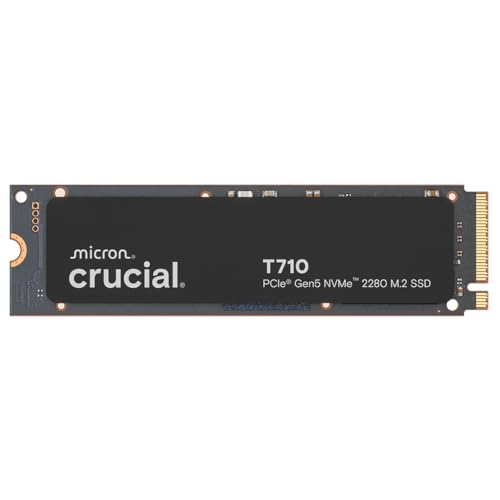 Crucial T710 1TB
|
Premium | PCIe Gen5 up to 14,900MB/s | Extreme speed for high-bitrate workflows | Check Price |
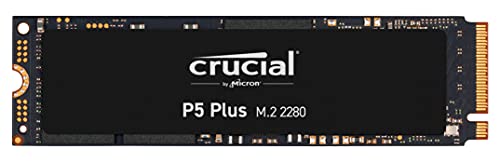
1. Crucial P5 Plus 1TB PCIe Gen4 3D NAND NVMe M.2 Gaming SSD, up to 6600MB/s - CT1000P5PSSD8 Solid State Drive
The Crucial P5 Plus is a high-performance Gen4 NVMe that delivers fast sequential reads and solid endurance, making it a reliable workhorse for travel photographers who need quick file transfers and responsive editing on compact laptops. Heatsink compatibility and proven ease of installation mean it’s straightforward to use inside portable workstations or in external enclosures for field backups.
Key Specs
- Interface: PCIe Gen4 NVMe
- Sequential reads: up to 6600MB/s
- Endurance: up to 600 TBW, MTTF >2 million hours
- Warranty: 5-year limited warranty
Pros
- Excellent Gen4 read speeds for fast offloads
- Well-engineered with hardware encryption and thermal management
- Consistently praised for ease of installation and value
Cons
- Some users report isolated reliability failures
- May require heatsink/thermal attention in sustained heavy writes
Best For: Balanced speed and reliability on the road
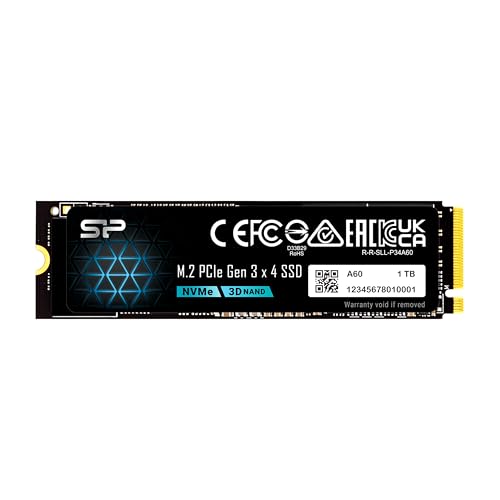
Check Latest Price on Amazon2. Silicon Power 1TB - NVMe M.2 PCIe Gen3x4 2280 SSD (SP001TBP34A60M28)
The Silicon Power 1TB is a budget NVMe that punches above its price for transfers and boot tasks—good for travel photographers who want a roomy 1TB drive for offloads without breaking the bank. It’s easy to install and performs well in typical laptop and enclosure setups, though a few users noted occasional compatibility or recognition problems on some systems.
Key Specs
- Interface: PCIe Gen3x4 NVMe
- Sequential reads: up to 2,200MB/s
- Sequential writes: up to 1,600MB/s
- TBW: 600
Pros
- Strong value per GB for on-the-road storage
- Good real-world read/write speeds for budget class
- Easy installation in laptops and external enclosures
Cons
- Some systems may not recognize the drive without firmware/motherboard support
- Long-term reliability reported inconsistently by some users
Best For: Budget-conscious travel shooters
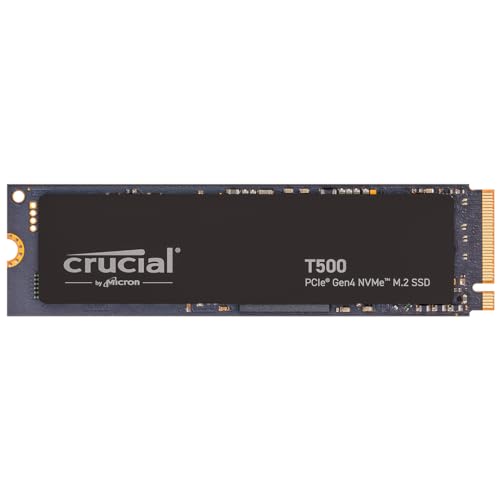
Check Latest Price on Amazon3. Crucial T500 PCIe Gen4 NVMe 1TB SSD, Up to 7,300MB/s, TLC NAND, Laptop & Desktop (PC) Compatible, for Creatives and Gamers, Solid State Drive, Includes 1Mo Adobe CC CT1000T500SSD8
The Crucial T500 delivers top-tier Gen4 throughput that helps when editing large RAW or video files on a laptop. Photographers who d o quick color grading or cut dailies from high-bitrate footage on location will appreciate the extra sustained performance and included cloning software for easy migrations.
Key Specs
- Interface: PCIe Gen4 NVMe
- Reads/Writes: up to 7,300/6,800 MB/s
- IOPS: up to 1.15M/1.44M
- Warranty: 5-year limited warranty
Pros
- Outstanding sequential and sustained write performance
- Good thermal control in many laptop environments
- Includes Acronis cloning and Adobe trial for creatives
Cons
- Higher-end Gen4 speed may require heatsink/airflow to avoid throttling
- Mixed reliability reports in rare cases
Best For: On-location RAW/ProRes editing
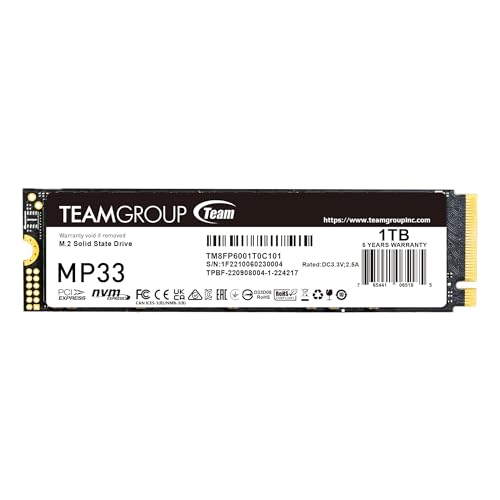
Check Latest Price on Amazon4. TEAMGROUP MP33 1TB SLC Cache 3D NAND TLC NVMe 1.3 PCIe Gen3x4 M.2 2280 Internal SSD R/W Speed up to 1800/1500 MB/s Laptop & PC Desktop TM8FP6001T0C101
The TEAMGROUP MP33 is a budget Gen3 NVMe with SLC caching that improves everyday transfers and boot times compared with SATA drives. It’s a practical, low-cost choice for travel photographers who need affordable internal storage upgrades or spare drives for backup rotations, though some users report mixed long-term reliability.
Key Specs
- Interface: PCIe Gen3x4 NVMe 1.3
- Sequential R/W: up to 1800/1500 MB/s
- Form factor: M.2 2280
- Supports SLC caching technology
Pros
- Noticeably faster than SATA drives for laptop upgrades
- Good value for basic NVMe performance
- Easy Windows installation and broad compatibility
Cons
- Lower peak speeds vs Gen4 drives for heavy video workflows
- Some users report reliability concerns over months
Best For: Basic field backups & older laptops
Check Latest Price on Amazon5. Crucial T710 PCIe Gen5 NVMe 1TB SSD, Up to 14,900 MB/s, Laptop & Desktop Compatible (PC), for Creatives and Hardcore Gamers, Solid State Drive, Includes 1Mo Adobe CC CT1000T710SSD8-01
The Crucial T710 is a Gen5 powerhouse for photographers who push the limits with large 8K/RAW video or massive burst photo sessions and want the fastest possible transfer and render times. It’s a premium pick that demands proper thermal setup—ideal for photographers using Gen5-equipped laptops or desktop-based portable rigs.
Key Specs
- Interface: PCIe Gen5 NVMe
- Sequential reads/writes: up to 14,900 / 13,800 MB/s
- Compatibility: M.2 2280 Gen5 slots (Intel/AMD platform optimized)
- 5-year limited warranty
Pros
- Industry-leading sequential throughput for the heaviest on-location workloads
- Designed for the latest Intel/AMD Gen5 platforms
- Hardware encryption and included cloning software
Cons
- Requires excellent cooling/airflow to avoid thermal throttling
- Premium cost; value debated for most travel photography needs
Best For: Extreme speed for high-bitrate workflows
Check Latest Price on AmazonWhich One Should You Choose?
If budget is tight → Silicon Power 1TB (B07ZGJVTZK). If you need a fast, reliable workhorse for quick edits and offloads → Crucial P5 Plus 1TB (B098WL46RS). If you need extreme throughput for editing very large video or RAW pipelines on location and have a Gen5-capable workflow → Crucial T710 1TB (B0F9XN4DCC).
Best for Specific Scenarios
- One-day trip: fast offloads and edits: Crucial P5 Plus (B098WL46RS) because it balances high Gen4 speed with good thermal/installation flexibility for laptop edits.
- Long assignment with multiple backups: Silicon Power 1TB (B07ZGJVTZK) because its low cost per GB lets you rotate drives and maintain on-site redundancy.
- High-bitrate video or 8K RAW workflows: Crucial T710 (B0F9XN4DCC) because its Gen5 throughput reduces transfer and render times—if you can manage heat and platform compatibility.
Frequently Asked Questions
Do I need a Gen4 or Gen5 drive for travel photography?
Not always. Gen4 gives noticeable speed improvements for RAW and video workflows and is the sweet spot for most travel photographers. Gen5 is only necessary if you routinely handle extremely large files (8K RAW, high-bitrate cinema) and have compatible hardware and cooling.
Can I use these NVMe drives in an external USB-C enclosure?
Yes. Most M.2 NVMe modules work in USB-C or Thunderbolt enclosures, but the enclosure and cable determine real-world speed. A USB 3.x enclosure will limit Gen4/Gen5 peak speeds, while a Thunderbolt 3/4 enclosure is needed to fully utilize the fastest drives.
How should I protect my SSDs while traveling?
Use a padded, crush-resistant case and keep drives in anti-static sleeves. Consider small aluminum enclosures that add physical protection and help dissipate heat. Always keep at least one backup copy of critical shoots—don’t rely on a single drive in the field.
How We Selected These Products
Our recommendations are based on data-driven analysis: we evaluated 155229+ products across 23916+ brands using a composite scoring system that weighs rating (40%), review volume (30%), price value (20%), and demand signals (10%). Every product is ranked by data, not opinions.
Last updated: July 23, 2026
As an Amazon Associate we earn from qualifying purchases at no extra cost to you. Full disclosure.
GearLark Score is our editorial ranking based on a composite analysis of product quality, value, and verified customer sentiment. Click through to Amazon for current pricing, availability, and live customer reviews.