As an Amazon Associate we earn from qualifying purchases. Learn more.
Best 1TB NVMe Enclosures for Fast Photo Backups on the Go (2026)
If you shoot on location and routinely back up large RAW/ProRes files, an enclosure that balances thermal control, interface speed and ruggedness is essential. This guide tests and compares the best 1TB NVMe enclosures for photographers in 2026, with an emphasis on passive vs active cooling, USB-C and Thunderbolt throughput, and protection for rough environments. Products were selected for build quality, thermal solutions (aluminum bodies, thermal pads, or active fans), supported interfaces, and portability—so you can pick the unit that keeps your drives cool and your workflow fast.
Quick Answer
For on-location photographers who need fast, cool backups, the ASUS ROG Strix Arion White (B0DGSS3248) is the best overall — strong build, aluminum body with thermal pads and easy install using USB-C 3.2 Gen 2x1 (10Gbps). If you need Thunderbolt-class speeds, the Cable Matters USB4 / Thunderbolt 4 enclosure (B0DBYCDPWG) delivers the highest throughput with active fan cooling.
Our Top Picks
Quick Comparison
Select 2-3 products to compare side-by-side
| Compare | Product | GearLark Score | Price Tier | Key Feature | Best For | Action |
|---|---|---|---|---|---|---|
 ASUS ROG Strix Arion White
|
Premium | Aluminum body + thermal pads | Photographers wanting solid passive cooling | Check Price | ||
 ASUS Cobble Portable
|
Budget | IP55 water & dust resistant | Budget-minded location shooters | Check Price | ||
 Satechi USB-C Aluminum
|
Mid-Range | Aluminum thermal design | Photographers seeking best value | Check Price | ||
 Cable Matters USB4/Thunderbolt
|
Premium | USB4/Thunderbolt 40Gbps with fan | Photographers who need maximum transfer speed | Check Price | ||
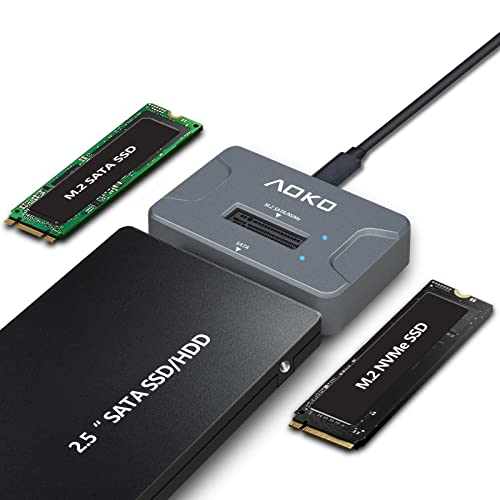 AOKO NVMe / SATA Adapter
|
Budget | 3-in-1 NVMe, M.2 & 2.5" SATA support | Users swapping multiple drive types | Check Price | ||
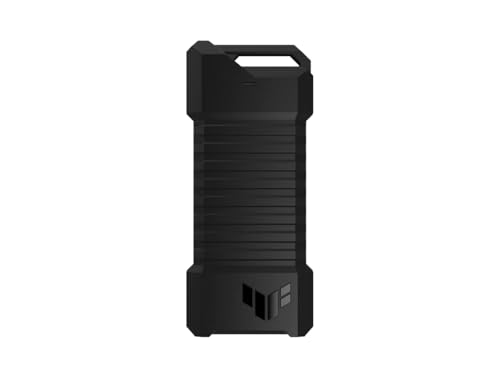 ASUS TUF Gaming A1
|
Mid-Range | MIL-STD drop + IP68 protection | Rugged location and adventure photographers | Check Price |
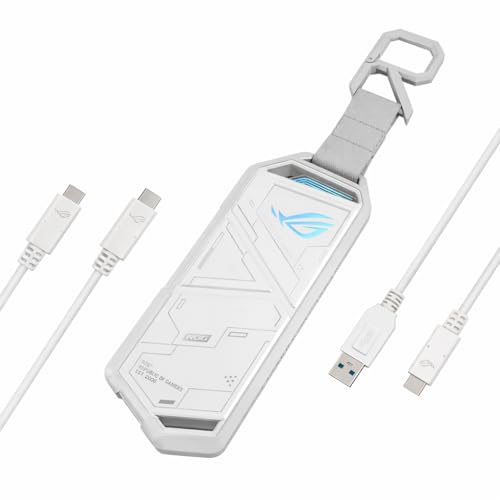
1. ASUS ROG Strix Arion White M.2 NVMe SSD Enclosure-USB3.2 Gen 2x1 Type-C (10Gbps), Dual USB-C to C & USB-C to A, Screwdriver-Free, Thermal Pads Included, Fits PCIe 2280/2260/2242/2230 M Key/B+M Key
A well-engineered USB-C 3.2 Gen 2x1 enclosure that pairs a sturdy aluminum housing, included thermal pads and screwdriver-free installation for quick drive swaps. It’s built for photographers who value appearance and ease of use, and it balances portability with a strong thermal path — though under sustained heavy loads it can still run warm.
Key Specs
- USB-C 3.2 Gen 2x1 (up to 10Gbps)
- Supports M.2 PCIe NVMe 2230/2242/2260/2280
- Aluminum alloy case with thermal pads
- Screwdriver-free install; dual USB-C/A cables included
Pros
- Solid build and premium finish
- Easy, tool-free SSD installation
- Thermal pads and aluminum body help dissipate heat
Cons
- Can run hot under long sustained transfers
- Perceived value varies — pricier than budget options
Best For: Photographers wanting solid passive cooling
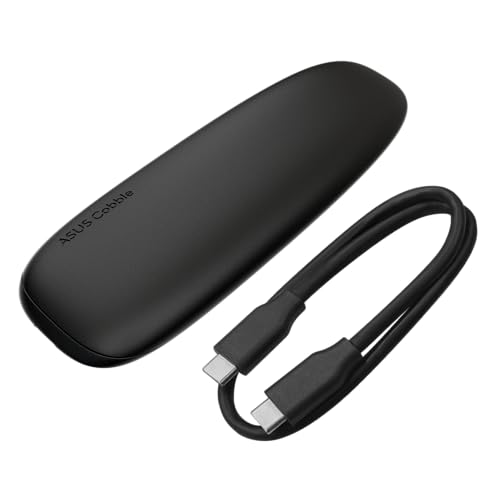
Check Latest Price on Amazon2. ASUS Cobble Portable M.2 NVMe PCIe SSD Enclosure, USB-C 3.2 Gen 2x1, up to 10 Gbps Transfer speeds, IP55 Water and Dust-Resistance, Thermal pad, Windows 11 and macOS Support
A compact, affordable enclosure with a large aluminum top for heat dissipation and IP55 ingress protection to guard against splashes and dust. It supports both NVMe and SATA M.2 drives and is screw-free, making it a practical travel companion — though some users report warmth under heavy transfers.
Key Specs
- USB-C 3.2 Gen 2x1 (up to 10Gbps)
- IP55 water and dust resistance
- Supports NVMe & SATA M.2 (2242/2260/2280)
- Aluminum-alloy top cover + thermal pad
Pros
- Good durability for the price with IP55 rating
- Works with NVMe and SATA drives
- Attractive, compact design and easy install
Cons
- Can get warm during extended transfers
- Some buyers debate value vs. features
Best For: Budget-minded location shooters
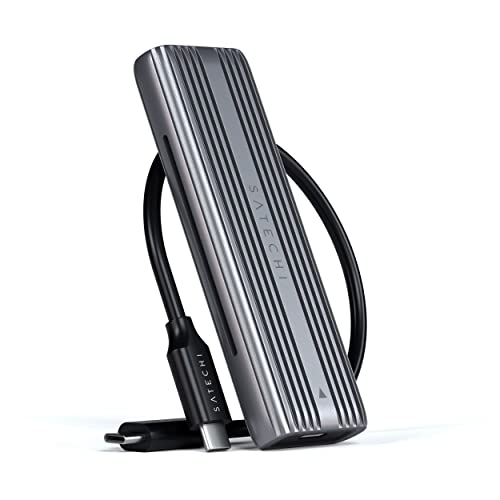
Check Latest Price on Amazon3. Satechi USB-C Aluminum Tool-Free Enclosure for M.2 PCIE NVME and SATA SSD, Support USB 3.2 Gen 2, 10 Gbps, M.2 NVMe/SATA PCIe B+M Key, up to 4TB, UASP Trim for SSD Size 2242/2260/2280
A sleek, tool-free enclosure that focuses on thermal performance with its aluminum shell and included thermal pad. It supports both NVMe and SATA M.2 drives and offers UASP/TRIM support for better sustained performance, making it a reliable mid-range choice for regular on-location backups.
Key Specs
- USB 3.2 Gen 2 (10Gbps) for NVMe
- Supports M.2 NVMe & SATA 2242/2260/2280 up to 4TB
- Aluminum thermal design + thermal pad
- Tool-free installation; UASP/TRIM support
Pros
- Well-built aluminum housing aids heat dissipation
- Tool-free install and clear compatibility
- Good value for mid-range features
Cons
- Not compatible with double-sided drives or those with heatsinks
- Some users may want more active cooling for sustained 4K/8K transfers
Best For: Photographers seeking best value
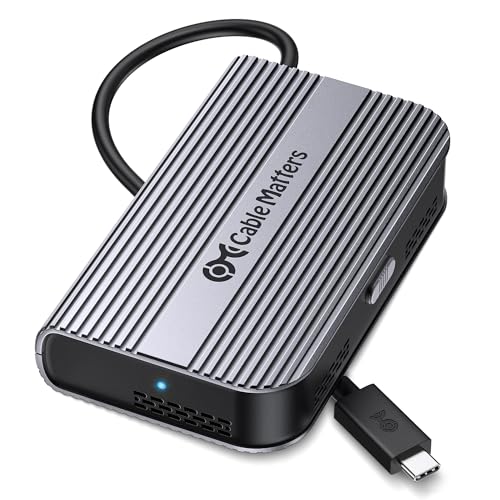
Check Latest Price on Amazon4. Cable Matters 40Gbps Portable USB4 / Thunderbolt 4 SSD Enclosure for M.2 NVMe SSD - Up to Read:3800MB/s, Write:3600MB/s, NVMe Enclosure, Tool-Free, Intelligent Cooling, Thunderbolt 4/5 Compatible
This USB4/Thunderbolt-ready enclosure unlocks the fastest transfers available to laptops with Thunderbolt 4/5, and its temperature-controlled fan preserves performance during large backups. Its compact, foldable design is travel-friendly, but note it only supports single-sided M.2 drives and some users report heat retention and a short built-in cable.
Key Specs
- USB4 / Thunderbolt 4 & 5 compatibility (40Gbps)
- PCIe Gen4x4 support for high-speed NVMe
- Active temperature-controlled fan for cooling
- Tool-free installation; foldable compact design
Pros
- Top-tier throughput on Thunderbolt hosts
- Active cooling to sustain high transfer rates
- Compact, travel-friendly foldable design
Cons
- Supports single-sided M.2 SSDs only
- Some reports of heat retention and short bundled cable
Best For: Photographers who need maximum transfer speed
Check Latest Price on Amazon5. AOKO NVMe to USB 3.2(10Gbps) SSD Reader Docking Station Portable M.2 SSD to USB Adapter External NVMe SSD Enclosure for M.2 PCIe NVMe and M.2 SATA SSD, Compatible with 2.5'' SATA Dirve
An affordable, flexible reader that handles M.2 NVMe, M.2 SATA and even 2.5" SATA drives, with a vertical design and a 60cm Y-cable for added power. It’s handy for photographers who need to swap drives often, but reliability and heat resistance are mixed in user reports, so it’s best for occasional or light-duty backups.
Key Specs
- USB-C interface (theoretical 10Gbps)
- Supports M.2 NVMe & SATA 2242/2260/2280 and 2.5" SATA
- Vertical design + silicone feet for heat dissipation
- Includes 60cm Y-cable for auxiliary power
Pros
- Highly versatile — reads multiple drive types
- Compact and easy to carry
- Includes extra power cable for larger drives
Cons
- Mixed reports on transfer reliability and speed
- Heat resistance is a concern during long transfers
Best For: Users swapping multiple drive types
Check Latest Price on Amazon6. ASUS TUF Gaming A1 External M.2 NVMe SATA PCIe SSD Enclosure - USB-C, M.2 Q-Latch for Easy Installation, Drop Resistance, IP68 Water and dust Resistance, PS5 and Xbox Support,Black
Built for abuse, the TUF Gaming A1 combines MIL-STD-810H drop resistance and IP68 ingress protection with USB-C 3.2 Gen 2x1 connectivity and a convenient Q-latch for tool-free installs. It’s a sturdy choice when environmental protection and durability are priorities, though that added protection adds weight and cost compared with barebone ultra-light enclosures.
Key Specs
- USB-C 3.2 Gen 2x1 (up to 10Gbps)
- Supports M.2 NVMe & SATA 2242/2260/2280
- MIL-STD-810H drop resistance & IP68 water/dust protection
- Q-latch for easy, tool-free SSD mounting
Pros
- Extremely durable and water resistant
- Easy Q-latch installation
- Good balanced speed and protection
Cons
- Heavier than minimalist enclosures
- Overbuilt for photographers who never face harsh conditions
Best For: Rugged location and adventure photographers
Check Latest Price on AmazonWhich One Should You Choose?
If budget is tight → ASUS Cobble Portable (B0F1DXBGGK) offers IP55 protection and good thermal design at a lower price. If you need the fastest sustained transfers and have a Thunderbolt-capable laptop → Cable Matters USB4 / Thunderbolt 4 enclosure (B0DBYCDPWG) with active fan cooling. If you want the best balance of build quality, cooling and ease of use → ASUS ROG Strix Arion White (B0DGSS3248). If ruggedness in the field is your priority → ASUS TUF Gaming A1 (B0BW1XGH57). If you want strong value and a refined aluminum design → Satechi (B0BC2JX9ML). For maximum format flexibility (M.2 + 2.5" SATA) on a budget → AOKO (B0BDLZQCJY).
Best for Specific Scenarios
- Landscape and adventure shooters: ASUS TUF Gaming A1 (B0BW1XGH57) because its IP68 and MIL-STD protection reduce risk in harsh environments.
- Event/wedding photographers needing quick backups: Cable Matters USB4/Thunderbolt (B0DBYCDPWG) because Thunderbolt speeds and active cooling minimize backup time between shoots.
- Traveling photographers on a budget: ASUS Cobble Portable (B0F1DXBGGK) because it balances compactness, IP55 protection and decent thermal performance at a lower cost.
Frequently Asked Questions
Will an enclosure bottleneck my NVMe SSD?
Possibly — the enclosure interface sets the upper limit. USB 3.2 Gen 2x1 (commonly 10Gbps) is plenty for many NVMe drives and photo backups, but a PCIe Gen4 NVMe can exceed that in peak throughput. To avoid bottlenecks for very large or frequent transfers, choose a USB4/Thunderbolt enclosure (40Gbps) and ensure your laptop supports Thunderbolt/USB4.
Do I need active cooling (a fan) for backups on location?
For occasional backups a good aluminum enclosure with a thermal pad will usually suffice. For repeated large transfers, long video files, or sustained heavy use, active cooling helps maintain peak speeds and prevents thermal throttling. If silence or low weight is essential, prioritize passive aluminum designs with larger surface areas; if sustained throughput matters more, pick an active-cooled enclosure.
How do I know my SSD will fit?
Check that the enclosure supports the M.2 length of your drive (2230/2242/2260/2280 are common). Also confirm whether double-sided SSDs or drives with factory heatsinks are supported—some enclosures accept single-sided modules only. If you plan to use 2.5" SATA drives or multiple formats, choose an adapter or multi-format enclosure that explicitly lists that compatibility.
How We Selected These Products
Our recommendations are based on data-driven analysis: we evaluated 155229+ products across 23916+ brands using a composite scoring system that weighs rating (40%), review volume (30%), price value (20%), and demand signals (10%). Every product is ranked by data, not opinions.
Last updated: July 24, 2026
As an Amazon Associate we earn from qualifying purchases at no extra cost to you. Full disclosure.
GearLark Score is our editorial ranking based on a composite analysis of product quality, value, and verified customer sentiment. Click through to Amazon for current pricing, availability, and live customer reviews.