As an Amazon Associate we earn from qualifying purchases. Learn more.
Best 1TB SSDs for Holiday Photo Backups (2026)
Holiday shoots mean big photo files and zero tolerance for slow backups. This guide helps photographers — from hobbyists to pros — pick 1TB SSDs that are fast enough for quick offloads, reliable for archiving, and easy to install. We evaluated drives on sustained write performance, SLC cache behavior, endurance features (error correction, TRIM, garbage collection), and real-user reliability signals. The picks below are ordered by product match for photographers, with notes from customer feedback and manufacturer features so you can choose a drive you can trust this season.
Quick Answer
For photographers who want a balance of speed, capacity, and value, the ADATA SU650 1TB is the best overall pick — it pairs solid sequential speeds with data-integrity features and easy setup. For the tightest budgets choose the SP 1TB A55; for the best value-per-performance pick the TEAMGROUP T-Force Vulcan Z.
Our Top Picks
Quick Comparison
Select 2-3 products to compare side-by-side
| Compare | Product | GearLark Score | Price Tier | Key Feature | Best For | Action |
|---|---|---|---|---|---|---|
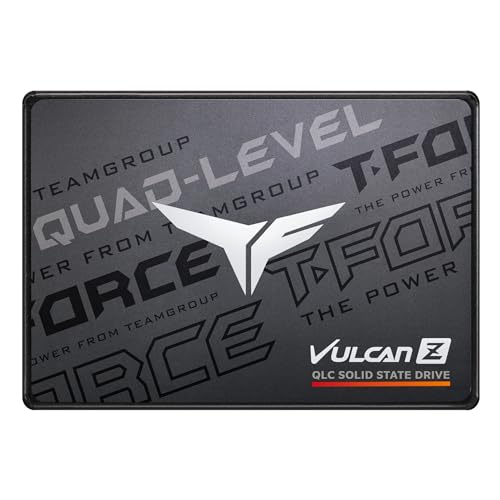 TEAMGROUP T-Force Vulcan Z |
Mid-Range | SLC cache + 3D QLC NAND | Photographers needing fast offloads on a budget | Check Price | ||
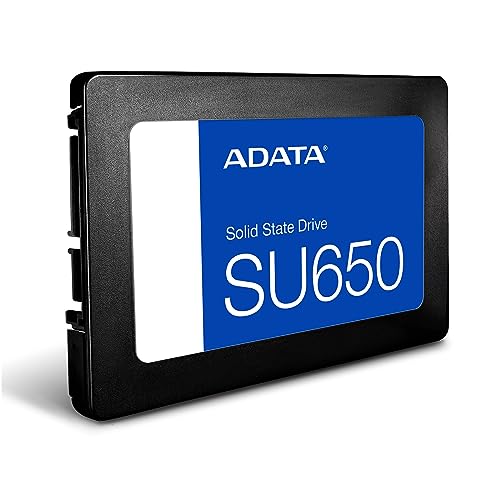 ADATA SU650 1TB |
Budget | LDPC error correction & low power | Reliable laptop upgrades & backups | Check Price | ||
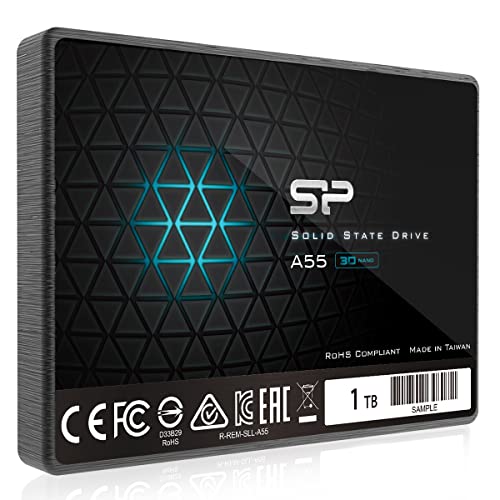 SP Silicon Power A55 1TB |
Budget | SLC cache boost for bursts | Ultra-slim laptops and budget builds | Check Price | ||
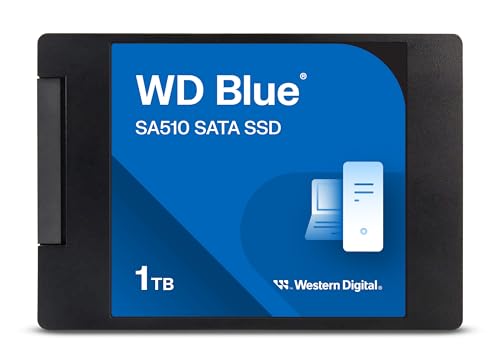 WD Blue SA510 1TB |
Mid-Range | Up to 560 MB/s + backup software bundle | Creators needing integrated backup options | Check Price |
1. TEAMGROUP T-Force Vulcan Z 1TB SLC Cache 3D NAND QLC 2.5 Inch SATA III Internal Solid State Drive SSD (R/W Speed up to 550/470 MB/s) T253TY001T0C101
The Vulcan Z pairs a large 1TB capacity with SLC caching and SATA III transfer rates to deliver snappy file copies for holiday shoots. Users praise its plug-and-play ease and speed, though some reports flag occasional early failures — a reminder to maintain backups and monitor drive health.
Key Specs
- Interface: SATA III 2.5" (6 Gb/s)
- Flash: 3D QLC NAND with SLC cache
- Sequential R/W: up to 550/470 MB/s
- Smart health monitoring and lifespan optimizations
Pros
- Strong sequential speeds for a SATA drive
- Easy plug-and-play installation
- Good value for capacity and performance
Cons
- Some customers reported durability concerns
- QLC-based NAND may throttle in sustained heavy writes
Best For: Photographers needing fast offloads on a budget
Check Latest Price on Amazon2. ADATA SU650 1TB 3D-NAND SATA 2.5 inch Internal SSD (ASU650SS-1TT-R)
A practical, low-cost 1TB SATA SSD that balances steady performance with data-integrity features like LDPC ECC. Reviewers highlight its dependable operation, simple installation, and strong value — making it a safe daily driver for photographers who want affordable, dependable storage.
Key Specs
- Interface: SATA 2.5"
- Sequential R/W: up to 520/450 MB/s
- 3D NAND with LDPC error correction
- Includes free ADATA migration/management software; 3-year warranty
Pros
- Consistently praised for reliability
- Easy to install with bundled software
- Excellent value for a 1TB SATA drive
Cons
- Budget-class endurance compared with premium OEM drives
- Sequential speeds are solid but not class-leading
Best For: Reliable laptop upgrades & backups
Check Latest Price on Amazon3. SP 1TB SSD 3D NAND A55 SLC Cache Performance Boost SATA III 2.5" 7mm (0.28") Internal Solid State Drive (SP001TBSS3A55S25)
The SP A55 delivers commendable burst speeds thanks to SLC caching and a slim 7mm profile that fits ultrabooks. Buyers like the speed and value, but experiences vary: some units last for years while others failed sooner under heavy use, so use it with regular backups.
Key Specs
- Interface: SATA III 2.5" (7mm)
- 3D NAND with SLC cache
- Supports TRIM, garbage collection, RAID, ECC
- 3-year limited warranty (registration may be required)
Pros
- Very good short-term transfer speeds
- Slim 7mm form factor for laptops
- Attractive price-to-capacity ratio
Cons
- Reports of inconsistent long-term reliability
- Some units may fail under heavy sustained workloads
Best For: Ultra-slim laptops and budget builds
Check Latest Price on Amazon4. Western Digital 1TB WD Blue SA510 SATA Internal Solid State Drive SSD - SATA III 6 Gb/s, 2.5"/7mm, Up to 560 MB/s - WDS100T3B0A
WD Blue SA510 is tuned for creatives: it offers up to 560 MB/s sequential reads and is packaged with Western Digital backup software for straightforward archiving. Customers appreciate the performance and ease of install, though some report mixed long-term durability — keep consistent backups for peace of mind.
Key Specs
- Interface: SATA III 6 Gb/s (2.5"/7mm)
- Sequential reads up to 560 MB/s
- Includes Acronis True Image-style backup software
- Designed for desktop and laptop upgrades
Pros
- Reliable everyday performance for editing and transfers
- Includes backup/clone software for easy archiving
- Well-engineered build and broad compatibility
Cons
- Some customer reports of data loss or early failures
- Not as high-end in endurance as premium drives
Best For: Creators needing integrated backup options
Check Latest Price on AmazonWhich One Should You Choose?
If budget is tight → SP 1TB A55 (B07B4G19X3) for great burst speed and a slim profile. If you want the safest everyday choice → ADATA SU650 (B0C66DBB1H) for reliable performance, LDPC error correction, and easy setup. If you want the best price-for-performance mix → TEAMGROUP T-Force Vulcan Z (B0CYFSR463). If you prioritize bundled backup tools and broad compatibility → WD Blue SA510 (B09ZYQ84CM).
Best for Specific Scenarios
- On-location offload: TEAMGROUP T-Force Vulcan Z because SLC cache and solid sequential speeds let you dump cards quickly between shoots.
- Laptop upgrade for editing: ADATA SU650 because it balances dependable performance, low power draw, and included migration software.
- Archive storage at home: WD Blue SA510 because it pairs strong SATA throughput with manufacturer backup software for straightforward cloning and archiving.
Frequently Asked Questions
Is a 1TB SATA SSD good enough for holiday photo backups?
Yes. A 1TB SATA SSD provides ample space for hundreds to thousands of photos depending on file size, and SATA drives offer fast transfers for quick offloads. If you shoot a lot of high-bitrate video, consider keeping a second backup copy or stepping up to higher-capacity drives.
Can I use these internal 2.5" SSDs as external drives?
Absolutely. Pair a 2.5" SATA SSD with a USB-C/USB 3.1/3.2 external enclosure for portable backups. Choose an enclosure that supports UASP for faster transfers and ensure it uses USB 3.x to avoid throttling the drive.
How do I maximize SSD longevity for photo archives?
Use the SSD for active work and short-term backup, then maintain a second archival copy on a separate drive or cloud storage. Avoid filling the drive continuously to its maximum, enable TRIM if your OS supports it, and check health monitoring tools periodically. Regularly clone or migrate critical archives rather than relying on a single drive long-term.
How We Selected These Products
Our recommendations are based on data-driven analysis: we evaluated 155229+ products across 23916+ brands using a composite scoring system that weighs rating (40%), review volume (30%), price value (20%), and demand signals (10%). Every product is ranked by data, not opinions.
Last updated: November 10, 2026
As an Amazon Associate we earn from qualifying purchases at no extra cost to you. Full disclosure.
GearLark Score is our editorial ranking based on a composite analysis of product quality, value, and verified customer sentiment. Click through to Amazon for current pricing, availability, and live customer reviews.