As an Amazon Associate we earn from qualifying purchases. Learn more.
NVMe vs SATA vs External SSD: Best Backup Strategy for Holiday Shoots (2026)
If you're shooting holiday portraits, travel video, or family events, choosing the right backup strategy means balancing speed, portability and cost. This head-to-head guide compares three real-world options — two Unitek IDE/SATA adapters (one USB-C, one USB-A) and a compact TWOPAN external SSD — to show when to use NVMe-like speed, when a SATA/IDE adapter is smarter, and when a pocket SSD is the easiest carry. Products were selected for compatibility, transfer performance, portability and real customer feedback on build and ease of use.
Quick Answer
For most holiday shooters, the Unitek USB C to IDE and SATA Converter (B09H6N2CKX) is the best overall choice for flexible, fast backups of multiple drive types. If you need a cheap, simple way to read older 3.5/2.5 drives, the Unitek USB 3.0 adapter (B00EHDTRJ6) is the budget pick; for ultra-portable, secure travel backups choose the TWOPAN 512GB Nano SSD (B0FBWHM94H).
Our Top Picks
Quick Comparison
Select 2-3 products to compare side-by-side
| Compare | Product | GearLark Score | Price Tier | Key Feature | Best For | Action |
|---|---|---|---|---|---|---|
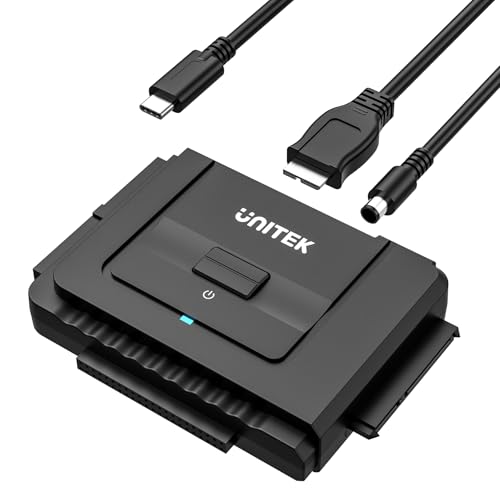 Unitek USB-C IDE/SATA Adapter |
Mid-Range | Universal IDE + SATA support | Field transfers & legacy-drive recovery | Check Price | ||
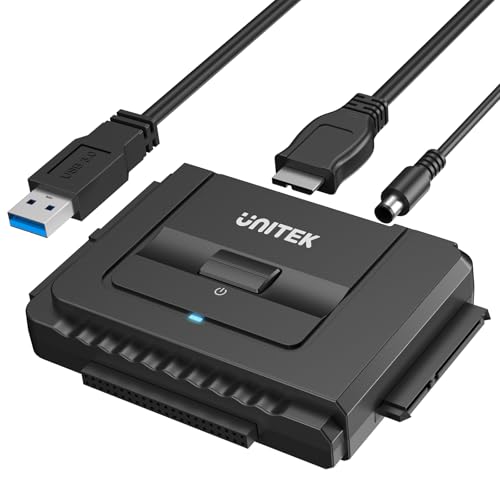 Unitek USB-A IDE/SATA Adapter |
Budget | USB-A SuperSpeed adapter | Budget-conscious legacy-drive access | Check Price | ||
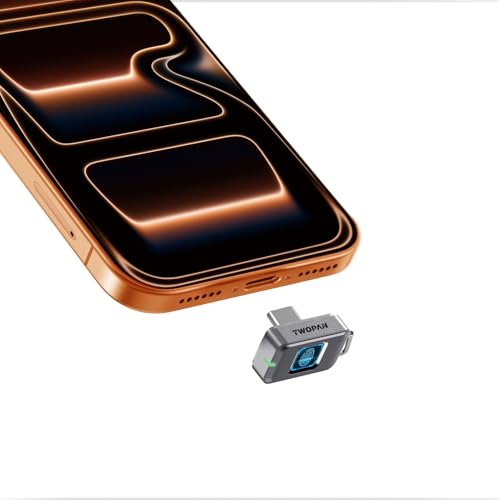 TWOPAN 512GB Nano SSD |
Premium | Fingerprint unlock & tiny form factor | Travel backups and secure on-the-go storage | Check Price |
1. Unitek USB C to IDE and SATA Converter External Hard Drive Adapter Kit for Universal 2.5/3.5 HDD/SSD Hard Drive Disk, One Touch Backup Function, Included 12V/2A Power Adapter
A flexible, plug-and-play adapter that reads 2.5/3.5 SATA and IDE drives while offering USB-C SuperSpeed transfer and a powered supply for stable multi-drive reads. It’s a practical toolkit for photographers who bring old SSDs/HDDs on location or need one-touch backups.
Key Specs
- Supports 2.5"/3.5" SATA HDD/SSD and 2.5"/3.5" IDE HDD
- USB 3.0 SuperSpeed up to 5 Gbps (backward compatible)
- Includes 12V/2A power adapter and 4-pin connector for 3.5" drives
- One-touch backup, hot-swap, LED activity indicator, auto-sleep
Pros
- Better legacy-drive compatibility than the TWOPAN portable SSD
- Stable powered operation for 3.5" drives versus bus-powered options
- Consistently praised for ease of use and value for money
Cons
- Larger and less pocketable than a compact external SSD
- Some users report occasional recognition quirks on certain Windows setups
Best For: Field transfers & legacy-drive recovery
Check Latest Price on Amazon2. Unitek USB 3.0 to IDE and SATA Converter External Hard Drive Adapter Kit for Universal 2.5/3.5 HDD/SSD Hard Drive Disk, One Touch Backup Function, Included 12V/2A Power Adapter
The budget sibling of the USB-C model gives the same broad drive support and one-touch backup features but uses a USB-A connection. It’s a no-frills, cost-effective tool for offloading photos from older HDDs or cloning drives in the field.
Key Specs
- Supports 2.5"/3.5" SATA HDD/SSD and 2.5"/3.5" IDE HDD
- USB 3.0 up to 5 Gbps, backward compatible with USB 2.0/1.1
- Includes 12V/2A power adapter; can operate three HDDs simultaneously
- Plug-and-play, hot-swap, one-touch backup, on/off switch
Pros
- Lower cost than the USB-C model while keeping core functionality
- Better value for money for basic legacy-drive workflows
- Easy to use for quick data transfers from old drives
Cons
- USB-A connector limits use with newer laptops without adapters
- Same occasional compatibility notes on some systems as the higher-tier unit
Best For: Budget-conscious legacy-drive access
Check Latest Price on Amazon3. 512GB Nano SSD with Fingerprint Lock, External SSD Hard Drive Storage for Steam Deck, PS5, Selfie Stick, Android, iPad, iPhone 17/16/15, MacBook, Travel and Backup
A tiny, rugged external SSD with built-in fingerprint security and USB-C connectivity. It’s ideal for photographers who need a pocketable, encrypted backup drive on holidays — sacrificing raw NVMe speeds for convenience, security and robustness.
Key Specs
- 512GB capacity with USB-C 3.1 Gen1 up to ~450 MB/s
- Fingerprint lock supporting up to 22 prints; no app required
- Ultra-compact (5g), dust-resistant, shock-resistant, splash protected
- Designed for thermal stability; sensor area may warm during heavy transfers
Pros
- Far more portable and secure than the Unitek adapters for travel
- Rugged, lightweight build for shoots on the move
- No-password fingerprint access is faster than typed PINs
Cons
- Lower sustained speed than high-end NVMe enclosures
- Limited capacity (512GB) for large video projects without additional drives
Best For: Travel backups and secure on-the-go storage
Check Latest Price on AmazonWhich One Should You Choose?
If you want the most flexible tool for holiday shoots (mixing old HDDs, 2.5" SSDs and occasional recovery), choose the Unitek USB C to IDE and SATA Converter (B09H6N2CKX). It balances speed, stable powered reads for 3.5" drives, and one-touch backup—making it the best overall kit for photographers who handle varied media. If budget is tight and you only need a simple, inexpensive way to read drives or clone disks, go with the Unitek USB 3.0 to IDE and SATA Converter (B00EHDTRJ6). For travelers who prioritize pocketable, rugged, and secure backups between shoots, the TWOPAN 512GB Nano SSD (B0FBWHM94H) is the best portable choice; it trades some speed and capacity for convenience and fingerprint security.
Best for Specific Scenarios
- Multi-camera holiday video with large files: Use the Unitek USB C to IDE and SATA Converter (B09H6N2CKX) alongside a fast NVMe or 2.5" SSD — powered reads and USB-C bandwidth help speed verification.
- One-bag travel photographer who wants minimal kit: TWOPAN 512GB Nano SSD (B0FBWHM94H) because it’s tiny, rugged and offers on-device fingerprint protection for sensitive photos.
- Accessing old project drives or client archives: Unitek USB 3.0 to IDE and SATA Converter (B00EHDTRJ6) because it’s the most budget-friendly way to read legacy IDE and SATA disks.
Frequently Asked Questions
Can I use the Unitek adapters to back up directly from a camera?
Unitek adapters read SATA and IDE drives, not camera SD cards directly. To back up camera cards, copy files from your card reader to a drive connected through the Unitek adapter or to a portable SSD like the TWOPAN. For fastest direct copies, use a USB-C card reader and a high-speed SSD/enclosure.
Is the TWOPAN Nano SSD secure enough for client photos on the go?
Yes—TWOPAN’s fingerprint lock prevents unauthorized access without passwords or apps. It’s convenient for quick, secure backups, though you should still keep a second redundant copy (cloud or another drive) for important client work.
Do I need the power adapter included with the Unitek kits?
Yes for 3.5" HDDs and when operating multiple drives simultaneously. 2.5" SSDs sometimes work bus-powered, but the included 12V/2A supply ensures stable operation and prevents disconnects during large transfers.
How We Selected These Products
Our recommendations are based on data-driven analysis: we evaluated 155229+ products across 23916+ brands using a composite scoring system that weighs rating (40%), review volume (30%), price value (20%), and demand signals (10%). Every product is ranked by data, not opinions.
Last updated: November 10, 2026
As an Amazon Associate we earn from qualifying purchases at no extra cost to you. Full disclosure.
GearLark Score is our editorial ranking based on a composite analysis of product quality, value, and verified customer sentiment. Click through to Amazon for current pricing, availability, and live customer reviews.