As an Amazon Associate we earn from qualifying purchases. Learn more.
Best 27-inch 1440p Monitors for Photo Editing & Home Offices (2026)
If you spend hours editing photos or need a comfortable, color-accurate display for a home office, a 27-inch 1440p monitor is a sweet spot for sharp detail and desk-friendly size. This guide tests and compares seven 27" WQHD monitors selected for color accuracy, ergonomics, build quality, and connectivity so you can find the best value ahead of Black Friday. We prioritized models with wide color gamuts (DCI‑P3/Adobe RGB), reliable stands or VESA support, and common office ports like DisplayPort and HDMI. Below you’ll find clear winners for photo editing, budget-conscious home offices, and premium HDR setups, plus a buying guide to choose the right monitor for your workflow.
Quick Answer
For color-critical photo editing and ergonomic home-office use, the KOORUI Monitor (ASIN B0D9J5KTD6) is the top pick for its Mini‑LED contrast and wide color coverage. If you need the cheapest strong 27" 1440p option, the KOORUI 200Hz budget model (ASIN B0CGMC4MP1) balances color and value.
Our Top Picks
Quick Comparison
Select 2-3 products to compare side-by-side
| Compare | Product | GearLark Score | Price Tier | Key Feature | Best For | Action |
|---|---|---|---|---|---|---|
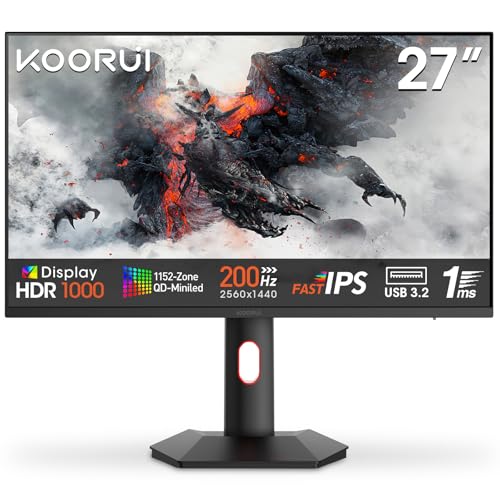 KOORUI 27" Mini-LED |
Premium | Mini‑LED with 300000:1 contrast | Color-critical editing & HDR work | Check Price | ||
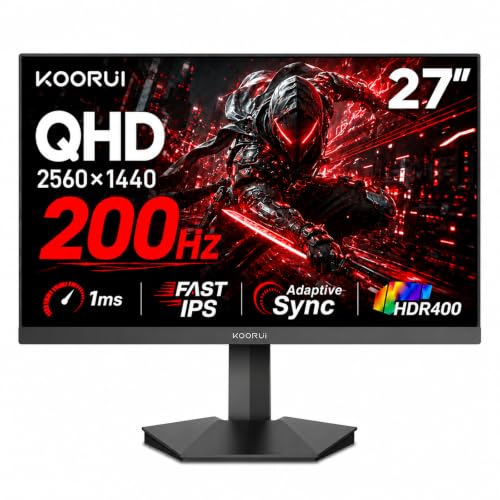 KOORUI 27" 200Hz |
Budget | 95% DCI‑P3 wide gamut | Budget editors & mixed use | Check Price | ||
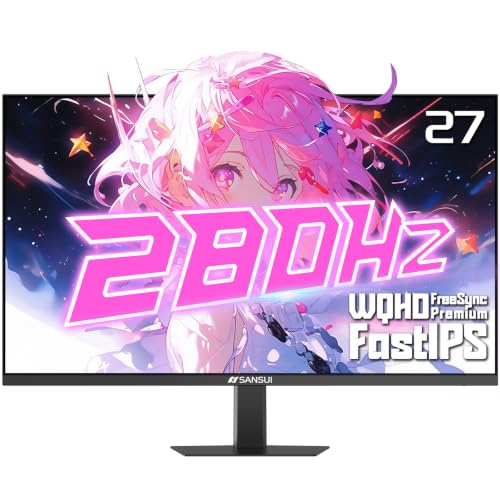 SANSUI 27" 260Hz |
Mid-Range | 260Hz Fast IPS with DCI‑P3 98% | Editors who also want high refresh | Check Price | ||
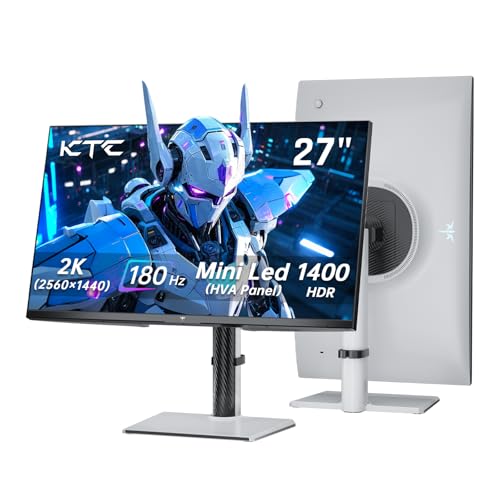 KTC 27" Mini‑LED HDR1400 |
Premium | VESA DisplayHDR 1400 Mini‑LED | HDR photo and video editors | Check Price | ||
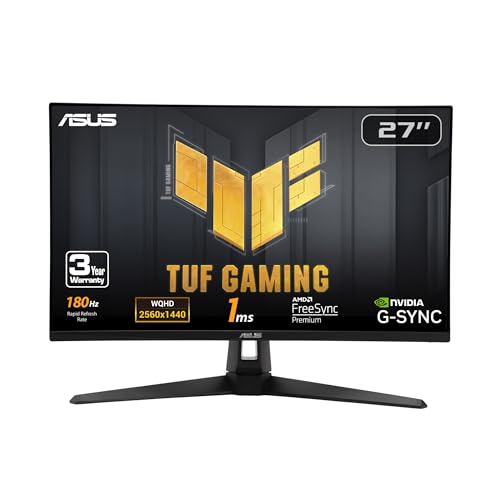 ASUS TUF VG27AQ3A |
Mid-Range | ELMB Sync + AdaptiveSync | Editors who also game occasionally | Check Price | ||
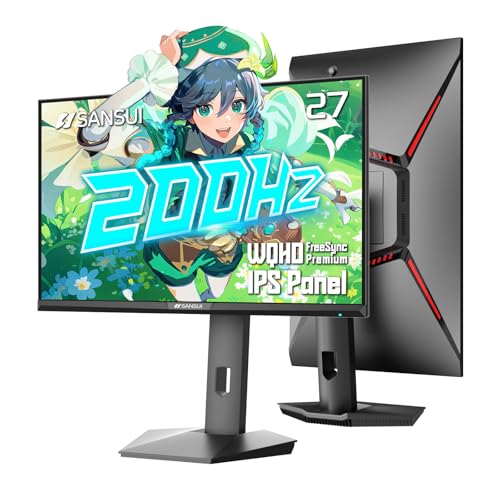 SANSUI 27" WQHD 200Hz |
Budget | Ergonomic stand with wide rotation | Home offices needing flexibility | Check Price |
1. KOORUI Monitor, 27 1ms 200Hz Gaming Monitor, Mini-LED Panel- 1440P WQHD 300000:1 Contrast Ratio Computer Screen, HDR 1000 Display, 97% DCI-P3, Tilt Adjustable, HDMI/DP, Eye Care
A premium 27" Mini‑LED WQHD monitor with wide color coverage and flexible ergonomics, well suited for photo editors who need deep blacks and broad gamut. Built with extensive adjustment range and VESA support, it also works for power users who switch between creative work and high-refresh tasks.
Key Specs
- Resolution: 2560 x 1440 (QHD)
- Panel: Mini‑LED, HDR1000
- Color: 97% DCI‑P3, 99% Adobe RGB (claimed)
- Refresh: up to 200Hz, 1ms
- Ergonomics: 110mm height, swivel, tilt, pivot, VESA 75x75
Pros
- Excellent color gamut and contrast for photo editing
- Solid build and flexible ergonomic stand
- Mini‑LED highlights and HDR support improve shadow detail
Cons
- Some buyers report inconsistent longevity on a minority of units
- Higher price tier compared with basic 1440p panels
Best For: Color-critical editing & HDR work
Check Latest Price on Amazon2. KOORUI 27" Gaming Monitor, 200Hz 1ms Fast IPS, WQHD (2560 x 1440p) HDR 400 Display, DCI-P3 95% Color Gamut, FreeSync Premium, Adaptive G-Sync, HDMI x 2, DisplayPort, G2721P
A budget-friendly 27" WQHD monitor offering strong color coverage and high refresh rates for a modest price. It’s a sensible choice when you need decent color accuracy for photo work but also want low-latency performance for video or occasional gaming.
Key Specs
- Resolution: 2560 x 1440 (WQHD)
- Panel: Fast IPS
- Color: DCI‑P3 95%
- Refresh: 200Hz, 1ms response
- I/O: 2× HDMI, DisplayPort, VESA mount
Pros
- Very good color range for the price
- High refresh rate for smooth motion
- Simple, minimal design with standard ports
Cons
- Reports of some units failing after several months
- Limited ergonomic range (tilt only on some stands)
Best For: Budget editors & mixed use
Check Latest Price on Amazon3. SANSUI Gaming Monitor 27" 1440p 260hz/240hz WQHD 2K - Fast IPS 1ms FreeSync Premium DCI-P3 98% sRGB130% HDR10 2DisplayPort 1.4HDMI2.0 PC Gaming Monitor with Crosshair
A high-refresh 27" WQHD monitor that delivers outstanding color coverage and strong value. It’s especially attractive if you want a responsive panel without sacrificing a wide gamut for photo and video editing.
Key Specs
- Resolution: 2560 x 1440 (WQHD)
- Panel: Fast IPS, MPRT 1ms
- Color: DCI‑P3 98%, sRGB 130%
- Refresh: up to 260Hz (DP), 320 nits typical brightness
- I/O: 2× DisplayPort 1.4, 2× HDMI2.0, 3.5mm jack, VESA 100x100
Pros
- Excellent color gamut and vivid picture
- High refresh rate with low motion blur
- Easy setup and included DP cable
Cons
- Some units show mixed color uniformity
- A minority report power/turn-on failures
Best For: Editors who also want high refresh
Check Latest Price on Amazon4. KTC 27 Inch Mini LED Gaming Monitor - 1440P Monitor 2K, HDR1400, 180Hz, Adaptive Sync, 148% sRGB, HDMI 2.0 x 2, DisplayPort 1.4 x 1, Monitors Gamer with Height Angles Adjustable
A premium 27" Mini‑LED option with very high claimed HDR performance and a broad color gamut. It’s aimed at creators who want dramatic contrast and punchy color for stills and HDR video work, plus flexible monitor adjustments.
Key Specs
- Resolution: 2560 x 1440 (QHD)
- Panel: HVA with Mini‑LED, 1152 dimming zones
- Color: 148% sRGB claimed, VESA DisplayHDR 1400
- Refresh: 180Hz, 1ms response
- I/O: DP1.4, 2× HDMI2.0, VESA 100x100
Pros
- Very strong HDR and color performance on paper
- Robust adjustment: tilt, swivel, pivot and height
- Three‑year warranty and responsive support claim
Cons
- Some reports of inconsistent brightness between units
- A few buyers report initial power/turn-on problems
Best For: HDR photo and video editors
Check Latest Price on Amazon5. ASUS TUF Gaming 27 1440P HDR Monitor (VG27AQ3A) QHD (2560 x 1440), 180Hz, 1ms, Fast IPS, 130% sRGB, Extreme Low Motion Blur Sync, Speakers, Freesync Premium, G-SYNC Compatible, HDMI, DisplayPort
A well-balanced 27" IPS monitor with adaptive sync and ELMB technology to keep motion crisp; it also offers broad color coverage useful for photo work. The inclusion of speakers and an Adobe Creative Cloud trial add practical value for creative home offices.
Key Specs
- Resolution: 2560 x 1440 (QHD)
- Panel: Fast IPS, 180Hz
- Color: 130% sRGB claimed
- Features: ELMB Sync, HDR10 support, built-in speakers
- I/O: HDMI, DisplayPort, included DisplayPort cable
Pros
- Strong color accuracy for the price range
- Good motion handling with ELMB and VRR
- Useful extras for creatives (software trial included)
Cons
- Some users report backlight bleed or dead pixels on rare units
- Brightness and uniformity can vary by panel
Best For: Editors who also game occasionally
Check Latest Price on Amazon6. SANSUI 27 inch WQHD 200Hz 180Hz Gaming Monitor 25601440P-AMD FreeSync 1ms DCI-P3 95% Fast IPS Computer Monitor,Height Adjustable Vertical/Horizontal Rotating, 2DisplayPort/HDMI HDRLow Motion Blur
A budget-friendly 27" WQHD monitor with a highly adjustable stand and solid color coverage suitable for home-office photo work. It emphasizes ergonomic flexibility, making it a good fit for multi-tasking desks and rotating workstations.
Key Specs
- Resolution: 2560 x 1440 (WQHD)
- Panel: Fast IPS, up to 200Hz
- Color: DCI‑P3 95%, sRGB 130%
- Ergonomics: Height, swivel, pivot, tilt; VESA 100x100
- I/O: 2× DP1.4, 2× HDMI2.0, 3.5mm jack
Pros
- Very flexible stand and rotation options
- Good picture quality for the price
- Multiple modern inputs for desktop setups
Cons
- Stand/sturdiness concerns reported by some buyers
- Integrated sound or audio outputs inconsistent in reports
Best For: Home offices needing flexibility
Check Latest Price on AmazonWhich One Should You Choose?
If budget is tight → KOORUI 27" 200Hz (ASIN B0CGMC4MP1) for the best color+value balance. If premium color and HDR matter most → KOORUI Mini‑LED (ASIN B0D9J5KTD6) or KTC Mini‑LED HDR1400 (ASIN B0F7LQF7H5). If you want the strongest mix of responsiveness and price → SANSUI 27" 260Hz (ASIN B0CWL14K13). For an ergonomic home office setup where adjustability matters → SANSUI 27" WQHD 200Hz (ASIN B0CWKZHW45) or any monitor with full height/pivot support.
Best for Specific Scenarios
- Photo editing & color work: KOORUI 27" Mini‑LED (B0D9J5KTD6) because of its wide gamut and Mini‑LED contrast for shadow detail.
- Budget-conscious home office: KOORUI 27" 200Hz (B0CGMC4MP1) because it delivers good color and basic ergonomics at a lower price tier.
- Mixed editing and fast workflow: SANSUI 27" 260Hz (B0CWL14K13) because it combines wide gamut with a very responsive panel.
Frequently Asked Questions
Is a 27-inch 1440p monitor good for photo editing?
Yes. A 27" 1440p screen provides a sharp pixel density for detailed editing while keeping UI elements readable. It’s a comfortable size for most desks and is widely considered the sweet spot between 24" and 32" for dedicated photo work.
Do I need Mini‑LED or HDR for photo editing?
Mini‑LED and higher HDR ratings improve contrast and shadow detail, which helps with HDR and high-dynamic-range photos. For most standard color work, a well-calibrated IPS display with accurate gamut will be sufficient; Mini‑LED is a premium step up if you work extensively with HDR content.
How important is factory calibration?
Factory calibration can be helpful out of the box, but for precise color-critical work you should use a hardware calibrator. Calibration aligns the monitor to industry standards and ensures consistent color across multiple devices.
How We Selected These Products
Our recommendations are based on data-driven analysis: we evaluated 155229+ products across 23916+ brands using a composite scoring system that weighs rating (40%), review volume (30%), price value (20%), and demand signals (10%). Every product is ranked by data, not opinions.
Last updated: November 23, 2026
As an Amazon Associate we earn from qualifying purchases at no extra cost to you. Full disclosure.
GearLark Score is our editorial ranking based on a composite analysis of product quality, value, and verified customer sentiment. Click through to Amazon for current pricing, availability, and live customer reviews.