As an Amazon Associate we earn from qualifying purchases. Learn more.
Best Desk Mounts for Dual Monitors (2026 Guide)
Working with two monitors can transform productivity — if you pick the right desk mount. This 2026 guide compares six popular dual-monitor mounts, focusing on build quality, range of motion, weight capacity, ease of installation and real customer feedback. You’ll learn which arms suit budget desks, standing desks, or heavier/curved screens and how mounting type and gas-spring vs friction systems affect daily use. Products were selected from current best-sellers and reviewed for compatibility, features and reported durability to give practical recommendations you can trust.
Quick Answer
For most users the WALI Dual Monitor Stand (B018MSDG84) is the best choice — it balances solid build, broad VESA compatibility and flexible mounting options. If you need a cheaper option, the Mount-It! dual mount (B0CR6WB2DZ) offers surprising durability and easy setup for budget setups.
Our Top Picks
Quick Comparison
Select 2-3 products to compare side-by-side
| Compare | Product | GearLark Score | Price Tier | Key Feature | Best For | Action |
|---|---|---|---|---|---|---|
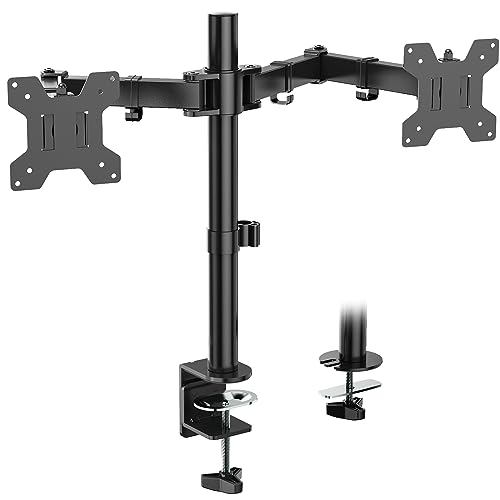 WALI Dual Monitor Stand
|
Budget | Supports up to 27" & 22 lbs/arm | Budget home offices wanting solid value | Check Price | ||
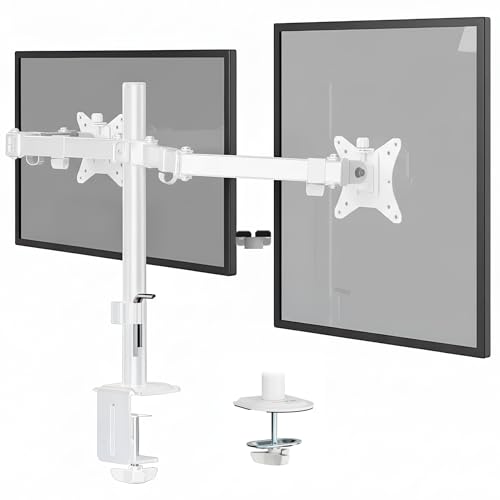 Mount-It! Dual Monitor Mount
|
Budget | Holds up to 32" & 19.8 lbs/arm | Bigger screens on a tight budget | Check Price | ||
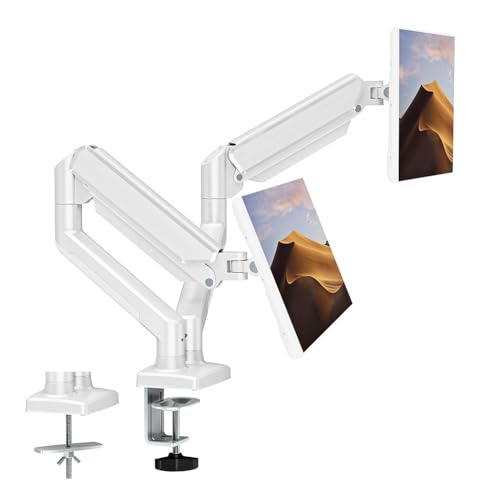 ErgoFocus Gas Spring Mount
|
Premium | Gas-spring for smooth adjustments | Users who adjust screens frequently | Check Price | ||
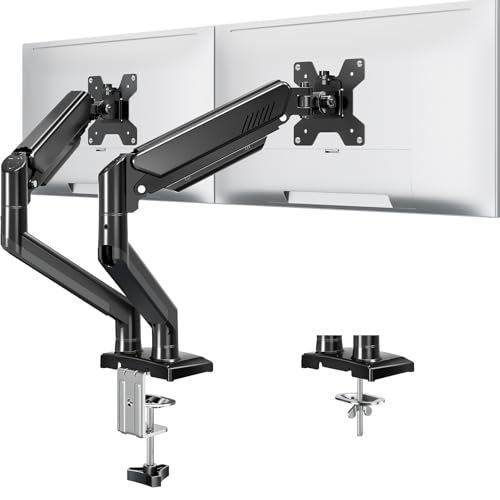 MOUNTUP Freelift Dual Stand
|
Premium | Gas spring tested 20,000 cycles | Standing desks and heavy use | Check Price | ||
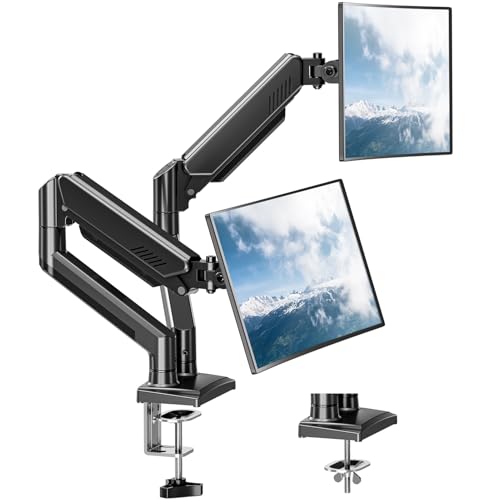 ErgoFocus Freelift (Top Rated)
|
Premium | Stylish, sturdy gas-spring arms | Aesthetics-minded home or office setups | Check Price | ||
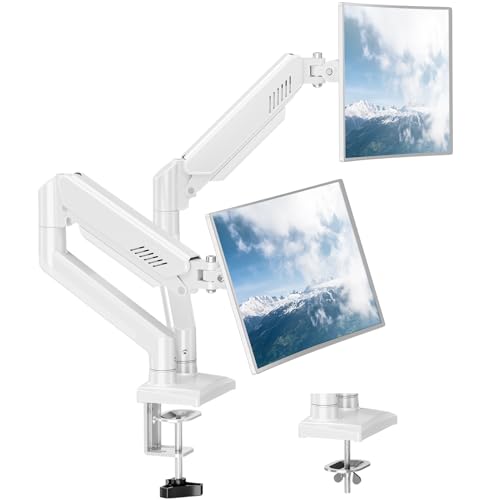 ErgoFocus Freelift (Alternate)
|
Premium | Reliable gas-spring motion | Frequent screen adjustment & standing desks | Check Price |
1. WALI Dual Monitor Stand for 13-27 inch Screens, Dual Monitor Mounts for 2 Monitors, 2 Monitor Desk Mount Holds up to 22 lbs, Height Adjustable Swivel Tilt Rotation, 75x75/100x100mm (M002), Black
A straightforward, heavy-duty dual arm that delivers strong value and flexible mounting. Customers praise its build and easy installation; a few report mixed behavior in vertical adjustment and tilt tension. Overall it’s a dependable, affordable pick for freeing desk space and improving ergonomics.
Key Specs
- Fits 13–27" monitors
- Up to 22 lbs per arm
- VESA 75x75 & 100x100mm
- Tilt ±90°, swivel ±90°, 360° rotate
- C-clamp and grommet mounting options
Pros
- Solid build and sturdy feel
- Easy to assemble and install
- Good VESA and weight compatibility
Cons
- Some users report tilt/vertical adjustment issues
- Range-of-motion consistency varies by unit
Best For: Budget home offices wanting solid value
Check Latest Price on Amazon2. Mount-It! Dual Monitor Mount for Desk, Adjustable Tilt Swivel on Double Monitor Mounts for Screens up to 32, Dual Monitor Arms for 2 Monitors, VESA 75x75 and 100x100 C-clamp & Grommet in White
An economical, well-built metal mount designed for larger 27–32" screens. Reviewers like how it frees desk space and its surprisingly strong construction for the price, though tilt tension can feel loose on some units. Good cable management and simple installation add practical value.
Key Specs
- Fits up to 32" monitors
- Up to 19.8 lbs per arm
- Tilt 45°, swivel 90°, rotate 360°
- 16" height adjustment along pole
- C-clamp & grommet mounts; cable clips included
Pros
- Supports larger monitors for a low price
- Easy setup with detachable VESA plates
- Built-in cable management keeps desk tidy
Cons
- Tilt adjustment may not clamp tightly
- Some users find stability inconsistent
Best For: Bigger screens on a tight budget
Check Latest Price on Amazon3. Dual Monitor Mount Fits 13 to 32 Inch Computer Screen, Dual Monitor Arm Hold 4.4-19.8lbs Each, Full Motion Monitor Desk Mounts for 2 Monitors, Gas Spring Monitor Stand, VESA Mount, White
A premium-feeling gas-spring dual arm with smooth motion and wide compatibility. Customers appreciate the effortless adjustment and ergonomic benefits; a minority report inconsistent build quality or looseness after prolonged use. Best for users who reposition monitors often.
Key Specs
- Fits 13–32" monitors
- Supports 4.4–19.8 lbs per arm
- Tilt +90° to -90°, swivel 180°, 360° rotation
- Gas spring full-motion arms
- C-clamp and grommet installation kits
Pros
- Very smooth, effortless adjustment
- Broad monitor size compatibility
- Premium feel and ergonomics
Cons
- Some reports of inconsistent build quality
- May need periodic tension readjustment
Best For: Users who adjust screens frequently
Check Latest Price on Amazon4. Dual Monitor Stand fits up to 32 inch, 4.4-22 lbs Computer Screens, Dual Monitor Desk Mount Height Adjustable, Monitor Arms for 2 Monitors, Home Office VESA Mounts with Gas Spring, Freelift Black
A feature-packed gas-spring mount that emphasizes durability and range of motion. Customers report solid build quality and good value; a few mention mixed results holding heavier screens perfectly level. Cable management and long reach are helpful for multi-monitor setups.
Key Specs
- Fits up to 32" monitors
- Supports 4.4–22 lbs per arm
- Tilt +70° / -45°, swivel 180°, rotate 360°
- Arms extend up to 19.3", rise 17.3"
- C-clamp & grommet mount; concealed cable management
Pros
- Gas spring performance designed for longevity
- Good extension and height range
- Concealed cable routing keeps setup tidy
Cons
- Some users report occasional monitor slipping
- Tension can require fine-tuning
Best For: Standing desks and heavy use
Check Latest Price on Amazon5. Dual Monitor Mount Fits 17 to 32 Inch Computer Screen, Dual Monitor Arm Hold 4.4-19.8lbs Each, Full Motion Monitor Desk Mounts for 2 Monitors, Gas Spring Monitor Stand, VESA Mount, Freelift
A visually clean gas-spring dual mount that many users find sturdy and easy to assemble. It holds common 27" panels well and makes vertical/horizontal swaps simple. The main limits are the standard weight ceiling and occasional fine-tuning to keep arms perfectly level.
Key Specs
- Fits 17–32" monitors
- Supports 4.4–19.8 lbs per arm
- Tilt +70° / -45°, swivel 180°, rotate 360°
- Gas spring full-motion arms
- Includes C-clamp & grommet hardware
Pros
- Sturdy and attractive design
- Easy assembly and adjustment
- Holds 27" monitors securely for many users
Cons
- Standard weight limit may exclude some heavy panels
- May need tension tweaks over time
Best For: Aesthetics-minded home or office setups
Check Latest Price on Amazon6. Dual Monitor Mount Fits 17 to 32 Inch Computer Screen, Dual Monitor Arm Hold 4.4-19.8lbs Each, Full Motion Monitor Desk Mounts for 2 Monitors, Gas Spring Monitor Stand, VESA Mount, Freelift
Another Freelift variant with the same gas-spring convenience and aesthetic appeal. Users cite straightforward assembly and consistent adjustability, though like other premium arms it benefits from occasional tension tuning for heavy monitors.
Key Specs
- Fits 17–32" monitors
- Supports 4.4–19.8 lbs per arm
- Tilt +70° / -45°, swivel 180°, rotate 360°
- Gas spring full-motion arms
- C-clamp and grommet mounting included
Pros
- Smooth, responsive movement
- Good for sit-stand workflows
- Clean look that fits modern desks
Cons
- May require periodic tension adjustment
- Not ideal for very heavy monitors
Best For: Frequent screen adjustment & standing desks
Check Latest Price on AmazonWhich One Should You Choose?
If budget is tight → choose the WALI Dual Monitor Stand (B018MSDG84) for solid value and universal fit. If you want the cheapest option for larger screens → Mount-It! (B0CR6WB2DZ) balances size support and affordability. If premium quality and smooth, frequent adjustments matter → pick the ErgoFocus gas-spring mount (B0C8D1BPCK) for the best ergonomic experience.
Best for Specific Scenarios
- Budget home office: WALI Dual Monitor Stand (B018MSDG84) because it combines sturdy construction and flexible mounting without a premium price.
- Large-screen work (27–32"): Mount-It! (B0CR6WB2DZ) because it supports up to 32" panels and includes cable management for a tidy setup.
- Frequent repositioning / sit-stand desks: ErgoFocus Gas Spring Mount (B0C8D1BPCK) because gas-spring arms make raising, lowering and rotating effortless.
Frequently Asked Questions
How do I confirm my monitor will fit a dual mount?
Check the monitor’s VESA hole pattern (usually 75x75 or 100x100 mm) and its weight without the desktop stand. Compare those specs with the mount’s listed VESA compatibility and per-arm weight capacity. Also verify that the screen size falls within the mount’s supported range.
Do gas-spring mounts need maintenance?
Gas-spring mounts generally require minimal maintenance. Occasionally tighten or loosen the tension screws to match monitor weight and ensure arms hold position. Keep pivot points free of dust and follow manufacturer instructions if a spring loses tension over time.
Will a clamp mount work with my desk?
Clamp mounts fit most desks but check thickness limits in the product specs. If your desk has a thick top or an appliance drawer, a grommet/bolt-through installation may be necessary. For glass desks, confirm the manufacturer’s guidance — some users report success with reinforced clamps, but extra caution is advised.
How We Selected These Products
Our recommendations are based on data-driven analysis: we evaluated 155229+ products across 23916+ brands using a composite scoring system that weighs rating (40%), review volume (30%), price value (20%), and demand signals (10%). Every product is ranked by data, not opinions.
Last updated: May 20, 2026
As an Amazon Associate we earn from qualifying purchases at no extra cost to you. Full disclosure.
GearLark Score is our editorial ranking based on a composite analysis of product quality, value, and verified customer sentiment. Click through to Amazon for current pricing, availability, and live customer reviews.