As an Amazon Associate we earn from qualifying purchases. Learn more.
Best Docking Stations for Hybrid Home Offices (2026)
If you split your week between a home office and a campus or shared office, you need a docking station that delivers stable power, predictable display output and fast plug‑and‑play switching. This guide reviews six docking stations and monitor‑dock combos chosen for reliability, port variety and ease of setup — the three factors hybrid workers mention most when swapping desks. I evaluated each unit for power delivery, video compatibility (DP Alt Mode vs DisplayLink/Thunderbolt), port mix, build quality and bundled accessories so you can pick a dock that shrinks setup time and stays solid through daily pack-and-go use.
Quick Answer
For hybrid workers who shuttle between home and campus, the WD19S Dell Docking Station (B0DZD9HMVT) is the best choice — it bundles strong power delivery, multiple video outputs and a simple single‑cable workflow. If you need the cheapest triple‑monitor option, the USB‑C Laptop Docking Station (B0CMHR18KH) is the best budget pick.
Our Top Picks
Quick Comparison
Select 2-3 products to compare side-by-side
| Compare | Product | GearLark Score | Price Tier | Key Feature | Best For | Action |
|---|---|---|---|---|---|---|
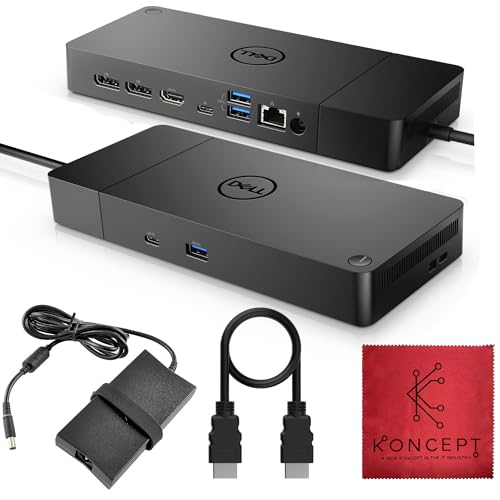 Dell WD19S 130W Dock
|
Mid-Range | Single-cable 130W power + multi‑video | Daily hybrid commuters needing stable power | Check Price | ||
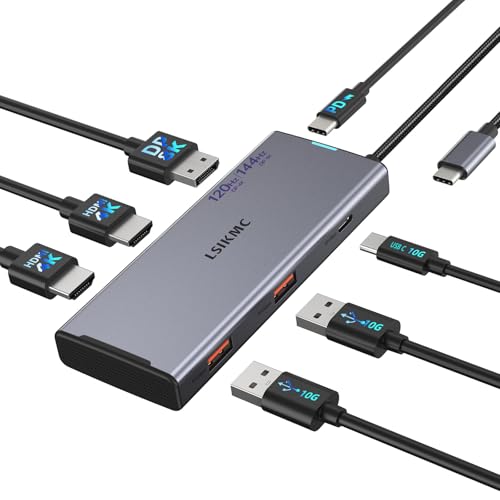 7‑in‑1 Triple‑Monitor Dock
|
Budget | Triple‑monitor support + 100W PD | Students and instructors needing multiple screens on a budget | Check Price | ||
 AVLT Arm + USB‑C Dock
|
Premium | Monitor arm base with integrated 7‑port dock | Home setups that need ergonomic, all‑in‑one stations | Check Price | ||
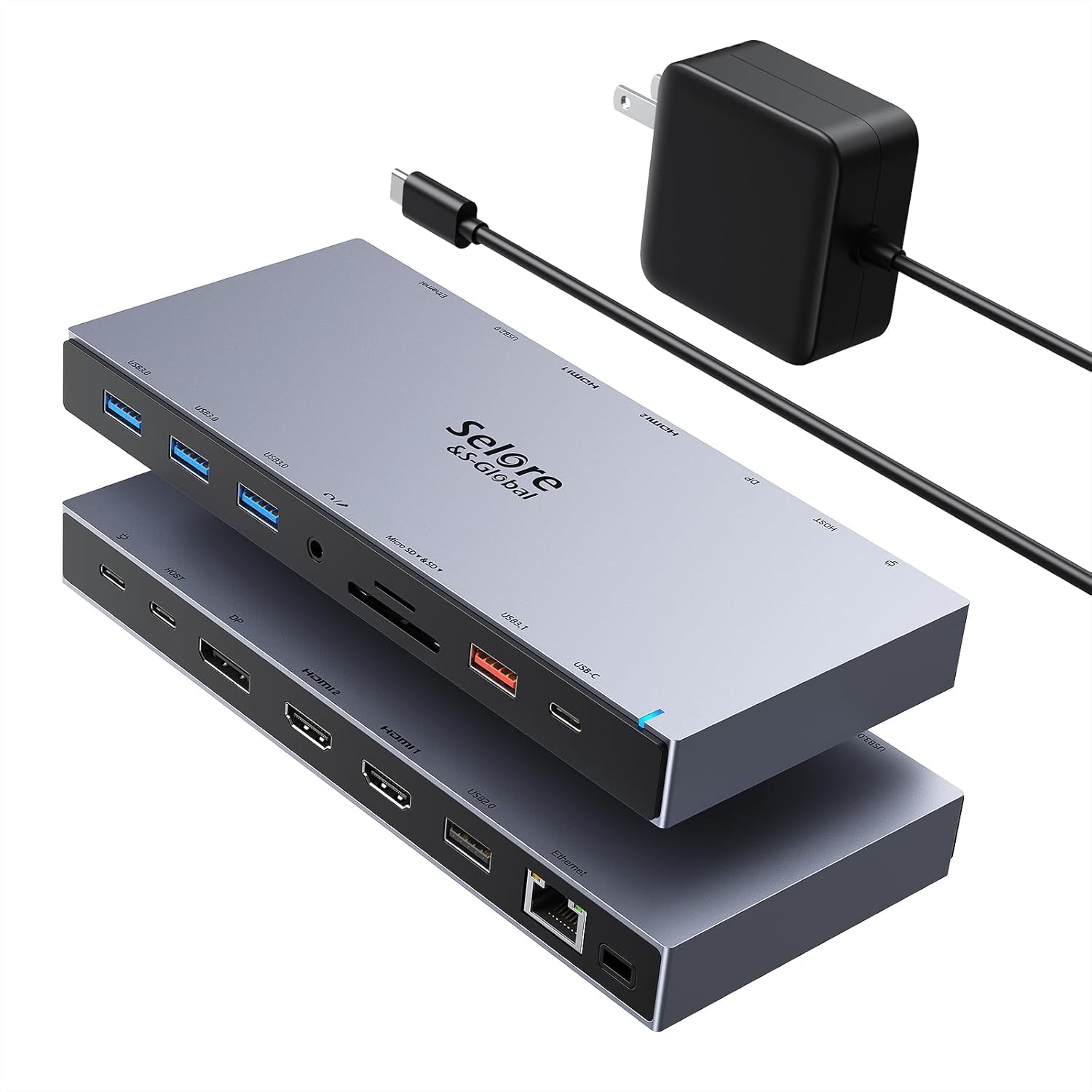 15‑in‑1 Dual‑HDMI Dock
|
Budget | 15‑in‑1 port array with SD card slots | Campus staff needing lots of ports and media readers | Check Price | ||
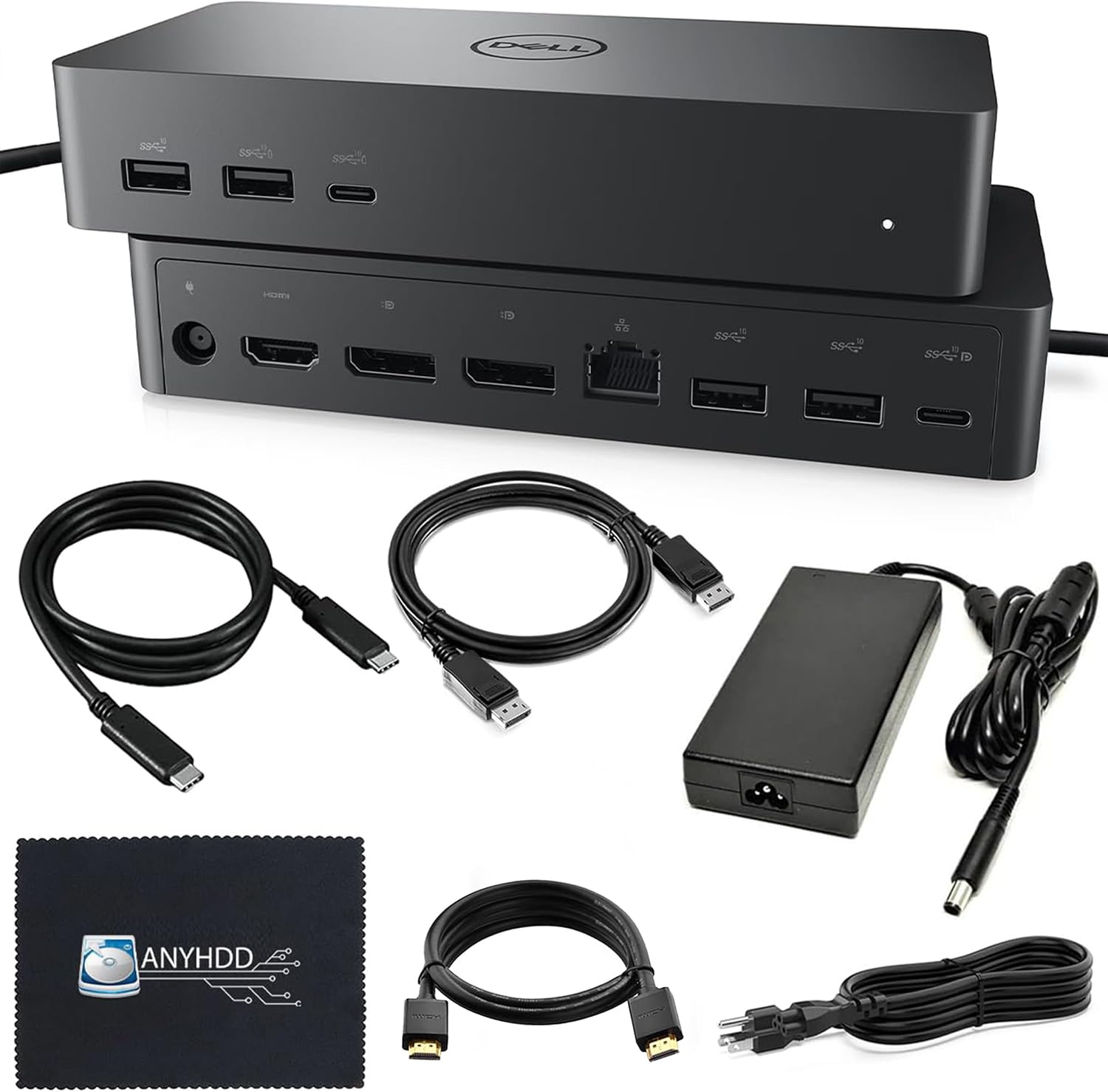 Dell UD22 Universal Dock
|
Premium | DisplayLink support up to four 4K displays | Power users who need many displays across OSes | Check Price | ||
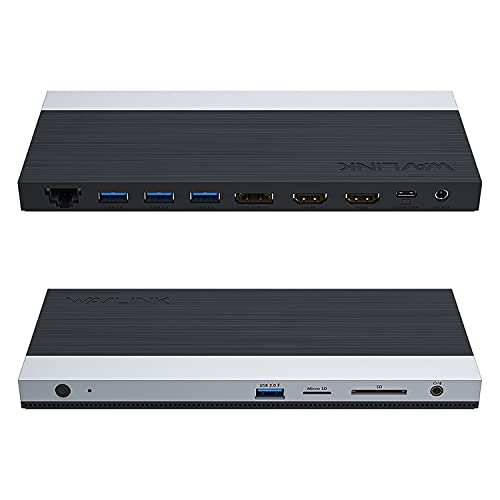 WAVLINK 13‑in‑1 Dock
|
Mid-Range | Dual HDMI + DP with 100W PD adapter | Hybrid users needing a balance of ports and charging | Check Price |
1. WD19S Dell Docking Station USB-C Dual Monitor with 130W Supply & HDMI Cable (Renewed)
The WD19S focuses on dependable power delivery and a familiar port layout for Dell and many USB‑C/Thunderbolt laptops. It bundles an HDMI cable and aims to make switching between desks fast with a single USB‑C plug while offering a solid mix of USB‑A/C and Ethernet for campus networks.
Key Specs
- 130W power delivery (single-cable workflow)
- HDMI + mini‑DisplayPort video outputs
- 2× USB‑C and 3× USB‑A 3.0 ports
- RJ‑45 Ethernet; HDMI cable included
Pros
- Strong power delivery for frequent docking/undocking
- Good port variety for mixed peripherals
- Simple plug‑and‑play setup favored by users
Cons
- Some users report intermittent network or video quirks
- Renewed units can show variable longevity
Best For: Daily hybrid commuters needing stable power
Check Latest Price on Amazon2. USB-C Laptop Docking Station for Triple Monitor | 7-in-1 Dock with DP 4K@160Hz/8K@30Hz + Dual HDMI 4K@60Hz, 10Gbps USB A/C, 100W PD | Laptop Dock for Windows/Mac
This compact 7‑in‑1 hub is optimized for users who need two or three external displays without spending much. It delivers generous USB throughput (10Gbps ports), DP1.4 support and up to 100W passthrough for charging — a useful mix for labs, dorm desks or professor workstations that move between locations.
Key Specs
- Dual HDMI 4K@60Hz + DP 4K@30Hz (triple display)
- DisplayPort 1.4 for high refresh/8K scenarios
- 10Gbps USB‑A/C ports; 100W PD passthrough
- Plug & play for Mac/Windows; compact build
Pros
- Excellent value for multi‑monitor setups
- Fast 10Gbps USB ports for large file transfers
- Compact and easy to stash in a backpack
Cons
- Durability and long‑term charging reliability are mixed
- Triple‑display performance depends on host DP Alt Mode support
Best For: Students and instructors needing multiple screens on a budget
Check Latest Price on Amazon3. AVLT Dual 17-43" Monitor Arm Desk Mount with 15" Laptop Tray and USB-C Docking Station, HDMI 4K60Hz, USB-A 5Gbps, Ethernet, 100W PD, Fits Two Flat/Curved Monitor - Black
The AVLT pairs a sturdy dual‑monitor arm and laptop tray with a 7‑port docking base — ideal for a permanent home desk where ergonomics and cable management matter. Built from aluminum, it frees desk space and centralizes docking, so you dock the laptop to the tray and benefit from tidy wiring and 100W PD.
Key Specs
- Fits two 17–43" monitors; attachable 15" laptop tray
- Dock base: 3× USB‑A 3.0 (5Gbps), 2× HDMI (MST), RJ‑45 1Gbps
- 100W PD input port on dock base
- Aluminum construction; cable management in arms
Pros
- Combines ergonomic monitor mounting with docking
- Solid build and good value for a premium solution
- Excellent cable management for a clean desk
Cons
- Heavier, not suited for frequent travel between sites
- Some buyers disagree on clamp/hold behavior for very large monitors
Best For: Home setups that need ergonomic, all‑in‑one stations
Check Latest Price on Amazon4. Dual HDMI Docking Station 3 Monitor,USB C Laptop Docking Station with 65W Power Adapter,2 HDMI Port,Displayport,USB 3.1/USB-C Data, Ethernet, Audio,SD&Micro SD Slot,PD Charging for Dell XPS/HP/Lenovo
This 15‑in‑1 hub gives you abundant ports — two HDMI, a DisplayPort, multiple USB‑A/USB‑C ports and SD/TF card readers — plus a 65W adapter. It's a practical pick for users who connect many peripherals at home and need the same setup on campus, though a few buyers report durability concerns over time.
Key Specs
- 2× 4K HDMI + 1× 4K DisplayPort (triple display at 4K@30Hz)
- 5× USB‑A, 2× USB‑C, SD/TF card slots, Ethernet, audio jack
- Includes 65W power adapter and power cable
- Compatibility: Thunderbolt 3/4/5 or full‑featured USB‑C
Pros
- Huge port capacity for media and legacy devices
- Comes with power adapter and cables
- Generally good build and value for money
Cons
- Reported durability issues for a subset of users
- Triple‑display and macOS compatibility can be limited
Best For: Campus staff needing lots of ports and media readers
Check Latest Price on Amazon5. UD22 Dell Docking Station Dual Monitor Bundle Universal Docking Station for Dell Laptop Docking Station with 130W AC Adapter + HDMI Cable + DisplayPort Cable + USB-C Cable + Microfiber Cloth
The UD22 aims at advanced hybrid setups that need multiple displays across Windows, macOS and Linux thanks to DisplayLink drivers. It includes multiple cables and a 130W adapter in the bundle, making it an attractive unpack-and-plug solution for those who move between desks frequently and need consistent output on different machines.
Key Specs
- Supports up to four 4K@60Hz via DisplayLink drivers
- Multiple ports: DP, HDMI, USB‑C 3.2 Gen2, USB‑A Gen2, RJ‑45
- Includes 130W power adapter, USB‑C, HDMI and DisplayPort cables
- Cross‑platform support (Windows, macOS, Ubuntu, ChromeOS)
Pros
- Great for multi‑OS environments and many monitors
- Bundled cables simplify switching desks
- Powerful adapter included for heavy laptops
Cons
- Relies on DisplayLink drivers for multi‑display — extra software setup
- Larger footprint than compact dongles
Best For: Power users who need many displays across OSes
Check Latest Price on Amazon6. WAVLINK USB C Docking Station 3 Monitor with 100W PD, USB-C Laptop Dock Triple Display for Dell Hp Lenovo Windows, Type C Adapter Hub - Dual HDMI, DisplayPort, Ethernet, 4 USB3.0, SD/TF Slot, Audio
WAVLINK's 13‑in‑1 dock provides a broad set of ports and a 130W brick that can deliver up to 100W PD to your laptop. It's a practical mid‑range option for hybrid office users who want SD card slots plus wired Ethernet, though some buyers report mixed results with multi‑monitor setups depending on host OS and port modes.
Key Specs
- 2× HDMI + 1× DisplayPort (dual/ triple display modes)
- Includes 130W adapter; up to 100W PD to host
- 4× USB3.0, SD/TF card slots, Gigabit Ethernet, audio jack
- Plug & play for Windows; macOS has display mode limits
Pros
- Good port spread including SD card readers
- Includes powerful adapter and USB‑C cable
- Designed for continuous operation with cooling
Cons
- Mixed feedback on multi‑monitor reliability
- Cable length and placement can be inconvenient for some setups
Best For: Hybrid users needing a balance of ports and charging
Check Latest Price on AmazonWhich One Should You Choose?
If you want the most reliable single‑cable experience and strong power delivery → WD19S Dell Docking Station USB-C Dual Monitor with 130W Supply (B0DZD9HMVT). If your priority is the lowest price for a triple‑monitor setup → USB-C Laptop Docking Station for Triple Monitor 7‑in‑1 (B0CMHR18KH). If you want a premium, permanent home setup with excellent ergonomics and integrated cabling → AVLT Dual Monitor Arm with USB‑C Docking Station (B0BPY2FVWR). If you need the widest port selection and media readers for lab or media work → Dual HDMI Docking Station 15‑in‑1 (B0C36GMRSB). If you require multi‑OS/DisplayLink flexibility and bundled cables → UD22 Dell Universal Dock (B0CVS51XCK). For a mid‑range balance of ports and included PD adapter → WAVLINK USB C Docking Station (B0DBVH3SNJ).
Best for Specific Scenarios
- Quick campus check‑in between classes: WD19S Dell Dock (B0DZD9HMVT) because its single‑cable power and bundled HDMI make plugging in fast and predictable.
- Portable triple‑monitor grading rig: USB‑C 7‑in‑1 Dock (B0CMHR18KH) because it’s compact, supports three displays and supplies 100W PD for a laptop on the go.
- Permanent home office with ergonomic needs: AVLT Arm + Dock (B0BPY2FVWR) because it pairs a sturdy monitor mount, laptop tray and integrated docking base for a tidy, long‑term desk.
Frequently Asked Questions
Do I need DisplayLink or Thunderbolt for multiple monitors?
It depends on your laptop. Thunderbolt/USB4 and DP Alt Mode provide native multi‑display support without extra drivers (when the host supports it). DisplayLink enables more monitors on systems that lack native multi‑stream support but requires a driver and occasional updates. Choose DisplayLink if you need 3–4 monitors across different OSes; choose Thunderbolt/Alt Mode for simplicity and lower latency.
How much power delivery (PD) do I need?
Match PD to your laptop’s charger: ultralights often use 45–65W, mainstream productivity laptops use 60–100W, and high‑performance models need 90–130W. If you’ll run multiple monitors and external drives while charging, prefer a dock with 100–130W capability or an included high‑wattage adapter.
Will a dock work with macOS and Windows the same way?
Not always. macOS has historically limited multi‑monitor behavior for some USB hubs and may only support mirrored displays in some configurations. Docks that advertise cross‑platform support (or use DisplayLink) are better if you switch between macOS and Windows, but expect to install drivers for DisplayLink solutions.
How We Selected These Products
Our recommendations are based on data-driven analysis: we evaluated 155229+ products across 23916+ brands using a composite scoring system that weighs rating (40%), review volume (30%), price value (20%), and demand signals (10%). Every product is ranked by data, not opinions.
Last updated: September 19, 2026
As an Amazon Associate we earn from qualifying purchases at no extra cost to you. Full disclosure.
GearLark Score is our editorial ranking based on a composite analysis of product quality, value, and verified customer sentiment. Click through to Amazon for current pricing, availability, and live customer reviews.