As an Amazon Associate we earn from qualifying purchases. Learn more.
Best Portable Cooling Solutions for Laptops on Hot Days (2026)
Summer heat can dramatically increase CPU and GPU temperatures, triggering thermal throttling and shortening laptop lifespan. This guide tests and compares the best portable cooling solutions for laptops in 2026 — from active cooling pads to a minimalistic aluminum stand — so you can pick the right tool to lower temps, keep fans quieter, and protect components. Products were chosen for real-world cooling performance, build quality, ergonomics and features customers praise (airflow, fit, ease of use) while noting common complaints (durability, noise, sturdiness).
Quick Answer
For maximum throttling reduction and raw cooling power choose the AFMAT Gaming Laptop Cooling Pad (B085DPTFJM); its twin turbo blowers and sealed-ring design push the most air to laptop vents. If you need a low-cost option, the AICHESON S035 (B07CGMHP24) delivers solid airflow and quiet operation for everyday summer use.
Our Top Picks
Quick Comparison
Select 2-3 products to compare side-by-side
| Compare | Product | GearLark Score | Price Tier | Key Feature | Best For | Action |
|---|---|---|---|---|---|---|
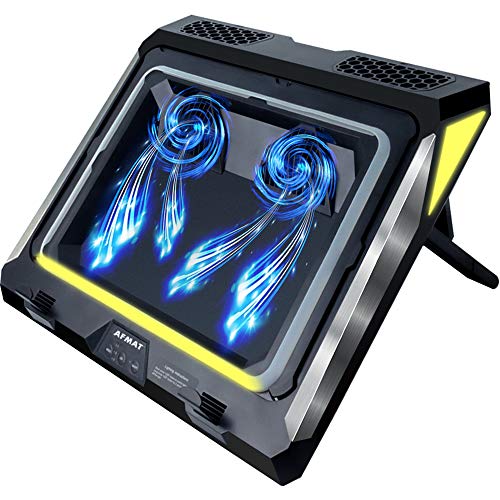 AFMAT Turbo Blower Pad
|
Premium | Twin turbo blowers (4500 RPM) | Gamers who need aggressive cooling | Check Price | ||
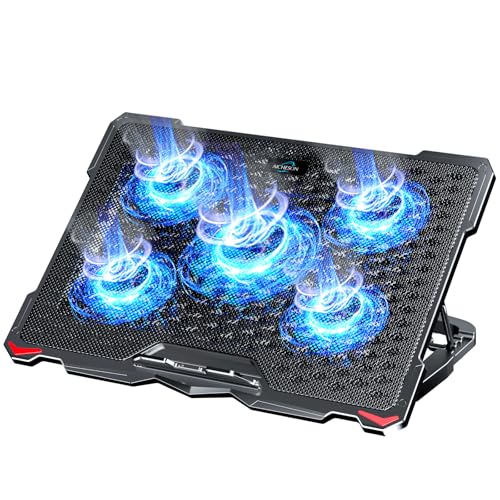 AICHESON 5-Fan Cooler
|
Budget | Five-fan array with metal mesh | Budget buyers and larger 17" laptops | Check Price | ||
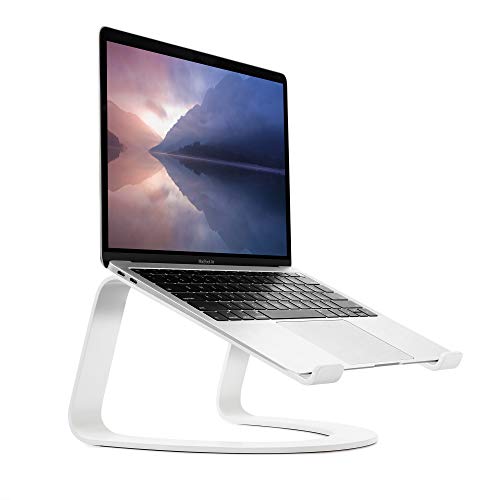 Twelve South Curve Stand
|
Premium | Single-piece bent aluminum stand | Users who want passive cooling + ergonomics | Check Price | ||
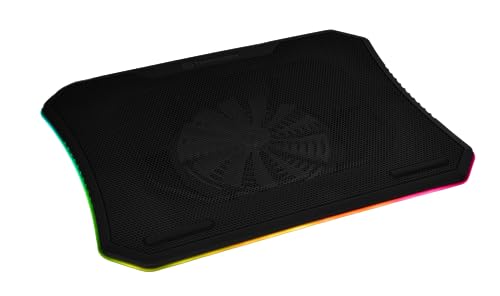 Thermaltake Massive 20
|
Premium | Single silent 200mm fan with RGB | Large gaming notebooks (up to 19") | Check Price | ||
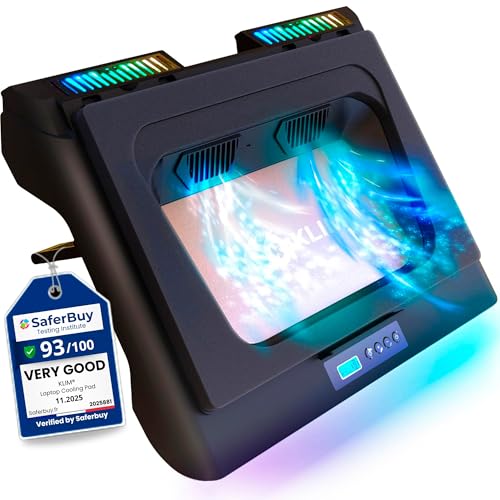 KLIM Everest Turbo Pad
|
Mid-Range | Dual turbo fans with sealed foam | Gamers wanting high-pressure targeted cooling | Check Price | ||
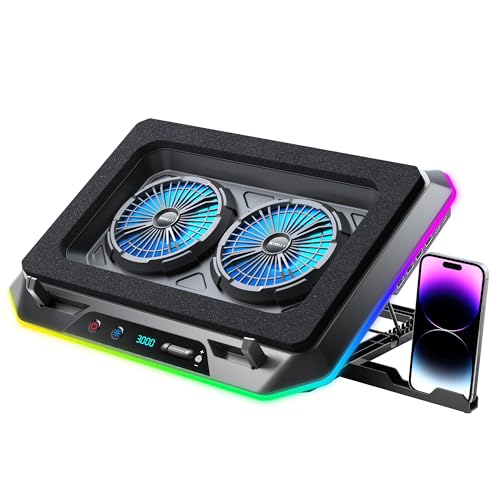 KYOLLY Turbo RGB Pad
|
Budget | Two turbofans with wide angle tilt | Budget gamers who want LEDs and tilt | Check Price |
1. AFMAT Gaming Laptop Cooling Pad, 4500RPM Laptop Cooling Pad with Turbo-Fans, USB Ports, Colorful Lights - CPU Temperature Drops 20-30 C Within Seconds - for 14-17.3 inch Laptops
The AFMAT uses twin turbo supercharged blowers and airtight seals to force high-pressure air into laptop vents — a different approach than standard fan arrays. It cools quickly and is adjustable across three speeds, with detachable filters and RGB lighting for a gaming setup. Some users praise the cooling and build, while a few have raised concerns about noise levels and inconsistent longevity.
Key Specs
- Twin turbo blowers up to 4500 RPM
- 3-speed control with airtight rubber seal rings
- Removable/washable inlet filters
- Fits 14–17.3 inch laptops; 7 adjustable heights; RGB lights
Pros
- Very high airflow and rapid temperature drops
- Sealed design targets laptop vents for efficient cooling
- Adjustable height and washable dust filters
Cons
- Noise level can be high at top speeds
- Some users report inconsistent lifespan on certain units
Best For: Gamers who need aggressive cooling
Check Latest Price on Amazon2. AICHESON Laptop Cooling Pad 5 Fans Up to 17.3 Inch Heavy Notebook Cooler, Blue LED Lights, 2 USB Ports, S035, Blue-5fans
AICHESON's S035 packs one large central fan plus four smaller fans to move plenty of air across bigger laptop bases. Customers appreciate the quiet operation, metal mesh surface, and value-for-money. Durability and plastic support components have mixed feedback — it’s a strong budget pick but treat the frame gently and check how it performs with your specific laptop layout.
Key Specs
- 1 large fan (1000–1500 RPM) + 4 small fans (2600–3000 RPM)
- Wave metal mesh surface; plastic sides and base
- 4 height settings; fits up to 17.3 inches; 2 USB ports
Pros
- Good airflow for the price
- Quiet in many use cases
- Accommodates larger notebooks
Cons
- Frame/support plastic can feel flimsy
- Some users report fans failing early
Best For: Budget buyers and larger 17" laptops
Check Latest Price on Amazon3. Twelve South Curve for MacBooks and Laptops | Ergonomic desktop cooling stand for home or office, white (special edition)
The Curve is a minimalist aluminum laptop riser that passively improves airflow by exposing about 70% of the laptop base while delivering excellent ergonomics. It’s extremely sturdy with anti-slip pads and requires no power, making it ideal in hot offices where you want quieter operation without active fans. It won’t lower temps as aggressively as active coolers, but it reduces base heat and prevents throttling in many office workloads.
Key Specs
- Raises laptop 6 inches (15 cm); exposes 70% of base
- Anti-slip silicone pads; single-piece bent aluminum
- Compatible with laptops 11–17 inches
Pros
- Stylish, durable aluminum build
- Silent passive cooling while improving posture
- Secure anti-slip contact points
Cons
- Won't match active coolers for heavy gaming loads
- Higher price for a passive stand
Best For: Users who want passive cooling + ergonomics
Check Latest Price on Amazon4. Thermaltake Massive 20 RGB Steel Mesh Panel Single 200mm Fan 10"19" Laptop Notebook Cooling Pad CLN014PL20SWA
Thermaltake’s Massive 20 uses a large single 200mm fan beneath a steel mesh to deliver broad, even airflow for oversized gaming laptops. It offers RGB lighting and easy controls for fan speed and lighting modes. Size and mixed reports on noise/cooling effectiveness mean this suits users who need coverage for very large machines and prefer a visually striking setup.
Key Specs
- Integrated 200mm silent fan and steel mesh surface
- Built-in control panel for light modes and fan speed
- 3 adjustable height settings; fits up to 19-inch laptops
Pros
- Large fan moves broad airflow across big laptops
- Attractive RGB with multiple light modes
- Easy onboard controls
Cons
- Bulky footprint — not very portable
- Performance feedback varies with laptop vent layout
Best For: Large gaming notebooks (up to 19")
Check Latest Price on Amazon5. KLIM Everest Laptop Cooling Pad | New | Powerful Turbo-Fan 4300 RPM Laptop Cooler | Sealed Foam for Maximum Performance | Avoid Overheating and Protect Your Gaming Laptop | 14-17.3 in
KLIM Everest focuses on targeted pressure cooling with two 4300 RPM turbo fans and a detachable foam seal that concentrates airflow into laptop vents. It offers multiple speed settings, RGB lighting, and a USB pass-through; the brand also emphasizes durable components and an extended assurance. Users report strong temperature drops but mixed comments on noise and bulk.
Key Specs
- Two turbo fans at 4300 RPM; sealed foam for pressure
- 6 fan speeds and RGB lighting; extra USB port
- Compatible with 11–17.3 inch laptops; 5-year assurance
Pros
- Fast, targeted cooling that reduces CPU/GPU temps
- USB pass-through and multiple speed settings
- Durable build with long assurance from manufacturer
Cons
- Can be noisy at high speeds
- Bulky compared with slim pad alternatives
Best For: Gamers wanting high-pressure targeted cooling
Check Latest Price on Amazon6. RGB Gaming Laptop Cooling Pad with Two Turbo Fan, Rapid Cooling for 15.6-19.3" Laptops, Variable Speed Control, 6 Adjustable Heights A5
KYOLLY’s cooler uses two turbofan units and an LCD control with multiple RGB modes to balance looks with function. It supports large laptops and has many height/angle options to improve ergonomics. Customers like the value and quietness in most cases, but build quality and long-term durability have mixed reviews.
Key Specs
- Two turbofan units adjustable 500–2300 RPM
- 10 RGB modes, LCD display control, 2 USB ports
- Adjustable angles from 10–45°; fits up to ~19.3 inches
Pros
- Good value with solid cooling for the price
- Quiet in many usage scenarios
- Multiple heights and bright RGB options
Cons
- Durability varies — some units fail early
- Airflow can be uneven depending on laptop vents
Best For: Budget gamers who want LEDs and tilt
Check Latest Price on AmazonWhich One Should You Choose?
If budget is tight → AICHESON S035 (B07CGMHP24) gives solid airflow and quiet operation for everyday summer use. If you need portable, silent improvement → Twelve South Curve (B081W9MRKG) is compact, durable, and great for passive cooling and ergonomics. If you want maximum throttling reduction → AFMAT Gaming Laptop Cooling Pad (B085DPTFJM) or KLIM Everest (B09Z71ZSM6) provide the most aggressive targeted airflow. If you run a very large gaming laptop → Thermaltake Massive 20 (B077974X66) supports up to 19" machines with broad airflow coverage.
Best for Specific Scenarios
- Long gaming sessions / rendering: AFMAT (B085DPTFJM) because the twin turbo blowers and sealed rings force cooling air into vents to cut temperatures fast.
- Light office work and frequent traveling: Twelve South Curve (B081W9MRKG) because it’s lightweight, silent and improves airflow passively while giving an ergonomic setup.
- Large-screen budget rigs: AICHESON S035 (B07CGMHP24) because its five-fan layout and metal mesh cover accommodate up to 17.3-inch laptops affordably.
Frequently Asked Questions
Do cooling pads really reduce CPU/GPU throttling?
Yes — active cooling pads that direct airflow into your laptop's intake vents (turbo blowers or sealed designs) can lower internal temperatures significantly and reduce thermal throttling. Passive stands help too for lighter workloads by improving base airflow, but active pads give the fastest, largest drops in sustained high-load scenarios.
Will a cooling pad work with my MacBook or thin laptop?
It depends on vent placement. Many MacBooks vent through the hinge or sides rather than the base, so bottom-focused pads may help less. For thin laptops without bottom vents, a passive stand (like the Twelve South Curve) that improves airflow and raises the chassis is usually the safer, quieter option.
How noisy are these cooling solutions and how can I minimize noise?
Noise varies by design and speed. Large single fans at moderate RPMs can be quieter than multiple small fans at high RPMs; turbo blowers are powerful and can be loud at maximum speed. Choose models with adjustable speeds and use lower settings for day-to-day work, reserving high speeds only for intensive sessions.
How We Selected These Products
Our recommendations are based on data-driven analysis: we evaluated 155229+ products across 23916+ brands using a composite scoring system that weighs rating (40%), review volume (30%), price value (20%), and demand signals (10%). Every product is ranked by data, not opinions.
Last updated: June 23, 2026
As an Amazon Associate we earn from qualifying purchases at no extra cost to you. Full disclosure.
GearLark Score is our editorial ranking based on a composite analysis of product quality, value, and verified customer sentiment. Click through to Amazon for current pricing, availability, and live customer reviews.