As an Amazon Associate we earn from qualifying purchases. Learn more.
Best Portable Monitors with Built-In Battery for Remote Holiday Editing (2026 Guide)
Working on photos or video while away from home is easier with a battery-powered second screen. This guide reviews the best portable monitors with built-in batteries in 2026 so you can edit on holiday without hunting for outlets. You'll get concise recommendations, specs, pros/cons, and a buying guide focused on battery life, connectivity, and portability. Products were chosen for real-world usefulness (battery-backed portability, input options like USB-C/HDMI, and real customer feedback about build and usability).
Quick Answer
For remote holiday editing the ApoloSign 32'' UHD 4K Smart Portable TV 2nd Gen (B0F2YD3VV5) is the top pick — its 4K touchscreen, large battery (15,000mAh) and Android apps make editing and review easy without outlets. If you need a compact, budget travel screen, the ASUS ROG Strix 17.3" (B0845Y1FRN) balances performance and portability.
Our Top Picks
Quick Comparison
Select 2-3 products to compare side-by-side
| Compare | Product | GearLark Score | Price Tier | Key Feature | Best For | Action |
|---|---|---|---|---|---|---|
 ApoloSign 32" UHD Gen2
|
Premium | 4K touchscreen + 15000mAh battery | On-location editing & big-screen review | Check Price | ||
 ASUS ROG Strix 17.3"
|
Budget | 240Hz FHD panel with built-in battery | Portable high-refresh gaming & fast previews | Check Price | ||
 ApoloSign 32" FHD
|
Premium | 32" FHD touchscreen with Android apps | Presentations, trade shows, and casual editing | Check Price | ||
 ASUS ZenScreen 15.6"
|
Budget | Ultra-portable 15.6" FHD with 7800mAh battery | Light travel and laptop productivity | Check Price |
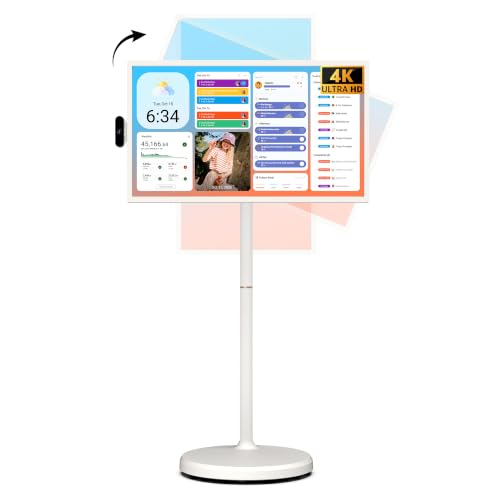
1. ApoloSign 32'' UHD 4K Smart Portable TV 2nd Gen, 16(8+8) GB RAM+256GB, Android 15, EDLA-Certified, Portable Touch Screen Monitor, Built-in 15000mAh Battery, Full Swivel Rotation, Voice Remote Control
A large 32" 4K touchscreen that doubles as a smart portable TV and battery-backed monitor, the ApoloSign Gen2 is designed for people who want a big, stand-alone second screen while traveling. It runs Android 15, includes extensive storage and RAM for apps, and offers long runtime for extended editing sessions.
Key Specs
- Display: 32" 4K UHD touchscreen (3840x2160), 10-point touch
- Battery: Built-in 15000mAh, up to ~8 hours (vendor estimate)
- OS/Storage: Android 15 (EDLA-certified), 16GB RAM (8+8) + 256GB storage
- Ports: HDMI, USB 3.0, USB 2.0, wireless casting; full swivel rotation
Pros
- Large, crisp 4K touchscreen great for detailed review
- Very long built-in battery for extended unplugged use
- Standalone Android system with apps and substantial storage
Cons
- Remote/voice control features reported inconsistent by some users
- Large size makes it less pocketable and heavier to transport
Best For: On-location editing & big-screen review
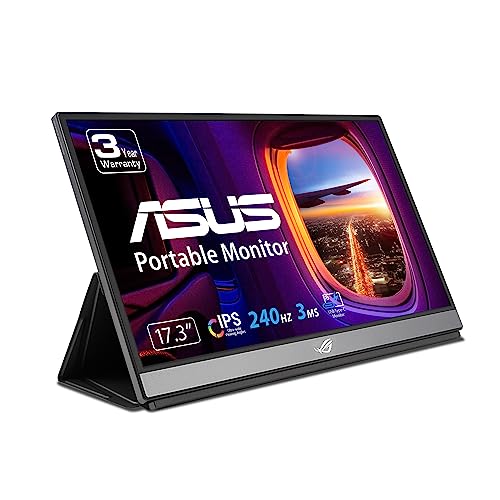
Check Latest Price on Amazon2. ASUS ROG Strix 17.3" 1080P Portable Gaming Monitor (XG17AHPE) - FHD, IPS, 240Hz, Adaptive-Sync, Built-in Battery, Smart Case, USB Type-C, Micro HDMI, For Laptop, PC, Phone, Console, 3-Year Warranty
The ASUS ROG Strix XG17AHPE is a fast 17.3" FHD portable monitor aimed at gamers but also useful for editors who want fluid motion and a second screen while traveling. It offers hybrid USB-C and micro-HDMI inputs and a smart case for protection on the go.
Key Specs
- Display: 17.3" Full HD IPS (1920x1080), up to 240Hz
- Battery: Built-in battery, ~3 hours at 240Hz (vendor estimate)
- Connectivity: USB-C (hybrid signal) and micro-HDMI
- Extras: Adaptive-Sync, smart case, 3-year warranty
Pros
- Very smooth high-refresh display for motion-heavy work
- Good portability for a large portable screen
- Versatile inputs (USB-C and micro-HDMI) for laptops and consoles
Cons
- Battery life is limited at high refresh rates and varies by use
- Some customers question value for money and long-term durability
Best For: Portable high-refresh gaming & fast previews
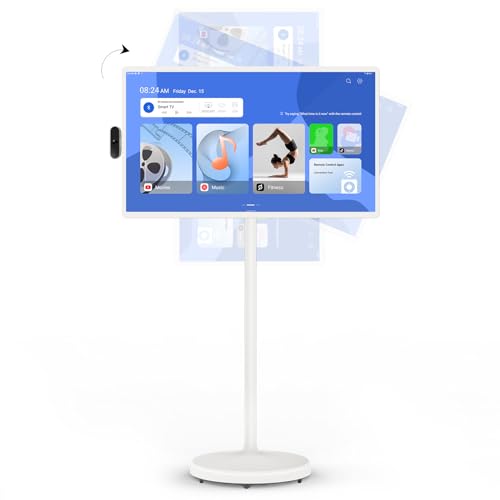
Check Latest Price on Amazon3. ApoloSign 32-Inch Smart Portable TV, 1080p Portable Touch Screen Monitor, 8G+128GB Storage, Android OS(Support Google Play Store), Built-in Battery(4-6H), Full Swivel Rotation, Voice Remote Control
This 32" FHD ApoloSign model is a large, app-ready portable screen with a built-in battery and swivel stand. It’s a versatile option for creators who want a big display for review, streaming, or demoing work without needing an outlet.
Key Specs
- Display: 32" Full HD touchscreen (1920x1080)
- Battery: Built-in 98Wh / 6800mAh (vendor lists 4–6 hours typical)
- OS/Storage: Android (Google Play access), 8GB RAM + 128GB storage
- Ports/Movement: HDMI, Type-C, wireless casting, full swivel rotation
Pros
- Large FHD touch surface useful for collaboration and demos
- Mobile design with wheels and adjustable viewing angles
- Android + Google Play Store access for on-device apps
Cons
- Connectivity and some advanced functions reported mixed by users
- Bluetooth or casting issues reported by a minority of users
Best For: Presentations, trade shows, and casual editing
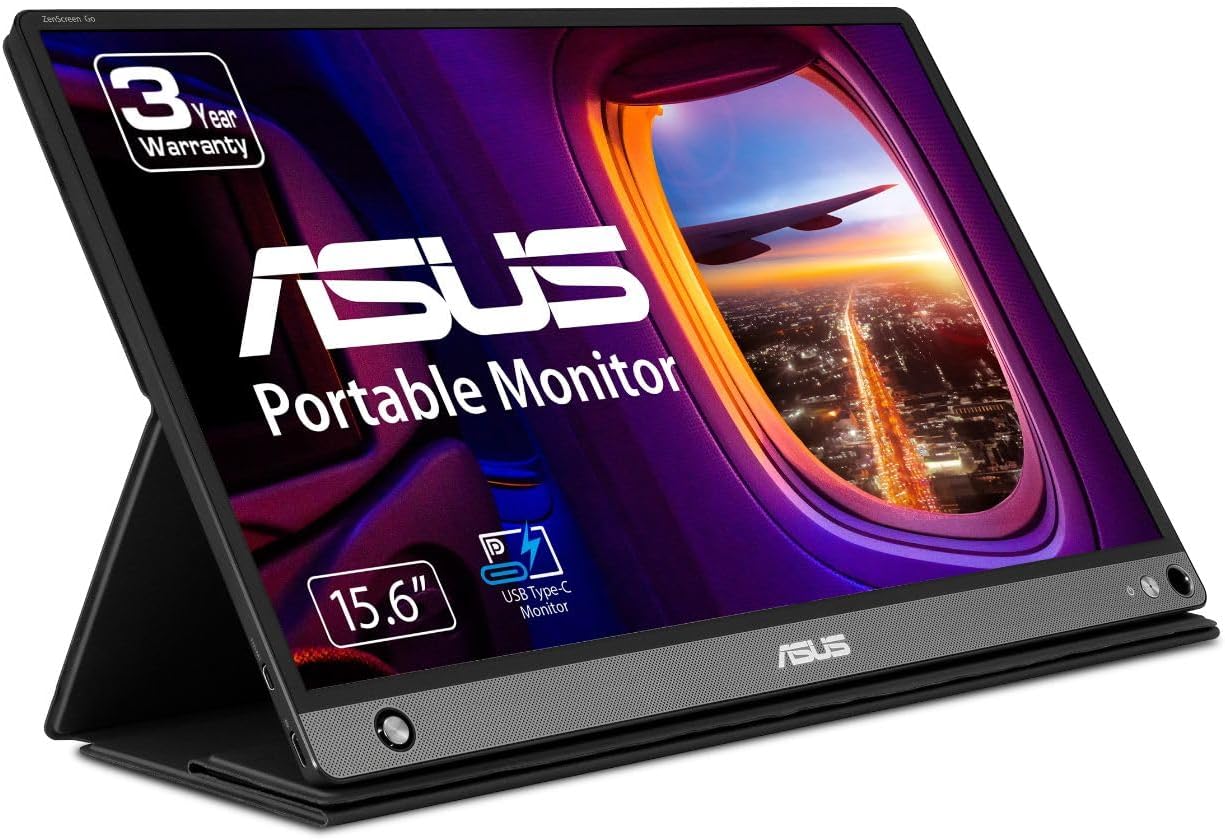
Check Latest Price on Amazon4. ASUS ZenScreen 15.6 1080P Portable USB Monitor (MB16AHP) - Full HD, IPS, Eye Care, Micro HDMI, USB Type-C, Speakers, Built-in Battery, External Screen for Laptop, 3-Year Warranty,Black
The ZenScreen MB16AHP is an extremely portable 15.6" Full HD USB-C monitor that pairs well with laptops for editing on the road. It’s lightweight, includes an integrated battery and speakers, and features eye-care technologies for long editing sessions.
Key Specs
- Display: 15.6" Full HD IPS (1920x1080), anti-glare
- Battery: Built-in 7800mAh battery
- Connectivity: Micro-HDMI and USB Type-C (power + video)
- Extras: ASUS Eye Care tech, smart cover, stereo speakers
Pros
- Very lightweight and easy to carry with laptops
- Good picture quality and eye-care features for long use
- Simple USB-C connection makes setup fast
Cons
- Durability concerns reported by some customers over time
- Battery/charging behavior varies; a few users report issues
Best For: Light travel and laptop productivity
Check Latest Price on AmazonWhich One Should You Choose?
If budget is tight → choose the ASUS ZenScreen 15.6" MB16AHP (B07TSQFD7X) for the lightest, most travel-friendly setup. If you need portable high-refresh performance for motion review or gaming-adjacent work → choose the ASUS ROG Strix 17.3" (B0845Y1FRN). If a large, standalone editing and review screen matters most and you want lots of on-device storage and runtime → choose the ApoloSign 32'' UHD 4K Gen2 (B0F2YD3VV5).
Best for Specific Scenarios
- Remote holiday photo/video editing: ApoloSign 32'' UHD Gen2 (B0F2YD3VV5) because the 4K touchscreen and large battery let you review fine detail and work unplugged for long stretches.
- Light travel and laptop companion: ASUS ZenScreen MB16AHP (B07TSQFD7X) because it's ultra-light, fits in a laptop bag, and connects quickly via USB-C.
- Fast motion review or portable console editing: ASUS ROG Strix 17.3" (B0845Y1FRN) because the high refresh rate and hybrid inputs make it great for fluid previews and console/phone testing.
Frequently Asked Questions
Will a portable monitor’s built-in battery charge my laptop?
Most portable monitors with built-in batteries supply power only to the monitor itself. A few models with USB-C PD can charge small devices, but most do not provide enough output to meaningfully charge a laptop while in use. Check the monitor’s USB-C PD wattage if laptop charging is essential.
How long do built-in batteries actually last for editing?
Real-world battery life depends on brightness, workload, and refresh rate. Smaller screens at moderate brightness often last several hours; high-brightness or high-refresh-rate gaming monitors drain faster. Expect vendor estimates as a guideline but consult user feedback for realistic runtimes under editing conditions.
Do I need an Android-equipped portable monitor to edit away from an outlet?
An Android-equipped monitor can be useful for standalone tasks like media review, streaming, or light app-based edits without a laptop. However, for full editing suites (Photoshop, Premiere) you’ll usually still need a laptop; in that case prioritize resolution, color accuracy, and wired connectivity rather than an onboard OS.
How We Selected These Products
Our recommendations are based on data-driven analysis: we evaluated 155229+ products across 23916+ brands using a composite scoring system that weighs rating (40%), review volume (30%), price value (20%), and demand signals (10%). Every product is ranked by data, not opinions.
Last updated: October 04, 2026
As an Amazon Associate we earn from qualifying purchases at no extra cost to you. Full disclosure.
GearLark Score is our editorial ranking based on a composite analysis of product quality, value, and verified customer sentiment. Click through to Amazon for current pricing, availability, and live customer reviews.