As an Amazon Associate we earn from qualifying purchases. Learn more.
Best Portable SSDs for Photographers Traveling Light (2026 Guide)
If you travel light for shoots, the right portable SSD saves the day: fast transfers, reliable backups, and a build that survives dust, rain and accidental drops. This guide tests market-leading portable SSDs (speed, rugged ratings, connectors, and real-world ease-of-use) and highlights which drives suit photographers who need fast on-location backups and editing. We selected drives based on advertised sustained throughput, rugged features (IP/drops), cross-platform compatibility, included cables/software and reported reliability from users.
Quick Answer
For photographers who need fast, rugged on-location backups the Crucial X9 Pro for Mac (ASIN B0CLYZHHH4) is the best overall pick — it combines sustained ~1050MB/s speeds, IP55 protection and Mac optimization. For the tightest budgets choose the SSK 2TB (B0BJV2KBFV).
Our Top Picks
Quick Comparison
Select 2-3 products to compare side-by-side
| Compare | Product | GearLark Score | Price Tier | Key Feature | Best For | Action |
|---|---|---|---|---|---|---|
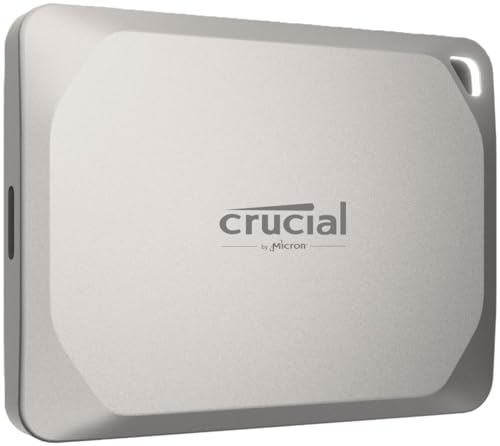 Crucial X9 Pro 4TB
|
Premium | APFS-optimized with IP55 ruggeding | Mac users needing rugged on-location backups | Check Price | ||
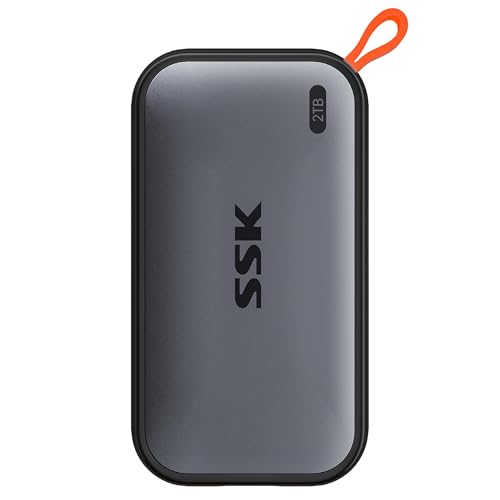 SSK 2TB Portable SSD
|
Budget | 10Gbps USB 3.2 Gen2 with USB-A/C cables | Budget-focused photographers and phone backups | Check Price | ||
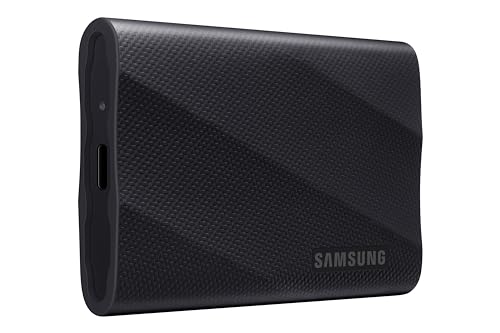 Samsung T9 4TB
|
Premium | Up to 2000MB/s with thermal guard | Photographers who need the fastest transfers | Check Price | ||
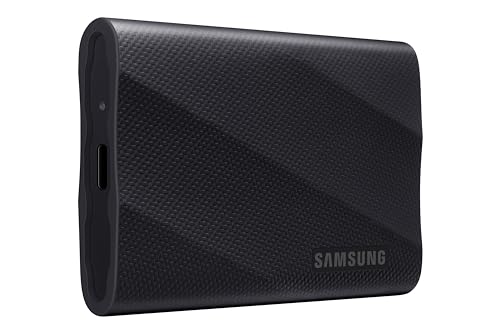 Samsung T9 2TB
|
Mid-Range | Top-tier speed with compact rubberized shell | Value-minded pros who want speed | Check Price | ||
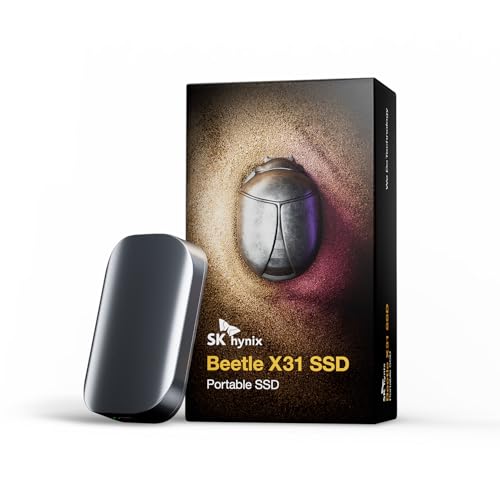 SK hynix Beetle X31 2TB
|
Budget | DRAM-accelerated transfers | Travel photographers who want solid design/value | Check Price | ||
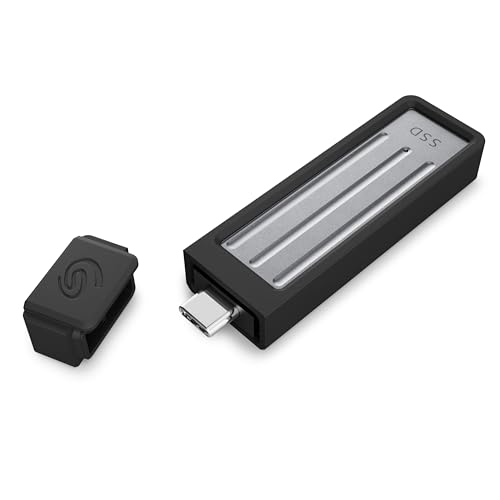 Seagate Ultra Compact 2TB
|
Mid-Range | Cable-free USB-C with IP54 and 3m drop | Photographers who prefer true plug-and-play | Check Price |
1. Crucial X9 Pro for Mac 4TB Portable SSD, Up to 1050MB/s Read/Write, 3.2 USB-C, External Solid State Drive, Optimized for Apple Devices, for Professional Creators, Light Gold - CT4000X9PROMACSSD9B02
The Crucial X9 Pro for Mac is built for photographers who use Apple gear and need a small, durable workhorse. It offers up to 1050MB/s read/write, IP55 dust/water resistance, drop protection to about 2m, and Mac-friendly APFS optimization plus bundled backup software — a strong combination for location workflows.
Key Specs
- Up to 1050MB/s read and write
- IP55 water & dust resistance
- Drop resistant up to ~2 meters
- Optimized for APFS (Mac/iPad/iPhone compatible)
Pros
- Fast sustained transfer speeds for large photo and video files
- Robust, compact build with IP55 and drop protection
- Seamless Mac/iPad/iPhone compatibility and bonus software
Cons
- Premium priced compared with basic portable SSDs
- Some users report mixed long-term reliability
Best For: Mac users needing rugged on-location backups
Check Latest Price on Amazon2. SSK Portable SSD 2TB External Solid State Drives, up to 1050MB/s USB C SSD External Hard Drive USB 3.2 Gen2 for iPhone 15/Pro, Windows, Mac, Android Phones and Tablets
The SSK 2TB delivers excellent headline speed for a budget drive and includes both USB-C and USB-A cables for phone and laptop work. It's card‑sized and lightweight, making it very portable; however, reported failure and disconnect issues mean you should use it alongside a secondary backup or verify warranties.
Key Specs
- Read up to 1050MB/s, write up to ~1000MB/s
- USB 3.2 Gen2 (C and A cables included)
- SLC caching and TRIM support for steady transfers
- Lightweight aluminum alloy case for heat dissipation
Pros
- Great value with fast advertised speeds
- Includes both USB-C and USB-A cables for wide compatibility
- Very small and lightweight for travel
Cons
- Some users report early failures or disconnects
- Lower long-term reliability compared with premium options
Best For: Budget-focused photographers and phone backups
Check Latest Price on Amazon3. SAMSUNG T9 Portable SSD 4TB, USB 3.2 Gen 2x2 External Solid State Drive, Seq. Read Speeds Up to 2,000MB/s for Gaming, Students and Professionals,MU-PG4T0B/AM, Black (pack of 1)
Samsung's T9 pushes performance envelope with up to 2,000MB/s over USB 3.2 Gen2x2 and an advanced thermal solution for sustained workloads. Its rubberized casing and in-house firmware give it a high-quality feel for heavy editing and large batch backups, though real-world top speeds depend on host and cable support.
Key Specs
- Sequential speeds up to 2,000MB/s (Gen2x2)
- Dynamic Thermal Guard for heat control
- Works across desktops, consoles and mobile devices
- Samsung Magician firmware & encryption support
Pros
- Very high advertised speeds for fast on-site transfers
- Strong thermal management for sustained use
- Well-engineered build and firmware ecosystem
Cons
- Requires Gen2x2 host and cable to reach peak speeds
- Some buyers report durability issues over time
Best For: Photographers who need the fastest transfers
Check Latest Price on Amazon4. Samsung T9 Portable SSD 2TB, USB 3.2 Gen 2x2 External Solid State Drive, Seq. Read Speeds Up to 2,000MB/s for Gaming, Students and Professionals, MU-PG2T0B/AM, Black
The 2TB Samsung T9 balances price and performance — most photographers will find its sustained throughput and thermal control ideal for on-location editing. It keeps a compact footprint, strong firmware support, and broad device compatibility, making it a versatile daily driver.
Key Specs
- Up to 2,000MB/s sequential speeds
- Dynamic Thermal Guard reduces throttling
- Compatible with phones, consoles, and computers
- Firmware tools for encryption and maintenance
Pros
- Excellent speed-to-cost ratio
- Good thermal control for prolonged transfers
- Broad compatibility and polished software support
Cons
- Peak speeds require specific host support
- Mixed reports of durability for heavy field use
Best For: Value-minded pros who want speed
Check Latest Price on Amazon5. SK hynix Beetle X31 2TB Portable SSD with DRAM, up to 1050MB/s, USB 3.2 Gen2, External Hard Drive Compatible with PC, Mac, Laptop, PS5 (Dark Grey)
The Beetle X31 brings DRAM-boosted performance (up to ~1050MB/s), a durable aluminum case, and claimed 2m drop protection with an included case. It feels premium for the price and is a good choice if you want low cost, solid speed, and a manufacturer-backed warranty.
Key Specs
- Up to 1050MB/s sequential read
- DRAM-equipped for steady performance
- Aluminum casing with 2m drop protection and included case
- Includes C-to-C and C-to-A cables; 3-year protection
Pros
- Smooth real-world performance on laptops, including M-series Macs
- Attractive, compact aluminum design
- Good value with multi-device cables and a 3-year warranty
Cons
- Not as rugged-rated as higher IP-rated drives
- Lacks some advanced thermal or encryption features
Best For: Travel photographers who want solid design/value
Check Latest Price on Amazon6. Seagate Ultra Compact 2TB, Portable SSD, 1000MB/s, USB-C, USB 3.2 Gen2, IP54 Water Dust and 3m Drop Resistant, Windows/Mac/iPhone/iPad/Android Phone/Tablet/PS4/PS5/Xbox Compatibility (STMX2000400)
Seagate's Ultra Compact is tiny, cable-free and built for travel with IP54 protection and a 3m drop resistance claim. It’s very convenient for quick backups and consoles, but there are mixed reports around Mac compatibility and some early failures, so maintain a secondary backup if you're on long shoots.
Key Specs
- Up to 1000MB/s transfer speed
- IP54 dust/water resistance and 3m drop protection
- Direct USB-C port (no cable included)
- 3-year warranty plus Rescue Data Recovery service
Pros
- True plug-and-play with no cable to lose
- Compact and rugged for on-the-go backups
- Includes Rescue recovery service and 3-year warranty
Cons
- Some compatibility and failure reports in user feedback
- Performance can vary by host and single-port design
Best For: Photographers who prefer true plug-and-play
Check Latest Price on AmazonWhich One Should You Choose?
If budget is tight → go with the SSK 2TB (B0BJV2KBFV) for very strong speed-to-price and included cables. If you need the best portable blend of speed, ruggeding and Mac integration → choose the Crucial X9 Pro for Mac (B0CLYZHHH4). If you want the best speed-per-dollar and thermal control for editing → the Samsung T9 2TB (B0CHFS9K14) is the balanced choice. If you prefer a tiny, cable-free option for quick backups → consider the Seagate Ultra Compact (B0DJ9K1QSY).
Best for Specific Scenarios
- Backups on remote shoots: Crucial X9 Pro (B0CLYZHHH4) because it pairs IP55 protection, drop resistance and Mac integration for safe, fast field backups.
- Phone-based capture & small budgets: SSK 2TB (B0BJV2KBFV) because it includes USB-A/C cables, low weight and solid advertised speeds for quick offloads from phones.
- On-set editing and batch transfers: Samsung T9 2TB/4TB (B0CHFS9K14 / B0CHFSZX9W) because of very high Gen2x2 speeds and thermal management for sustained file copies and editing.
Frequently Asked Questions
Do I need a special cable to reach maximum SSD speeds?
Yes — drives that advertise 2,000MB/s typically require USB 3.2 Gen2x2 host ports and a compatible cable. If your laptop or camera only has USB-C Gen2 (10Gbps) you’ll see lower speeds. Check your host’s specs before expecting peak performance.
Are portable SSDs safe to use as a single backup on location?
No — for critical client work you should never rely on a single copy. Use two portable drives or combine a drive with a cloud backup when possible. SSDs are much more durable than spinning drives, but user reports still show occasional failures.
What format should I use for Mac and camera compatibility?
For Mac-native workflows use APFS or HFS+ for best performance; for cross-platform use format as exFAT. Note that some drives are optimized for APFS out of the box (e.g., Crucial X9 Pro), which simplifies use with macOS and iPadOS.
How We Selected These Products
Our recommendations are based on data-driven analysis: we evaluated 155229+ products across 23916+ brands using a composite scoring system that weighs rating (40%), review volume (30%), price value (20%), and demand signals (10%). Every product is ranked by data, not opinions.
Last updated: June 29, 2026
As an Amazon Associate we earn from qualifying purchases at no extra cost to you. Full disclosure.
GearLark Score is our editorial ranking based on a composite analysis of product quality, value, and verified customer sentiment. Click through to Amazon for current pricing, availability, and live customer reviews.