As an Amazon Associate we earn from qualifying purchases. Learn more.
Best Portable USB‑C Hubs Under $80 for Holiday Packing (2026)
Travelers packing light for holiday rentals need compact USB‑C hubs that add HDMI and reliable wired internet without taking up space. This guide reviews compact, budget‑minded hubs that balance port variety, build quality and price for streaming and remote work in 2026. You’ll get short, honest product summaries, a buying guide that explains what to expect at each price tier, and a clear decision section organized by budget so you can pick the best hub for rental‑home streaming, video calls, and on‑the‑road productivity.
Quick Answer
For rental-home streaming and holiday work the SIIG Mini DisplayPort Thunderbolt 2 Video Dock (ASIN B01IV1ST1G) is the top pick for compact value — it adds Gb Ethernet and two USB 3.0 ports alongside HDMI/DP video. If you want a balanced all‑rounder with modern USB‑C features, consider the Tripp Lite USB C to HDMI Multiport adapter (ASIN B078NXD6BH).
Our Top Picks
Quick Comparison
Select 2-3 products to compare side-by-side
| Compare | Product | GearLark Score | Price Tier | Key Feature | Best For | Action |
|---|---|---|---|---|---|---|
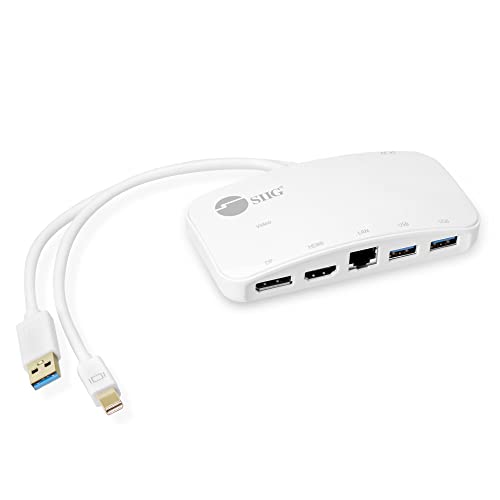 SIIG Mini DisplayPort Dock |
Budget | MiniDP/Thunderbolt 2 to HDMI/DP + GbE | Travelers needing compact Ethernet + HDMI | Check Price | ||
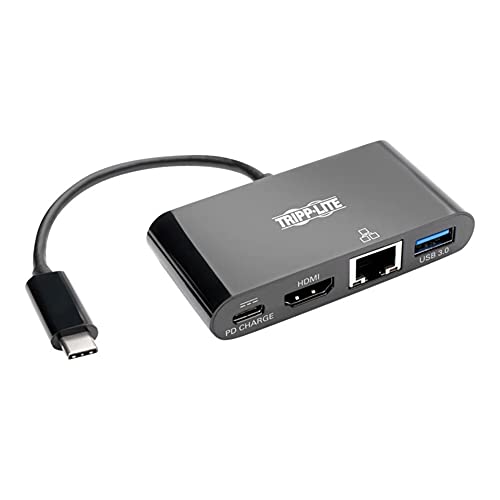 Tripp Lite USB‑C Multiport |
Premium | Plug‑and‑play HDMI + PD passthrough + GbE | Users needing simple plug-and-play streaming setups | Check Price | ||
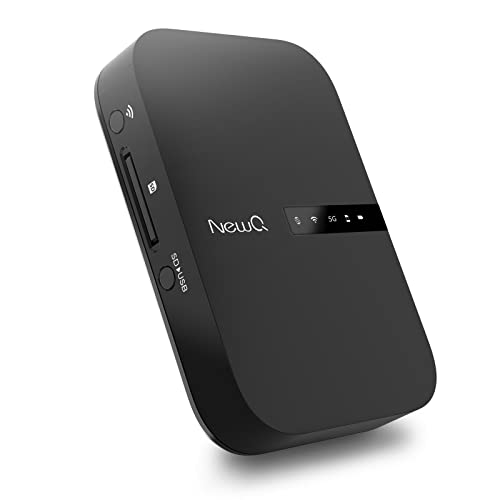 NEWQ Filehub AC750 |
Mid-Range | FileHub SD/USB backup + travel router | Photographers and travelers who need offline backups | Check Price | ||
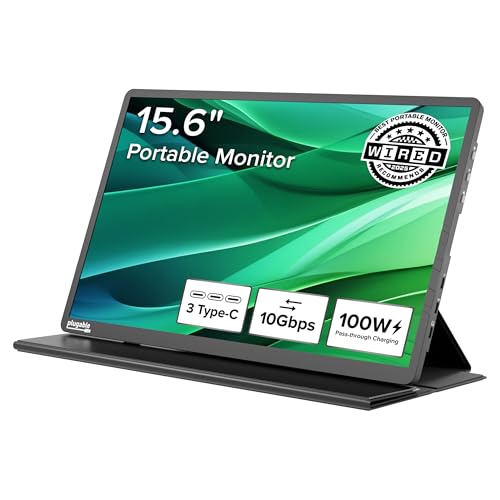 Plugable USB‑C Portable Monitor |
Premium | Portable 15.6" display doubling as a 3× USB‑C hub | Remote workers who want a second screen + hub | Check Price | ||
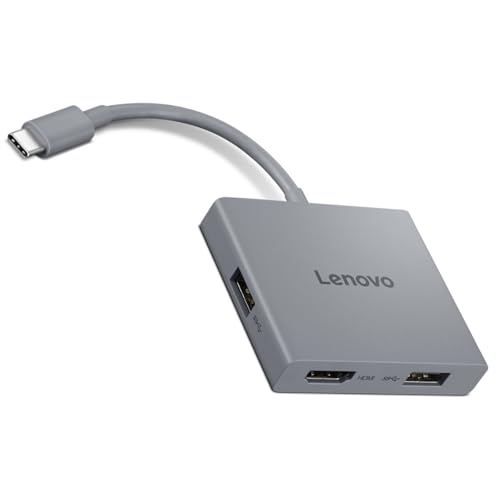 Lenovo USB‑C 4‑in‑1 Hub |
Budget | 4K @ 60Hz HDMI in a tiny travel block | Streamers who want 4K HDMI + compact design | Check Price |
1. SIIG Mini DisplayPort Thunderbolt 2 1080p Video Dock/Docking Station - 1080p HDMI or DisplayPort (DP) - USB 3.0 and Gb Ethernet Adapter Hub for MacBook, Surface Pro 2/3/4/5 and Laptop(JU-H30412-S1),Black
A compact, budget‑minded adapter that converts Mini DisplayPort/Thunderbolt 2 outputs to HDMI or DisplayPort while adding two USB 3.0 ports and Gigabit Ethernet. It’s tailored to older Ultrabooks and Surface devices and excels where wired reliability and a simple HDMI output are primary needs.
Key Specs
- Video: HDMI or DisplayPort up to 1080p / 1920x1200 @60Hz
- USB: 2× USB 3.0 ports (5 Gbps)
- Ethernet: Gigabit (1000 Mbps) RJ45
- Notes: Only one video output usable at a time; needs USB connection for USB/Ethernet
Pros
- Great value for adding wired Ethernet and USB 3.0
- Very compact for packing with laptops
- Simple video mirroring/extension for presentations and streaming
Cons
- Limited to 1080p/1200p — not 4K
- Requires a USB connection and driver for full USB/Ethernet functionality
Best For: Travelers needing compact Ethernet + HDMI
Check Latest Price on Amazon2. Tripp Lite USB C to HDMI Multiport Adapter Converter Docking Station w/ USB-A Hub, Gigabit Ethernet Thunderbolt 3 USB Type C 1080p Black (U444-06N-HGUB-C)
A straightforward USB‑C to HDMI multiport adapter that adds a USB‑A port, Gigabit Ethernet and a USB‑C PD input for charging. It’s plug‑and‑play with DP Alt Mode sources and is a good choice for quick connections to rental‑home TVs and wired networks.
Key Specs
- Video: HDMI up to 1080p @60Hz (USB DisplayPort Alt Mode required)
- Ethernet: Gigabit RJ45 for wired internet
- USB: USB-A (USB 3.1 Gen1, up to 5 Gbps) with BC 1.2 charging
- PD: USB-C PD input supporting power pass-through (up to 60W input spec)
Pros
- Plug‑and‑play — no drivers required
- Includes PD charging input to keep devices powered
- Compact, pocketable design for travel
Cons
- 1080p video only — not suitable if you need 4K output
- Requires host support for DisplayPort Alt Mode to deliver video
Best For: Users needing simple plug-and-play streaming setups
Check Latest Price on Amazon3. NewQ Filehub AC750 Travel Router: Portable Hard Drive SD Card Reader & Mini WiFi Range Extender for Travel | Wireless Access External Harddrive & USB Storage Device to Backup Photo & Files from iPhone
Not a traditional USB‑C hub, but a versatile travel router/filehub that turns USB drives and SD cards into wireless storage and can create or extend Wi‑Fi. It’s an excellent companion for backing up photos on the go and for adding a private local network in rental homes.
Key Specs
- Networking: Portable router / Access Point / Bridge / Range extender
- Storage: USB/SD card sharing as wireless hard drive
- Wi‑Fi: Dual‑band 2.4GHz & 5GHz (up to theoretical 1300 Mbps)
- Access: Browser interface and optional app for management
Pros
- Excellent value for SD/USB backup and local file sharing
- Adds Wi‑Fi functions in places with poor or restricted networks
- Small, battery‑friendly form factor for travel
Cons
- User experience and setup can be inconsistent between devices
- Transfer speeds and wireless reliability vary by use case
Best For: Photographers and travelers who need offline backups
Check Latest Price on Amazon4. Plugable USB C Portable Monitor 15.6 Inch, 100W Pass-Through Charging for Your Laptop Smartphone Tablet, 3x USB-C 10Gbps Hub FHD 1920x1080 IPS Travel Display 1.85lbs, Protective Case/Stand, USBC-PDMON
This travel monitor doubles as a high‑quality hub with multiple 10Gbps USB‑C ports and 100W (85W effective) pass‑through charging, so you get a second display and hub functions in one package. It's ideal when you need extra screen real estate for video calls and multitasking on holiday.
Key Specs
- Display: 15.6" IPS FHD 1920×1080, ~300 nits
- USB: 3× USB‑C ports (10 Gbps) usable for data/peripherals
- Power: 100W PD pass‑through (85W charging to host)
- Extras: Protective case/stand included; TAA‑compliant
Pros
- Combines a second screen with hub functionality for streamlined packing
- Strong build quality and clear IPS display
- High PD pass‑through and fast USB data lanes
Cons
- Larger and heavier than simple dongles — less pocketable
- Brightness has mixed feedback for very bright rooms
Best For: Remote workers who want a second screen + hub
Check Latest Price on Amazon5. Lenovo USB-C 4 in 1 Travel Hub Block with Integrated Cable, 1x HDMI 4K @ 60Hz, 2X USB-A 3.2, 1x 3.5mm Combo, Luna Grey Portable, Compact, High-Speed Connectivity Laptops PC Gaming Console Charging
A very compact four‑port travel hub with built‑in cable that offers 4K@60Hz HDMI, two USB‑A 3.2 ports and a 3.5mm combo audio jack. It’s a solid top‑rated budget option when you want higher‑resolution HDMI in a pocketable package.
Key Specs
- Video: HDMI 4K @ 60Hz
- USB: 2× USB‑A 3.2 (up to 5 Gbps)
- Audio: 3.5mm combo headphone/mic jack
- Design: Integrated fixed USB‑C cable; compact Luna Grey housing
Pros
- 4K@60Hz HDMI output in a very small footprint
- Good build feel and compact for travel
- Clear value for adding modern video and USB ports
Cons
- Some users report inconsistent HDMI behavior on certain hosts
- Integrated cable means no replaceable upstream lead if damaged
Best For: Streamers who want 4K HDMI + compact design
Check Latest Price on AmazonWhich One Should You Choose?
If budget is tight → SIIG Mini DisplayPort Dock (ASIN B01IV1ST1G) is the best compact value for adding Ethernet and HDMI for streaming. If you need the smallest travel block with modern 4K HDMI → Lenovo USB‑C 4 in 1 Travel Hub (ASIN B0F8P21R4C) for a pocketable 4K@60Hz output. If premium quality and extra screen space matter → Plugable USB‑C Portable Monitor (ASIN B0D9R8P9LL) doubles as a hub and portable display. If you want the best mix of plug‑and‑play USB‑C features with PD charging and GbE for a rental living room setup → Tripp Lite USB‑C Multiport (ASIN B078NXD6BH). For photographers and backups on the road → NEWQ Filehub AC750 (ASIN B09T9QKQH7) for SD/USB backup and local Wi‑Fi storage.
Best for Specific Scenarios
- Rental‑home streaming to a TV: Tripp Lite USB‑C Multiport (B078NXD6BH) or SIIG (B01IV1ST1G) because both add Gigabit Ethernet and easy HDMI output for stable streaming.
- Light travel packing + 4K presentations: Lenovo USB‑C 4 in 1 (B0F8P21R4C) because it’s pocketable and supports HDMI 4K@60Hz for crisp presentation output.
- Remote work with a second screen: Plugable USB‑C Portable Monitor (B0D9R8P9LL) because it combines a travel display with high‑speed USB lanes and PD passthrough for a compact dual‑screen setup.
- Photo backup and offline file sharing: NEWQ Filehub AC750 (B09T9QKQH7) because it turns SD/USB storage into a wireless hard drive for safe backups away from home.
Frequently Asked Questions
Will these hubs work with my MacBook or Windows laptop?
Most will, but check the upstream connector and required video mode. USB‑C hubs that use DisplayPort Alt Mode work with modern MacBooks and Windows laptops that support video over USB‑C. The SIIG unit uses Mini DisplayPort/Thunderbolt 2, so it’s aimed at older devices; Lenovo and Tripp Lite are USB‑C hubs and are broadly compatible. Always confirm your laptop’s port capabilities before buying.
Do these hubs support 4K HDMI output?
Some do and some don’t. Lenovo’s 4‑in‑1 hub advertises HDMI 4K@60Hz, while SIIG and Tripp Lite focus on 1080p/1920×1200 outputs. Premium multifunction products or dedicated travel hubs are more likely to support 4K; check the product specs for the exact resolution and refresh rate supported.
Do I need drivers or apps to use these adapters?
Many modern USB‑C multiport adapters are plug‑and‑play and don’t require drivers for basic video and Ethernet functions (Tripp Lite is an example). Others, like some SIIG adapters, may require a USB connection and driver download to enable USB/Ethernet. The NEWQ Filehub uses a web interface or optional app for its file services, so expect some setup for storage and router modes.
How We Selected These Products
Our recommendations are based on data-driven analysis: we evaluated 155229+ products across 23916+ brands using a composite scoring system that weighs rating (40%), review volume (30%), price value (20%), and demand signals (10%). Every product is ranked by data, not opinions.
Last updated: November 16, 2026
As an Amazon Associate we earn from qualifying purchases at no extra cost to you. Full disclosure.
GearLark Score is our editorial ranking based on a composite analysis of product quality, value, and verified customer sentiment. Click through to Amazon for current pricing, availability, and live customer reviews.