As an Amazon Associate we earn from qualifying purchases. Learn more.
Best Portable USB-C Monitors for Traveling Creators (2026 Guide)
If you’re a photographer, videographer or content creator on the move, you need a portable monitor that gives true colors, fits into a camera bag and won’t die halfway through a shoot. This 2026 guide tests and compares compact USB-C monitors and laptop extenders that traveling creators actually take on location. You’ll learn which displays deliver accurate color profiles, which units work best with power banks or USB-C PD, how each fits into camera bags, and which models are smart buys at different budgets. Products were selected for color reproduction, portability, USB-C power/video support, and real-world travel durability.
Quick Answer
For traveling creators who need color-accurate, battery-friendly USB-C monitors that fit in a camera bag, the Cocopar 18.5" (B0CPXW4F3B) is our top pick for color fidelity and connectivity; if you need a lightweight, laptop-clip extender choose the ROYY 14" (B0FCDN8Y66), and the Topmonitor 10.5" (B0DPX4CWK3) is the best budget pick.
Our Top Picks
Quick Comparison
Select 2-3 products to compare side-by-side
| Compare | Product | GearLark Score | Price Tier | Key Feature | Best For | Action |
|---|---|---|---|---|---|---|
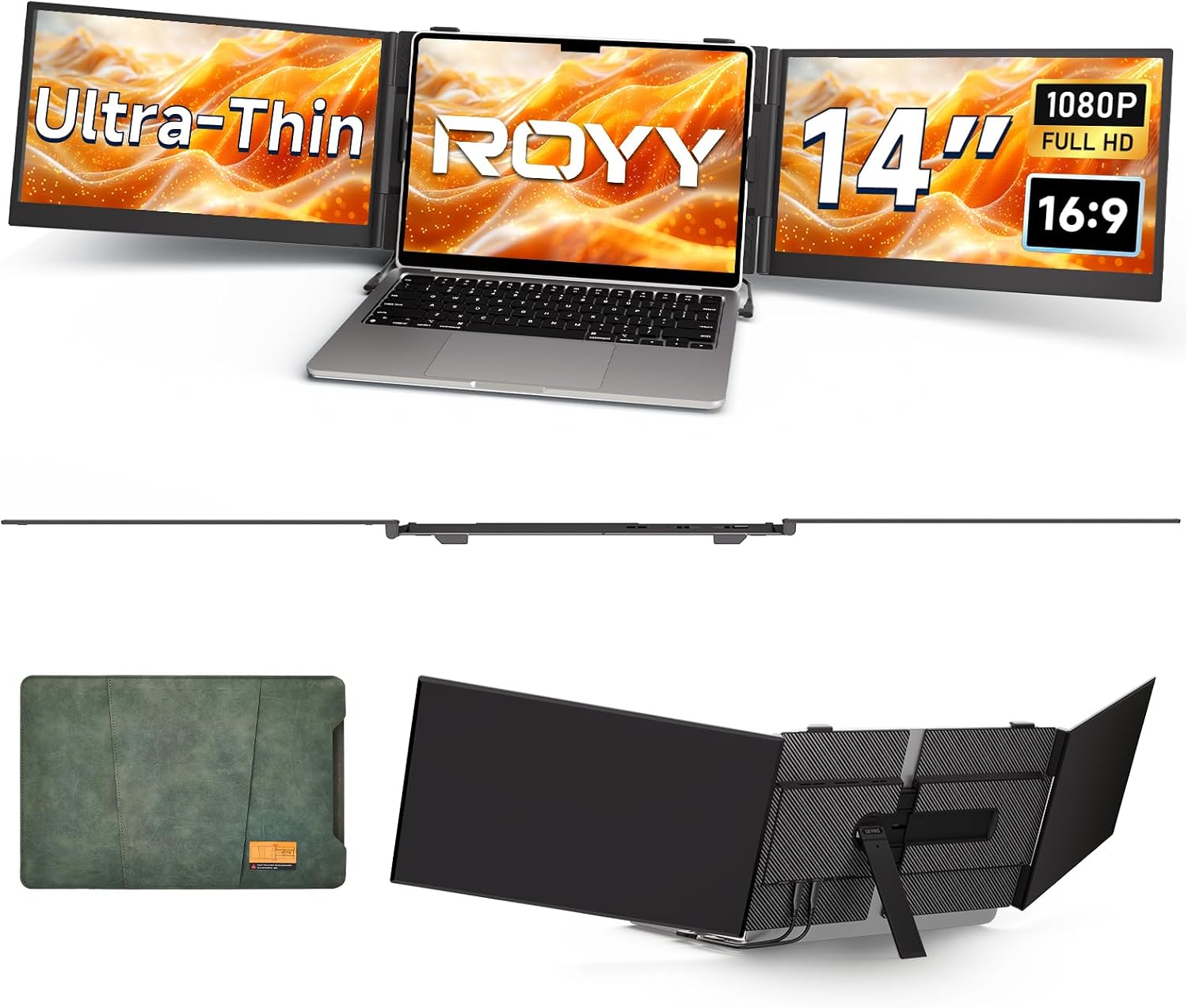 ROYY 14" Extender |
Premium | Clip-on triple-screen extender | Laptop-first traveling creators | Check Price | ||
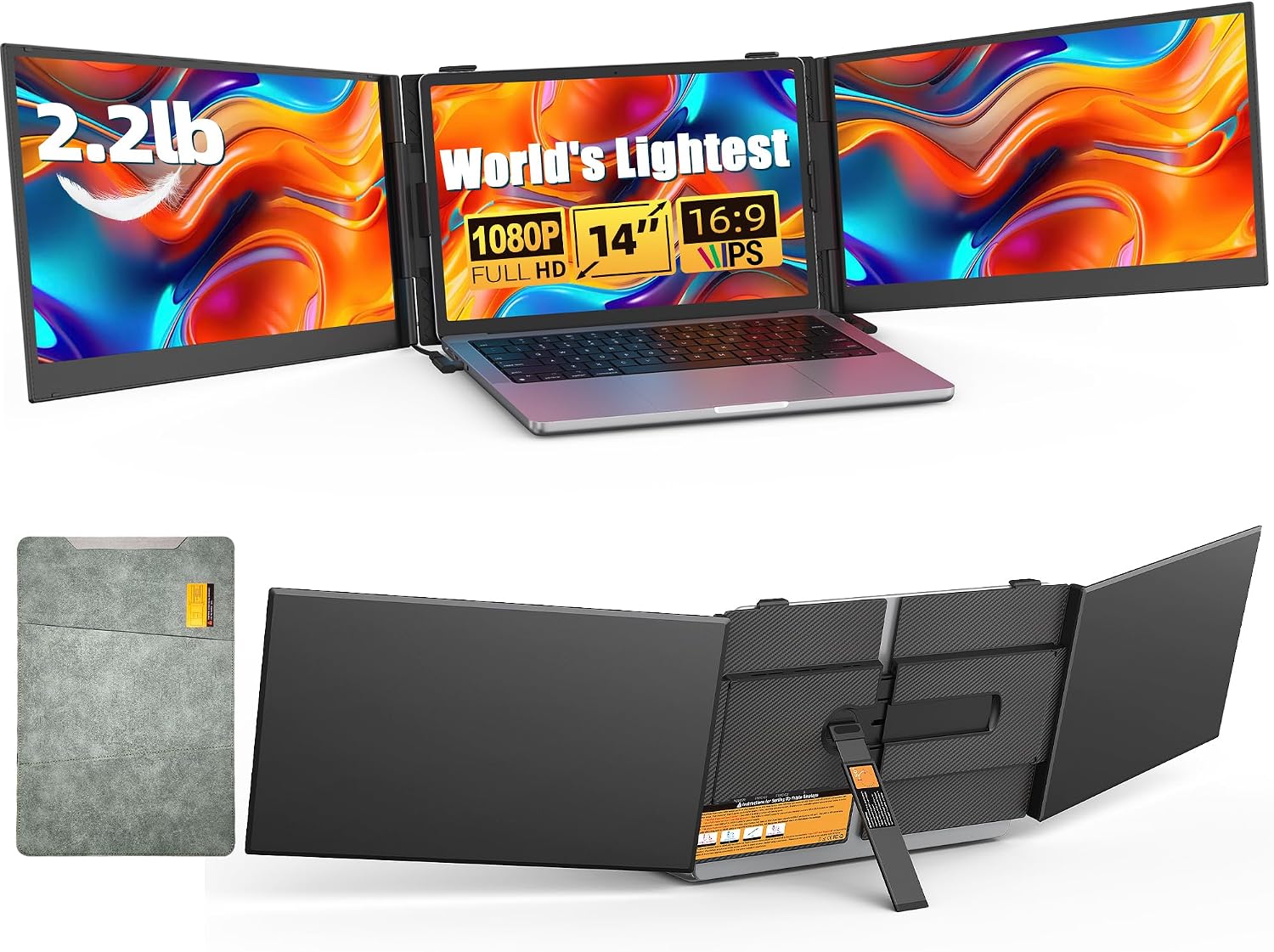 BreezyLife 14" |
Premium | Ultra-thin, featherweight design | Creators who prioritize packability | Check Price | ||
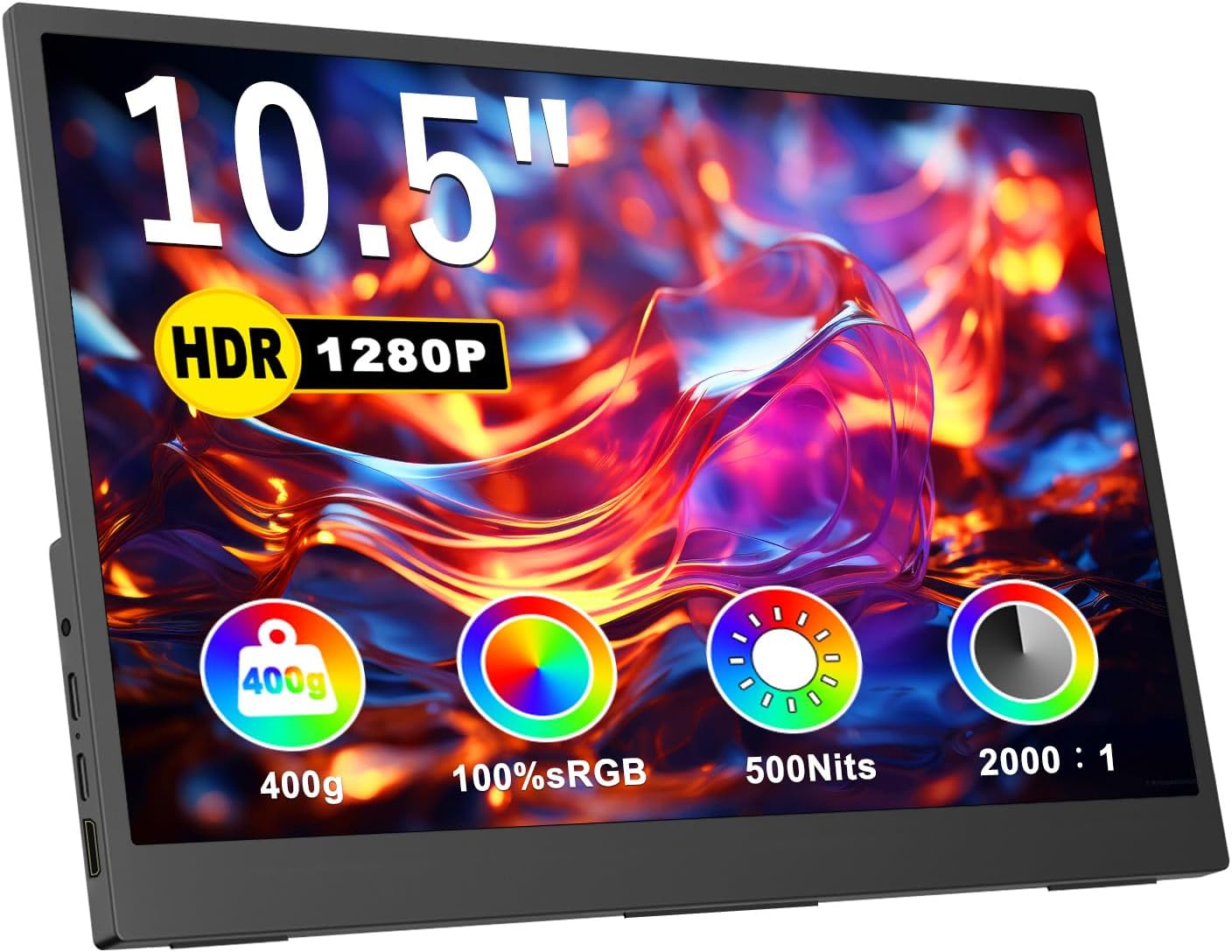 Topmonitor 10.5" |
Budget | 3:2 tall aspect for vertical work | Budget-conscious traveling creators | Check Price | ||
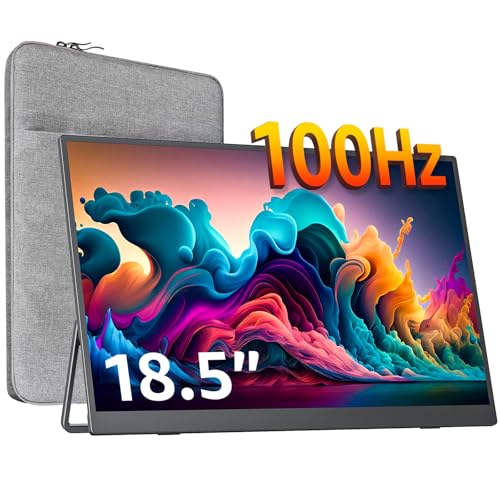 cocopar 18.5" |
Mid-Range | 125% sRGB and 100Hz refresh | Color-critical creators who travel | Check Price | ||
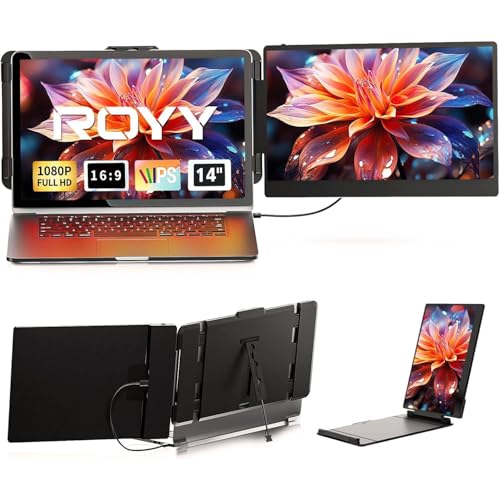 ROYY 14" Dual |
Budget | Driver-free plug & play | Travel editors who need a simple second screen | Check Price |
1. ROYY Laptop Screen Extender 14" Ultra-Thin Portable Triple Monitor FHD 1080P IPS Attachment Extended Extra Screen USB-C HDMI Port Compatible with Wins Mac Dex Chrome Travel Work Fits 13.3"-17" Laptops
A purpose-built clip-on 14" extender that boosts laptop screen real estate for on-location editing and review. Aerospace-grade aluminum keeps it travelable while included cable kit makes connections straightforward for creators who work from coffee shops or client sites.
Key Specs
- 14" IPS FHD (1920x1080)
- 300 nits brightness, 72% sRGB
- 2 full-function USB-C + 1 PD port; HDMI adapter included
- Weight ~1.02 kg; aerospace-grade aluminum build
Pros
- Solid portable build — aluminum alloy feels premium
- Comprehensive cable kit for easy USB-C/HDMI hookup
- Lightweight and foldable enough for most camera bags
Cons
- Clip-on mechanism reported as finicky—can need readjustment
- Some users report intermittent connectivity issues
Best For: Laptop-first traveling creators
Check Latest Price on Amazon2. 14" Triple Laptop Screen Extender - Ultra Thin & Lightweight (2.2lb) Portable Monitor For Laptop, FHD 1080P Travel Display 13-17" Laptops, Plug & Play USB-C/HDMI, Aluminum Extended Screen for Mac/Win
Exceptionally thin 14" extender built from aerospace aluminum with a protective leather case and silicone grommets for safer travel. Ideal when fitting a display into a tight camera bag is essential and quick plug-and-play setup matters for fast client reviews.
Key Specs
- 14" FHD 1080P IPS, 300 nits
- 0.18" thin, ~2.2 lb (compact profile)
- Full-feature Type-C + HDMI inputs; multi-function buttons
- Includes scratch/drop-proof leather case
Pros
- Ultra-slim profile slips into cramped camera compartments
- Built-in safety design (silicone grommets, thicker stand)
- Simple plug-and-play cabling for quick setup
Cons
- No integrated battery — needs USB-C PD or external power
- Color gamut listed as mid-range (72% NTSC) for critical color work
Best For: Creators who prioritize packability
Check Latest Price on Amazon3. Portable Monitor for Laptop, 10.5" Screen Extender 1920x1280P IPS Travel Monitor 3:2, 500nits, 2000:1, w/45 Adjustable Stand, Standard HDMI USB-C Computer Display for Laptop PC Phone Mac PS4 Xbox
A compact 10.5" monitor with a 3:2 aspect that’s excellent for coding, long-form editing lists and on-the-go color checks. Its tablet-like weight and VESA options make it easy to tuck into a pack and mount on arms at a client site.
Key Specs
- 10.5" 1920x1280 IPS (3:2)
- Dual Type-C, USB-C, Mini-HDMI inputs
- VESA-compatible; non-slip underside
- Lightweight — slips into most backpacks and camera inserts
Pros
- Great vertical space for Lightroom/Spreadsheets and lists
- Excellent value and surprisingly crisp resolution
- Small footprint fits inside many camera bags easily
Cons
- Connectivity and touch behavior reported as mixed depending on host
- Smaller screen size limits color-critical grading work
Best For: Budget-conscious traveling creators
Check Latest Price on Amazon4. cocopar Portable Monitor 18.5 Inch 1080P FHD 100Hz 125% sRGB Travel Monitor with Speaker HDMI USB-C Second Screen for Laptop MacBook Surface PC Xbox PS4/5, VESA Mountable, with Kickstand
A larger travel monitor tuned for color accuracy (125% sRGB) and smoother playback at 100Hz. For creators who do grading or client reviews on location, it’s the best blend of color fidelity and connectivity, though its size is a trade-off for bag space.
Key Specs
- 18.5" 1080P IPS, 100Hz refresh
- Approx. 125% sRGB color coverage; 320 nits brightness
- Two USB-C ports + HDMI; VESA mountable and adjustable kickstand
- Weight ~2.5 lb; borderless slim design
Pros
- Strong color accuracy and higher refresh for smoother previewing
- Good port selection for laptops and consoles
- Slim, lightweight for an 18.5" class monitor
Cons
- Bigger footprint — may not fit into small camera bags
- No integrated battery noted; needs external USB-C power
Best For: Color-critical creators who travel
Check Latest Price on Amazon5. Laptop Screen Extender - 14" FHD 1080P IPS Portable Computer Monitor for Laptops, Dual Screen Travel Monitor for Laptops 13-17" with USB-C/HDMI Port, Plug & Play for Windows/Mac/Android/Switch/PS
A budget-friendly 14" plug-and-play extender that increases workflow efficiency for creators who need a reliable second screen. It’s portable and broadly compatible, but expect variability in how secure the clip/attachment holds across laptop models.
Key Specs
- 14" FHD 1080P IPS, 300 nits
- 72% NTSC color coverage, 1000:1 contrast
- Includes Type-C, HDMI and USB-C to USB-A cables
- Weight ~2.34 lb; driver-free setup
Pros
- Very easy driver-free setup with included cables
- Compact enough for frequent travel
- Good overall image clarity for price tier
Cons
- Mixed reports of the screen detaching from some laptops
- Value perceived variably—some users report reliability issues
Best For: Travel editors who need a simple second screen
Check Latest Price on AmazonWhich One Should You Choose?
If color accuracy for client previews and grading is your priority → choose the cocopar 18.5" (B0CPXW4F3B). If you need the smallest footprint that easily fits into a camera bag and a tight budget → pick the Topmonitor 10.5" (B0DPX4CWK3). If you want a laptop-attached extender that keeps your workflow mobile and compact → the ROYY 14" clip-on (B0FCDN8Y66) or the ultra-thin BreezyLife 14" (B0FCF8CZ13) are the best choices depending on whether you prefer a more secure clip or the slimmest profile. For the simplest, driver-free setup and lowest up-front cost → ROYY 14" dual (B0CZSB1DMW).
Best for Specific Scenarios
- On-location color checks & client reviews: cocopar 18.5" (B0CPXW4F3B) because its 125% sRGB coverage and 100Hz preview make grades look closer to final output.
- Tight camera bag / run-and-gun shoots: Topmonitor 10.5" (B0DPX4CWK3) because the 3:2 tall panel and tablet-like weight tuck into small inserts and give more vertical workspace for shot lists and metadata.
- Mobile laptop workstation for photographers: ROYY 14" Extender (B0FCDN8Y66) because the clip-on design expands your laptop into a two- or three-screen setup for culling and retouching in cafes or client offices.
Frequently Asked Questions
Do these portable USB-C monitors have built-in batteries?
Most portable USB-C monitors do not include an internal battery. Instead, look for full-featured USB-C PD input so you can power the display with a USB-C power bank or your laptop. Several reviewed models explicitly require external power — plan to carry a PD power bank (65W+) if you’ll be away from AC.
Can I use these monitors as on-camera field monitors?
These products are designed primarily as laptop extenders or travel displays. Models with HDMI input can be used with cameras that have a clean HDMI output, but many are not designed with hot-shoe mounts or camera rig mounting. If you need an on-camera field monitor, choose a compact unit with documented camera mounting options or use a separate cold-shoe arm and ensure the size/weight matches your rig.
How should I carry a portable monitor in my camera bag?
Use the protective sleeve or case the monitor ships with, place it in a padded compartment away from heavy lenses, and wrap cables in a small organizer. For larger panels (14"+), keep the monitor in a flat section and avoid stacking heavy gear on top. If your bag is very tight, choose a 10–11" model instead.
How We Selected These Products
Our recommendations are based on data-driven analysis: we evaluated 155229+ products across 23916+ brands using a composite scoring system that weighs rating (40%), review volume (30%), price value (20%), and demand signals (10%). Every product is ranked by data, not opinions.
Last updated: October 30, 2026
As an Amazon Associate we earn from qualifying purchases at no extra cost to you. Full disclosure.
GearLark Score is our editorial ranking based on a composite analysis of product quality, value, and verified customer sentiment. Click through to Amazon for current pricing, availability, and live customer reviews.