As an Amazon Associate we earn from qualifying purchases. Learn more.
Best Travel Ethernet Adapters for Remote Workers in Vacation Rentals (2026 Guide)
If you travel often and run a remote-work setup from vacation rentals or hotel rooms, reliable wired internet can rescue calls, large uploads, and streaming meetings when Wi‑Fi is flaky. This guide tests and compares compact, plug‑and‑play Ethernet adapters and multiport docking stations that fit travel bags, offer stable LAN speeds, and stand up to frequent packing. We focused on real-world fit for remote workers: Ethernet speed and stability, power delivery for laptops, physical durability, and how portable each adapter is. Products were chosen from well-known multiport hubs and compact dongles that customers praise for functionality and ease of use.
Quick Answer
For remote workers who need a compact, travel-ready way to get wired internet in hotels and vacation rentals, the MOKiN USB C Laptop Docking Station (ASIN B0CD7PMYV2) is our top pick — it pairs a gigabit RJ45 port with PD charging and many ports for a portable workstation. If you want the cheapest fast-LAN option, the CableCreation 2.5G Ethernet to USB adapter (ASIN B07VNFLTLD) gives excellent value.
Our Top Picks
Quick Comparison
Select 2-3 products to compare side-by-side
| Compare | Product | GearLark Score | Price Tier | Key Feature | Best For | Action |
|---|---|---|---|---|---|---|
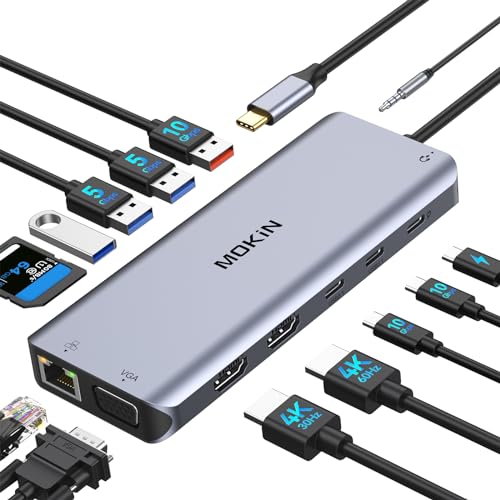 MOKiN 14-in-1 Dock
|
Premium | 14-in-1 ports with Gigabit Ethernet | Remote pros who need a mobile workstation | Check Price | ||
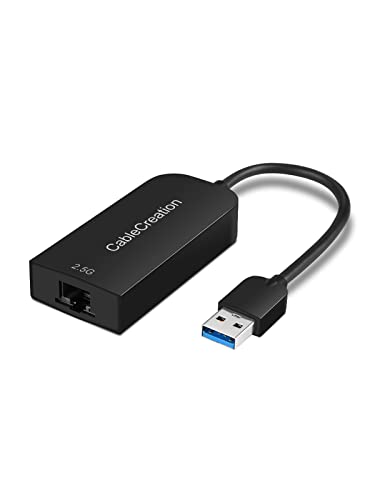 CableCreation 2.5G Adapter
|
Budget | 2.5Gbps-capable Ethernet via USB 3.0 | Budget travelers needing faster wired speeds | Check Price | ||
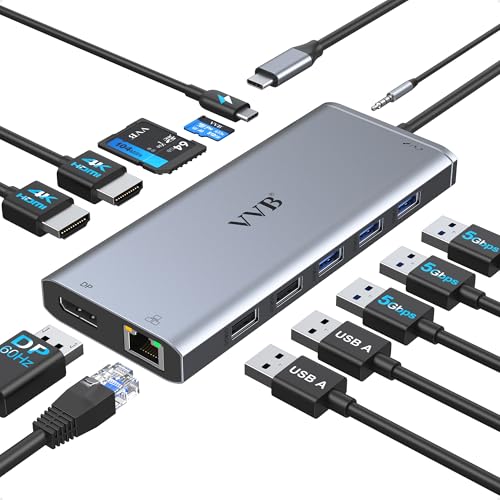 VVB 13-in-1 Dock
|
Premium | Dual HDMI + DisplayPort with Gigabit Ethernet | Workers who need multiple external displays | Check Price | ||
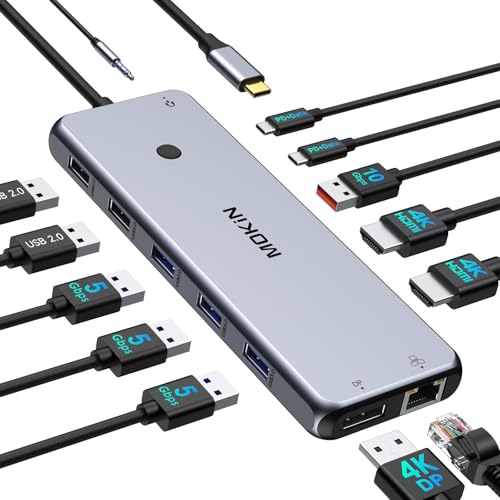 MOKiN 13-in-1 Dock
|
Premium | Triple-display support with 1000Mbps Ethernet | Windows users who need triple displays | Check Price | ||
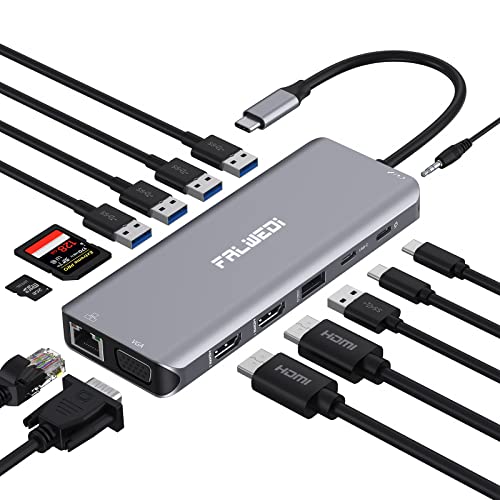 FALWEDI 14-in-1 Dock
|
Budget | Aluminum body with triple display & Gigabit Ethernet | Value-focused travelers needing many ports | Check Price | ||
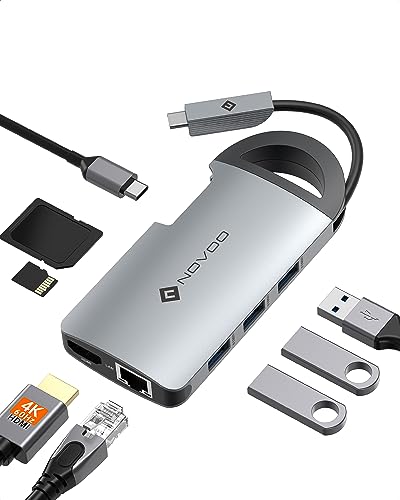 NOVOO 8-in-1 Hub
|
Budget | Hidden cable + 4K@60 HDMI + Gigabit Ethernet | Lightpackers prioritizing portability | Check Price |
1. USB C Laptop Docking Station Dual Monitor, USB C Hub Multiport Adapter Dongle Dock with 2 HDMI, VGA, PD Charging,Ethernet,6 USB C/A Ports,SD/TF,Audio, Compatible for Dell/HP/Lenovo
A full-featured travel docking station that gives remote workers a stable gigabit wired connection plus PD charging and multiple video outputs. It’s ideal for setting up a plug‑and‑play workstation in vacation rentals where you want reliable LAN and extra ports for monitors, drives and peripherals.
Key Specs
- 14-in-1 multiport hub
- 2× HDMI + VGA (multi-monitor support; Mac limitations apply)
- Gigabit RJ45 Ethernet (up to 1000Mbps)
- 100W USB‑C PD charging and multiple USB‑A/C ports
Pros
- Comprehensive port selection turns a laptop into a mobile workstation
- Gigabit Ethernet for reliable wired internet in rentals
- Plug-and-play setup with PD charging keeps you powered during long calls
Cons
- Larger and heavier than single dongles — less pocketable
- Triple-monitor extended mode is limited on some Mac models
Best For: Remote pros who need a mobile workstation
Check Latest Price on Amazon2. CableCreation 2.5G Ethernet to USB Adapter, Gigabit LAN Dongle Compatible with MacBook Windows 10,8.1, macOS X 10.6-10.15, Black
A tiny, value-focused USB-to-Ethernet dongle that can handle up to 2.5Gbps when the network and cable support it. For remote workers who pack light and sometimes need extra bandwidth or a second network interface, this delivers speed and simplicity at a low price.
Key Specs
- USB 3.0 (Type‑A) to RJ45 adapter
- Supports 10/100/1000/2500 Mbps (2.5G)
- Realtek RTL8156 chip (driver needed first time on some systems)
- Bus-powered — no external power required
Pros
- Excellent value and compact for travel bags
- Supports higher-than-gigabit speeds where networks allow
- Simple plug-and-play after initial driver install
Cons
- Some systems need a manual driver install and occasional troubleshooting
- Mixed compatibility reports on some platforms (check OS support)
Best For: Budget travelers needing faster wired speeds
Check Latest Price on Amazon3. USB C Laptop Docking Station Dual Monitor HDMI for Dell/HP/Lenovo Laptop Type C Hub Multiport Adapter Dongle Dock,USB C to 2 HDMI+DisplayPort DP+Ethernet+100W USB C Power Charge Port+5USB+SD/TF+Audio
Designed for travelers who want a fully capable desktop on the road, this dock offers multiple video outputs, 1Gbps Ethernet and 100W PD. It’s great for multi‑monitor work in longer stays, though some users note occasional monitor or power quirks.
Key Specs
- 13-in-1 hub with HDMI×2 and DisplayPort
- HDMI1: 4K@60Hz; HDMI2: 4K@30Hz; DP: 4K@60Hz
- Gigabit Ethernet (1Gbps) and up to 100W PD
- Multiple USB 3.0/2.0 ports and SD/TF card reader
Pros
- High port density for a travel dock — supports multiple monitors
- Gigabit Ethernet gives dependable wired connectivity
- 100W PD keeps most laptops charged while in use
Cons
- Some users report random monitor disconnections with complex setups
- Power delivery can be slightly less than advertised in some scenarios
Best For: Workers who need multiple external displays
Check Latest Price on Amazon4. USB C Docking Station Laptop Hub Dual Monitor Multiport Adapter Dock Dongle,USB C to 2 HDMI,DisplayPort,PD Charging,Ethernet,7 USB A/C 3.1/3.0/2.0 Ports,Audio
Another full-featured MOKiN dock that emphasizes multiple displays and fast data ports. It’s a strong fit for remote workers who build a desktop-style setup in rentals, offering reliable wired internet and fast USB data transfers.
Key Specs
- 13-in-1 with dual HDMI + DisplayPort
- Gigabit RJ45 Ethernet (1000Mbps)
- USB-C PD charging up to 100W (safety-limited to ~85W output)
- Multiple USB-C/A ports and SD/TF slots
Pros
- Triple-monitor workflows supported on Windows
- Fast data ports (USB 3.1/3.0) for quick file transfers
- Solid compatibility with many USB-C laptops
Cons
- MacOS doesn’t support full extended triple displays in many cases
- Bulkier than single dongles — less ideal for ultra-light packing
Best For: Windows users who need triple displays
Check Latest Price on Amazon5. USB C Laptop Docking Station, 14 in 1 Type C Hub Multiport Adapter Dongle with 3 Monitors, Dual HDMI, VGA, PD, Ethernet, SD/TF, USB C/A Ports, Mic/Audio, Compatible for Dell/Surface/HP/Lenovo Laptops
A budget-friendly dock that packs many ports into a compact aluminum housing — useful for travelers who need monitor outputs, SD card access and wired LAN in one dongle. It offers strong value but some users report HDMI longevity concerns over long-term heavy use.
Key Specs
- 14-in-1 with 2 HDMI + VGA and SD/TF slots
- PD 3.0 charging (up to 100W)
- Gigabit RJ45 Ethernet for stable wired connections
- 3× USB 3.0 and multiple USB 2.0 ports
Pros
- Very good port mix for the price and travel-friendly size
- Aluminum body helps heat dissipation
- Plug-and-play for most full‑function USB‑C laptops
Cons
- Some reports of HDMI ports failing after extended heavy use
- Mixed feedback on long-term reliability
Best For: Value-focused travelers needing many ports
Check Latest Price on Amazon6. NOVOO USB C Hub 8 in 1 with Hidden Cable Multiport Adapter with 4K HDMI 100W PD Charging Ethernet 3*USB 3.0 SD/TF Card Reader, USB C to HDMI Adapter for Thunderbolt Laptops Phones and Tablets
A compact 8‑in‑1 hub built for travel with a hidden cable and circular handle for easy packing. It provides 4K@60 HDMI, PD charging and gigabit Ethernet in a small footprint — a great pick when you need wired internet without the bulk of a full docking station.
Key Specs
- 8 ports: PD (up to 100W), 3× USB‑A 3.0, HDMI 4K@60, Ethernet, SD/TF
- Hidden cable/handle design for safer packing
- Plug-and-play — works with Thunderbolt/USB‑C devices that support DP/PD
Pros
- Very travel-friendly design with protected cable
- Supports 4K@60 HDMI and gigabit Ethernet in a tiny package
- Good balance of portability and essential ports
Cons
- Fewer ports than full docking stations — can be limiting for heavy peripheral use
- Requires host USB‑C to support video/PD — check compatibility before travel
Best For: Lightpackers prioritizing portability
Check Latest Price on AmazonWhich One Should You Choose?
If budget is tight → CableCreation 2.5G (B07VNFLTLD) gives fast wired speeds in a tiny, budget-friendly dongle. If you want the most portable all‑in‑one dock for short trips → NOVOO 8‑in‑1 (B07HNXRX5T) balances 4K HDMI, PD and Ethernet in a compact package. If premium quality and a full mobile workstation matter → MOKiN 14‑in‑1 Dock (B0CD7PMYV2) provides the most ports, gigabit Ethernet and reliable PD charging for extended stays and multi‑monitor setups.
Best for Specific Scenarios
- Back‑to‑back video calls in an Airbnb: MOKiN 14‑in‑1 Dock (B0CD7PMYV2) because the gigabit Ethernet plus PD charging and stable USB ports keeps your laptop powered and your calls stable.
- Carry‑light weekend business trip: CableCreation 2.5G Adapter (B07VNFLTLD) because it’s tiny, fast when the network supports it, and slips into any travel cable organizer.
- Setting up a multi‑monitor remote workspace: VVB 13‑in‑1 Dock (B0BM49XNJ3) because it offers multiple video outputs and abundant ports for monitors, keyboard, mouse and wired LAN during longer rentals.
Frequently Asked Questions
Do I need a driver to use these ethernet adapters?
Many modern adapters are plug-and-play on current Windows and macOS versions, but some models (especially higher-speed dongles using Realtek chips) may require an initial driver download on certain systems. Check the product notes before travel and download drivers in advance if needed.
Will these hubs work with my MacBook (M1/M2)?
They will usually provide Ethernet, USB and HDMI, but macOS limits some multi‑monitor modes. New M1/M2 MacBooks often support only one external display without special software or docks specifically designed for multi‑display support. Verify the product’s Mac compatibility notes for multi‑monitor use.
Is wired always faster than hotel Wi‑Fi?
Not always, but wired connections are generally more consistent and have lower latency than shared Wi‑Fi in busy rentals. Wired speeds depend on the property’s router and internet plan; if the rental’s upstream is slow, a wired link won’t exceed that, but it will reduce dropouts and spikes common on congested Wi‑Fi.
How We Selected These Products
Our recommendations are based on data-driven analysis: we evaluated 155229+ products across 23916+ brands using a composite scoring system that weighs rating (40%), review volume (30%), price value (20%), and demand signals (10%). Every product is ranked by data, not opinions.
Last updated: July 05, 2026
As an Amazon Associate we earn from qualifying purchases at no extra cost to you. Full disclosure.
GearLark Score is our editorial ranking based on a composite analysis of product quality, value, and verified customer sentiment. Click through to Amazon for current pricing, availability, and live customer reviews.