As an Amazon Associate we earn from qualifying purchases. Learn more.
Best Webcams for Low-Light Video Calls (2026 Guide)
Holiday evening calls and late-night video chats expose weaknesses in ordinary webcams: noisy sensors, poor auto-exposure and weak microphones. This guide helps shoppers who mostly call in low light choose webcams and accessories optimized for dim rooms. We tested and compared sensors, software-based low-light correction, mounting flexibility and microphone noise handling to pick models that keep faces clear and voices intelligible when the lights are low. Products were selected for image sensor size, in-camera or desktop-software correction, mounting options and real-world customer feedback on noise, durability and ease of setup.
Quick Answer
For evening holiday calls the Insta360 Link 2C is our top pick — its 1/2" sensor, 4K HDR and advanced low-light software deliver the clearest image in dim rooms. If you need a budget-friendly, wide-angle option, the AVerMedia PW513 offers 4K capture and easy plug-and-play setup.
Our Top Picks
Quick Comparison
Select 2-3 products to compare side-by-side
| Compare | Product | GearLark Score | Price Tier | Key Feature | Best For | Action |
|---|---|---|---|---|---|---|
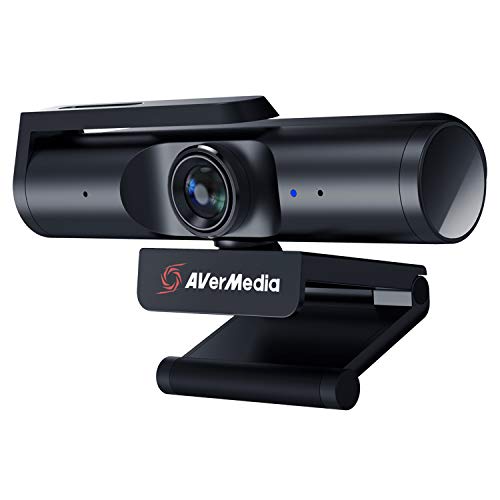 AVerMedia PW513
|
Budget | 4K30 capture and 94° FOV | Budget 4K capture and wide-angle calls | Check Price | ||
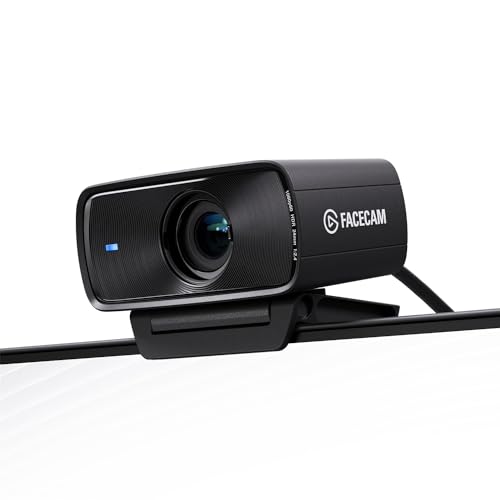 Elgato Facecam MK.2
|
Mid-Range | 1080p60 HDR with Camera Hub controls | Streamers who want DSLR-like controls | Check Price | ||
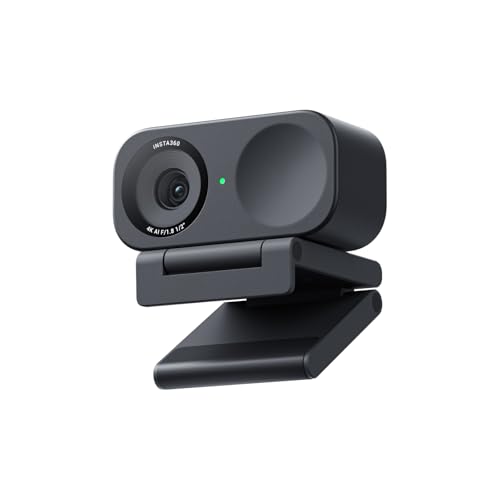 Insta360 Link 2C
|
Premium | 1/2" sensor + 4K HDR low-light | Premium low-light video and auto-framing | Check Price | ||
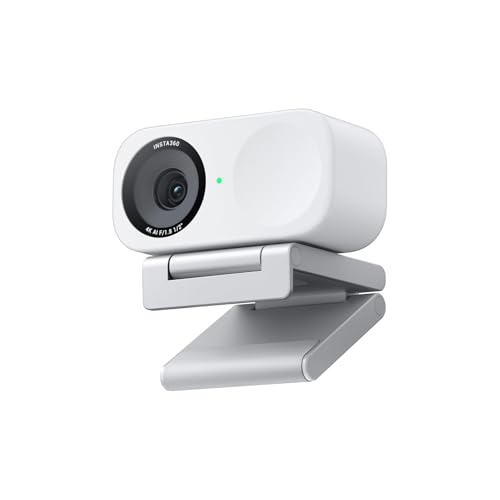 Insta360 Link 2C (alt)
|
Premium | Auto-tracking with 4K HDR | Presenters and multi-person frames | Check Price | ||
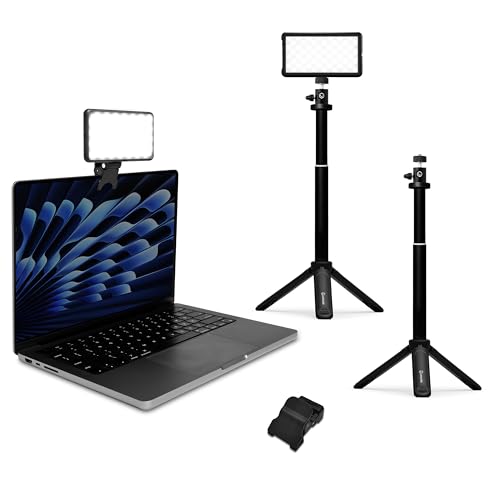 Lume Cube Broadcast Kit
|
Premium | Adjustable brightness & color temp | Adding controlled light to improve low-light webcams | Check Price | ||
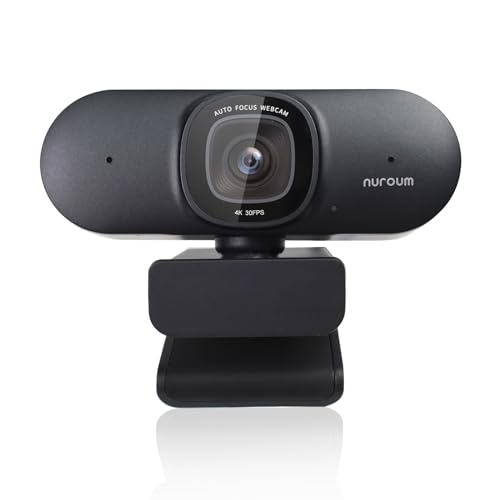 NUROUM V32AF
|
Budget | AI auto-framing & light correction | Value buyers wanting auto-framing | Check Price |
1. AVerMedia 4K webcam for PC, Gaming Camera for Streaming, Video Calls, Built-in Mic, Privacy Cover, for Teams, Google Meet, Zoom, OBS and more, for PC/Mac - PW513 Live Streamer CAM
AverMedia PW513 gives a lot of capability for the price: genuine 4K30 capture, a wide 94° field of view and a sliding privacy shutter. It’s plug-and-play for meetings and streaming, but like many compact sensors it performs best with extra light.
Key Specs
- 4K30 capture (optimal lighting)
- 94° field of view
- USB 3.0 Type-C to Type-A cable included
- Sliding shutter privacy cover
Pros
- Native 4K capture for detailed streams
- Wide 94° angle useful for group or desk views
- Simple plug-and-play setup and privacy shutter
Cons
- Sensor is 'thirsty' for light — grainy in dim rooms
- Bundled software has reported bugs and inconsistencies
Best For: Budget 4K capture and wide-angle calls
Check Latest Price on Amazon2. Elgato Facecam MK.2 Premium Full HD Webcam for Streaming, Gaming, Video Calls, Recording, HDR Enabled, Sony Sensor, PTZ Control works with OBS, Zoom, Teams, and more, for PC/Mac
Facecam MK.2 pairs a high-quality Sony STARVIS sensor with Elgato’s Camera Hub for deep control of ISO and shutter — useful for squeezing more detail from dim rooms. It delivers excellent HDR 1080p60 but some users mention occasional connection hiccups and a need to tweak colors.
Key Specs
- 1080p up to 60fps (uncompressed via USB 3.0)
- SONY STARVIS CMOS sensor (1/2.5")
- Aperture f/2.4, 84° FOV
- Camera Hub for ISO/shutter control
Pros
- Strong HDR performance in mixed lighting
- Deep software controls (ISO, shutter) to tune low-light
- Uncompressed capture option for low-latency fidelity
Cons
- Some users report intermittent connectivity issues
- Color and exposure may require tweaking for natural skin tones
Best For: Streamers who want DSLR-like controls
Check Latest Price on Amazon3. Insta360 Link 2C - 4K Webcam for PC/Mac, 1/2" Sensor, Auto Framing, HDR, AI Noise-Canceling Mic, Gesture Control for Streaming, Video Calls, Gaming, Works with Zoom, Teams, Twitch & More
The Link 2C stands out for low-light performance thanks to a large 1/2" sensor, HDR processing and Phase Detection AF; its AI audio processing helps reduce background chatter on busy holiday calls. Advanced Link Controller software adds modes like DeskView and natural bokeh for a polished look.
Key Specs
- 1/2" sensor with 4K HDR capture
- Phase Detection Autofocus (PDAF)
- AI noise-canceling microphone
- Auto-framing, gesture and smartphone control
Pros
- Large sensor and HDR give clear, low-noise images in dim light
- AI mic reduces background noise on evening calls
- Smart auto-framing and software modes for flexible setups
Cons
- Microphone performance receives mixed feedback compared to dedicated mics
- Premium price compared with simpler webcams
Best For: Premium low-light video and auto-framing
Check Latest Price on Amazon4. Insta360 Link 2C - 4K Webcam for PC/Mac, 1/2" Sensor, Auto Framing, HDR, AI Noise-Canceling Mic, Gesture Control for Streaming, Video Calls, Gaming, Works with Zoom, Teams, Twitch & More
This variant of the Link 2C offers the same large-sensor imaging and smooth auto-tracking useful for family calls and small group chats. It’s feature-rich with DeskView and whiteboard modes and has strong low-light image tuning through its dedicated software.
Key Specs
- 4K HDR capture with 1/2" sensor
- AI auto-tracking and DeskView mode
- Gesture & remote smartphone control
- Privacy switch
Pros
- Smooth auto-tracking keeps everyone in frame
- Extensive software modes for different call types
- Professional-looking bokeh and HDR handling
Cons
- On-board audio quality is mixed — consider an external mic for critical calls
- Higher cost for the feature set
Best For: Presenters and multi-person frames
Check Latest Price on Amazon5. Lume Cube Broadcast Lighting Kit Live Stream Webcam Light for Computer & Laptop Enhance Video Calls Streaming & Vlogging Include Adjustable Tripod & Laptop Clip Adjust Brightness & Color Temperature
A dedicated lighting kit is often the fastest way to improve evening calls. Lume Cube’s adjustable bicolor light clips to laptops or mounts on a tripod, softens shadows and reduces sensor noise. Portability and brightness control make it a strong companion to any webcam.
Key Specs
- Bicolor LED with 1–100% brightness
- Includes clip mount, tripod and silicone diffuser
- Built-in battery with USB-C charging
- Flicker-free output
Pros
- Significantly improves perceived image quality in dim rooms
- Compact clip and tripod mounts for flexible placement
- Adjustable color temperature for natural skin tones
Cons
- Battery life can be limited (~a few hours in real use)
- Some users report mount/suction issues on certain laptops
Best For: Adding controlled light to improve low-light webcams
Check Latest Price on Amazon6. NUROUM V32AF 4K Webcam for PC, Adjustable FOV, Premium CMOS, Autofocus Auto-Framing, Noise Canceling Microphones, USB Plug&Play Web Camera for Desktop/Laptop/Mac, Video Calls w/Zoom/Teams/Google Meet
NUROUM’s V32AF delivers AI-assisted framing, true autofocus and automatic exposure correction at a budget price. It’s versatile with multiple mounting options and NearSync software for field-of-view control, though color accuracy and mic quality are mixed among users.
Key Specs
- 8MP CMOS sensor with 4K support
- AI-powered autofocus and auto-framing
- Two built-in noise-canceling microphones
- Automatic light correction and NearSync software
Pros
- Great value with strong auto-framing capability
- Multiple mounting options for desk, monitor or tripod
- Automatic exposure correction reduces manual tweaking
Cons
- Color accuracy can be inconsistent across units
- On-board mic quality varies depending on environment
Best For: Value buyers wanting auto-framing
Check Latest Price on AmazonWhich One Should You Choose?
If budget is tight → AVerMedia PW513 is the best budget pick with 4K capture and wide FOV for holiday calls. If you need portable lighting → Lume Cube Broadcast Kit will immediately improve low-light image quality and is easy to position. If premium image and auto-framing matter most → Insta360 Link 2C provides the largest sensor, HDR processing and strong software controls for the best low-light results.
Best for Specific Scenarios
- Evening family holiday calls: Insta360 Link 2C because its large sensor, HDR and auto-framing keep faces clear and framed in dim living rooms.
- Budget-minded multi-person chats: AVerMedia PW513 because it offers 4K capture and a wide 94° FOV at a lower price.
- Improving a dim laptop camera fast: Lume Cube Broadcast Kit because adding a small adjustable LED often reduces grain more than swapping cams.
Frequently Asked Questions
Do webcams work well in dim rooms?
Webcams can work in dim rooms, but performance depends on sensor size and software. Larger sensors and HDR processing reduce noise, and cameras with manual exposure or dedicated low-light modes outperform basic plug-and-play models. Adding a small LED light yields the biggest improvement if your webcam struggles.
Is software low-light correction better than buying a bright light?
Software correction helps and is convenient, but it’s not a full substitute for light. Software reduces noise and balances exposure, yet adding controlled front lighting (a bicolor LED) increases signal-to-noise and produces more natural skin tones without pushing ISO limits.
Will a webcam’s built-in mic be good enough for holiday calls?
Many modern webcams include AI noise reduction that works well for casual holiday calls, filtering background noise like TV buzz or room chatter. For clearer voice quality or recordings, a dedicated USB mic or lavalier will still outperform built-in mics.
How We Selected These Products
Our recommendations are based on data-driven analysis: we evaluated 155229+ products across 23916+ brands using a composite scoring system that weighs rating (40%), review volume (30%), price value (20%), and demand signals (10%). Every product is ranked by data, not opinions.
Last updated: October 04, 2026
As an Amazon Associate we earn from qualifying purchases at no extra cost to you. Full disclosure.
GearLark Score is our editorial ranking based on a composite analysis of product quality, value, and verified customer sentiment. Click through to Amazon for current pricing, availability, and live customer reviews.