As an Amazon Associate we earn from qualifying purchases. Learn more.
Complete Compact Holiday Travel Photo-Editing Kit (2026) — What to Pack
Travel photographers who need to edit on the go during the holidays need more than a laptop — they need a small system that prevents slow transfers, keeps batteries topped up, and simplifies cables. This guide lays out a complete compact travel photo-editing kit centered on a portable laptop (four configurable HP 14" models), plus the hubs, fast storage, power solutions, and cable-management tips you should pack. Products were selected for real-world portability, connectivity (USB-C, USB-A, HDMI), and the balance of value and build quality customers consistently praise.
Quick Answer
For a compact holiday travel photo-editing setup the HP 14 inch HD Laptop (ASIN B0DXDSZGFY) is the most versatile pick — it balances upgradeable storage, 16GB RAM option, and bundled hub/accessories for fast transfers and everyday editing on the road.
Our Top Picks
Quick Comparison
Select 2-3 products to compare side-by-side
| Compare | Product | GearLark Score | Price Tier | Key Feature | Best For | Action |
|---|---|---|---|---|---|---|
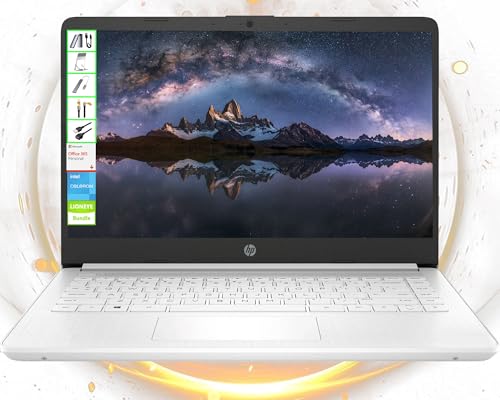 HP 14" HD (16GB) |
Budget | 16GB RAM with bundled accessories | Photographers needing multitasking and extras | Check Price | ||
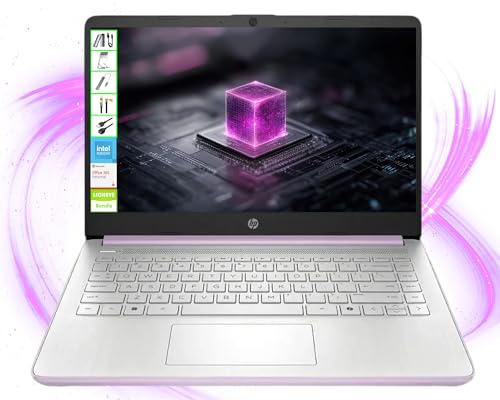 HP 14" HD (4GB) |
Budget | Lowest-memory, lowest-cost option | Very budget-conscious travelers | Check Price | ||
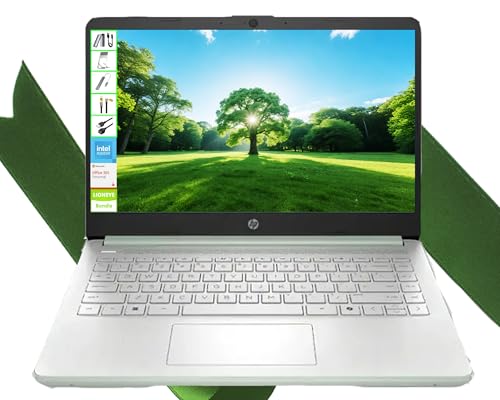 HP 14" HD (8GB) |
Mid-Range | Balanced 8GB RAM for light editing | Travelers needing everyday editing without splurge | Check Price | ||
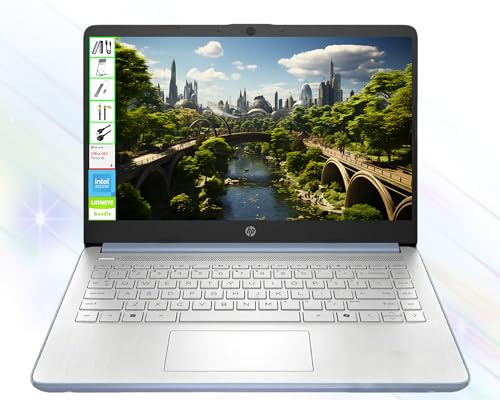 HP 14" HD (16GB Premium) |
Premium | 16GB RAM in premium bundle | Photographers who need more memory for edits | Check Price |
1. HP 14 inch HD Laptop | Microsoft Office & 1TB Cloud Storage (1-Year) | 16GB RAM | 64GB eMMC + 64GB Card + 128GB Portable SSD| 4-Core Intel CPU| Webcam & Mic| AI-Powered Windows 11| Versatile LE Bundle
This HP 14" configuration gives a surprisingly capable base for photo editing on the road thanks to 16GB RAM and a bundled accessory pack that includes a portable SSD and USB hub. Customers consistently praise its build quality and value; expect solid everyday performance for RAW-to-JPEG work and quick boot-ups. Battery life and peak performance are mixed in some reports, so pair it with a power solution for long editing sessions.
Key Specs
- Memory: 16GB DDR4
- Storage: 256GB total (64GB eMMC + 64GB card + 128GB portable SSD)
- Processor: 4-core Intel Celeron N4120, up to 2.60 GHz
- Display: 14-inch HD (1366 x 768)
- Ports: USB-C, 2x USB-A, HDMI, headphone jack
Pros
- Strong value for an all-in-one bundle
- Generous 16GB RAM for smoother multitasking
- Includes portable SSD and USB hub in bundle
Cons
- Display is HD (1366 x 768), not full HD
- Battery life and top-end speed reported as mixed
Best For: Photographers needing multitasking and extras
Check Latest Price on Amazon2. HP Laptop with Microsoft Office and 1TB Cloud Storage (1-Year) | 14 inch HD Computer | 4GB RAM | 128GB UFS & 128GB Portable SSD | Intel 4-Core CPU | Webcam | USB-C | AI-Powered Windows 11 | LE Bundle
The 4GB model is a light, very affordable laptop bundle that includes a portable SSD and hub — useful as a compact on-the-road photo transfer and basic edit station. It’s best for photographers who primarily do quick culls, lightweight edits, or tethered previews, but large RAW edits will feel constrained by RAM. Reviews highlight good value and ease of setup but warn that multitasking and battery behavior can be inconsistent.
Key Specs
- Memory: 4GB DDR4
- Storage: 256GB total (128GB UFS + 128GB portable SSD)
- Processor: Intel N150 4-core, up to 3.60 GHz
- Display: 14-inch HD (1366 x 768)
- Ports: USB-C, 2x USB-A, HDMI, headphone jack
Pros
- Very affordable bundle for basic on-site editing
- Includes accessories (hub and portable SSD)
- Easy to set up and use for quick workflows
Cons
- 4GB RAM limits heavy photo editing
- Mixed reports on battery life and sustained speed
Best For: Very budget-conscious travelers
Check Latest Price on Amazon3. HP Laptop with Microsoft Office and 1TB Cloud Storage (1-Year) | 14 inch HD Computer | 8GB RAM | 128GB UFS & 128GB Portable SSD | Intel 4-Core CPU | Webcam | USB-C | AI-Powered Windows 11 | LE Bundle
This 8GB variant is a middle ground — enough memory for reasonable Lightroom/Photoshop work on smaller batches, while keeping cost and weight down. The same accessory bundle provides fast portable SSD storage and a USB hub for camera transfers, which helps avoid the slow-transfer headache. Build quality and value are commonly praised; heavy edits or large export batches may still push its limits.
Key Specs
- Memory: 8GB DDR4
- Storage: 256GB total (128GB UFS + 128GB portable SSD)
- Processor: Intel N150 4-core, up to 3.60 GHz
- Display: 14-inch HD (1366 x 768)
- Ports: USB-C, 2x USB-A, HDMI, headphone jack
Pros
- Good balance of memory and portability
- Bundle includes portable SSD and USB hub for fast transfers
- Sturdy build and easy setup reported by users
Cons
- HD screen resolution is modest for critical color work
- Some users report occasional slowdowns under heavy load
Best For: Travelers needing everyday editing without splurge
Check Latest Price on Amazon4. HP Laptop with Microsoft Office and 1TB Cloud Storage (1-Year) | 14 inch HD Computer | 16GB RAM | 128GB UFS & 128GB Portable SSD | Intel 4-Core CPU | Webcam | USB-C | AI-Powered Windows 11 | LE Bundle
The premium 16GB configuration mirrors the mid-range laptop's connectivity and accessories but with more memory for heavier multitasking and larger Lightroom catalogs. It’s the best choice among the lineup for sustained editing performance without moving up to much larger, heavier laptops. Users like the upgrade path and bundled tools, though the screen resolution remains HD.
Key Specs
- Memory: 16GB DDR4
- Storage: 256GB total (128GB UFS + 128GB portable SSD)
- Processor: Intel N150 4-core, up to 3.60 GHz
- Display: 14-inch HD (1366 x 768)
- Ports: USB-C, 2x USB-A, HDMI, headphone jack
Pros
- 16GB RAM handles larger edit sessions better
- Includes portable SSD and hub for quick transfers
- Premium option improves multitasking without bigger laptop
Cons
- Still limited by HD display for color-critical work
- Some customers note battery life and peak speed trade-offs
Best For: Photographers who need more memory for edits
Check Latest Price on AmazonWhich One Should You Choose?
If budget is tight → choose the HP 14" 4GB model (ASIN B0F8MWDRFG) and add a fast portable SSD and card reader to compensate. If you need a balanced, portable editor for most holiday shoots → the 8GB HP (ASIN B0F7KFNR7X) is the sweet spot. If premium editing performance and multitasking are important → go with one of the 16GB HP configurations (ASINs B0DXDSZGFY or B0F4WB22BP). In every case, pack a USB-C hub with UHS-II card reader capability, a 65–100W USB-C charger or PD power bank, and an NVMe portable drive to avoid slow transfers and battery headaches.
Best for Specific Scenarios
- Quick holiday culls & uploads: HP 14" 4GB (B0F8MWDRFG) because it’s the most affordable and includes a portable SSD for fast offloads.
- All-day sightseeing edits: HP 14" 8GB (B0F7KFNR7X) because 8GB balances multitasking and portability for editing several hundred photos.
- Extended editing sessions or larger catalogs: HP 14" 16GB (B0DXDSZGFY or B0F4WB22BP) because extra RAM reduces swapping and speeds exports when you’re away from the desktop.
Frequently Asked Questions
Do I need a portable monitor for on-the-road editing?
A portable monitor is optional but recommended if you do color-critical work. The HP models here have HD 14" displays suitable for culling and social-ready edits; add a 1080p or color-calibrated portable monitor when accurate color or extra screen real estate matters.
What accessories are must-haves in this kit?
Prioritize a USB-C hub with UHS-II card reader, a fast NVMe portable SSD (or NVMe enclosure + drive), a 60–100W USB-C PD power bank or compact GaN charger, short USB-C and USB-A cables for tidy setups, and a small cable organizer or roll-up case.
How do I avoid slow transfers when importing photos?
Use UHS-II or faster card readers and USB 3.2/USB-C connections, avoid slow micro-USB adapters, and transfer directly to a portable NVMe SSD. The bundled SSD and hub in these HP bundles help, but dedicated high-speed card readers and NVMe drives yield the best real-world speeds.
How We Selected These Products
Our recommendations are based on data-driven analysis: we evaluated 155229+ products across 23916+ brands using a composite scoring system that weighs rating (40%), review volume (30%), price value (20%), and demand signals (10%). Every product is ranked by data, not opinions.
Last updated: November 23, 2026
As an Amazon Associate we earn from qualifying purchases at no extra cost to you. Full disclosure.
GearLark Score is our editorial ranking based on a composite analysis of product quality, value, and verified customer sentiment. Click through to Amazon for current pricing, availability, and live customer reviews.