As an Amazon Associate we earn from qualifying purchases. Learn more.
Complete Compact Photo Backup Workflow for Travel Photographers (2026)
Travel photographers need a simple, fast, and reliable way to offload and store photos away from their cameras. This guide lays out a complete compact backup workflow for trips in 2026: the portable SSDs to carry, basic power solutions, and folder/transfer best practices so you never lose a shoot. I selected drives that prioritize USB-C performance, rugged aluminum shells, and pocket-sized convenience based on product specs and common customer feedback about speed, build quality and real-world compatibility.
Quick Answer
For a compact, reliable photo backup workflow on the road, the Netac 1TB Portable SSD (B088BTHTTX) is the top pick for speed, aluminum build, and included cables. If you need the lowest-cost entry, choose the Netac 250GB (B088BS3BDD); the Netac 500GB (B088BTGZ43) is a balance of capacity and portability.
Our Top Picks
Quick Comparison
Select 2-3 products to compare side-by-side
| Compare | Product | GearLark Score | Price Tier | Key Feature | Best For | Action |
|---|---|---|---|---|---|---|
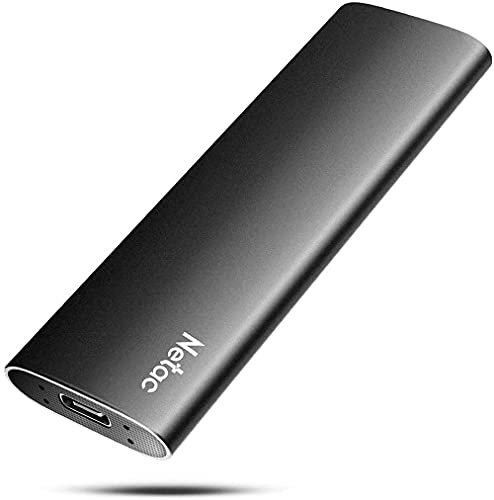 Netac 1TB Zslim
|
Mid-Range | USB 3.2 Gen 2 up to 500/450 MB/s | Travel photographers needing capacity & speed | Check Price | ||
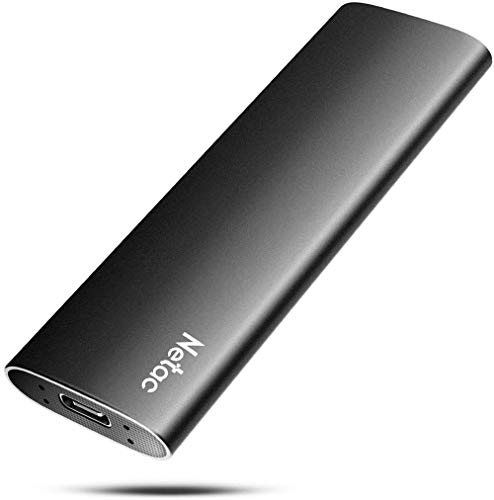 Netac 500GB Zslim
|
Mid-Range | Balanced capacity with pocket portability | Photographers who want a compact mid-capacity drive | Check Price | ||
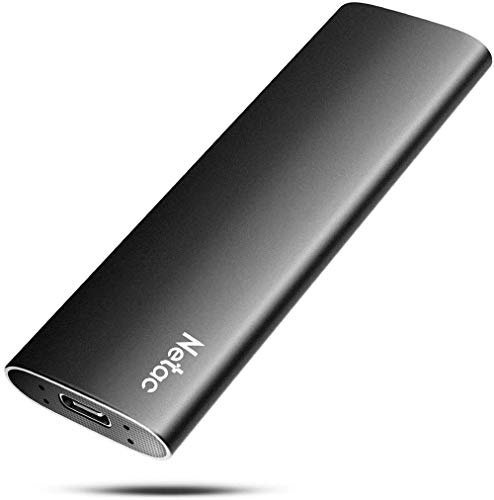 Netac 250GB Zslim
|
Budget | Lowest-cost compact SSD option | Budget-conscious photographers doing short trips | Check Price |
1. Netac 1TB Portable SSD USB 3.2 Gen 2 (10 Gbps, Type-C) External Solid State Drive Backup Slim Portable Drive for File Storage/Business Travel Essential, Rapid Read & Write Low Noise, Zslim
The 1TB Netac Zslim balances high transfer speeds and pocket-sized portability in an aluminum shock-resistant shell. It includes both USB-C to C and USB-C to A cables and a 3-year warranty, making it a practical primary backup drive for field workflows.
Key Specs
- Interface: USB 3.2 Gen 2 (Type-C)
- Speed: Up to 500 MB/s read, 450 MB/s write
- Housing: Shock-resistant aluminium with reinforced inner frame
- Included: USB-C to C and USB-C to A cables; 3-year warranty
Pros
- Fast read/write for quick offloads
- Durable aluminum housing for travel
- Includes both C-to-C and C-to-A cables
Cons
- Can run warm under heavy transfers
- Some users report occasional compatibility issues with certain phones or Chromebooks
Best For: Travel photographers needing capacity & speed
Check Latest Price on Amazon2. Netac 500GB Portable SSD USB 3.2 Gen 2 (10 Gbps, Type-C) External Solid State Drive Backup Slim Portable Drive for File Storage/Business Travel Essential, Rapid Read & Write Low Noise, Zslim
The 500GB Netac Zslim offers the same 3.2 Gen 2 interface and aluminum build as its 1TB sibling, but in a slightly lower capacity — a good middle ground for day trips or backup tiers where space and weight matter. It delivers speedy transfers and comes with required cables.
Key Specs
- Interface: USB 3.2 Gen 2 (Type-C)
- Speed: Up to 500 MB/s read, 450 MB/s write
- Housing: Shock-resistant aluminium housing
- Included: USB-C to C and USB-C to A cables; 3-year warranty
Pros
- Good speed for 4K photo/video offloads
- Compact and lightweight for travel
- Solid value for mid-sized capacity
Cons
- Reported to get hot during sustained writes
- Some compatibility reports with certain devices
Best For: Photographers who want a compact mid-capacity drive
Check Latest Price on Amazon3. Netac 250GB Portable SSD USB 3.2 Gen 2 (10 Gbps, Type-C) External Solid State Drive Backup Slim Portable Drive for File Storage/Business Travel Essential, Rapid Read & Write Low Noise, Zslim
The 250GB Netac Zslim is the Budget Pick: small, fast for its class, and inexpensive to carry as a field backup. It retains the aluminum shell and cables, making it a no-frills backup drive for day shoots or secondary copies.
Key Specs
- Interface: USB 3.2 Gen 2 (Type-C)
- Speed: Up to 500 MB/s read, 450 MB/s write
- Housing: Shock-resistant aluminium with reinforced frame
- Included: USB-C to C and USB-C to A cables; 3-year warranty
Pros
- Excellent value for money
- Pocket-sized and light
- Quick transfers for small batches
Cons
- Limited capacity for long shoots
- Same potential heat and compatibility caveats as larger models
Best For: Budget-conscious photographers doing short trips
Check Latest Price on AmazonWhich One Should You Choose?
If budget is tight → Netac 250GB (B088BS3BDD). If you want a balanced, travel-friendly capacity → Netac 500GB (B088BTGZ43). If you prioritize maximum on-hand capacity and fewer offloads → Netac 1TB (B088BTHTTX). For most travel photographers who shoot RAW and occasional 4K video, the 1TB model is the safest single-drive choice; pair it with a secondary backup if your shoot is critical.
Best for Specific Scenarios
- Day trips and quick handoffs: Netac 250GB (B088BS3BDD) because it’s the lightest, lowest-cost option to make a verified copy and free up an SD card.
- Weekend travel and mixed shooting: Netac 500GB (B088BTGZ43) because it balances capacity with pocketable size for a couple of days of RAW images and short video clips.
- Extended trips and heavy shooters: Netac 1TB (B088BTHTTX) because its higher capacity reduces how often you must offload or delete files while on the road.
Frequently Asked Questions
Can I offload directly from my camera to these SSDs?
Most cameras do not write directly to external SSDs without a host device. The usual workflow is to use a USB-C card reader attached to a laptop or tablet and copy files to the SSD. Some modern cameras with USB-C host modes can write to external drives, but compatibility varies — check your camera manual and the drive's interface details.
How many copies do I need when backing up in the field?
Aim for at least two copies before erasing any card: the camera card plus one copy on an SSD. For important shoots, keep a second separate copy (another SSD or laptop drive) so you have two storage media in different physical locations, minimizing the risk of losing all data to damage or theft.
What do I do if the drive gets hot during transfers?
If an SSD runs hot, pause transfers and let it cool on an open surface out of direct sun. Avoid insulating the drive inside padded pockets during heavy writes. In planning, split large transfers into shorter batches, and if you frequently write sustained large files, choose drives or enclosures with better heat dissipation and monitor temperatures during use.
How We Selected These Products
Our recommendations are based on data-driven analysis: we evaluated 155229+ products across 23916+ brands using a composite scoring system that weighs rating (40%), review volume (30%), price value (20%), and demand signals (10%). Every product is ranked by data, not opinions.
Last updated: June 15, 2026
As an Amazon Associate we earn from qualifying purchases at no extra cost to you. Full disclosure.
GearLark Score is our editorial ranking based on a composite analysis of product quality, value, and verified customer sentiment. Click through to Amazon for current pricing, availability, and live customer reviews.