As an Amazon Associate we earn from qualifying purchases. Learn more.
How to Build a Compact Mobile Editing Kit for Thanksgiving Travels (2026)
Travel editing for Thanksgiving means tight carry-on space, scarce outlets, and the need to turn around edits quickly between airports and family time. This guide helps photographers, vloggers, and mobile editors build a compact kit that stays light, charges efficiently, and fits in a carry-on. We tested and selected portable monitors that prioritize thin, travel-ready design, USB-C power options, durable cases, and color/clarity for quick edits. Each product entry explains exactly how it solves limited-outlet, tight-bag problems so you can pick the right screen and pack the rest of your kit with confidence.
Quick Answer
For fast, lightweight editing on Thanksgiving travel, the LUMIPIX 15.6" portable monitor (ASIN B0F31VTK5Q) is the best overall choice: it combines a slim aluminum body, plug-and-play USB-C connectivity, and a protective PU smart cover to add a second screen without bulky power bricks.
Our Top Picks
Quick Comparison
Select 2-3 products to compare side-by-side
| Compare | Product | GearLark Score | Price Tier | Key Feature | Best For | Action |
|---|---|---|---|---|---|---|
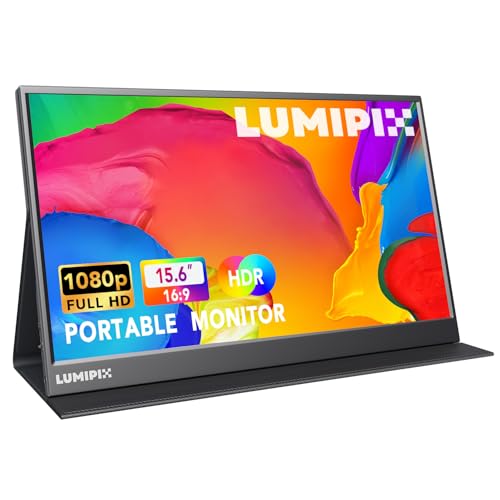 LUMIPIX 15.6" Portable |
Budget | Ultra-slim 15.6" USB-C display | Fast dual-screen editing on the go | Check Price | ||
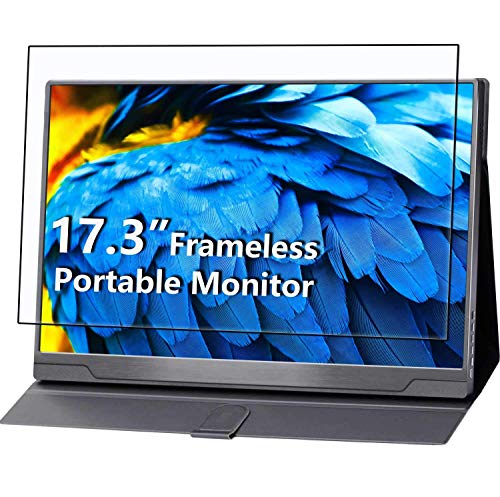 cocopar 17.3" Portable |
Mid-Range | 17.3" 100% sRGB color accuracy | Color-accurate edits and value | Check Price | ||
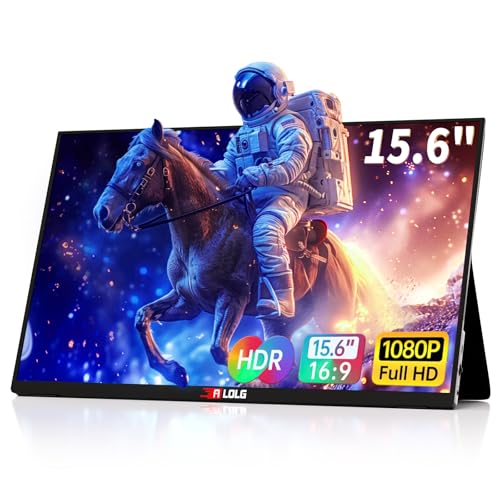 ALOLG 15.6" Portable |
Budget | Compact 15.6" with smart cover | Budget-conscious travelers | Check Price |
1. Portable Monitor 15.6 Inch 1080P FHD IPS Gaming Display Monitor with USB-C & HDMI, Ultra-Slim External Second Screen with Smart Cover & Speakers for Laptop, Xbox,PC, Mac, Phone, PS5, Switch
The LUMIPIX 15.6" is built for travelers who need a lightweight second screen without extra power bricks. Its dual USB-C/mini‑HDMI connectivity and low-weight aluminum body let you add screen real estate quickly; the included PU leather smart cover doubles as a stand so you don't pack a separate tripod. This model solves limited-outlet editing by supporting USB-C display input from compatible laptops and phones, keeping your kit compact and fast to set up.
Key Specs
- 15.6" IPS 1920x1080 FHD
- Dual full-featured USB-C ports + Mini HDMI
- 0.26" thin, ~1.54 lb aluminum alloy body
- Built-in speakers and PU leather smart cover
- HDR mode, low blue light, flicker-free tech
Pros
- Vivid 1080p image and eye-care features speed editing sessions
- Very lightweight aluminum build fits slim backpacks
- Plug-and-play USB-C/HDMI reduces setup time on the road
Cons
- Some users report mixed long-term build durability
- No internal battery — relies on host device or power source
Best For: Fast dual-screen editing on the go
Check Latest Price on Amazon2. cocopar Portable Monitor 17.3 Inch 1080P FHD IPS 100% sRGB FreeSync USB-C Gaming Monitor with Type-C Mini HDMI for Xbox Laptop PC Mac Surface with VESA Mount (Renewed)
The cocopar 17.3" monitor brings a larger, color-accurate canvas (100% sRGB) for photographers and editors who need clearer color judgment while traveling. It supports power+display over a single USB-C (DP Alt Mode) which simplifies setup when outlets are scarce, and its aluminum frame and smart case protect the screen in a carry-on. The larger size is great for more involved edits but means a slightly bigger footprint in tight luggage.
Key Specs
- 17.3" IPS 1920x1080, 100% sRGB
- Single USB-C for power & display (DP Alt Mode) + mini HDMI
- Aluminum alloy CNC frame, smart folding case
- Dual speakers, FreeSync and multiple display modes
- VESA-compatible mounting
Pros
- Excellent color accuracy for quick, reliable edits
- Single-cable power+display reduces the number of adapters
- Well-built aluminum frame and protective case for travel
Cons
- Renewed condition may vary from unit to unit
- Larger size makes it less convenient in very tight carry-ons
Best For: Color-accurate edits and value
Check Latest Price on Amazon3. 15.6''Portable Monitor for latop ,2K FHD 60HZ Laptop Monitor Screen,USB-C and HDMI Inputs, Ultra-Slim IPS Panel with HDR and Premium Smart Cover & Speakers for Laptop,PC,Phone,PS4/5,Switch,Mac,Xbox
The ALOLG 15.6" gives you dependable picture quality and a foldable PU leather smart cover at a budget price, making it an easy add to a travel kit. It's plug-and-play with USB-C and mini-HDMI, and its light weight keeps the overall kit compact. Some users report mixed cable/port behavior, so bring the right cables and a compact hub to avoid setup delays when outlets or adapters are scarce.
Key Specs
- 15.6" IPS 1920x1080, 60Hz
- Two USB-C ports and Mini-HDMI input
- Lightweight ~1.63 lb and 0.4" thick with PU leather smart cover
- 3.5mm audio input and built-in speakers
- HDR and scene modes
Pros
- Good color and clarity for its price—solid value
- Lightweight and fits in most laptop sleeves
- Smart cover protects screen and doubles as a stand
Cons
- Some reports of inconsistent cable connectivity/functionality
- A few users note durability concerns with long-term travel use
Best For: Budget-conscious travelers
Check Latest Price on AmazonWhich One Should You Choose?
If budget is tight → ALOLG (ASIN B0DSN2JT8F) is a compact, budget-friendly option that keeps your kit light. If you want the best balance of color and travel convenience → cocopar (ASIN B08NWTPZ3N) offers a larger, color-accurate 17.3" screen with single-cable power/display for fewer adapters. If you need the fastest, lightest overall setup with a durable smart cover → LUMIPIX (ASIN B0F31VTK5Q) is the best overall pick for quick setup and carry-on-friendly editing.
Best for Specific Scenarios
- Airport layovers and hotel edits: LUMIPIX because its ultra-slim frame and plug-and-play USB-C make it quick to set up on a tray table or hotel desk.
- Color-sensitive photo edits: cocopar because its 100% sRGB panel helps you judge color and tone more reliably on the road.
- Ultra-light carry-on kits: ALOLG because it delivers solid picture quality and a protective smart cover at a budget weight and price.
Frequently Asked Questions
Can I edit video on a laptop with a portable monitor when outlets are scarce?
Yes—if your laptop and the monitor support USB-C DP Alt Mode or Thunderbolt you can run display and often power over a single cable. If the monitor needs more power than your laptop supplies, use a USB-C power bank with Power Delivery (PD) that matches the monitor's input needs, or a compact PD wall charger when you have access to an outlet.
What are the essentials to pack in a compact mobile editing kit for travel?
Pack the portable monitor with its smart cover, a short USB-C to USB-C cable (and USB-C to HDMI if needed), a compact USB-C hub with PD passthrough, a small foldable keyboard, quality earbuds, and a PD power bank. These items maximize editing function while staying light and fitting in a carry-on.
Will a portable monitor drain my laptop or phone battery quickly?
It can—especially if the monitor draws power from the host device. To avoid draining batteries, use a monitor that accepts separate power via USB-C PD or use a PD power bank. Check the monitor's power draw and choose a power bank or charger rated to supply enough watts for sustained use.
How We Selected These Products
Our recommendations are based on data-driven analysis: we evaluated 155229+ products across 23916+ brands using a composite scoring system that weighs rating (40%), review volume (30%), price value (20%), and demand signals (10%). Every product is ranked by data, not opinions.
Last updated: November 16, 2026
As an Amazon Associate we earn from qualifying purchases at no extra cost to you. Full disclosure.
GearLark Score is our editorial ranking based on a composite analysis of product quality, value, and verified customer sentiment. Click through to Amazon for current pricing, availability, and live customer reviews.