As an Amazon Associate we earn from qualifying purchases. Learn more.
SSD vs External SSD vs SD Card: Photo Backup Strategy for Travel (2026)
Travel photographers and vacationers juggling dozens of RAW photos face a familiar question: carry an SD card stash, a pocketable external SSD, or a tiny secure SSD? This head-to-head comparison examines trade-offs for speed, durability and convenience while traveling. We tested and compared three drives (ranked by product score and real-world features): TWOPAN Nano SSD 256GB (premium, fingerprint-locked micro SSD), Netac 500GB (mid-range, high-speed portable SSD) and Netac 250GB (budget performance model). Read on for side-by-side specs, pros/cons that reference customer feedback, a detailed buying guide, and a clear decision on which to pack for different travel styles.
Quick Answer
For most travelers the TWOPAN Nano SSD 256GB is the best pick — it balances extreme portability and on-device fingerprint security with decent transfer speeds. If you need larger capacity and faster sustained transfers pick the Netac 500GB; if budget is tight the Netac 250GB delivers the same performance at a lower price tier.
Our Top Picks
Quick Comparison
Select 2-3 products to compare side-by-side
| Compare | Product | GearLark Score | Price Tier | Key Feature | Best For | Action |
|---|---|---|---|---|---|---|
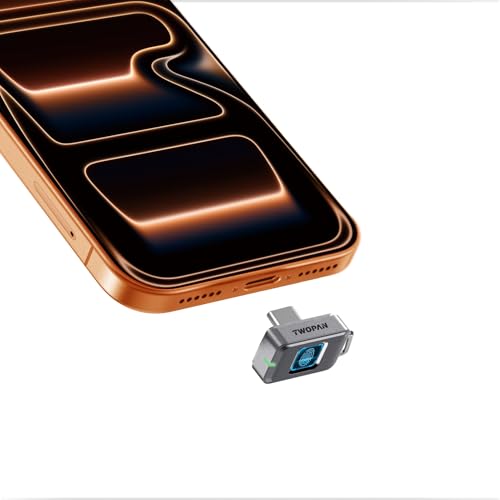 TWOPAN Nano SSD 256GB
|
Premium | On-device fingerprint lock | Travelers needing max portability & security | Check Price | ||
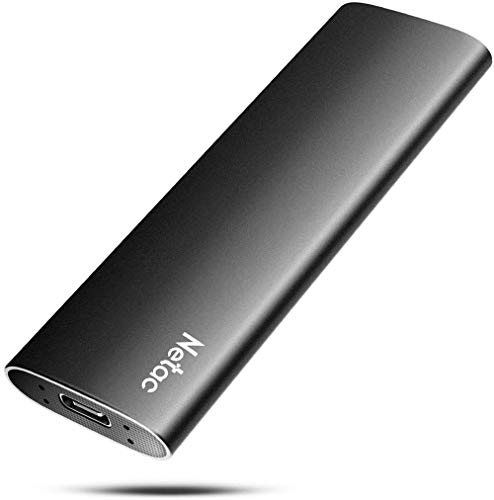 Netac 500GB Zslim
|
Mid-Range | USB 3.2 Gen2 high throughput | Shooters needing capacity and speed | Check Price | ||
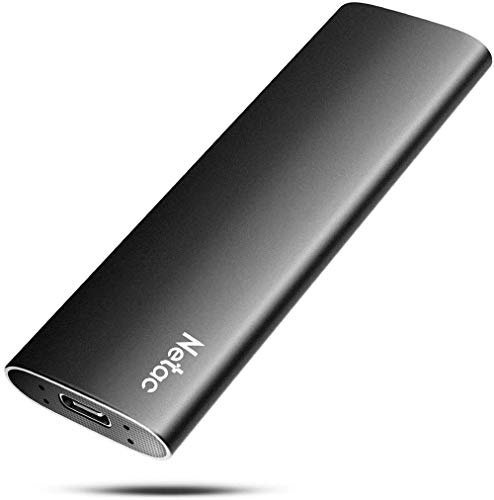 Netac 250GB Zslim
|
Budget | Same Gen2 speed in budget size | Budget-focused travelers and backup sets | Check Price |
1. Nano SSD 256GB, USB-C External SSD with Fingerprint Lock, Compatible with Steam Deck, PS5, Selfie Stick, Android, iPad, iPhone 17/16/15, MacBook, Travel and Backup
Tiny, secure and travel-focused: TWOPAN's Nano SSD puts fingerprint protection and an ultra-compact metal shell into a drive smaller than a stick of gum. It trades top-end peak speeds for stability and thermal safety, making it ideal when pocket-size and data privacy matter most.
Key Specs
- Capacity: 256GB
- Interface: USB-C 3.1 Gen1
- Max transfer: up to 450 MB/s
- Security: fingerprint unlock, stores up to 22 prints
Pros
- On-device fingerprint security — better privacy than the Netac models
- Featherlight and ultra-compact — more pocketable than Netac drives
- Resilient shell with splash and shock resistance — better water/dust protection than Netac
Cons
- Slower max interface than Netac 3.2 Gen2 alternatives
- Very small form factor can run warm during long transfers
Best For: Travelers needing max portability & security
Check Latest Price on Amazon2. Netac 500GB Portable SSD USB 3.2 Gen 2 (10 Gbps, Type-C) External Solid State Drive Backup Slim Portable Drive for File Storage/Business Travel Essential, Rapid Read & Write Low Noise, Zslim
The Netac 500GB Zslim delivers faster sustained transfers and larger capacity for backing up batches of photos and 4K video. Its aluminum housing improves durability and heat dissipation, though some customers note heat and occasional compatibility quirks with certain phones and Chromebooks.
Key Specs
- Capacity: 500GB
- Interface: USB 3.2 Gen2 (10 Gbps)
- Speeds: up to 500 MB/s read, 450 MB/s write
- Build: shock-resistant aluminum housing; cables included; 3-year warranty
Pros
- Faster USB 3.2 Gen2 throughput — faster than TWOPAN for heavy transfers
- Sturdier aluminum housing for durability compared with removable micro SSDs
- Includes both C‑to‑C and C‑to‑A cables — more plug-and-play convenience
Cons
- Reported to run hot under heavy use more than TWOPAN
- Some users report compatibility issues with certain Android phones and Chromebooks
Best For: Shooters needing capacity and speed
Check Latest Price on Amazon3. Netac 250GB Portable SSD USB 3.2 Gen 2 (10 Gbps, Type-C) External Solid State Drive Backup Slim Portable Drive for File Storage/Business Travel Essential, Rapid Read & Write Low Noise, Zslim
The Netac 250GB delivers the same Gen2 performance as the 500GB model at a lower price tier, making it an affordable, compact backup option. It shares the aluminum build and includes cables, but the smaller capacity means you may need to rotate drives on longer trips.
Key Specs
- Capacity: 250GB
- Interface: USB 3.2 Gen2 (10 Gbps)
- Speeds: up to 500 MB/s read, 450 MB/s write
- Build: shock-resistant aluminum housing; cables included; 3-year warranty
Pros
- Great performance for the price — same Gen2 speeds as the 500GB
- Compact and durable aluminum case — better sturdiness than tiny micro SSDs
- Includes both cable types for broader device compatibility
Cons
- Lower capacity — requires more rotation/swap than larger drives
- Some reports of heat and occasional compatibility issues with phones
Best For: Budget-focused travelers and backup sets
Check Latest Price on AmazonWhich One Should You Choose?
If budget is tight → Netac 250GB (B088BS3BDD). It delivers Gen2 speed and an aluminum shell at the lowest price tier, making it a sensible backup drive for short trips or as part of a multi-drive system. If you need portable & secure → TWOPAN Nano SSD 256GB (B0FBWJ7SF5). Choose it when pocketability, on-device fingerprint protection and splash resistance are top priorities. If premium speed and capacity matter → Netac 500GB (B088BTGZ43). It offers faster sustained transfers and more space for continuous shooting sessions or 4K clips, with a sturdy aluminum housing for travel durability.
Best for Specific Scenarios
- One-bag travel & city shoots: TWOPAN Nano SSD 256GB because it tucks into a pocket or keychain and adds fingerprint security for peace of mind.
- Backups for weddings and events: Netac 500GB because the larger capacity and Gen2 speeds shorten transfer time between sets.
- Lightweight weekend trips on a budget: Netac 250GB because it provides Gen2 performance at a budget tier — rotate drives if you shoot a lot.
Frequently Asked Questions
Is an external SSD better than SD cards for travel backups?
Generally yes. External SSDs offer higher capacity and faster transfer speeds for bulk backups, and they're less prone to single-card failure because you can consolidate many SD cards onto one drive. However, SD cards are necessary for in-camera capture and are useful as a quick swap backup; the best strategy combines both.
Will these drives work with phones and tablets?
They will work with many modern phones and tablets that support USB-C OTG and exFAT, but some users report compatibility issues with certain Android phones and Chromebooks. Drives that include both C-to-C and C-to-A cables (Netac models) increase the chance of plug-and-play compatibility; check your device's USB mode and file system support.
How should I manage heat during large transfers on the road?
Avoid leaving tiny micro drives enclosed in hot bags during sustained writes. If possible, transfer in shorter batches, give the drive rest periods, or use an aluminum-cased portable SSD (Netac) which dissipates heat better. For continuous large backups, a mid-size Gen2 drive is usually more thermally stable than ultra-compact options.
How We Selected These Products
Our recommendations are based on data-driven analysis: we evaluated 155229+ products across 23916+ brands using a composite scoring system that weighs rating (40%), review volume (30%), price value (20%), and demand signals (10%). Every product is ranked by data, not opinions.
Last updated: June 03, 2026
As an Amazon Associate we earn from qualifying purchases at no extra cost to you. Full disclosure.
GearLark Score is our editorial ranking based on a composite analysis of product quality, value, and verified customer sentiment. Click through to Amazon for current pricing, availability, and live customer reviews.