As an Amazon Associate we earn from qualifying purchases. Learn more.
Complete Back-to-School Laptop Protection & Cooling Setup (2026)
Heading back to campus with a power-hungry laptop? This guide builds a complete back-to-school laptop protection & cooling setup aimed at hot dorm rooms: a cooling pad/stand for heat management, an ergonomic stand for posture, and the right sleeve or case for transit and dust protection. You’ll learn which cooling pads deliver the biggest temperature drops, which stands balance comfort vs portability, and how to assemble a kit that protects hardware and preserves performance. Products here were selected for airflow, adjustability, build quality and real-user feedback on noise and durability.
Quick Answer
For the best all-around cooling and adjustability pick the AICHESON Gaming Turbofan Laptop Cooling Pad (B0D7D453XB). It combines high airflow, seven angle settings and a built-in USB hub to drop temperatures while improving ergonomics in hot dorm rooms.
Our Top Picks
Quick Comparison
Select 2-3 products to compare side-by-side
| Compare | Product | GearLark Score | Price Tier | Key Feature | Best For | Action |
|---|---|---|---|---|---|---|
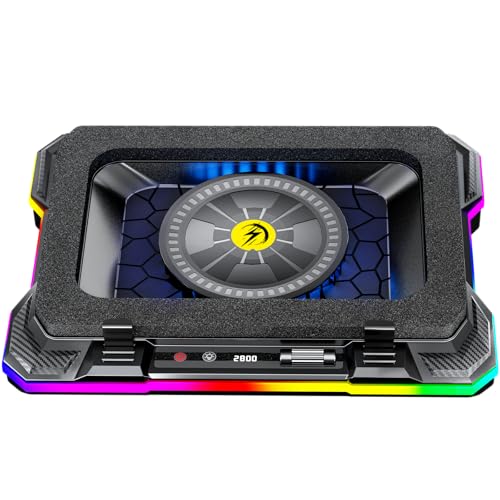 AICHESON Turbofan Pad
|
Premium | High airflow with sealed foam | Power users in hot rooms | Check Price | ||
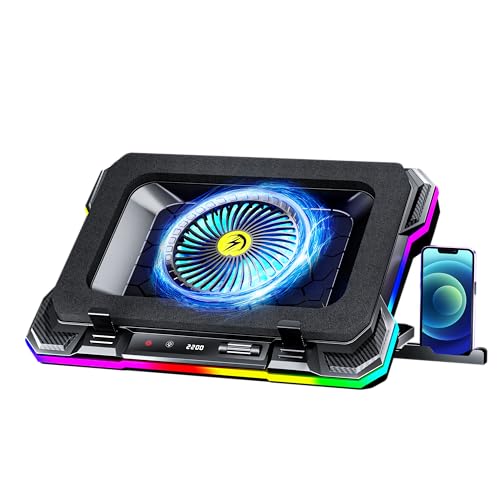 KeiBn K1 (2-Port)
|
Mid-Range | Large 5.5" turbofan with LCD readout | Gamers who want visibility and control | Check Price | ||
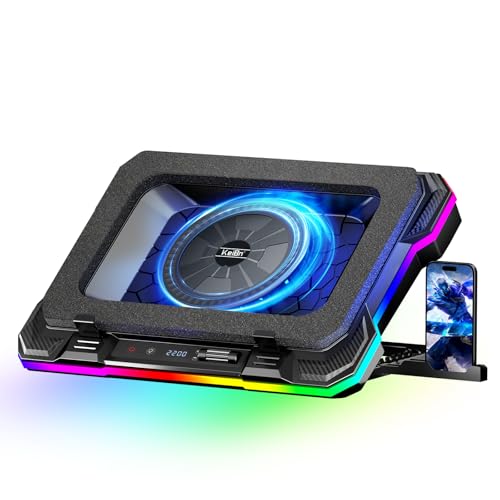 KeiBn K1 (4-Port)
|
Premium | Large fan plus 4-port USB hub | Users needing connectivity and airflow | Check Price | ||
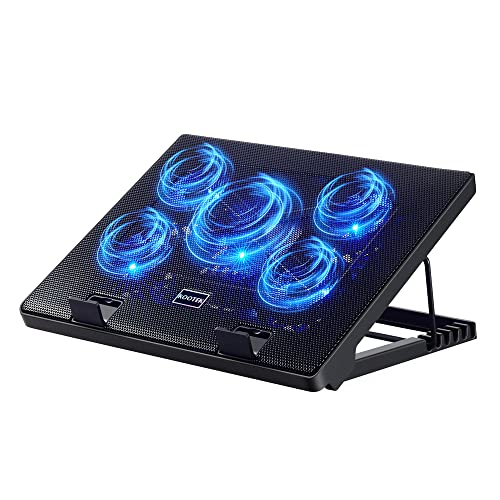 Kootek 5-Fan Pad (Blue)
|
Budget | Five quiet fans with multiple modes | Students seeking value and quiet use | Check Price | ||
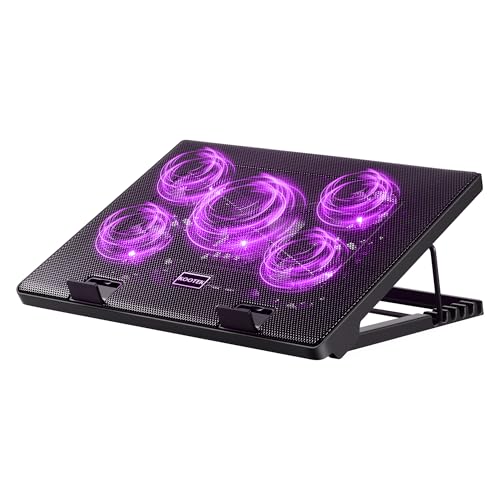 Kootek 5-Fan (Purple)
|
Budget | Same five-fan design in colorful finish | Students wanting budget color options | Check Price | ||
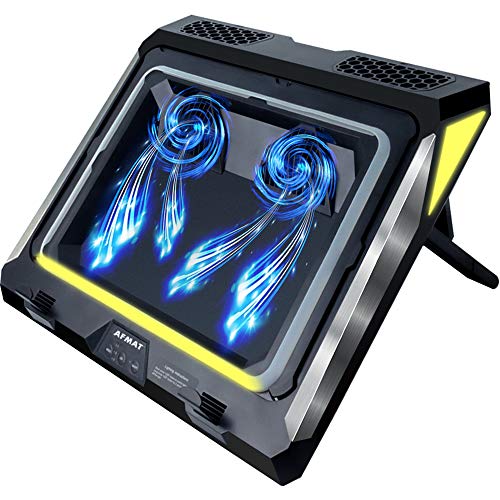 AFMAT Turbo Blower Pad
|
Mid-Range | Twin turbo blowers up to 4500 RPM | Users needing maximum short-term cooling | Check Price |
1. AICHESON Gaming Turbofan Laptop Cooling Pad with 10C-35C Temperature Drop, Full Sealed Foam Stand for 14-19 inch Laptops
AICHESON emphasizes airflow pressure and temperature drops, pairing powerful cooling with ergonomic tilt and a 4-in-1 USB hub. It's built for users who need aggressive cooling and connectivity, though high fan speeds can raise noise levels.
Key Specs
- 72.8 mmH2O airflow pressure
- Fan speed range: 600–2800 RPM
- 7 adjustable angle settings (20–40°)
- 4-in-1 USB hub; RGB with 10 modes
Pros
- Very strong airflow that noticeably lowers CPU/GPU temps
- Multiple ergonomic angles reduce wrist/neck strain
- Integrated USB hub and switchable RGB
Cons
- Higher fan speeds can be loud for quiet rooms
- Some users report inconsistent motor noise or erratic fan behavior
Best For: Power users in hot rooms
Check Latest Price on Amazon2. KeiBn Gaming Laptop Cooling Pad, Laptop Cooler with 5.5inch Cooling Fan, Rapid Cooling Fan Laptop 15.6-19.3inch, Infinitely Variable Speed, 7 Height Stands, 2 USB Ports-K1 5V
KeiBn's cooling pad uses a large turbofan and sealed design to focus airflow, with an LCD that shows fan speed and touch controls for RGB. It balances cooling performance and build quality well, though the highest speed settings can be noticeably loud.
Key Specs
- 5.5-inch large-diameter turbofan
- Variable speed up to 2200 RPM
- 8 height adjustments; LCD display
- 2 USB ports; 10 RGB light modes
Pros
- Good airflow from the large turbofan
- Easy-to-read LCD and simple controls
- Multiple height options for ergonomics
Cons
- Can be noisy on top speed
- Fan speed control sometimes reported as inconsistent
Best For: Gamers who want visibility and control
Check Latest Price on Amazon3. KeiBn Gaming Laptop Cooling Pad, Laptop Cooling Stand with 5.5inch External Cooling Fan, Rapid Cooling Laptop 15.6-19.3inch, Infinitely Variable Speed, 8 Height Stands, 4 USB Ports, Blue
This KeiBn variant adds a 4-port USB hub and wider RPM range for aggressive cooling. Customers praise temperature retention and airflow; expect tradeoffs in noise at top speeds and some reports of bulkiness.
Key Specs
- Large turbofan with sealed foam
- Fan speed range up to 2800 RPM
- LCD display and 10 RGB modes
- 1-in / 4-out USB hub; 8 height settings
Pros
- Powerful airflow and effective temperature reductions
- Robust USB connectivity for peripherals
- Good build quality for a premium pad
Cons
- Can be bulky for small desks or frequent transport
- Noise can reach ~65 dB at highest speed
Best For: Users needing connectivity and airflow
Check Latest Price on Amazon4. Kootek Laptop Cooling Pad, Laptop Cooler with 5 Quiet Fans for 12"-17" Computer PC Notebook Gaming Laptop Fan, Height Adjustable Laptop Cooling Stand Laptop Accessories, Blue
Kootek offers strong value with five fans, quiet operation options and six height settings. It's a reliable budget choice, though build quality and long-term durability receive mixed feedback among buyers.
Key Specs
- Five fans (one large 4.72" + four smaller fans)
- 6 height settings; front stoppers
- Dual USB hub; blue LED lighting
- Fits 12"–17" laptops
Pros
- Operates quietly at typical settings
- Good cooling performance for the price
- Flexible height adjustments and anti-slip stops
Cons
- Build quality sometimes described as flimsy
- Durability is mixed over long-term daily use
Best For: Students seeking value and quiet use
Check Latest Price on Amazon5. Kootek Laptop Cooling Pad, Laptop Cooler with 5 Quiet Fans for 12"-17" Computer PC Notebook Gaming Laptop Fan, Height Adjustable Laptop Cooling Stand Laptop Accessories (Purple)
The purple Kootek shares the same five-fan layout and quiet emphasis as the blue model, giving budget-conscious students an affordable cooling and ergonomic option. Expect the same mixed reports on build longevity.
Key Specs
- Five-fan array; blue/purple LEDs
- 6 adjustable heights; front baffles
- Dual USB hub
- Compatible with 12"–17" laptops
Pros
- Quiet operation and decent airflow
- Affordable and visually distinct
- Adjustable ergonomic angles
Cons
- Some users report lesser airflow on certain units
- Occasional complaints about overall sturdiness
Best For: Students wanting budget color options
Check Latest Price on Amazon6. AFMAT Gaming Laptop Cooling Pad, 4500RPM Laptop Cooling Pad with Turbo-Fans, USB Ports, Colorful Lights - CPU Temperature Drops 20-30 C Within Seconds - for 14-17.3 inch Laptops
AFMAT takes a different approach with twin turbo blowers and air-seal rings to force air into vents, claiming rapid temperature drops and removable washable filters for dust control. It can be very effective but may be loud and has mixed reports on lifespan.
Key Specs
- Twin turbo blowers up to 4500 RPM
- 3-speed gears; air-tight seal rings
- Removable washable air filters; RGB modes
- 7 adjustable bracket heights and anti-fall baffles
Pros
- Exceptional short-term cooling and focused airflow
- Washable filters help control dust buildup
- Solid build and dramatic temperature reductions reported
Cons
- Noise can be high at top speeds
- Some customers reported short lifespan on certain units
Best For: Users needing maximum short-term cooling
Check Latest Price on AmazonWhich One Should You Choose?
If budget is tight → choose the Kootek 5-Fan Pad (B01469DJLM) for quiet operation and excellent value. If you need portable power and clear controls → choose the KeiBn K1 (B0DK7MWVNJ) for its large turbofan and LCD. If premium cooling and expandability matter → choose the AICHESON Turbofan Pad (B0D7D453XB). If you want maximum short-term cooling for intense sessions → the AFMAT Turbo Blower Pad (B085DPTFJM) is the most aggressive option.
Best for Specific Scenarios
- Late-night studying in a shared dorm: Kootek 5-Fan Pad (B01469DJLM) because it operates quietly at normal speeds and is budget-friendly.
- Gaming or video editing in a hot room: AICHESON Turbofan Pad (B0D7D453XB) because its high airflow and adjustable angles help sustain performance under load.
- Frequent campus transport and peripherals: KeiBn K1 (4-port, B0CYLFB4MX) because the extra USB ports and sturdy build make it a practical hub on the go.
Frequently Asked Questions
Will a cooling pad damage my laptop?
No—properly used cooling pads sit under the laptop and help lower intake temperatures. Choose one that matches your laptop size and avoid obstructing vents with soft surfaces. If your laptop has vents on its bottom, a sealed or focused-air design is particularly effective.
Do cooling pads work for MacBooks and thin ultrabooks?
Yes, many cooling pads are compatible with thin laptops, but effectiveness varies. Thin aluminum-bodied laptops already dissipate heat well; a pad with low noise and gentle airflow can help during heavy tasks. Verify the pad supports your laptop’s dimensions and consider a metal-surface pad for best heat transfer.
How do I keep a cooling pad and laptop from getting dusty?
Use models with removable, washable filters or grills to block dust. Regularly wipe vents, vacuum the workspace and store the laptop in a sleeve when not in use. Dust control extends both pad and laptop lifespan.
How We Selected These Products
Our recommendations are based on data-driven analysis: we evaluated 155229+ products across 23916+ brands using a composite scoring system that weighs rating (40%), review volume (30%), price value (20%), and demand signals (10%). Every product is ranked by data, not opinions.
Last updated: August 12, 2026
As an Amazon Associate we earn from qualifying purchases at no extra cost to you. Full disclosure.
GearLark Score is our editorial ranking based on a composite analysis of product quality, value, and verified customer sentiment. Click through to Amazon for current pricing, availability, and live customer reviews.