As an Amazon Associate we earn from qualifying purchases. Learn more.
Complete Portable Dual-Monitor Setup for Remote Workers (2026)
Remote workers who travel or move between cafés, hotels and client sites need a full dual-monitor kit that fits in a carry-on and sets up quickly with minimal cables. This guide shows an end-to-end portable dual-monitor setup for 2026 — lightweight attachable monitors, a compact hub, slim stands/clamps, essential cables, and power solutions optimized for neat cable management. I selected products that emphasize plug-and-play connectivity, multiple USB-C/HDMI options, and travel-friendly build materials (aluminum, PU covers) while calling out compatibility caveats and real user feedback on durability and setup.
Quick Answer
For an easy, carry-on-ready dual-monitor setup the HONGO 14" Laptop Screen Extender is our top pick for balancing portability, connectivity (three USB-C ports) and picture quality. Pair it with a compact USB-C hub, folding laptop stand, and a short USB-C video/power cable for the fastest setup.
Our Top Picks
Quick Comparison
Select 2-3 products to compare side-by-side
| Compare | Product | GearLark Score | Price Tier | Key Feature | Best For | Action |
|---|---|---|---|---|---|---|
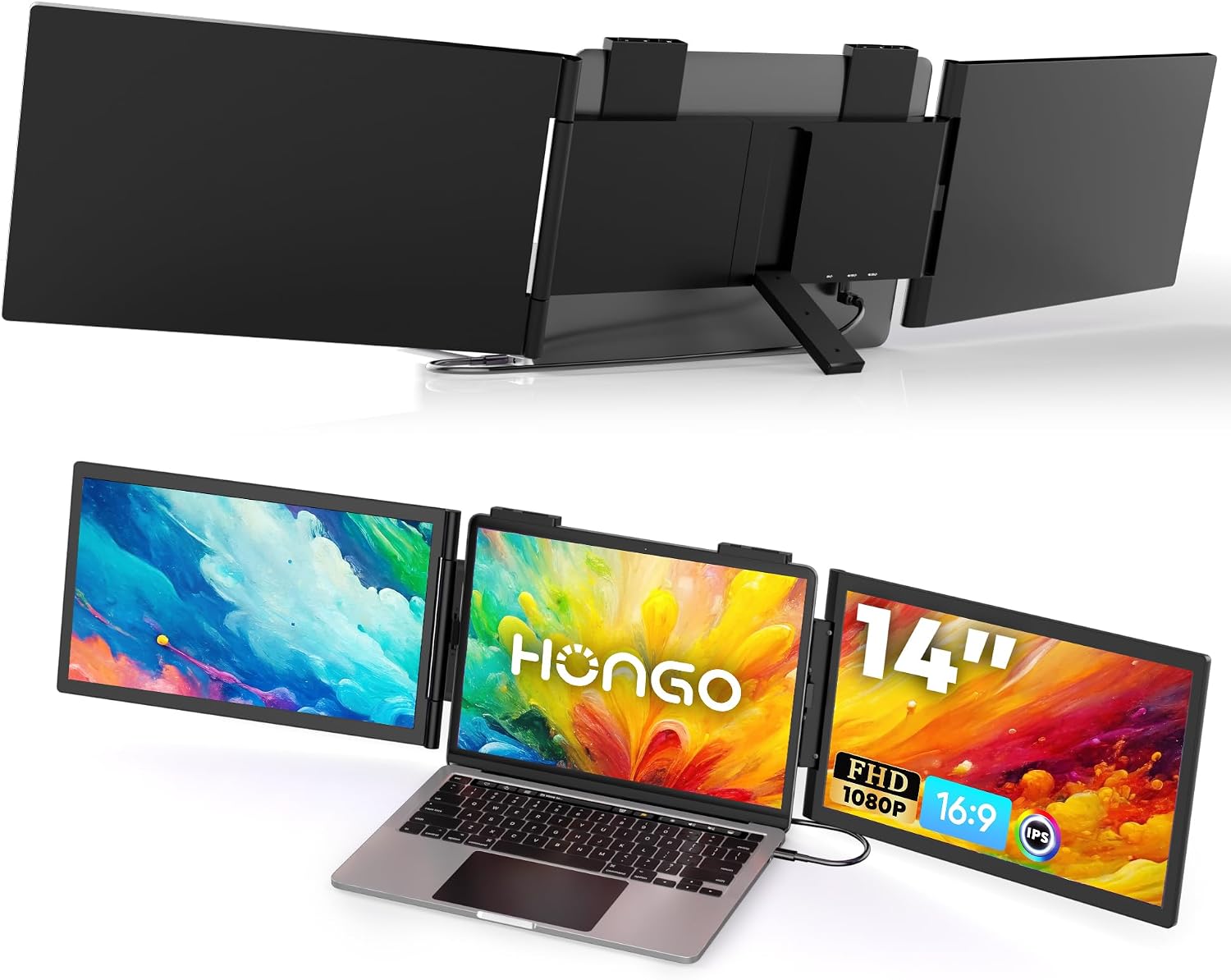 HONGO 14" Dual Extender |
Mid-Range | Three USB-C ports for flexible hookups | Traveling remote workers needing triple-screen capability | Check Price | ||
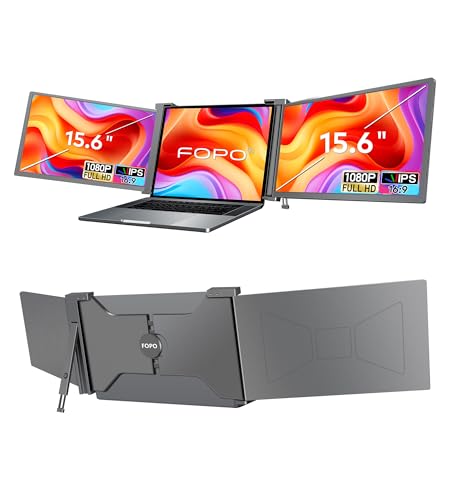 FOPO 15.6" Triple |
Premium | Large 15.6" panels and included cable kit | Power users who want larger portable screens | Check Price | ||
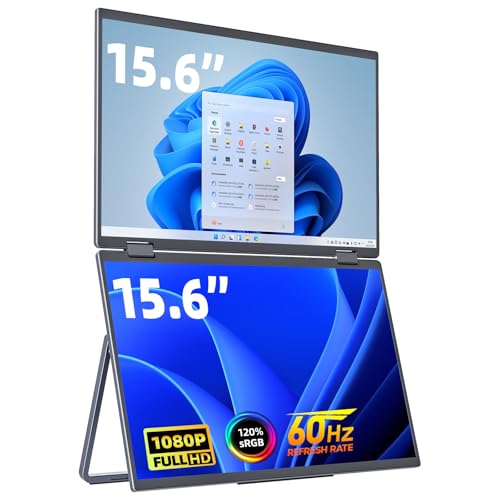 cocopar Dual 15.6" |
Mid-Range | Built-in speakers and VESA mountable | Workers who want audio and mounting flexibility | Check Price | ||
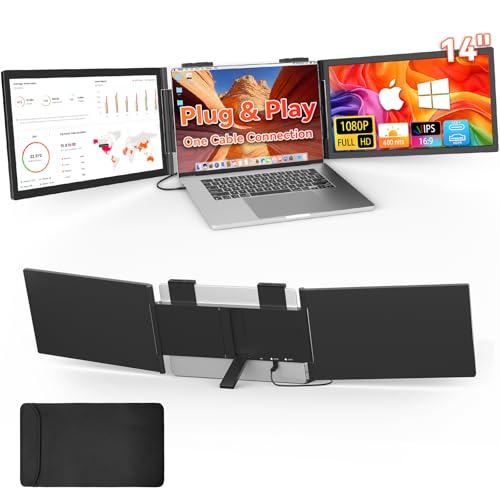 HotYeah 15.6" Triple |
Premium | Stacked vertical layout saves desk space | Windows users needing a compact multi-screen workstation | Check Price | ||
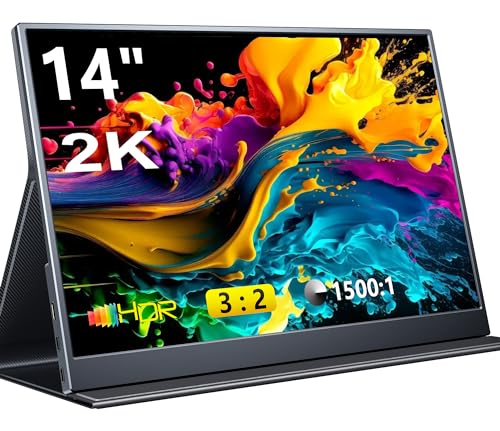 Pornitor 14" QHD |
Budget | High-resolution 2160×1440 QHD 3:2 panel | Travelers who prioritize pixel density and light weight | Check Price | ||
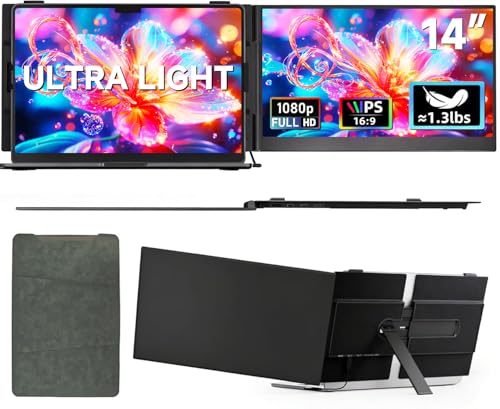 ROYY 14" Ultra-Thin |
Budget | Aerospace-grade aluminum, ultra-light 600g | Minimalists who want metal durability in a small package | Check Price | ||
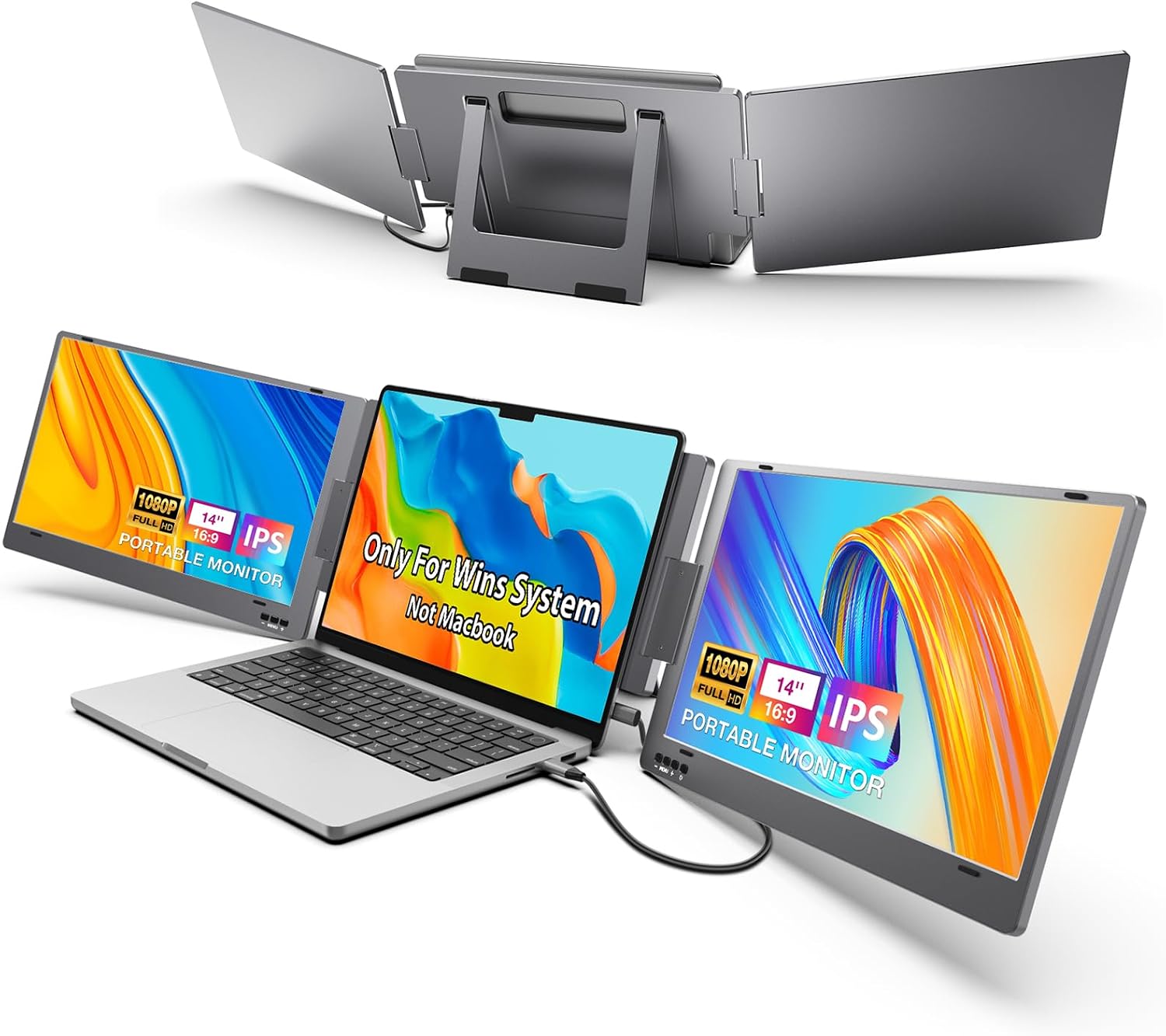 KYY 14" Triple |
Mid-Range | Single-cable (USB-C) triple screen operation | Windows laptop owners who want one-cable setups | Check Price | ||
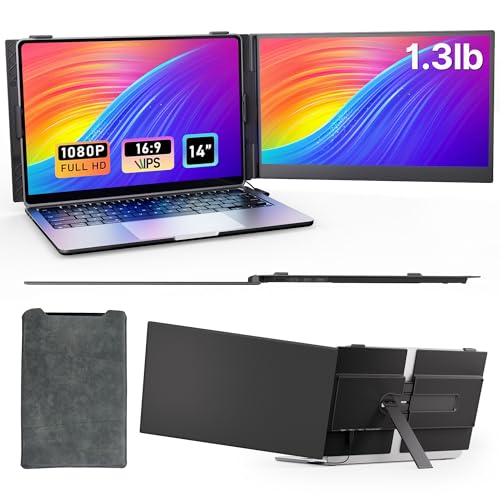 AOKER 14" Ultra-Thin |
Mid-Range | Ultra-thin 1.3 lb design with reinforced clamp | Frequent flyers who need a reliable light monitor | Check Price |
1. HONGO Laptop Screen Extender -Portable Monitor with Dual Screen 14" -Laptop Monitor Extender Compatible with Windows Mac for Travel Work Fits 14"-16" Laptops
Lightweight and versatile, the HONGO 14" extender adds two portable panels to create a three-screen laptop setup quickly. It emphasizes plug-and-play for Windows (single USB-C) and multi-cable support for certain macOS setups, delivering solid 1080p visuals while remaining easy to slip into a travel bag.
Key Specs
- Screen: 14" FHD IPS (1080p)
- Ports: 3 × USB-C (supports DP Alt Mode / Thunderbolt where applicable)
- Brightness/Contrast: 300 nits, 1000:1
- Weight: ~3.48 lb; foldable design; 270° rotation
Pros
- Good picture quality and color for the class
- Flexible USB-C connectivity reduces clutter
- Compact, foldable design that fits well in a carry-on
Cons
- Some users report occasional durability issues over time
- Mac compatibility may require two cables or Thunderbolt support
Best For: Traveling remote workers needing triple-screen capability
Check Latest Price on Amazon2. FOPO 15.6" Triple Portable Laptop Monitor, FHD 1080P IPS Screen Extender Portable Display for 15.6-17.3 Laptops, PnP Travel Laptop Screen Extender with USB-C&HDMI, Dual Monitor for Windows, Mac
FOPO offers a premium, large-format triple monitor extender that ships with the cables and adapter kit to work across USB-C and HDMI systems. It’s built for traveling professionals who prefer larger secondary displays and value an out-of-the-box experience with a carry bag and stable kickstand.
Key Specs
- Screen: 15.6" FHD IPS (1080p), 72% NTSC
- Ports: USB-C and Mini HDMI (two of each in package)
- Extras: Carry bag, built-in kickstand, rotatable screens
- Compatibility: Windows & select Mac (M1 Pro/Max notes); includes power adapter
Pros
- Larger screens give more usable workspace on the road
- Complete cable bundle and power adapter for fast setup
- Solid build and foldable design for travel
Cons
- Connectivity is widely praised but can be mixed on some laptops
- Check laptop size and Mac compatibility before buying
Best For: Power users who want larger portable screens
Check Latest Price on Amazon3. cocopar Portable Monitor Dual 15.6 Inch 1080P Travel Monitor with Speaker HDMI USB-C External Display for Laptop MacBook Surface PC Xbox PS4/5, VESA Mountable, with Stand
Cocopar’s dual 15.6" travel monitor gives crisp 1080p panels with built-in speakers and VESA holes so you can mount it to a small arm or use the integrated stand. It’s a practical, well-rounded option for remote work and presentations.
Key Specs
- Screens: 2 × 15.6" FHD IPS (1080p)
- Audio: Built-in speakers
- Mounting: 4 × VESA holes; integrated 180° kickstand
- Weight: ~3.26 lb; HDR and low blue light modes
Pros
- Clear display and handy built-in speakers
- Portable foldable form with a protective cover
- VESA-compatible for desk mounting
Cons
- Initial setup requires a driver install (some users wary)
- Slightly heavier than the smallest travel monitors
Best For: Workers who want audio and mounting flexibility
Check Latest Price on Amazon4. HotYeah Triple Laptop Screen Extender, 15.6" 1080P FHD IPS Folding Stacked Portable Dual Monitor, USB C Travel Extended Computer Display w/VESA, 180Rotation, Plug & Play for Laptops (Windows Only)
HotYeah focuses on a stacked ergonomic layout that opens vertically to give a tall productivity workspace. It’s plug-and-play for Windows with good color and brightness, and includes VESA mounting and a solid kickstand for travel setups.
Key Specs
- Panels: 2 × 15.6" FHD IPS (1080p), 300 nits
- Compatibility: Windows only (USB-C full function)
- Extras: VESA holes, 360° rotation on upper screen
- Weight: ~3.5 lb; low-blue-light tech
Pros
- Great for vertical workflows (coding, documents)
- Solid build and portability for a triple display
- Easy plug-and-play on compatible Windows machines
Cons
- Limited to Windows — not suitable for many Macs
- Some users report occasional compatibility hiccups
Best For: Windows users needing a compact multi-screen workstation
Check Latest Price on Amazon5. Portable Monitor, 14 inch 3:2 QHD IPS Laptop Display, Dual USB C HDMI Laptop Screen Extender, 2160 * 1440P Gaming Display with 2 Speakers, Travel Monitor for Laptop PS4/5 PC Phone Xbox Switch
This compact 14" QHD monitor stands out for resolution and extremely light weight, making it ideal when crisp text and a small footprint matter. It includes USB-C and HDMI ports and a PU leather smart cover for protection on the go.
Key Specs
- Screen: 14" IPS 2160×1440 (3:2), 330 nits
- Ports: 2 × USB-C (3.2) and HDMI 2.0 included
- Weight/Size: ~1.54 lb monitor only; 0.39" thickness
- Extras: Built-in speakers, HDR, Low Blue Light
Pros
- High pixel density for reading and document work
- Ultra-light and thin — fits easily in slim bags
- Good port compatibility and smart cover included
Cons
- Some reports of inconsistent screen behavior across units
- Mixed feedback on perceived screen quality on a few systems
Best For: Travelers who prioritize pixel density and light weight
Check Latest Price on Amazon6. ROYY Laptop Screen Extender 14" Ultra-Thin Portable Dual Monitor FHD 1080P IPS Attachment Extended Extra Screen USB-C HDMI Port Compatible with Wins Mac Dex Chrome Travel Work Fits 13.3"-17" Laptops
ROYY’s 14" extender is built from aerospace-grade aluminum for a light-but-sturdy feel and multiple ports for flexible connections. It’s a practical pick if you value a metal shell and travel-ready dimensions.
Key Specs
- Screen: 14" FHD IPS (1080p), 300 nits
- Ports: 2 × full-function USB-C, 1 × HDMI
- Build: Aerospace-grade aluminum; ~600 g weight
- Modes: Rotate 180°, extend/mirror/portrait
Pros
- Premium-feeling aluminum shell at a budget weight
- Multiple connection options included in-box
- Very portable and fits a wide range of laptops
Cons
- Some users report inconsistent functionality across systems
- Small form factor may feel cramped for some workflows
Best For: Minimalists who want metal durability in a small package
Check Latest Price on Amazon7. KYY Triple Laptop Screen Extender, 14" 1080P FHD IPS Dual Portable Extended Monitor, USB C Travel for 12-16'' Laptop, 210Rotation & Kickstand, Plug and Play, X90 (Windows Only)
KYY’s X90 makes it easy for Windows users to run up to three screens with a single USB-C cable and offers adjustable screens and good color reproduction. It’s practical when one-cable simplicity is the priority.
Key Specs
- Panels: 2 × 14" FHD IPS (1080p), 300 nits
- Connection: 1 × full-function USB-C + 1 × power USB-C
- Weight: ~4.29 lb; built-in kickstand with 0–210° rotation
- Compatibility: Windows-only
Pros
- One-cable connection eliminates much of the clutter
- Good color and picture quality for productivity
- Sturdy built-in stand for variable angles
Cons
- Heavier than some competitors for travel use
- Not compatible with macOS — Windows-only limitation
Best For: Windows laptop owners who want one-cable setups
Check Latest Price on Amazon8. Laptop Screen Extender - Ultra-Thin 1.3lbs 14" FHD IPS Dual Portable Monitor Extension for Laptop, Attachment Plug & Play for 13-17" Laptops, Second Extra Travel Display for Windows/Mac/Android
AOKER’s ultra-thin 14" extender focuses on minimal weight and a reinforced clamp to keep the screen steady on a laptop. It’s broadly compatible and aimed at users who want a near-tablet weight with a metal back for resilience.
Key Specs
- Screen: 14" FHD IPS (1080p); aerospace aluminum back
- Weight: ~1.3 lb; thickness 0.25"
- Ports/Cables: USB-C to C, USB-A to C, HDMI to USB-C included
- Mount: Durable clamp fits many 13–17" laptops
Pros
- Exceptionally light and pocketable for flights
- Durable clamp and reinforced stand reduce shaking
- Broad OS compatibility and plug-and-play options
Cons
- Ultra-thin profile may feel delicate with rough handling
- Some setup troubleshooting reported on a few systems
Best For: Frequent flyers who need a reliable light monitor
Check Latest Price on AmazonWhich One Should You Choose?
If budget is tight → Choose the Pornitor 14" QHD (B0CM6FZ4VJ). Its high pixel density and extremely light weight deliver great value for basic travel setups. If you need the best balance of portability, connectivity and ease of setup → Choose the HONGO 14" Dual Extender (B0DTP45C5C). It gives flexible USB-C hookups and compact folding for fast, tidy setups. If premium size and an out-of-the-box cable bundle matter → Choose the FOPO 15.6" Triple (B0FHCMQX4Q) for larger secondary screens and included accessories. For strict Windows-only single-cable simplicity, the KYY or HotYeah models are worth considering.
Best for Specific Scenarios
- Frequent flyers & consultants: Pornitor 14" QHD because its 1.5 lb weight and thin profile slide into a carry-on without adding volume.
- One-cable, low-clutter setups: HONGO 14" Dual Extender because of its multiple USB-C ports and simple connection options that minimize cable spaghetti.
- Large-screen mobile office: FOPO 15.6" Triple because the bigger panels and included cable kit give a more desktop-like workspace when you need it.
Frequently Asked Questions
Can I run two portable monitors from a single USB-C port?
Sometimes. If your laptop’s USB-C supports Thunderbolt 3/4 or DisplayPort Alt Mode with MST, certain extenders can drive multiple panels over one cable. Check the monitor’s compatibility notes and your laptop’s port specifications — when in doubt, a small USB-C/Thunderbolt dock with multiple video outputs is the most reliable solution.
Do I need to install drivers for these portable monitors?
Most models are plug-and-play, but a few (e.g., Cocopar) may require a driver for the first-time setup. If you prefer zero-install workflows, choose monitors that advertise driver-free operation. Always review the product notes before purchase if installing drivers is a concern.
How do I keep cable clutter low in a travel setup?
Use a compact USB-C hub with PD passthrough so the hub sits near your laptop and one short cable reaches the hub. Choose short, right-angle cables and use Velcro straps or a small cable sleeve to bundle the monitor, power and peripheral cables. A slim electronics organizer keeps cables and adapters tidy inside your carry-on.
How We Selected These Products
Our recommendations are based on data-driven analysis: we evaluated 155229+ products across 23916+ brands using a composite scoring system that weighs rating (40%), review volume (30%), price value (20%), and demand signals (10%). Every product is ranked by data, not opinions.
Last updated: November 03, 2026
As an Amazon Associate we earn from qualifying purchases at no extra cost to you. Full disclosure.
GearLark Score is our editorial ranking based on a composite analysis of product quality, value, and verified customer sentiment. Click through to Amazon for current pricing, availability, and live customer reviews.