As an Amazon Associate we earn from qualifying purchases. Learn more.
Complete Home Office Charging & Docking Setup for Hybrid Workers (2026 Guide)
If you split time between home and office, a compact, end-to-end charging and docking kit makes your daily hot-dock routine fast and your desk tidy. This 2026 guide walks hybrid workers through a complete setup — desk-mounted power, a laptop docking station for dual monitors and Ethernet, a pair of easy storage docks for backups, and tips for cable management and ergonomics. I selected products that emphasize functionality, build quality, and value, then prioritized port count, PD/charging behavior, monitor support, and user feedback about durability and ease of use. Read on to build a kit that cuts cable clutter and speeds transitions between workspaces.
Quick Answer
For a clutter-free hybrid work kit that balances ports, desk mounting, and value, the Jgstkcity 40W Fast Charging Station (B0DJ8RWXVB) is the best single-piece pick — pair it with the Plugable docking station (B08B6FMPTP) for dual-monitor hot-docking and a Sabrent SATA dock (B0CRCW4ST9) if you need fast, hot-swappable storage.
Our Top Picks
Quick Comparison
Select 2-3 products to compare side-by-side
| Compare | Product | GearLark Score | Price Tier | Key Feature | Best For | Action |
|---|---|---|---|---|---|---|
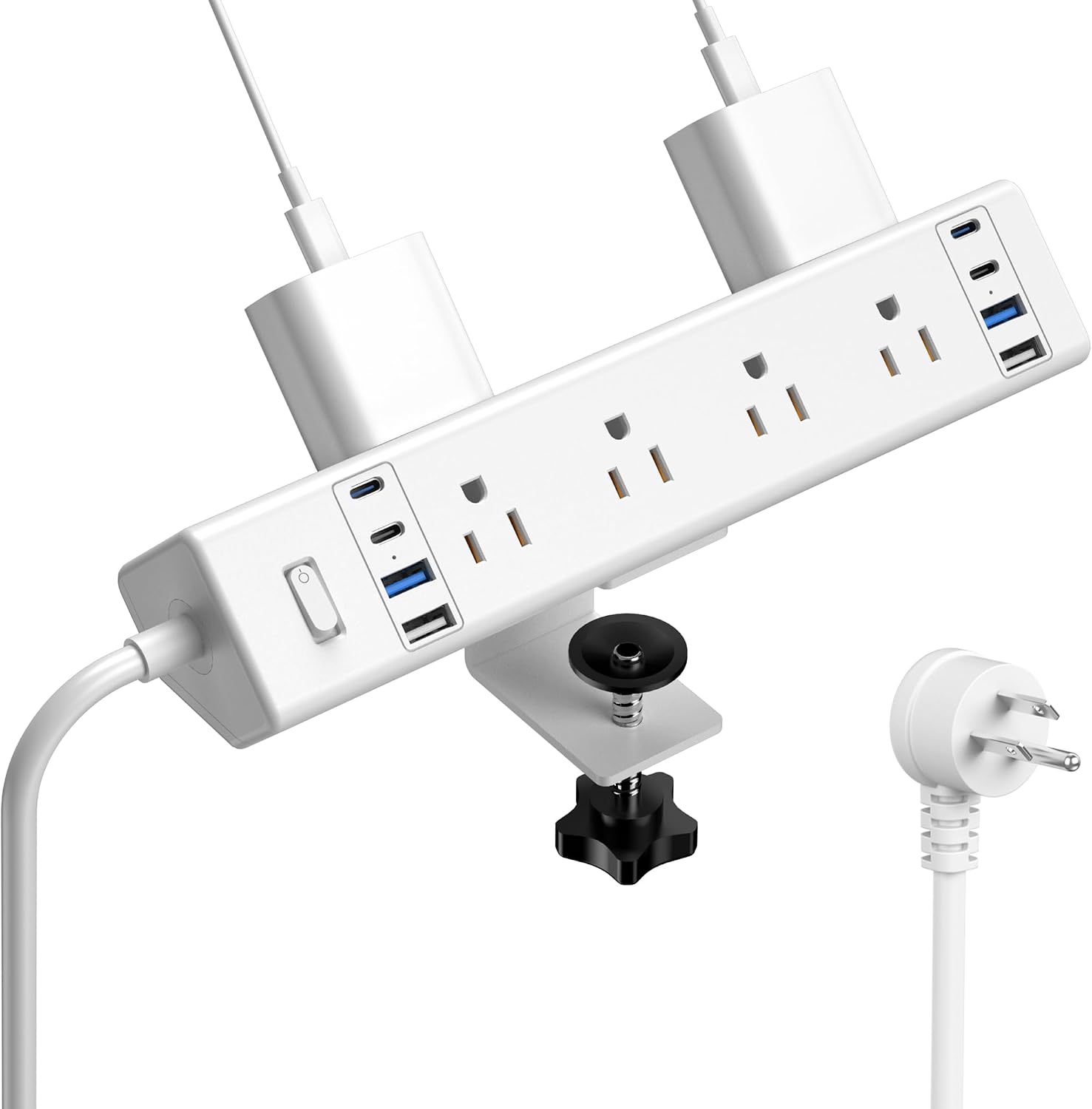 Jgstkcity 40W Desk Clamp Dock
|
Mid-Range | Edge-mount clamp power dock | Desk-first setups wanting low clutter | Check Price | ||
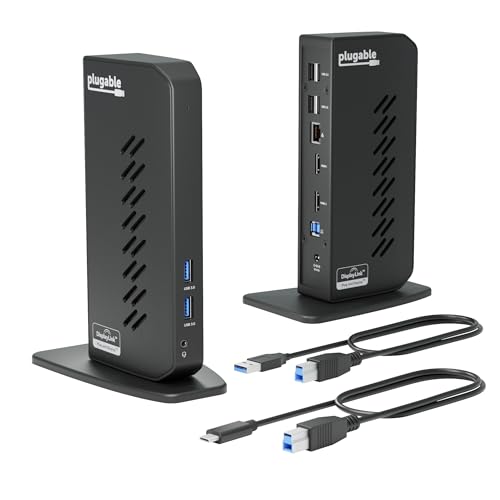 Plugable USB 3.0/USB-C Dock
|
Premium | Dual HDMI + Gigabit Ethernet | Hybrid workers needing dual external monitors | Check Price | ||
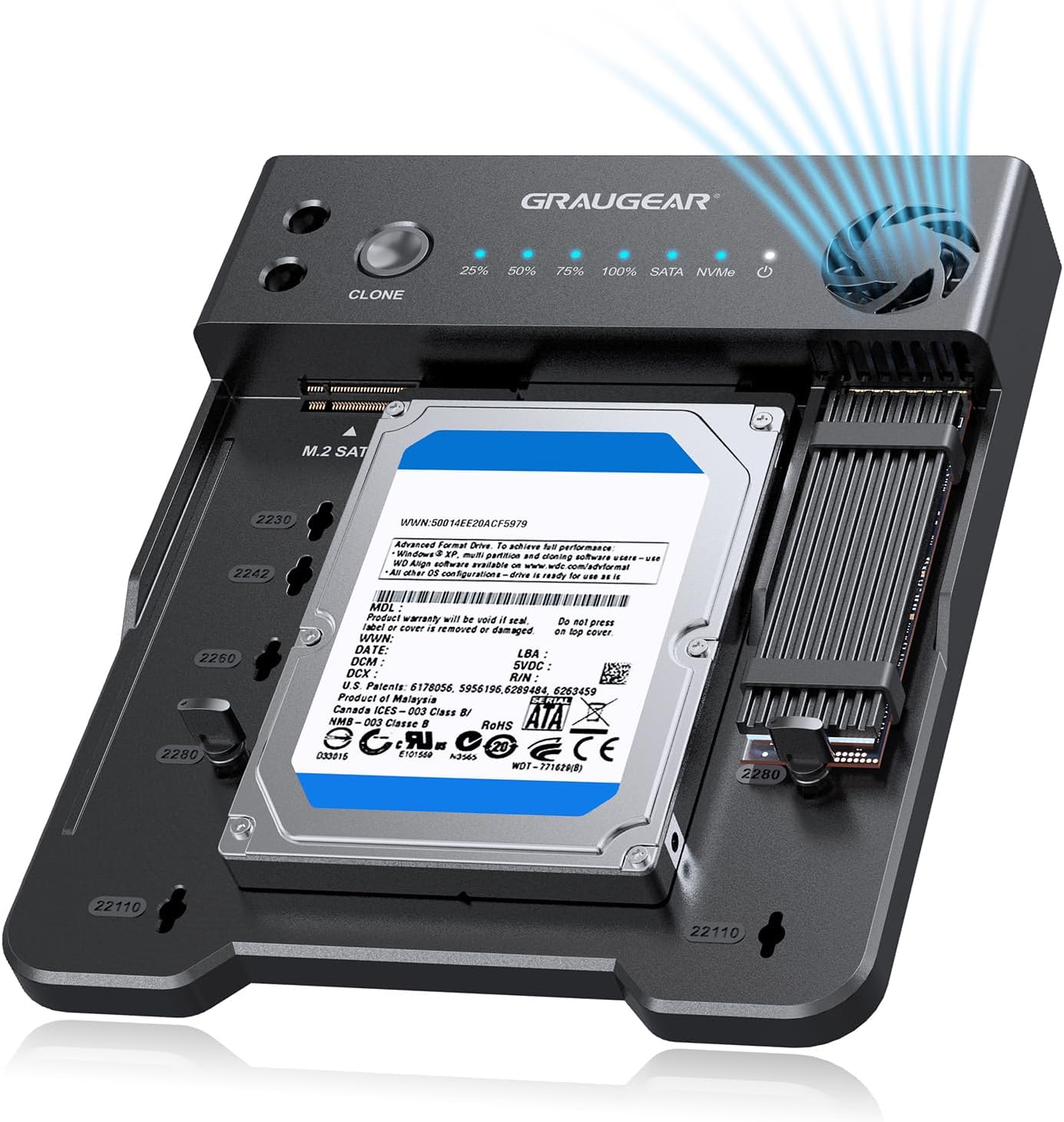 GRAUGEAR NVMe & SATA Dock
|
Premium | One‑touch offline cloning + NVMe support | Power users needing fast cloning & backups | Check Price | ||
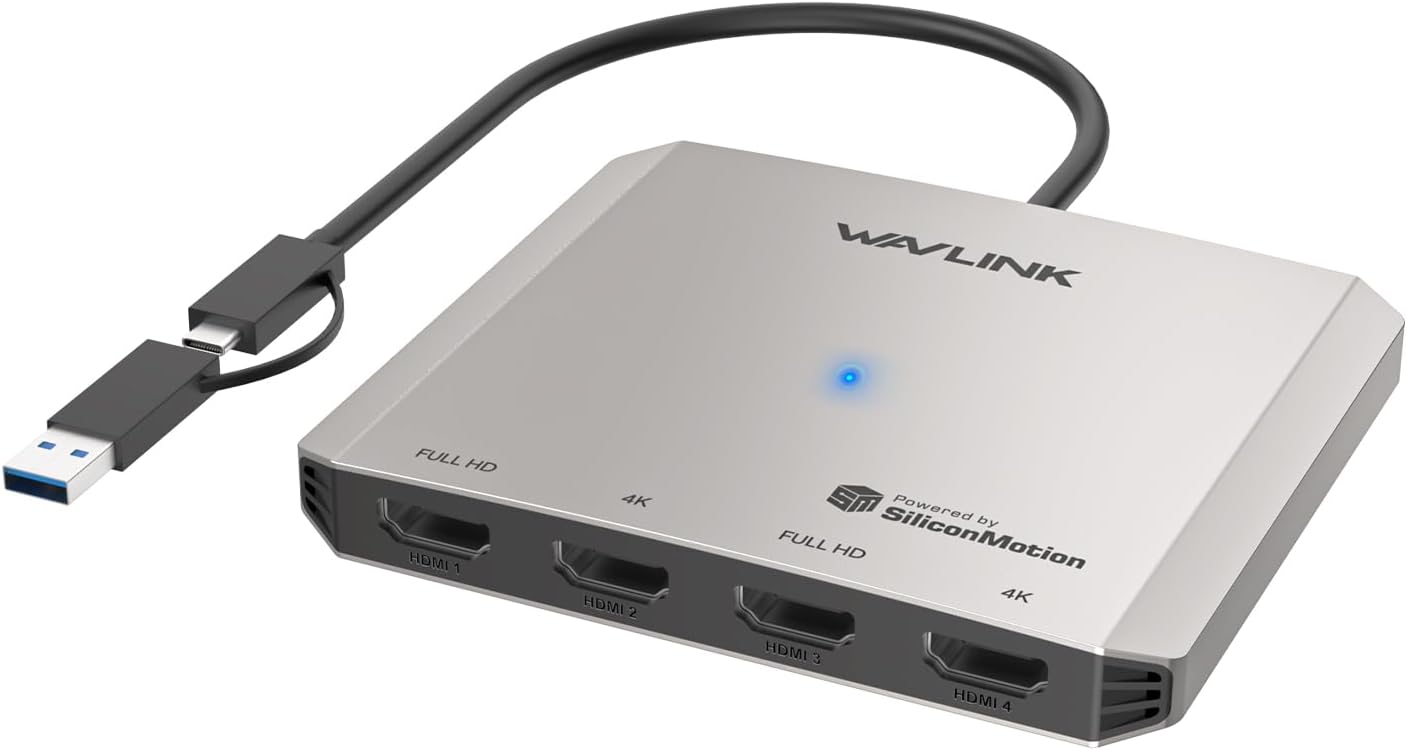 WAVLINK Quad HDMI Adapter
|
Premium | Up to 4 HDMI displays | Users who need many external displays | Check Price | ||
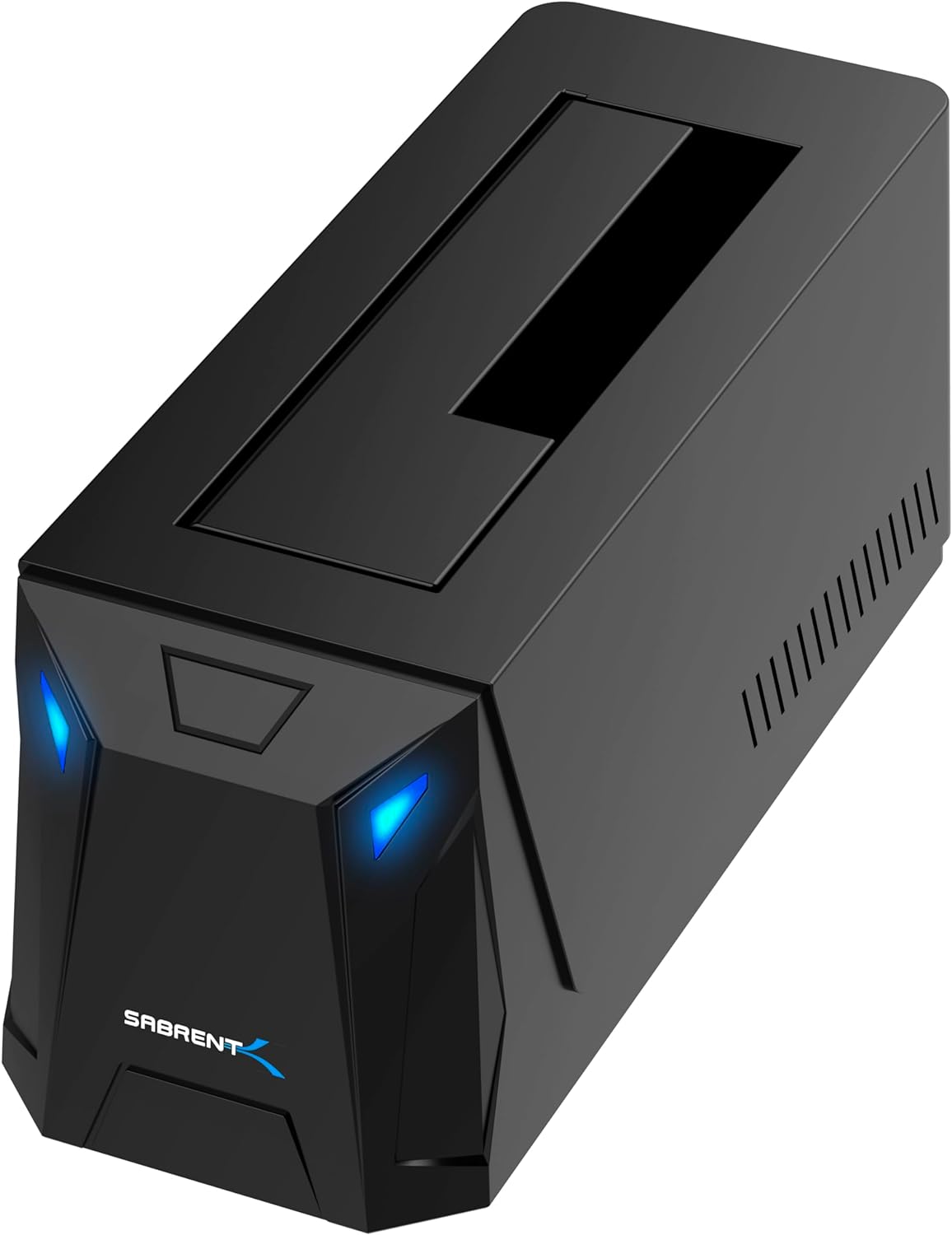 SABRENT USB‑C SATA Dock
|
Budget | Tool‑free hot‑swappable SATA docking | Budget users needing fast SATA access | Check Price | ||
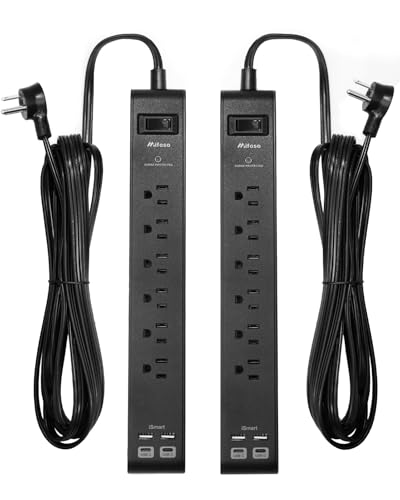 Mifaso 6‑Outlet Surge Strip (2‑pack)
|
Mid-Range | Long 25ft cord + USB ports | Large desk layouts and flexible placement | Check Price | ||
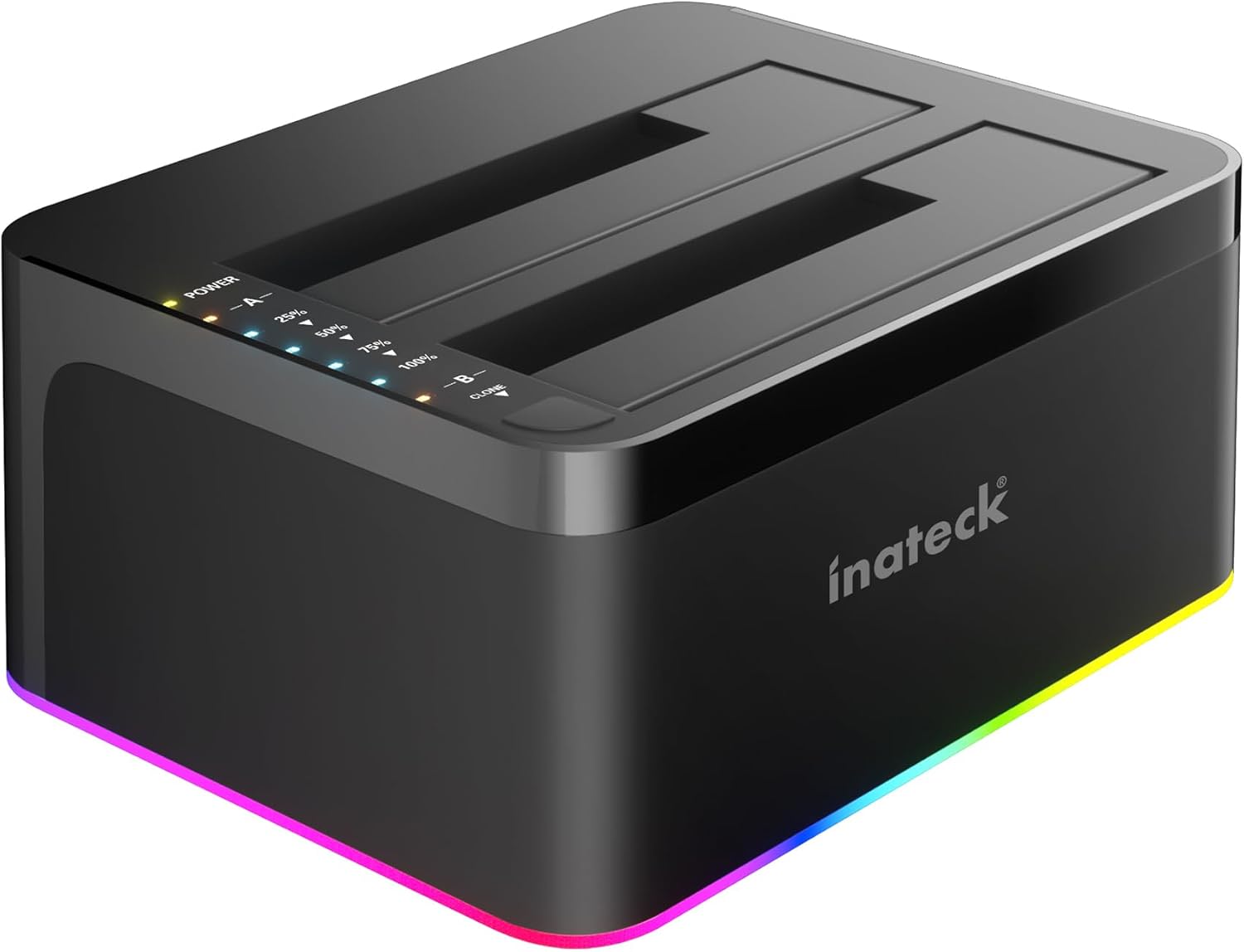 Inateck Dual‑Bay Dock
|
Budget | Dual‑bay offline cloning with RGB | Users who want dual‑bay cloning backups | Check Price | ||
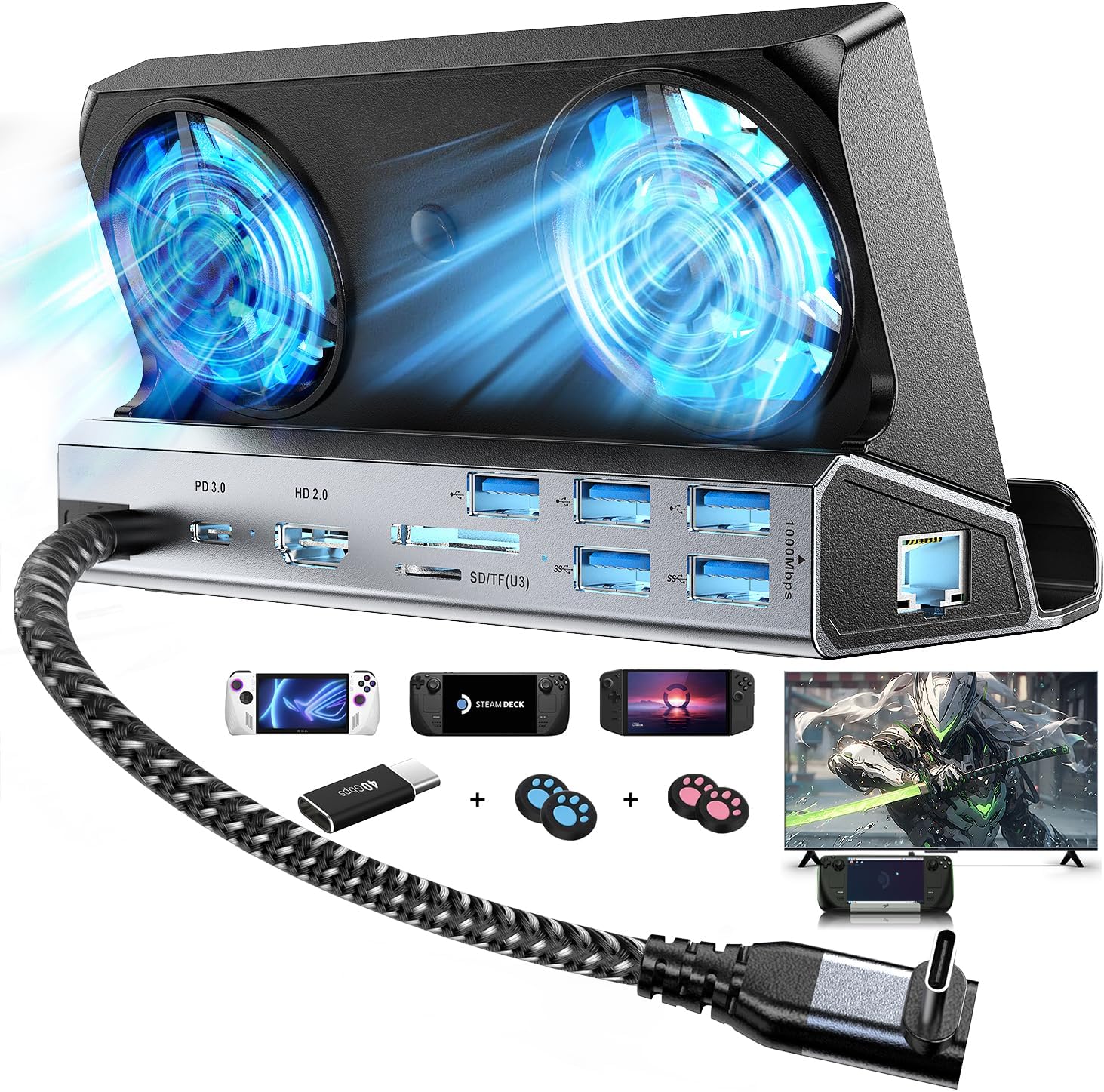 ChampSun 13‑in‑1 Dock
|
Mid-Range | 100W PD + 4K@60Hz support | Handheld console users or USB‑C laptops | Check Price |
1. 40W Fast Charging Station,Desk Clamp Power Strip 20W USB C,8 Outlets,8 USB Ports,4 USB C 4 USB A,Nightstand Edge Mount Surge Protector, 14AWG Cord, Fits 1.9" Tabletop Edge for Office,Home Furniture
An edge-clamp power station that turns your desk edge into a neat power dock. It combines widely spaced AC outlets with 4 USB-C and 4 USB-A ports and a 1200-joule surge protector so you can charge phones, peripherals and power strips without crawling under the desk.
Key Specs
- 4x USB‑C (PD to 20W per port, total 40W shared)
- 4x USB‑A, 8 AC outlets
- 1200 Joule surge protection
- Desk clamp fits up to ~1.96" thickness, 6ft flat plug cord
Pros
- Clamps to desk for clean, easy access to outlets
- High port count consolidates chargers and power
- Consistently praised for value and functionality
Cons
- Total USB output is shared (40W), not per-port unlimited
- Clamp requires specific desk edge clearance and thickness
Best For: Desk-first setups wanting low clutter
Check Latest Price on Amazon2. Plugable USB 3.0 and USB-C Universal Laptop Docking Station with 2 HDMI Ports for Windows, Mac (Driver Required), and ChromeOS. Gigabit Ethernet, Audio
A versatile universal dock with two HDMI outputs, Gigabit Ethernet and multiple USB ports that simplifies hot-docking for Windows, macOS (driver required) and ChromeOS systems. It offers reliable connectivity and is praised for ease of setup and port capacity, though it does not provide laptop charging.
Key Specs
- 2x HDMI outputs (up to 1920x1200 / 1080p typical)
- Gigabit Ethernet, 1x 3.5mm audio jack
- 2x USB 3.0 + 4x USB 2.0 ports
- Includes USB‑3.0 and USB‑C host cables; driver required on macOS
Pros
- Lots of ports and dual‑monitor support for productivity
- Easy to set up and use for multi‑computer households
- Durable build and dependable connectivity reported
Cons
- Does not charge the connected laptop
- Display resolution limits reported on some Macs
Best For: Hybrid workers needing dual external monitors
Check Latest Price on Amazon3. GRAUGEAR M.2 NVMe & SATA SSD/HDD Docking Station, USB-C 10Gbps Clone Station for M.2 NVMe SSD + SATA 2.5/3.5 SSD & HDD Converter, Offline Cloning, Tool-Free, Built-in Cooling Fan
A flexible docking station for M.2 NVMe and SATA drives with one‑touch offline cloning and a USB‑C 10Gbps host interface. The built‑in cooling fan with adjustable speeds makes it suitable for long transfers and drive upgrades.
Key Specs
- Supports M.2 NVMe, M.2 SATA and 2.5/3.5" SATA drives
- USB‑C 10Gbps host connection
- One‑touch offline cloning; tool‑free insertion
- Built‑in cooling fan with 3 speed settings
Pros
- Offline cloning without a PC simplifies backups
- Very fast NVMe transfer speeds via 10Gbps USB‑C
- Versatile compatibility for multiple drive types
Cons
- Niche use case—overkill if you rarely swap drives
- Requires care when cloning (follow manufacturer warnings)
Best For: Power users needing fast cloning & backups
Check Latest Price on Amazon4. WAVLINK USB C to Quad HDMI 4K Adapter, Universal USB A to HDMI Docking Dual Triple Display Station for Windows, Mac M1/M2/M3/M4, Thunderbolt, USB-C Laptops
A multi‑display adapter that supports up to four HDMI outputs (two at 4K and two at 1080p) and USB data via USB‑C/A. It's ideal for traders, developers or content creators who need many screens, though it requires driver setup and an optional power input for stability under heavy loads.
Key Specs
- Supports up to 4 HDMI displays (two 4K@30Hz + two 1080p@60Hz)
- USB‑C or USB‑A host; data up to 5Gbps
- Optional USB‑C 5V power input to improve stability
- Driver required; wide OS compatibility listed
Pros
- Uncommon multi‑monitor support for complex workflows
- Flexible host connections (USB‑C and USB‑A)
- Good for portrait/extended display modes
Cons
- 4K outputs limited to 30Hz; not ideal for motion‑heavy tasks
- Requires driver installation and possible troubleshooting
Best For: Users who need many external displays
Check Latest Price on Amazon5. SABRENT USB-C Hard Drive Docking Station, 2.5"/3.5" Inch SATA SSD & HDD Tool Free 10Gbps Docking Station, Hot Swappable, Supports 20TB Drives, for Windows and Mac (DS-UC1B)
A straightforward, budget-friendly SATA docking station with USB‑C 10Gbps throughput, tool‑free bays and support for large 2.5/3.5" drives. It’s a reliable everyday workhorse for backups and quick swaps, although a few users report noise and occasional drive detection issues.
Key Specs
- Supports 2.5" and 3.5" SATA drives up to 20TB+
- USB 3.2 Gen2 (10Gbps) host interface
- Tool‑less bay, includes power adapter and cables
- Hot‑swappable with plug‑and‑play operation
Pros
- Excellent value and ease of use for backups
- Fast connection via 10Gbps USB‑C
- Works across Windows and macOS without drivers
Cons
- Some users report noisy fans or power-related failures
- Mixed reports of drive detection or early failures
Best For: Budget users needing fast SATA access
Check Latest Price on Amazon6. 2 Pack Surge Protector Power Strip with 6 Outlets 4 USB Ports (2 USB C) 25-Foot Extension Cord Flat Plug 900 Joules 15A Circuit Breaker Wall Mount Desk USB Charging Station for Home Office
A practical surge protector with six AC outlets and four USB ports (including 2x USB‑C) on a long 25‑foot cord. It’s a helpful addition when outlets are far from your desk and is praised for cord quality and sturdiness, though surge protection behavior has mixed reports.
Key Specs
- 6 AC outlets + 4 USB ports (2 USB‑C), smart auto‑detect USB
- 900 Joule surge protection, 15A circuit breaker
- 25‑foot UL‑approved heavy‑duty cord (14 AWG)
- Keyhole mounting tabs and right‑angle flat plug
Pros
- Long, heavy‑duty cord solves placement issues
- Smart USB charging and compact slim design
- Sturdy construction and good perceived value
Cons
- Some reports of fuse/blown protection issues
- Surge protection effectiveness received mixed feedback
Best For: Large desk layouts and flexible placement
Check Latest Price on Amazon7. Inateck RGB USB 3.0 USB-C Port Hard Drive Docking Station with Offline Cloning, for 2.5/3.5 Inch SATA HDDs and SSDs, 2 x 20TB Dual Bay Docking Station, UASP Supported, SA02003C
A dual-bay docking station with offline cloning, UASP support and RGB activity indicators. It’s a budget choice for routine backups and swapping drives, with generally positive feedback for ease of use but some reports of connectivity or drive‑integrity problems.
Key Specs
- 2x 2.5/3.5" SATA bays, supports up to 20TB per bay
- Offline cloning, USB 3.0 / UASP support
- Includes 12V/3A power adapter and USB‑C cable
- RGB LED indicators for drive activity
Pros
- Convenient offline cloning and plug‑and‑play setup
- Good value for dual‑bay cloning and backups
- UASP support helps transfer speeds
Cons
- Connectivity can be flaky for some users
- Reports exist of corrupted drives—follow safe‑use steps
Best For: Users who want dual‑bay cloning backups
Check Latest Price on Amazon8. Dual Cooling Fans 13 in 1 Steam Deck Docking Station with 4K@60Hz 5 USB Ports,1000Mbps,SD/TF Slot,USB-C 100W PD, 40Gbps Adapter for Steam Deck/Rog Ally/Switch/Legion Go
A multiport dock aimed at handheld consoles that also works for USB‑C laptops: 4K@60Hz, 100W PD, gigabit Ethernet and multiple USB ports. It’s notable for integrated cooling and charging, but users report mixed build quality and inconsistent charging/functionality depending on host device.
Key Specs
- 4K@60Hz HDMI, USB‑C PD up to 100W (host‑dependent)
- Gigabit Ethernet, SD/TF card slots, 5 USB ports
- Dual cooling fans and integrated adapter functions
- 40Gbps adapter spec listed for fast data paths
Pros
- High PD rating and 4K@60Hz output for demanding setups
- Good port diversity including SD card slots
- Cooling fans help under sustained loads
Cons
- Mixed durability/build quality feedback
- Functionality and charging speed vary by device
Best For: Handheld console users or USB‑C laptops
Check Latest Price on AmazonWhich One Should You Choose?
If budget is tight → Choose the SABRENT USB‑C SATA Dock (B0CRCW4ST9) for a low-cost, reliable hot‑swappable storage solution paired with a mid‑range power strip. If you need streamlined hot‑docking and dual monitors → Choose the Plugable USB 3.0/USB‑C Dock (B08B6FMPTP) plus the Jgstkcity clamp power station (B0DJ8RWXVB) for quick connection and tidy desk access. If premium multi‑monitor support or many displays is critical → Choose the WAVLINK Quad HDMI Adapter (B0FCMFZ9NW). For heavy cloning and NVMe workflows → Choose the GRAUGEAR NVMe & SATA Dock (B0F19H9HWV).
Best for Specific Scenarios
- Fast daily hot‑docking for laptops: Plugable USB 3.0/USB‑C Dock (B08B6FMPTP) because it provides dual HDMI, Ethernet and plenty of USB ports to reconnect quickly.
- Minimal desk clutter with easy access outlets: Jgstkcity 40W Desk Clamp Dock (B0DJ8RWXVB) because the edge clamp brings power to the back edge of your desk and clears floor space.
- Frequent drive backups or cloning: GRAUGEAR NVMe & SATA Dock (B0F19H9HWV) or Sabrent SATA Dock (B0CRCW4ST9) because they support hot‑swap and offline cloning and offer 10Gbps transfer speeds for big backups.
Frequently Asked Questions
Can I hot‑dock my laptop with these docks and still charge it?
It depends on the dock. Some docks (like many USB‑C PD docks) deliver laptop charging, but the Plugable USB 3.0 dock shown here does not charge the host — you’ll need a dock with explicit PD delivery or continue using your laptop’s power brick. Always check the dock’s PD wattage and whether PD is dedicated or shared.
Do clamp power strips like the Jgstkcity model damage desks?
No, clamp‑style power strips are designed to distribute pressure and clamp securely without permanent damage if mounted correctly. Ensure your desk thickness and edge clearance meet the clamp’s requirements, and don’t overtighten the clamp to avoid dents or stress on soft materials.
Which dock type is best for backing up large drives quickly?
For fast backups choose docks with USB 3.2 Gen2 / 10Gbps or native NVMe support and UASP; tool‑free hot‑swap docks and offline cloning features can speed workflows. The GRAUGEAR and Sabrent docks include 10Gbps support and cloning options suitable for heavy data transfers.
How We Selected These Products
Our recommendations are based on data-driven analysis: we evaluated 155229+ products across 23916+ brands using a composite scoring system that weighs rating (40%), review volume (30%), price value (20%), and demand signals (10%). Every product is ranked by data, not opinions.
Last updated: September 28, 2026
As an Amazon Associate we earn from qualifying purchases at no extra cost to you. Full disclosure.
GearLark Score is our editorial ranking based on a composite analysis of product quality, value, and verified customer sentiment. Click through to Amazon for current pricing, availability, and live customer reviews.