As an Amazon Associate we earn from qualifying purchases. Learn more.
Complete Home Office Charging & Cable Setup for Fall (2026 Guide)
As you cozy up your home office for fall 2026, a reliable charging and cable system keeps devices topped off, surfaces clutter-free, and expensive gear protected from power spikes. This guide walks through a complete kit — power strips, desk-mounted chargers, recessed outlets, and cable management choices — selected for safety features, charging mix (USB-C PD + USB-A), and tidy installation. Products were chosen by port variety, surge protection, build quality, and real-user feedback on durability and ease of use so you can build a multi-device charging hub that looks as comfortable as a warm sweater.
Quick Answer
For a balanced fall home office charging setup pick the Anker Power Strip (B09SG3GV43) as the best overall for wide outlet coverage and strong surge protection. If you need value-mounted USB charging, the Jgstkcity Desk Clamp (B0B62FRRVZ) is the best value, while the SUPERDANNY tower (B082TPG3WW) is the top budget pick for space-saving multi-outlet needs.
Our Top Picks
Quick Comparison
Select 2-3 products to compare side-by-side
| Compare | Product | GearLark Score | Price Tier | Key Feature | Best For | Action |
|---|---|---|---|---|---|---|
 Anker 12-Outlet Power Strip
|
Budget | 12 AC outlets + USB-C 20W | Large desktops and multi-device setups | Check Price | ||
 Jgstkcity Desk Clamp Strip
|
Mid-Range | Desk-edge clamp mount | Clean desks that need front-facing USB access | Check Price | ||
 CCCEI Recessed Desk Outlet
|
Premium | Flush-mount with PD 45W ports | Custom desks and clean built-in installations | Check Price | ||
 Anker 525 Charging Station
|
Mid-Range | 7-in-1 charging with ActiveShield | Balanced desk setups needing PD and AC outlets | Check Price | ||
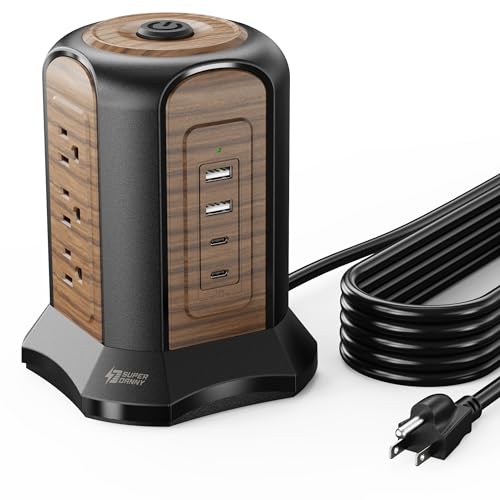 SUPERDANNY Tower Surge Protector
|
Budget | Vertical tower saves desk space | Compact areas needing many outlets | Check Price | ||
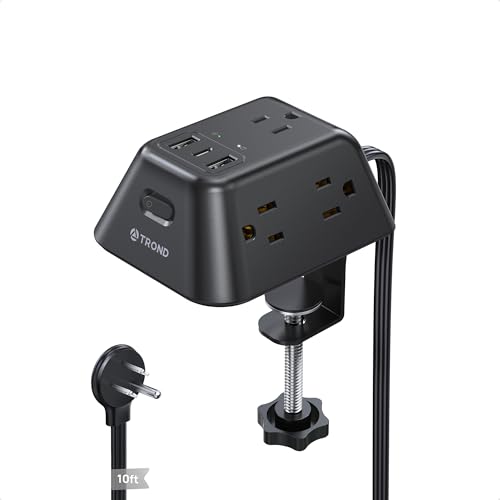 TROND Desk Clamp Power Strip
|
Budget | Clamp mount with 1440J surge rating | Standing desks and tight-edge installations | Check Price |
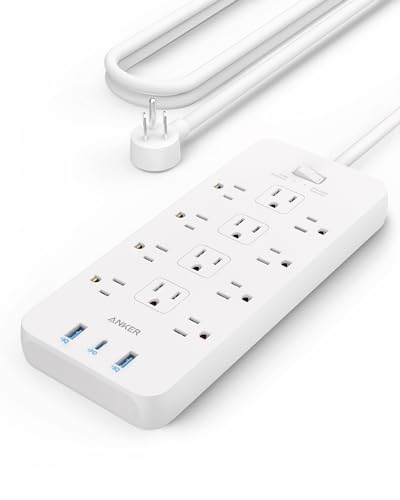
1. Anker Power Strip with 3 USB Ports, Surge Protector (2100J-5ft), 12 Outlets with 2 USB-A Ports and 1 USB-C Port,Flat Plug, Works with iPhone 16/16 Plus/16 Pro/16 Pro Max,for Home,Office, TUV Listed
Anker's 12-outlet strip is a powerhouse for desktops that need lots of AC sockets plus a fast 20W USB-C port for phones. It pairs broad outlet spacing with an 8-point safety system, making it a practical core piece for an organized fall home office charging kit.
Key Specs
- 12 AC outlets
- 1 × 20W USB-C + 2 × USB-A ports
- 8-point safety system (surge, overload, temp control)
- 5 ft heavy-duty cord and flat plug
Pros
- Plenty of AC outlets for large chargers and monitors
- Strong surge and safety protections
- Well-spaced outlets reduce bulky-plug conflicts
Cons
- Large footprint may be overkill for minimal setups
- Design is functional rather than decorative
Best For: Large desktops and multi-device setups
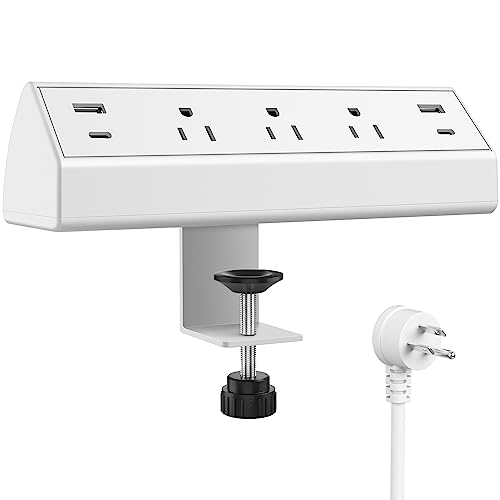
Check Latest Price on Amazon2. Jgstkcity Desk Clamp Power Strip,40W Total Fast Charging Station,2 PD 20W USB C Ports,Desk Edge Mount Surge Protector for Home, Office,3 Outlets,Fit 1.96" Tabletop Edge,ETL Listed,White
This clamp-mount power dock fastens to a desk edge for tidy cable routing and quick access to two PD 20W USB-C ports and QC USB-A ports. It’s a strong value pick for home offices that want a semi-permanent, organized charging station without drilling holes.
Key Specs
- 2 × PD 20W USB-C, 2 × QC3.0 USB-A ports
- 3 AC outlets, 6 ft power cord
- Clamp fits desktops up to 1.96" thick
- 900 joules surge rating, ETL listed
Pros
- Neat, secure desk-mounted installation
- Good mix of USB-C PD and USB-A QC ports
- Generally praised for build quality and ease of install
Cons
- Some users report inconsistent USB port behavior over time
- Clamp fit and desk clearance requirements can limit placement
Best For: Clean desks that need front-facing USB access
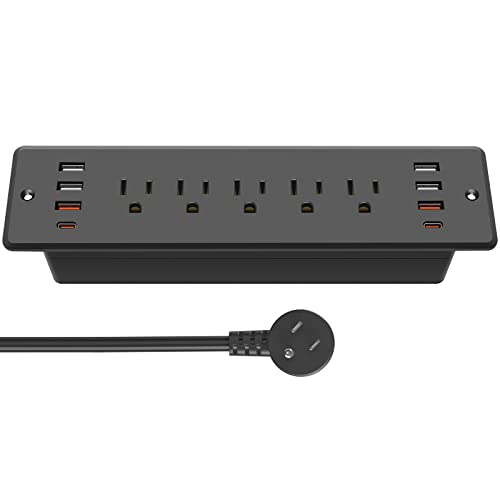
Check Latest Price on Amazon3. CCCEI Recessed Power Strip Surge Protector with 5 Outlets, USB 3.0 and 45W USB-C Ports, Built-in Furniture Desk Hidden Outlet, with 6 FT 45 Degree Flat Plug Extension Cord
The CCCEI recessed power strip hides inside furniture for a low-profile charging hub, offering multiple USB ports including up to 45W PD-C ports for laptops and tablets. It’s ideal for DIY desk cutouts when you want a minimalist tabletop free of cables.
Key Specs
- 5 recessed AC outlets + up to 8 USB ports
- 2 × 45W PD USB-C fast charging ports
- 6 ft right-angle flat plug, 1200 joules surge protection
- Cutout size required: 8.03" × 2.04"
Pros
- Large USB capacity and high-watt PD ports support laptops
- Clean, integrated look once installed
- Easy-to-follow cut template for DIY install
Cons
- Requires cutting a desk hole and some DIY skill
- Some reports of individual USB ports failing over time
Best For: Custom desks and clean built-in installations
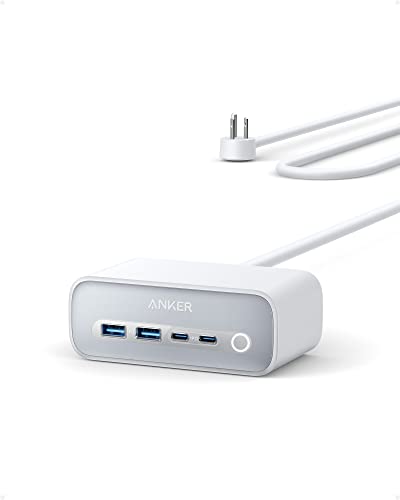
Check Latest Price on Amazon4. Anker 525 Charging Station, 7-in-1 USB C Power Strip for iphone13/14, 5ft Extension Cord with 3AC,2USB A,2USB C,Max 65W Power Delivery Desktop Accessory for MacBook Pro, Home, Office (Aurora White)
The Anker 525 is a compact desktop charging station with 3 AC slots and a mix of USB-A and USB-C ports, plus ActiveShield thermal protection. It’s an elegant, protected solution for mixed-device desks where both outlets and front-facing USB access matter.
Key Specs
- 3 AC outlets, 2 × USB-A, 2 × USB-C
- Up to 65W power delivery across ports
- ActiveShield 2.0 temperature monitoring
- 5 ft extension cord; AC outlets on the back for neat wiring
Pros
- Good balance of outlets and fast USB-C charging
- Thoughtful layout keeps cords directed behind desk
- Strong safety tech for thermal regulation
Cons
- Some users report shorter port lifespan for heavy daily use
- Limited number of AC outlets for very large setups
Best For: Balanced desk setups needing PD and AC outlets
Check Latest Price on Amazon5. SUPERDANNY Power Strip Tower Surge Protector, 10 Ft Extension Cord with Multiple Outlets, 9 Outlets, 4 USB Ports (2 USB C), 1080 Joules, 3-Prong, Grounded, Charging Station for Home, Office, Brown
This vertical tower packs nine AC outlets and four USB ports into a compact column, freeing up wall outlets and keeping cords centralized. It’s a budget-friendly, space-saving option that also comes with a long 10 ft cord for flexible placement.
Key Specs
- 9 AC outlets plus 4 USB ports (2 USB-C)
- 1080 joules surge protection
- 10 ft extension cord; vertical space-saving design
- ABS+PC fire-resistant materials, UL94 V-0 rating
Pros
- Great outlet density in a small footprint
- Long cord and included cable tie for organization
- Appealing wood-like color option for cozy setups
Cons
- Tower form may not suit aesthetic-forward desks
- Lower surge-joule rating compared to higher-end strips
Best For: Compact areas needing many outlets
Check Latest Price on Amazon6. Desk Clamp Power Strip, Surge Protector with 5 AC Outlets and 3 USB Ports, Desk Mount Charging Station, Fit 1.97in Tabletop Edge Thick, 10FT Extension Cord, for Home Office Gaming Accessories
TROND’s clamp-mounted strip offers five AC outlets and three USB ports with a high 1440-joule surge rating, making it a safe and tidy choice for desks that need a secure edge-mounted power source. The clamp design fits most tabletop edges and keeps cables accessible without drilling.
Key Specs
- 5 AC outlets, 1 USB-C (5V/3A), 2 USB-A ports
- 1440 joules surge protection
- Clamp fits up to 1.97" thick desks; 10 ft cord
- Flat 45° right-angle plug for discreet placement
Pros
- High surge rating for extra equipment protection
- Well-spaced AC outlets to accommodate bulky adapters
- Easy, drill-free clamp installation
Cons
- USB output total is modest (limited for many high-draw devices)
- Clamp size limits where it can be mounted
Best For: Standing desks and tight-edge installations
Check Latest Price on AmazonWhich One Should You Choose?
If you want the most outlets and strong surge protection for a busy desk, choose the Anker Power Strip (B09SG3GV43). If budget is tight and you need many outlets in a small footprint, go with the SUPERDANNY Tower (B082TPG3WW). If you want a neat front-facing charging solution that clamps to your desk, the Jgstkcity Desk Clamp (B0B62FRRVZ) offers the best value. For a built-in, minimalist look with laptop-capable PD ports, pick the CCCEI recessed unit (B0C714W7P2). If you prefer a balanced desktop station with thermal monitoring, the Anker 525 (B0B3HSJ5NL) is the middle-ground choice. For standing desks that need a secure mount and high surge rating, TROND (B0D5PT1WVV) is a solid option.
Best for Specific Scenarios
- Multi-monitor workstation: Anker Power Strip (B09SG3GV43) because its many AC outlets handle monitors, chargers, and desk lamps without adapter conflicts.
- Small apartment or cozy aesthetic: SUPERDANNY Tower (B082TPG3WW) because the vertical design saves space and the wood-like finish matches warm fall decor.
- Clean, built-in desk: CCCEI Recessed Outlet (B0C714W7P2) because the flush install hides cables and provides high-watt PD ports for laptops.
Frequently Asked Questions
How many joules of surge protection do I need?
For typical home office gear, look for at least 1000 joules for solid protection of a laptop and monitor. Higher values (1200–2000+) are preferable if you have many expensive devices or live in an area with frequent power issues.
Are desk-clamp power strips safe to use long-term?
Yes, when they have proper safety certifications (ETL/TUV) and surge protection. Check clamp specs to ensure a secure fit for your desk thickness and avoid placing heavy devices on the mounted unit.
Should I prioritize USB-C PD over USB-A?
Prioritize USB-C PD if you charge modern phones, tablets, or laptops — it provides faster, more efficient charging. Keep some USB-A ports for legacy accessories and lower-power devices like earbuds or mice.
How We Selected These Products
Our recommendations are based on data-driven analysis: we evaluated 155229+ products across 23916+ brands using a composite scoring system that weighs rating (40%), review volume (30%), price value (20%), and demand signals (10%). Every product is ranked by data, not opinions.
Last updated: September 02, 2026
As an Amazon Associate we earn from qualifying purchases at no extra cost to you. Full disclosure.
GearLark Score is our editorial ranking based on a composite analysis of product quality, value, and verified customer sentiment. Click through to Amazon for current pricing, availability, and live customer reviews.