As an Amazon Associate we earn from qualifying purchases. Learn more.
Complete Portable Monitor & Hub Setup Guide for International Travel (2026)
Traveling overseas with a laptop and a need for a second screen is easier than ever in 2026. This guide walks international travelers through a complete portable monitor + hub + power kit you can pack in a carry-on: a travel-safe portable monitor, compact multiport hubs, travel chargers, and the adapters you’ll need for different countries. We selected products that focus on build quality, lightweight design, USB-C power delivery, and real-world reliability based on manufacturer specs and customer feedback on functionality, portability, and durability. Read on for role-based picks, packing tips, and a full buying guide to assemble a travel-ready kit.
Quick Answer
For a compact international setup, the Plugable USB C Portable Monitor (ASIN B0D9R8P9LL) is the best single-piece pick — it doubles as a hub with 100W pass-through, 2x 10Gbps USB-C ports and a 15.6" IPS display. Combine it with a small travel hub (Lenovo or EZQuest) and a multiport charger for a complete kit.
Our Top Picks
Quick Comparison
Select 2-3 products to compare side-by-side
| Compare | Product | GearLark Score | Price Tier | Key Feature | Best For | Action |
|---|---|---|---|---|---|---|
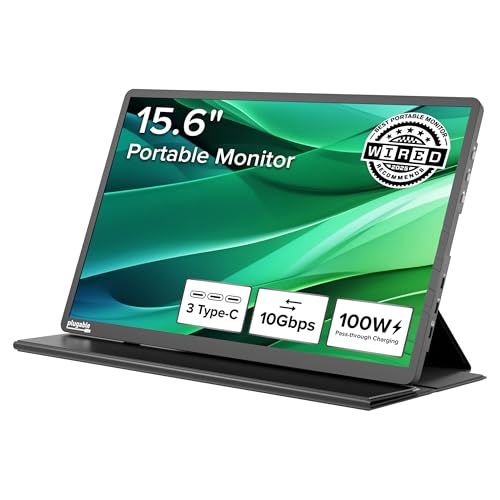 Plugable 15.6" Portable Monitor
|
Premium | Monitor that doubles as a 2x USB-C hub | Business travelers who need a full second screen | Check Price | ||
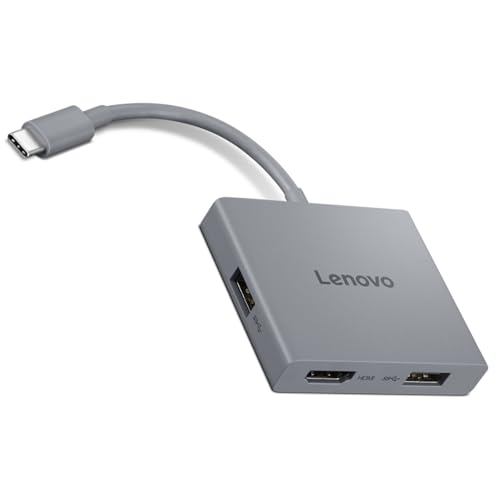 Lenovo 4-in-1 Travel Hub
|
Mid-Range | Built-in USB-C cable with HDMI 4K@60Hz | Travelers needing clean HDMI output for presentations | Check Price | ||
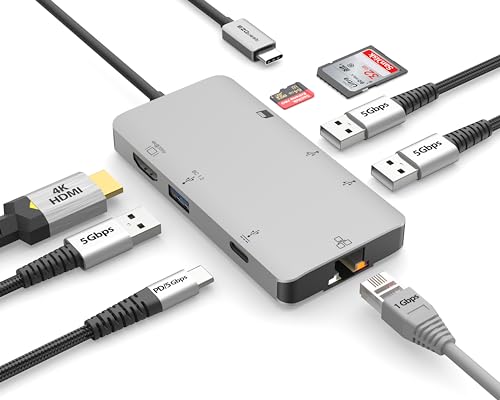 EZQuest 8-in-1 Hub
|
Budget | Extensive port variety (Ethernet + SD + HDMI) | Budget-conscious travelers who need many ports | Check Price | ||
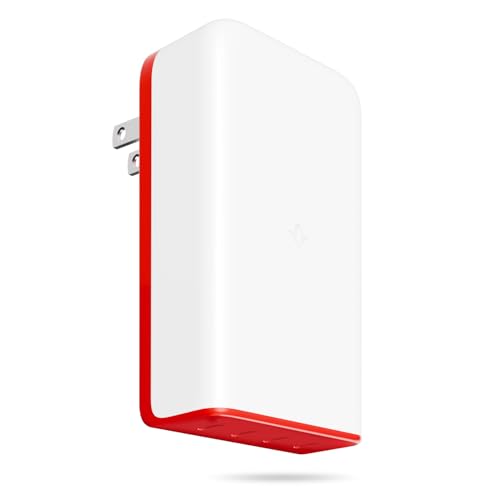 Twelve South PlugBug 120W
|
Premium | 120W multiport power with Find My integration | Power-hungry users carrying multiple USB-C devices | Check Price | ||
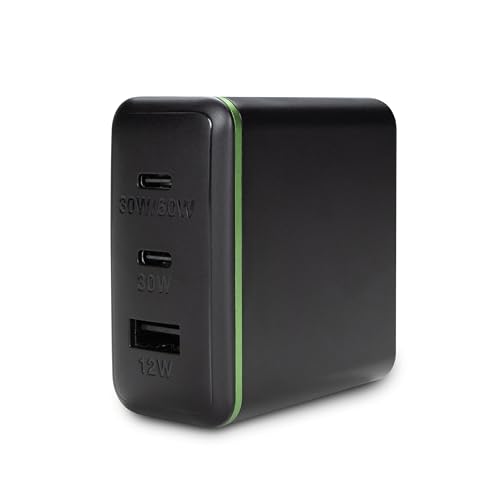 AT&T 72W Charger Tower
|
Budget | Compact 72W multiport charging | Travelers needing a small, affordable multiport charger | Check Price | ||
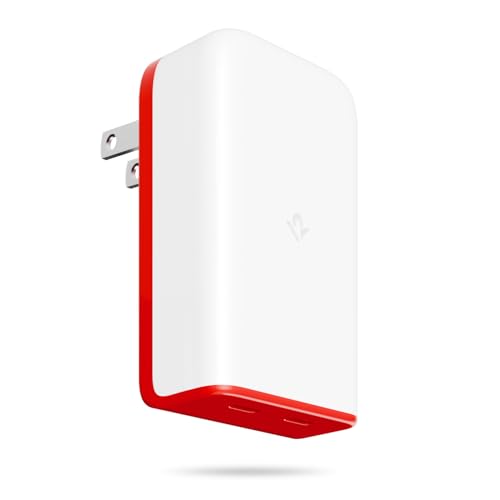 Twelve South PlugBug 50W
|
Mid-Range | Compact 50W dual-port charger with Find My | Light travelers with phone + tablet charging needs | Check Price |
1. Plugable USB C Portable Monitor 15.6 Inch, 100W Pass-Through Charging for Your Laptop Smartphone Tablet, 3x USB-C 10Gbps Hub FHD 1920x1080 IPS Travel Display 1.85lbs, Protective Case/Stand, USBC-PDMON
The Plugable USBC-PDMON is a travel-first portable monitor that also acts as a high-speed hub. Its 15.6" FHD IPS panel, 2x 10Gbps USB-C ports and 100W PD pass-through (85W charging) make it a compact all-in-one for presentations, dual-screen productivity and peripheral connectivity without extra dongles.
Key Specs
- 15.6" FHD 1920x1080 IPS, up to 300 nits
- 2x 10Gbps USB-C downstream ports (monitor acts as hub)
- 100W power delivery pass-through (85W effective charging)
- Includes protective case/stand; TAA-compliant
Pros
- Doubles as a hub — fewer dongles to pack
- Solid build and wide compatibility with USB-C/Thunderbolt hosts
- Lightweight for a 15.6" travel monitor and includes case/stand
Cons
- Brightness is adequate but not as high as some desktop displays
- Premium-tier option — larger upfront cost for some travelers
Best For: Business travelers who need a full second screen
Check Latest Price on Amazon2. Lenovo USB-C 4 in 1 Travel Hub Block with Integrated Cable, 1x HDMI 4K @ 60Hz, 2X USB-A 3.2, 1x 3.5mm Combo, Luna Grey Portable, Compact, High-Speed Connectivity Laptops PC Gaming Console Charging
Lenovo’s compact travel hub gives you 4K@60Hz HDMI, two USB-A 3.2 ports and a 3.5mm combo jack in a tiny block with an integrated cable. It’s a convenient companion when your monitor lacks extra ports or when you need a quick audio/video/data breakout without loose cables.
Key Specs
- HDMI 4K @ 60Hz output
- 2x USB-A 3.2 ports (up to 5Gbps)
- 3.5mm audio combo jack
- Integrated USB-C upstream cable for plug-and-play
Pros
- True 4K@60Hz HDMI for smoother video and presentations
- Compact, integrated cable — no extra cords to fumble
- Good balance of features and build quality
Cons
- Some users report intermittent HDMI reliability on certain hosts
- Only a few ports — may not replace a full docking station
Best For: Travelers needing clean HDMI output for presentations
Check Latest Price on Amazon3. EZQuest USB C Hub Docking Station 8 in 1 with 4K HDMI, 1 Gbit Ethernet, 3 USB A 3.0 Ports, 1 USB-C PD/Data, SD/Micro SD for Work and Travel, Compatible with MacBook/Dell/HP/Lenovo/Laptops
EZQuest packs many ports — 4K HDMI, gigabit Ethernet, SD card reader and multiple USB-A ports — into a budget-friendly hub. It’s an all-in-one for travelers who need wired network and card access, but note that its USB-C ports won’t drive a monitor and some users report mixed reliability and heat under heavy use.
Key Specs
- 4K HDMI output (30Hz listed)
- Gigabit Ethernet port and SD/MicroSD reader
- 3x USB-A 3.0 ports (up to 5Gbps)
- USB-C PD pass-through up to 85W
Pros
- Excellent port density for the price
- Includes wired Ethernet and SD card slots for travel workflows
- Good build quality for a budget hub
Cons
- USB-C ports will not operate as a video host for monitors
- Mixed reports of heat and inconsistent functionality
Best For: Budget-conscious travelers who need many ports
Check Latest Price on Amazon4. Twelve South PlugBug 120W USB-C Charger Block, 4-Port Fast Charging Block Hub for iPhone, iPad, MacBook & More, with Apple Find My Integration and Folding Prongs for Travel, USB Type C Fast Charger
The PlugBug 120W is a compact 4-port charger designed for travelers who need to top off multiple devices including laptops. It supports dynamic fast charging and folding prongs for packing. Unique Find My support helps locate a misplaced charger, though customers note mixed opinions about value and occasional build quality variance.
Key Specs
- Up to 120W total USB-C power delivery
- 4 USB-C charging ports with dynamic detection
- Folding prongs and slim travel-friendly profile
- Apple Find My integration
Pros
- Very high total power for charging multiple laptops/devices
- Slim, travel-minded design with folding prongs
- Fast charging for modern USB-C devices
Cons
- Some users questioned value versus alternatives
- Mixed reports on long-term build reliability
Best For: Power-hungry users carrying multiple USB-C devices
Check Latest Price on Amazon5. AT&T 72W Travel USB-C Charger Tower Compact 3-in-1 Power Hub with Foldable Plug Fast Charge iPhone, Pixel, Galaxy, MacBook USB-C & USB-A Black
AT&T’s 72W travel charger tower offers a compact way to charge a phone, tablet and a small laptop simultaneously. It’s a budget-friendly option that many users find fast and convenient, though a subset of customers report inconsistent function or device heat under heavy loads.
Key Specs
- 72W total output across USB-C/USB-A ports
- Foldable plug for travel convenience
- Compact tower form factor for bedside or desk use
Pros
- Good value and compact size for travel
- Fast charging for phones and smaller laptops
- Simple, space-saving tower design
Cons
- Some reports of inconsistent functionality on certain devices
- Can run warm under heavy simultaneous loads
Best For: Travelers needing a small, affordable multiport charger
Check Latest Price on Amazon6. Twelve South PlugBug 50W USB-C Charger Block, 2-Port Fast Charging Block Hub for iPhone, iPad, MacBook & More, with Apple Find My Integration and Folding Prongs for Travel, USB Type C Fast Charger
The 50W PlugBug is a smaller sibling to the 120W model, offering two USB-C ports in a slim, travel-ready package. It’s ideal for charging phones and tablets quickly; however, heavier laptop users may find the 50W ceiling limiting and some customers cite mixed build-quality impressions.
Key Specs
- 50W total USB-C power delivery across 2 ports
- Compact design with folding prongs
- Apple Find My integration
Pros
- Very travel-friendly size and folding prongs
- Good fast-charge capability for phones and tablets
- Apple Find My support for locating the charger
Cons
- 50W may not be enough for larger laptops under load
- Value perception varies among buyers
Best For: Light travelers with phone + tablet charging needs
Check Latest Price on AmazonWhich One Should You Choose?
If budget is tight → go with the EZQuest USB C Hub (ASIN B07PBF97M1) for maximum ports at a low cost. If you need a compact, dependable hub plus great HDMI output for presentations → choose the Lenovo USB-C 4-in-1 (ASIN B0F8P21R4C). If you want a single best-in-class travel monitor that reduces dongles and provides PD pass-through → the Plugable USB C Portable Monitor (ASIN B0D9R8P9LL) is the most streamlined premium pick. For the most charging power in a small package → the Twelve South PlugBug 120W (ASIN B0DCLKQPXX) gives the highest total PD for multi-device travelers.
Best for Specific Scenarios
- Frequent business presenter: Lenovo 4-in-1 Hub because it offers 4K@60Hz HDMI and an integrated cable for quick setup at conference rooms.
- Road warrior who needs a true second screen: Plugable 15.6" Monitor because it combines an IPS display with hub ports and PD pass-through so you carry fewer adapters.
- Budget multiport needs: EZQuest 8-in-1 Hub because it packs Ethernet, SD and multiple USBs for the lowest cost and highest port density.
Frequently Asked Questions
Do I need a separate power adapter for every country?
Most modern USB-C chargers are dual-voltage (100–240V) and only require a physical plug adapter for the country you visit. Check the charger's specs, and if you plan to plug multiple devices in, consider a small travel power strip with surge protection and the correct plug adapter.
Can a portable monitor charge my laptop while in use?
Some portable monitors support PD pass-through and can route charger power to your laptop while also showing video. Confirm the monitor's PD wattage and the effective output (e.g., 100W port with 85W actual charging) to ensure it meets your laptop's needs. Heavy laptops may still require a higher-wattage dedicated charger.
Will a travel hub affect video quality or refresh rate?
Yes — hubs vary in video capability. Look for explicit support for HDMI 4K@60Hz if you need smoother motion or high-resolution output. Some hubs limit HDMI to 30Hz or only mirror at certain resolutions. Customer reports often flag which hosts work best, so check compatibility with your laptop or monitor.
How We Selected These Products
Our recommendations are based on data-driven analysis: we evaluated 155229+ products across 23916+ brands using a composite scoring system that weighs rating (40%), review volume (30%), price value (20%), and demand signals (10%). Every product is ranked by data, not opinions.
Last updated: July 31, 2026
As an Amazon Associate we earn from qualifying purchases at no extra cost to you. Full disclosure.
GearLark Score is our editorial ranking based on a composite analysis of product quality, value, and verified customer sentiment. Click through to Amazon for current pricing, availability, and live customer reviews.