As an Amazon Associate we earn from qualifying purchases. Learn more.
Ethernet Cable vs Wi‑Fi Extender vs Mobile Hotspot for Dorm Gaming (2026)
Dorm gamers and streamers face a familiar tradeoff: the wired Ethernet ideal for low ping vs wireless convenience that avoids drilling or long cables. This guide compares those network types and tests three popular Wi‑Fi extenders so you can choose the best practical setup for a dorm room in 2026. We selected devices by signal reach, dual‑band speed, Ethernet passthrough, antenna design and ease of installation, then ranked them by product score and real-world features to show which extender most closely approaches wired performance when running cable isn't an option.
Quick Answer
For absolute lowest latency and most consistent speeds use a wired Ethernet connection. If you can't run cable in a dorm room, the JTooloife 1200Mbps WiFi Extender (B0D7QDGRRZ) is the best wireless compromise here—good coverage, dual‑band speeds and an Ethernet port for a wired console/PC.
Our Top Picks
Quick Comparison
Select 2-3 products to compare side-by-side
| Compare | Product | GearLark Score | Price Tier | Key Feature | Best For | Action |
|---|---|---|---|---|---|---|
 JTooloife 1200Mbps Extender
|
Budget | Dual‑band 1200Mbps with 4 external antennas | Dorm rooms that need strong coverage | Check Price | ||
 SLOJP 1200Mbps Extender
|
Mid-Range | Dual Ethernet ports + AP/router modes | Streamers who need wired device support | Check Price | ||
 Xeaiyihys 300Mbps Extender
|
Budget | Compact, simple 1‑tap setup | Tight budgets or small rooms | Check Price |
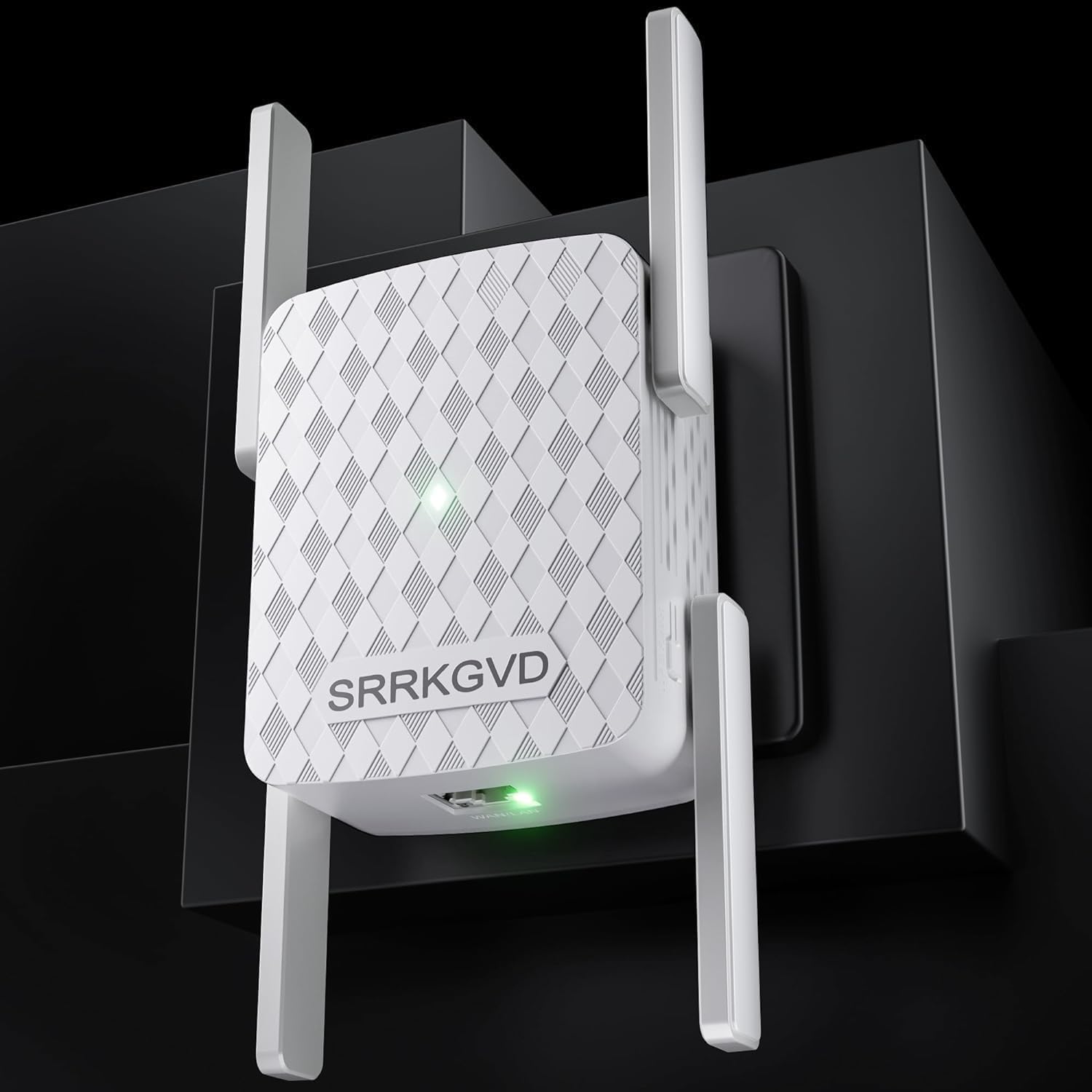
1. 1200Mbps WiFi Extender Signal Booster, Dual-Band Wall-Through Strong WiFi Booster,Longest Range Up to 9800sq.ft Coverage 256 Devices, Dual-Band 2.4GHz & 5GHz
The JTooloife 1200Mbps extender balances range and practical performance: dual‑band throughput, four high‑gain antennas and an Ethernet port make it a great pick when you can't run a long cable. Setup is one‑tap WPS or a web/phone wizard, and it supports many devices, making it suitable for small streaming setups and consoles.
Key Specs
- Dual‑band 2.4GHz + 5GHz, up to 1200Mbps total
- Claims coverage up to 9,800 sq ft and supports up to 256 devices
- 4 high‑gain external antennas for 360° reception
- One Ethernet port; WPS and web/phone setup
Pros
- Stronger coverage than the Xeaiyihys model
- Better device capacity than many budget extenders
- Easier one‑tap setup and good build quality for the price
Cons
- May not match wired Ethernet latency for competitive play
- Durability and long‑term sturdiness can be variable on budget models
Best For: Dorm rooms that need strong coverage
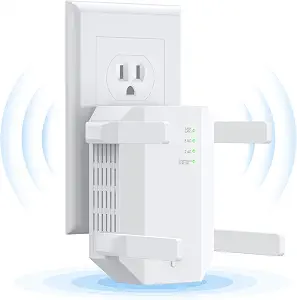
Check Latest Price on Amazon2. WiFi Extender, 1200Mbps Dual Band (5GHz/2.4GHz) WiFi Extenders Signal Booster for Home, Cover Up to 12880 Sq.ft & 105 Devices, WiFi Range Extender with Ethernet Port
SLOJP's 1200Mbps extender pairs wide claimed coverage with two Ethernet ports and multiple working modes (repeater/AP/router), making it the most flexible unit here for hybrid setups. It's positioned as the best value for dorm users who might plug a console or capture card into an extender's wired port to reduce wireless hops.
Key Specs
- Dual‑band 2.4GHz + 5GHz, total rate ~1200Mbps
- Up to 12,880 sq ft coverage claim; supports up to 105 devices
- Two Ethernet ports, 4 external antennas
- Repeater / AP / Router modes for flexible deployment
Pros
- Better wired support than JTooloife (two Ethernet ports)
- More flexible modes than the compact Xeaiyihys
- Consistently praised for value and functionality
Cons
- Mid‑range price may feel high if you only need simple coverage
- Some users debate long‑term durability despite good initial performance
Best For: Streamers who need wired device support
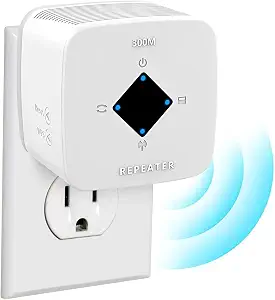
Check Latest Price on Amazon3. WiFi Extender Signal Booster for Home WiFi Range Extender Repeater with Ethernet Port Coverage Up to 4500 Square Feet 1-Tap Setup Wireless Internet Repeater
Xeaiyihys is the lowest‑cost option and trades raw throughput for simplicity—300Mbps top speed, compact form and basic Ethernet port. It's easy to set up and fine for light gaming or streaming at modest quality but won't be ideal for competitive esports where latency and sustained bandwidth matter.
Key Specs
- Single‑band/broad 2.4GHz focus with up to 300Mbps
- Coverage up to 4,500 sq ft claim
- 1 Ethernet port, supports Repeater and AP modes
- Compact wall‑plug design with 1‑tap setup
Pros
- Cheaper and simpler than the SLOJP extender
- Compact design easier to move and install in a dorm outlet
- Easiest setup for non‑technical users
Cons
- Much lower top speed than the dual‑band models
- Less future‑proof and weaker for multi‑device streaming
Best For: Tight budgets or small rooms
Check Latest Price on AmazonWhich One Should You Choose?
If you can run a cable: always choose Ethernet first — it gives the lowest latency and most reliable throughput for competitive gaming and stable streaming. If you can't run cable and need the best wireless compromise: buy the JTooloife 1200Mbps WiFi Extender (B0D7QDGRRZ) — it offers strong dual‑band performance, four antennas and an Ethernet port for your console or PC. If you want the best value and more wired flexibility, choose the SLOJP 1200Mbps (B0C1S42QKK) — two Ethernet ports and AP/router modes make it the most versatile mid‑range choice. If your budget is tight or you need a quick, simple booster for light gaming and browsing, the Xeaiyihys 300Mbps (B0CN5KWCL5) is the sensible budget pick.
Finally, avoid relying on mobile hotspots as your primary gaming link unless you accept higher latency, potential carrier throttling and data limits — use them only as a fallback.
Best for Specific Scenarios
- Competitive FPS or low‑ping stream: Ethernet cable because it minimizes latency and jitter.
- Console in a dorm with no wall port: SLOJP 1200Mbps extender because dual Ethernet ports and AP mode let you plug in a console and a capture device with fewer wireless hops.
- Single‑player streaming & casual multiplayer on a budget: Xeaiyihys 300Mbps extender because it’s compact, cheap and easy to set up for light use.
Frequently Asked Questions
Can a Wi‑Fi extender match a wired Ethernet connection for gaming?
No — an Ethernet cable still gives lower latency and steadier throughput. A good dual‑band extender with an Ethernet port can reduce wireless hops and approach wired stability for many casual and streaming scenarios, but it won’t beat a direct wired link for competitive play.
Will placing an extender close to my gaming PC reduce lag?
Yes — put the extender where it gets a strong signal from the dorm router and also is physically close to your device. That minimizes distance on both wireless legs and helps reduce packet loss and jitter. Avoid putting the extender behind metal objects or inside enclosed cabinets.
Is using a mobile hotspot a good option for dorm gaming?
Only as a temporary fallback. Hotspots are convenient but often have higher latency, data caps and variable carrier performance, which makes them unreliable for competitive gaming or long‑duration high‑bitrate streaming.
How We Selected These Products
Our recommendations are based on data-driven analysis: we evaluated 155229+ products across 23916+ brands using a composite scoring system that weighs rating (40%), review volume (30%), price value (20%), and demand signals (10%). Every product is ranked by data, not opinions.
Last updated: August 14, 2026
As an Amazon Associate we earn from qualifying purchases at no extra cost to you. Full disclosure.
GearLark Score is our editorial ranking based on a composite analysis of product quality, value, and verified customer sentiment. Click through to Amazon for current pricing, availability, and live customer reviews.