As an Amazon Associate we earn from qualifying purchases. Learn more.
Powerline Adapter vs Wi‑Fi Extender vs Mesh Wi‑Fi: Best Fix for Spotty Dorm & Small-Apt Wi‑Fi (2026)
If you’re living in a dorm or a small rental apartment and keep running into dead zones, lag during video calls, or choppy game sessions, this guide compares the three practical fixes: powerline adapters, Wi‑Fi extenders, and mesh Wi‑Fi. You’ll learn how each option stacks up for latency, throughput, ease of installation, and long‑term reliability—and which specific mesh systems are the smartest buys in 2026. Products were selected for proven performance, ease of setup, and value for shared living spaces; we prioritize options that customers consistently praise for speed, signal quality, and straightforward setup.
Quick Answer
For dorm rooms and small rentals, a compact Wi‑Fi 6 mesh like the TP‑Link Deco X20 (1‑pack) is usually the best balance of low latency, solid throughput, and easy setup. If you need wider coverage and wired backhaul, the Deco X20 (2‑pack) adds coverage and Ethernet ports; for the highest wired performance and PoE installations choose the Deco X50‑PoE.
Our Top Picks
Quick Comparison
Select 2-3 products to compare side-by-side
| Compare | Product | GearLark Score | Price Tier | Key Feature | Best For | Action |
|---|---|---|---|---|---|---|
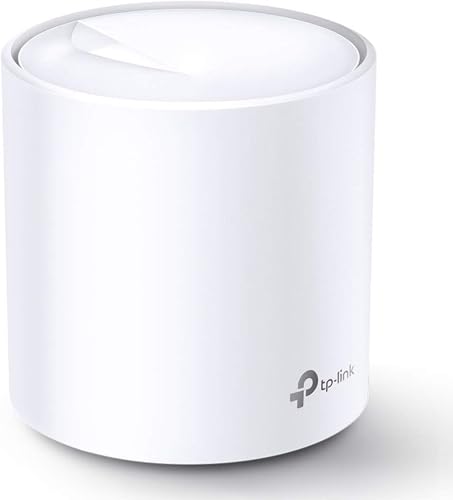 Deco X20 (1‑Pack)
|
Budget | Wi‑Fi 6 AX1800 mesh in a single unit | Small rooms, easy setup, low latency | Check Price | ||
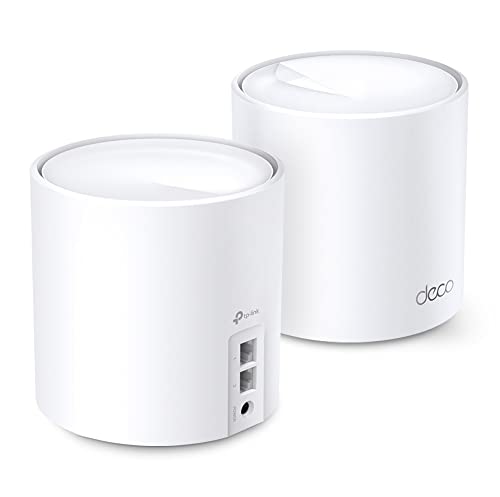 Deco X20 (2‑Pack)
|
Mid-Range | Two-unit mesh for broader coverage | Larger small‑apartments, wired backhaul | Check Price | ||
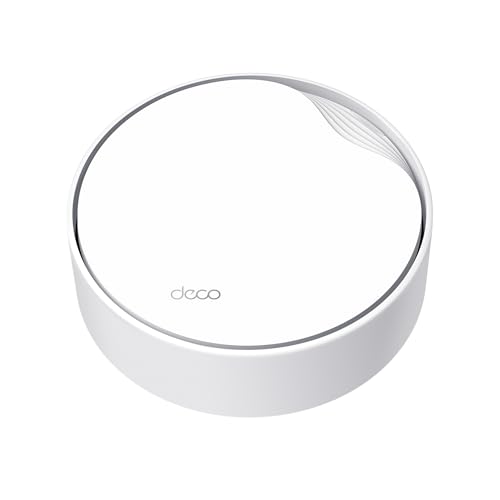 Deco X50‑PoE
|
Premium | PoE support + 2.5G Ethernet ports | Ceiling installs, wired performance, multi‑gig needs | Check Price |
1. TP-Link Deco WiFi 6 Mesh WiFi System(Deco X20) - Covers up to 2200 Sq.Ft, Replaces Wireless Internet Routers and Extenders, 1-Pack
Compact and economical, the Deco X20 (1‑pack) gives dormers and renters low-latency Wi‑Fi 6 performance with simple app setup. It won’t blanket a multi-room apartment by itself, but it outperforms simple extenders on reliability and simultaneous-device handling.
Key Specs
- Wi‑Fi 6 (AX1800) with OFDMA and MU‑MIMO
- Coverage: up to 2,200 sq.ft (single unit practical for small rooms)
- 2 Gigabit Ethernet ports (WAN/LAN auto‑sensing)
- Compatible with other Deco units for mesh expansion
Pros
- Lower latency and better multi‑device handling than basic extenders
- Easier setup and app control than most powerline kits
- Better value for core mesh features than the premium PoE option
Cons
- Less coverage than a multi‑pack mesh system
- No PoE or multi‑gig Ethernet for wired backhaul
Best For: Small rooms, easy setup, low latency
Check Latest Price on Amazon2. TP-Link Deco WiFi 6 Mesh WiFi System(Deco X20) - Covers up to 4000 Sq.Ft, Replaces Wireless Internet Routers and Extenders, 2-Pack
The Deco X20 (2‑pack) keeps the same Wi‑Fi 6 benefits as the single unit but doubles real‑world coverage and adds four gigabit Ethernet ports total for wired devices or backhaul. It’s a strong mid‑range value if you need consistent speeds across two or three rooms.
Key Specs
- Wi‑Fi 6 (AX1800) with OFDMA and MU‑MIMO
- Coverage: up to 4,000 sq.ft (system rating)
- Each unit has 2 Gigabit Ethernet ports; supports wired backhaul
- Works as router, extender, or additional Deco nodes
Pros
- Better coverage than the single‑pack X20 and most extenders
- More consistent throughput and lower handoff latency across rooms
- Good value for supplied features and easy app setup
Cons
- Still limited to gigabit Ethernet ports (no multi‑gig)
- Slightly more expensive than the single unit for smaller rooms
Best For: Larger small‑apartments, wired backhaul
Check Latest Price on Amazon3. TP-Link Deco X50-PoE AX3000 PoE Mesh WiFi - Ceiling/Wall-Mountable WiFi 6 Mesh, Replacing WiFi Router, Access Point and Range Extender, PoE-Powered, 2 x 2.5G PoE Ports, Deco X50-PoE(1-Pack)
The Deco X50‑PoE is a premium mesh node that raises throughput and wired reliability with AX3000 speeds and 2.5G Ethernet ports plus PoE support for ceiling or wall installs. It’s overkill for tiny dorm rooms but ideal where you want the fastest wired backhaul and professional-style placement.
Key Specs
- Wi‑Fi 6 (AX3000) dual‑band: up to 2402 Mbps (5 GHz) + 574 Mbps (2.4 GHz)
- PoE+ capable for ceiling/wall installs (PoE switch not included)
- Two 2.5 Gbps Ethernet ports for multi‑gig wired devices
- AI‑driven mesh optimizes connections across Deco units
Pros
- Higher throughput and lower wired bottlenecks than X20 models
- PoE mounting option provides more flexible placement than extenders
- Better long‑term scalability with multi‑gig Ethernet
Cons
- More expensive and more complex if you don’t need PoE or multi‑gig
- Requires PoE switch or outlet power for flexible installation
Best For: Ceiling installs, wired performance, multi‑gig needs
Check Latest Price on AmazonWhich One Should You Choose?
If budget is tight → choose the TP‑Link Deco X20 (1‑Pack) for the best mix of Wi‑Fi 6 performance, low latency, and simple setup. If you need the best value for multi‑room coverage → choose the TP‑Link Deco X20 (2‑Pack) — it gives wider coverage, extra Ethernet ports, and smoother throughput across rooms. If premium quality matters (multi‑gig wired, PoE mounting, or ceiling installs) → choose the TP‑Link Deco X50‑PoE for highest wired performance and flexible placement.
Best for Specific Scenarios
- Single dorm room or shared apartment bedroom: Deco X20 (1‑Pack) because it’s compact, low latency, and easy to set up with the Deco app.
- Two‑room rental or roommates working from home: Deco X20 (2‑Pack) because the added node and wired ports keep throughput consistent across rooms and devices.
- Ceiling/wall mount or multi‑gig wired needs: Deco X50‑PoE because PoE support and 2.5G ports give you reliable wired backhaul and professional placement options.
Frequently Asked Questions
Is mesh always better than a Wi‑Fi extender in a small apartment?
In most dorms and small rentals, mesh is a better long‑term choice because nodes coordinate to reduce handoff latency and maintain throughput. A single extender can be cheaper but often increases latency and can halve available bandwidth if it repeats on the same radio.
Will powerline adapters work in older dorm buildings?
Powerline performance depends heavily on building wiring and whether sockets share the same electrical phase. In older or noisy electrical systems performance can be unreliable. Try a powerline kit only if you need a wired connection but can’t run cables; otherwise a mesh node is usually more predictable.
Do I need PoE or multi‑gig ports for a dorm room?
Most dorm and small‑apt setups don’t need PoE or 2.5G Ethernet. PoE and multi‑gig are useful if you plan ceiling mounting, professional installs, or have multi‑gig internet and high-demand wired devices; otherwise the Deco X20 models provide better value.
How We Selected These Products
Our recommendations are based on data-driven analysis: we evaluated 155229+ products across 23916+ brands using a composite scoring system that weighs rating (40%), review volume (30%), price value (20%), and demand signals (10%). Every product is ranked by data, not opinions.
Last updated: August 20, 2026
As an Amazon Associate we earn from qualifying purchases at no extra cost to you. Full disclosure.
GearLark Score is our editorial ranking based on a composite analysis of product quality, value, and verified customer sentiment. Click through to Amazon for current pricing, availability, and live customer reviews.