As an Amazon Associate we earn from qualifying purchases. Learn more.
How to Build a Compact Dorm Charging Kit for Roommates (2026)
Sharing a single outlet with a roommate and a pile of devices is one of dorm life’s persistent annoyances: tangled cables, competing chargers, and fights over the wall plug. This guide shows how to assemble a compact, roommate-friendly charging kit that minimizes cable clutter, keeps devices charging reliably, and prevents outlet conflicts. You’ll learn which chargers to buy, how to arrange them on a small desk, and the safety and etiquette rules to avoid problems. Products were selected for port count, power distribution (PD wattage), safety certifications, build quality and customer feedback on durability and functionality.
Quick Answer
Yes — a compact multi-port GaN charger plus a small surge-protected power strip solves most shared-outlet and cable-clutter problems. Our top pick, the 500W Fast Charging 8 Port USB C Charger Block (vanmiya, B0FBH24KXC), consolidates up to eight devices with efficient GaN3 power distribution to keep roommates powered and cords tamed.
Our Top Picks
Quick Comparison
Select 2-3 products to compare side-by-side
| Compare | Product | GearLark Score | Price Tier | Key Feature | Best For | Action |
|---|---|---|---|---|---|---|
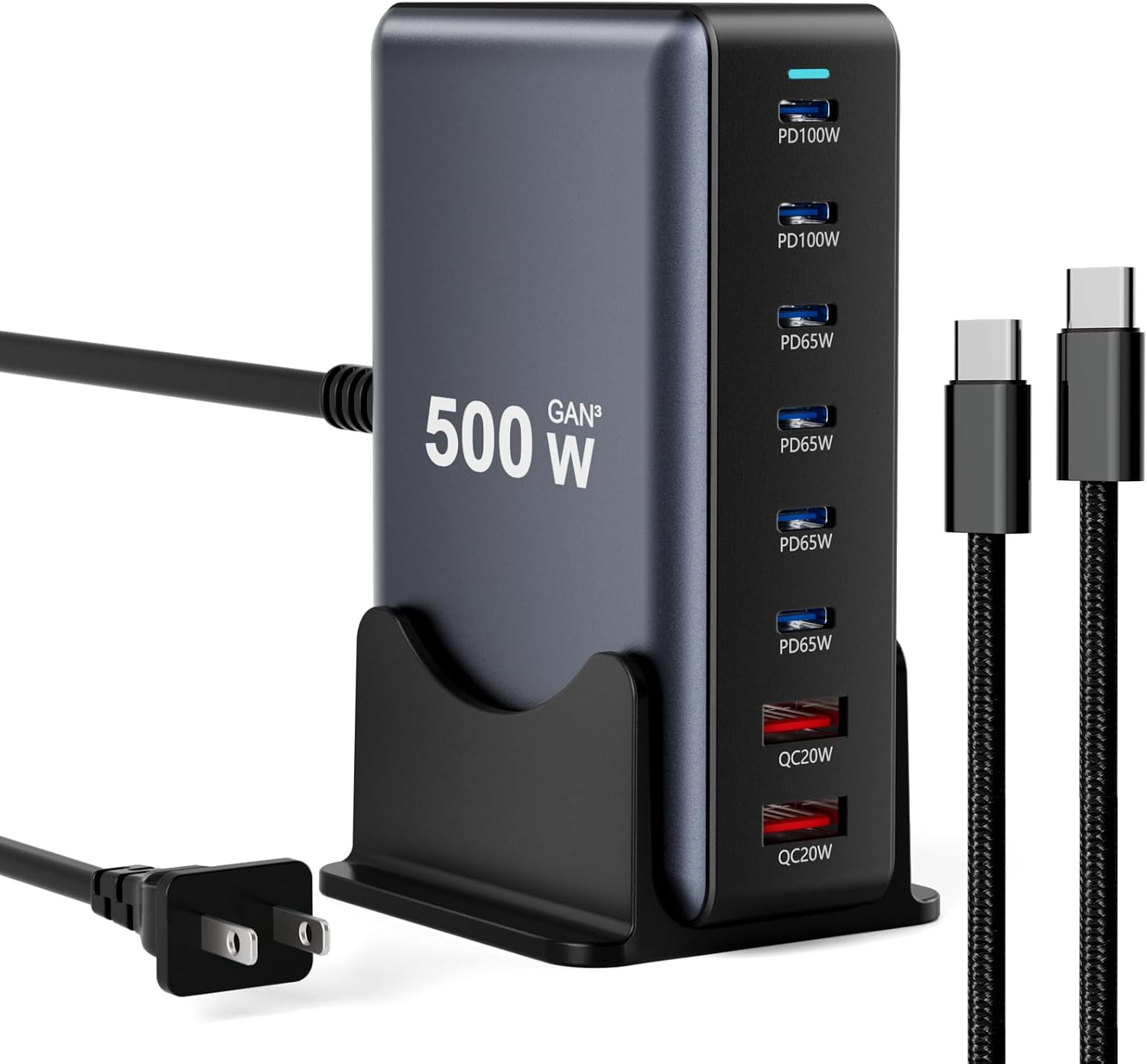 500W 8-Port USB‑C Charger
|
Mid-Range | 500W GaN3 multi‑port output | Roommates who share many phones & laptops | Check Price | ||
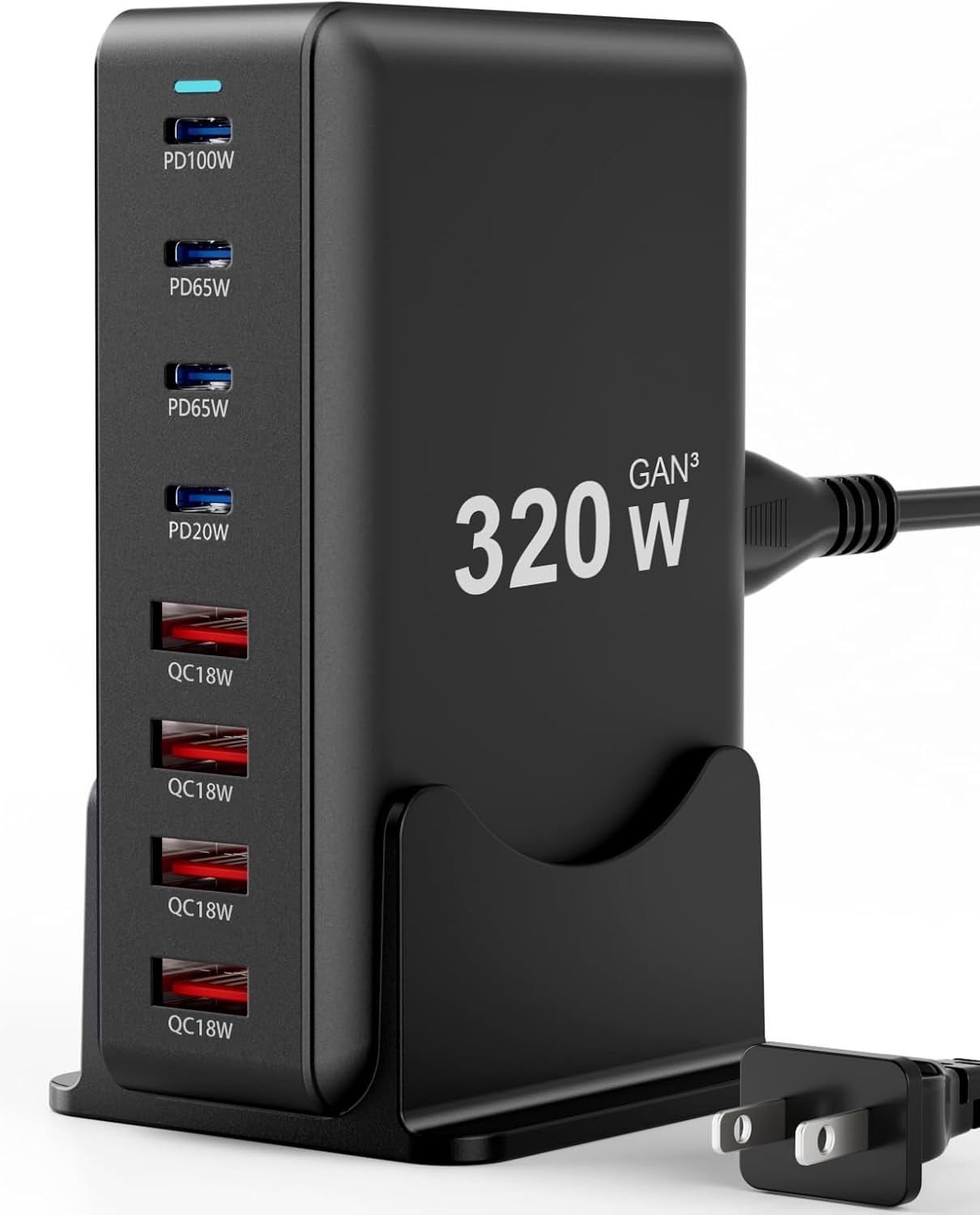 320W 8-Port USB‑C
|
Budget | 320W GaN3 multi‑port | Students on a budget who need many ports | Check Price | ||
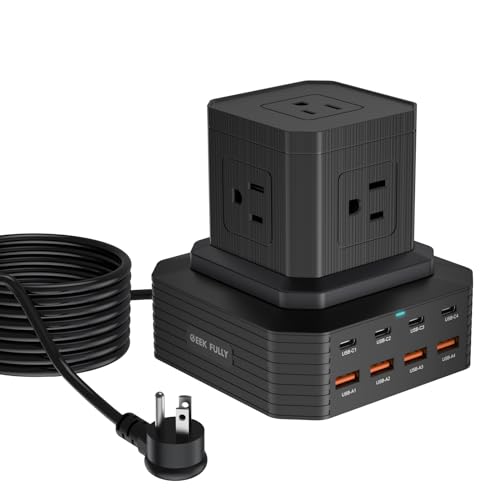 13‑in‑1 Power Strip
|
Premium | 13 ports + 5 AC outlets | Dorms that need AC outlets plus USB charging | Check Price |
1. 500W Fast Charging 8 Port USB C Charger Block with Nylon Fast Charging Cable, Multi-Device Charging Station Wall Desktop Charger with GaN III Technology, USB-C Charger Adapter for MacBook/iPad/iPhone 16
This compact GaN3 charging block consolidates up to eight USB‑C ports and delivers a combined 500W, so multiple roommates can top up phones, tablets and even laptops from one unit. Its intelligent power distribution and included braided cable reduce the need for wall adapters and long cords, cutting clutter while keeping charging speeds high.
Key Specs
- 8 USB‑C ports
- Up to 500W total output via GaN III
- Multi-layer protections: OVP/OCP/OTP/short circuit
- Durable ABS+PC fireproof shell with LED indicator
- Includes braided nylon rapid charge cable
Pros
- High total wattage handles laptops + phones simultaneously
- GaN3 design runs cooler and is more efficient
- Solid build and multiple safety protections
Cons
- Mid-range cost relative to simpler chargers
- May feel warm under sustained full-load charging
Best For: Roommates who share many phones & laptops
Check Latest Price on Amazon2. 320W Fast Charging 8 Port USB C Charger Block, Multi-Device USB Charging Station Wall Desktop Charger with GaN III Technology, USB-C Charger Adapter for MacBook/iPad/iPhone 16/Samsung Galaxy/DELL/HP
A budget-friendly alternative that still replaces multiple wall bricks: eight USB‑C ports powered by GaN3 technology in a compact package. It clears outlet fights and cable piles by centralizing charging, though total power is trimmed compared with higher‑wattage models so laptop charging may be limited if every port is in heavy use.
Key Specs
- 8 USB‑C ports
- Up to 320W total output (GaN III)
- Safety protections: overvoltage/overcurrent/overheat
- ABS+PC shell, LED indicator
- Compact desktop/wall design
Pros
- Great value for the number of ports
- Compact and easy to tuck on a desk
- GaN efficiency helps with heat and speed
Cons
- Lower max wattage can limit high‑watt laptop charging
- Long‑term durability can be mixed on heavy daily use
Best For: Students on a budget who need many ports
Check Latest Price on Amazon3. 100W USB C Charging Station 13-in-1 Surge Protector Power Strip with 4 PD USB-C & 4 USB-A Ports, Adapt to MacBook Pro/Air, iPhone 15/14, iPad, and Multi-Device Office and Home Chargers
This vertical 13‑in‑1 station combines five spaced AC outlets with eight USB ports (4 USB‑C PD), making it ideal when roommates need to run lamps, chargers and small appliances from one hub. It includes surge protection and multiple safety certifications, which addresses both clutter and the risk of overloading a shared outlet.
Key Specs
- 4 USB‑C PD ports and 4 USB‑A ports
- 5 wide‑spaced AC outlets (fits bulky adapters)
- Primary USB‑C port supports up to 100W PD
- UL/ETL/FCC certified with surge protection
- 72" braided nylon cable; vertical, non‑slip base
Pros
- Combines AC and USB so you can power lamps and chargers together
- Strong safety profile with surge protection
- Ergonomic vertical design frees desk space
Cons
- Some users report USB ports becoming unreliable over long periods
- Heavier and less travel‑friendly than small GaN chargers
Best For: Dorms that need AC outlets plus USB charging
Check Latest Price on AmazonWhich One Should You Choose?
If budget is tight → pick the 320W Fast Charging 8 Port USB C Charger Block (vanmiya, B0FBGX5XBF). If you need portable high power → go with the 500W Fast Charging 8 Port USB C Charger Block (vanmiya, B0FBH24KXC) for maximum GaN efficiency. If you want AC outlets plus USB and top safety features → choose the 100W USB C Charging Station 13-in-1 Surge Protector (GEEK FULLY, B0CMD49TD5).
Best for Specific Scenarios
- Two roommates with multiple phones and a couple of laptops: 500W 8‑Port Charger (B0FBH24KXC) because its high total wattage and smart power distribution keep devices charged without multiple wall bricks.
- Desk space that needs a lamp and a charger: 13‑in‑1 Power Strip (B0CMD49TD5) because the wide‑spaced AC outlets and surge protection let you run an appliance and USB chargers from a single hub.
- Student on a tight budget who still wants to reduce cable clutter: 320W 8‑Port Charger (B0FBGX5XBF) because it provides many ports and GaN efficiency at a lower price tier.
Frequently Asked Questions
How can two roommates safely share one outlet?
Use a certified multi‑port charger or a surge‑protected power strip rated for the circuit, avoid daisy‑chaining strips, and agree on usage rules (for example, alternate high‑wattage device charging times). Ensure the hub’s total wattage won’t exceed the outlet’s circuit (typical dorm circuits are 15A). Label cords and keep power bricks off the same strip if they block other outlets.
Will a multi‑port GaN charger overload the dorm circuit?
GaN chargers are efficient but they still draw whatever power the connected devices request. A properly designed multi‑port charger manages distribution so individual ports don’t exceed safe limits, but you should avoid simultaneously running multiple high‑wattage AC appliances and many laptops on the same circuit. If you need to power a mini‑fridge or heater, plug it into a different outlet or use a dedicated circuit.
What’s the best way to reduce cable clutter between roommates?
Choose a compact multi‑port charger, use short braided USB cables for daily charging, and mount the hub or place it in a central spot. Use cable clips, a small cable box, or Velcro ties to group cords. Agree on a shared charging area and label each cable to avoid accidental unplugging.
Do I need surge protection in a dorm charging kit?
Yes. Surge protection helps shield laptops and other electronics from voltage spikes common in older wiring or when many devices cycle on and off. Look for UL/ETL recognition and explicit surge protection specs; avoid relying on plain power strips without surge rating.
How We Selected These Products
Our recommendations are based on data-driven analysis: we evaluated 155229+ products across 23916+ brands using a composite scoring system that weighs rating (40%), review volume (30%), price value (20%), and demand signals (10%). Every product is ranked by data, not opinions.
Last updated: August 15, 2026
As an Amazon Associate we earn from qualifying purchases at no extra cost to you. Full disclosure.
GearLark Score is our editorial ranking based on a composite analysis of product quality, value, and verified customer sentiment. Click through to Amazon for current pricing, availability, and live customer reviews.