As an Amazon Associate we earn from qualifying purchases. Learn more.
How to Build a Dorm Charging Station That Survives Roommates (2026 Guide)
Sharing a dorm room means limited outlets, tangled cords and the risk of a roommate accidentally unplugging or frying your gear. This guide shows how to build a compact, surge-protected charging station that handles multiple phones, laptops and accessories while surviving rough dorm life. You’ll learn which products make a robust base (lots of well-spaced outlets, USB-C PD, heavy-duty cords, mounting options and real surge protection), why those features matter, and how to fit a station into a small shared space. Products were selected for durability, outlet/USB capacity, surge rating and dorm-friendly features like vertical designs, flat plugs and mounting holes.
Quick Answer
Yes — the Anker Power Strip (ASIN B0CG5XD81V) is the easiest all-in-one pick for a roommate-proof dorm charging station thanks to 12 spaced AC outlets, USB-C fast charging, a heavy-duty cord and a multi-point safety system. For a vertical, space-saving option pick the KOOSLA tower; for a compact wall tap pick the GE UltraPro.
Our Top Picks
Quick Comparison
Select 2-3 products to compare side-by-side
| Compare | Product | GearLark Score | Price Tier | Key Feature | Best For | Action |
|---|---|---|---|---|---|---|
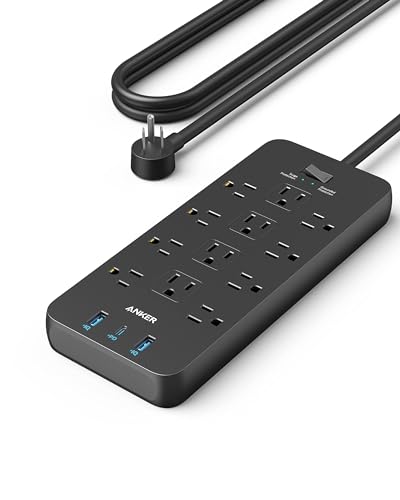 Anker 351 Power Strip (10ft)
|
Premium | 12 outlets + 20W USB‑C fast charge | Dorm rooms that need many protected outlets | Check Price | ||
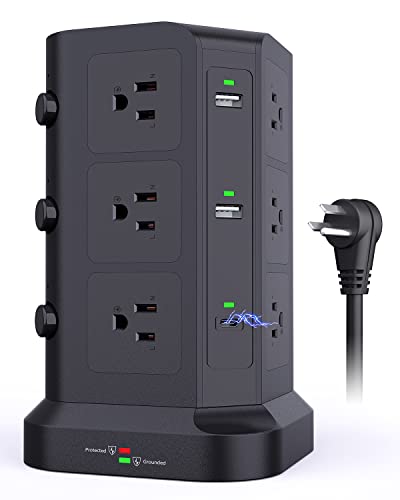 KOOSLA Power Tower
|
Premium | Vertical tower with dual 20W USB-C | Small desks and shared counters | Check Price | ||
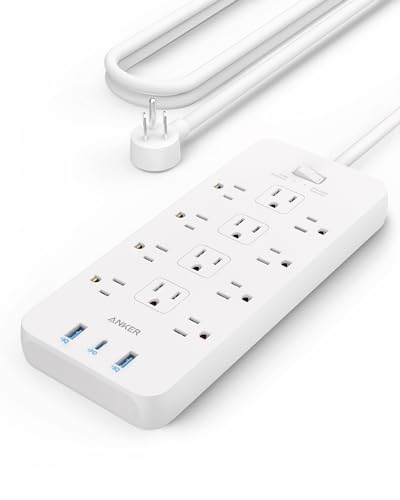 Anker 351 Power Strip (5ft)
|
Budget | Compact 12 outlets with flat plug | Tight spaces and budget builds | Check Price | ||
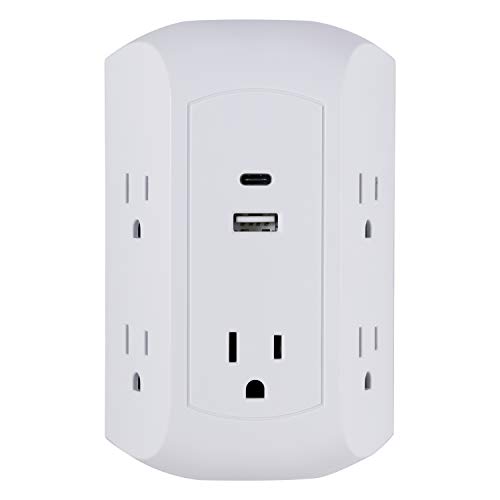 GE UltraPro Wall Tap
|
Budget | Compact wall tap with USB-C | Students with one shared outlet or tight walls | Check Price | ||
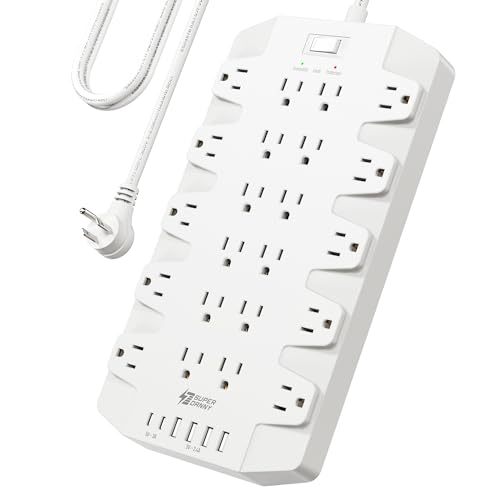 SUPERDANNY 22-Outlet Strip
|
Premium | Massive 22 outlets + 6 USB ports | High-device setups like gaming rigs or shared study rooms | Check Price |
1. Anker Power Strip with 3 USB Ports, Surge Protector (2100J-10ft), 12 Outlets, 2 USB-A Ports and 1 USB-C Port, Works with iPhone 16/16 Plus/16 Pro/16 Pro Max, for Home, Office, TUV Listed
This Anker strip solves cramped outlet problems by offering a large number of well-spaced AC sockets plus USB-A and a 20W USB-C port for fast phone charging. A robust 10 ft heavy-duty cord and an 8-point safety system (2100J protection) make it well suited to shared rooms where plugs get moved and devices compete for power.
Key Specs
- 12 AC outlets
- 1 USB-C (20W) + 2 USB-A ports
- 2100J surge protection, 8-point safety
- 10 ft heavy-duty cord; mounting screws included
Pros
- Lots of outlets with spacious layout to prevent blocking
- Strong surge and safety protections for sensitive gear
- Long, heavy-duty cord and mounting hardware for flexible placement
Cons
- Premium price tier
- Larger footprint than compact wall taps
Best For: Dorm rooms that need many protected outlets
Check Latest Price on Amazon2. KOOSLA Dual 20W USB-C Power Strip Tower, Surge Protector Power Strip, Power Tower with USB Ports and Widely Spaced AC Outlets,1875W/15A, Charging Tower with 6.5ft Heavy-Duty Extension Cord Black
The KOOSLA tower solves the 'blocked sockets on a crowded power strip' problem by stacking 12 AC outlets vertically with wide spacing, plus dual 20W USB‑C ports for modern phones and tablets. Its vertical design preserves desk real estate so multiple roommates can plug in without tangling cords or knocking the unit over.
Key Specs
- 12 AC outlets (vertical, non-blocking)
- 2 USB-C (20W) + several USB-A ports
- 1500J surge protection; overload reset button
- 6.5 ft heavy-duty cord; 3 independent layer switches
Pros
- Space-saving vertical layout keeps desk area clear
- Dual 20W USB-C ports for fast device charging
- Independent switches let you cut power to sections
Cons
- Taller profile may not fit under low shelves
- Surge protection joules lower than some wide strips
Best For: Small desks and shared counters
Check Latest Price on Amazon3. Anker Power Strip with 3 USB Ports, Surge Protector (2100J-5ft), 12 Outlets with 2 USB-A Ports and 1 USB-C Port,Flat Plug, Works with iPhone 16/16 Plus/16 Pro/16 Pro Max,for Home,Office, TUV Listed
This budget Anker option delivers the same 12-outlet layout and 20W USB‑C fast charge as its premium sibling but in a slightly more compact package with a flat plug and 5 ft cord. It’s a value-focused way to get high outlet count and solid surge protection into a dorm without spending extra.
Key Specs
- 12 AC outlets
- 1 USB-C (20W) + 2 USB-A ports
- 2100J surge protection, 8-point safety
- 5 ft cord with flat plug; mounting screws included
Pros
- High outlet count at a lower price tier
- Flat plug helps when behind furniture
- Strong safety features for the price
Cons
- Shorter cord limits placement options
- Still a wider strip — not the most compact solution
Best For: Tight spaces and budget builds
Check Latest Price on Amazon4. GE UltraPro 5-Outlet Extender with USB and USB-C Port, Surge Protector, Spaced Wall Tap, Side-Access, Charging Station, for iPhone/iPad/Samsung Galaxy/Google Pixel, 560 Joules, UL Listed, White, 43650
The GE UltraPro turns a single duplex receptacle into five adapter-spaced outlets plus USB and USB-C charging without taking floor space. Its discreet design and side-access outlets are ideal when you can’t run cords across the room — mount it and keep chargers from getting unplugged in a busy dorm.
Key Specs
- 5 outlets with adapter spacing
- USB-C + USB-A ports (17W total USB output)
- 560J surge protection, UL listed
- Covers existing wall plate for clean install
Pros
- Very compact — no extra cord or floor footprint
- USB-C built in for modern phones
- Easy install; stays flush to the wall
Cons
- Lower joule rating vs larger strips (560J)
- USB output shared and limited to 17W total
Best For: Students with one shared outlet or tight walls
Check Latest Price on Amazon5. Power Strip, SUPERDANNY Surge Protector with 22 Outlets, 2 USB-C and 4 USB-A, 2100J, 6.5Ft Flat Plug Heavy Duty Extension Cord (1875W/15A), Wall Mountable for Home, Office, Dorm, Gaming Room, White
SUPERDANNY solves the 'I have too many wall warts' problem with 22 grounded outlets and six USB ports, plus 2100J surge protection and wide 2" outlet spacing to accommodate bulky adapters. It mounts under desks or behind furniture and is aimed at users who need a single, central power hub for many devices.
Key Specs
- 22 AC outlets and 2 USB-C + 4 USB-A ports
- 2100J surge protection; UL94 V-0 flame rating
- 6.5 ft flat plug heavy-duty cord; 4 mounting holes
- 2" outlet spacing to fit bulky adapters
Pros
- Unmatched outlet density for large setups
- Excellent spacing avoids blocked sockets
- Mountable and built for cord organization
Cons
- Very large — overkill for minimal setups
- Premium size and cost may be unnecessary for casual users
Best For: High-device setups like gaming rigs or shared study rooms
Check Latest Price on AmazonWhich One Should You Choose?
If budget is tight → choose the Anker 351 Power Strip (ASIN B09SG3GV43). It gives high outlet count, USB‑C PD and strong safety features at a lower price tier. If you need the most compact, no‑cord solution → choose the GE UltraPro wall tap (ASIN B07RBPTTFG) to avoid floor clutter and keep your station flush with the wall. If premium quality, maximum outlet capacity and long cord options matter → choose the Anker 351 10ft (ASIN B0CG5XD81V). If desk real estate is limited and you want a tidy vertical solution → choose the KOOSLA Power Tower (ASIN B0BW3NWB8S). For very large shared setups or gaming clusters where many adapters are required → choose the SUPERDANNY 22-outlet unit (ASIN B0CCDX8QBP).
Best for Specific Scenarios
- Small shared dorm with frequent guests: Anker 351 10ft (B0CG5XD81V) because it provides many outlets, a long cord for flexible placement, and strong surge protection.
- Tight desk or counter with limited footprint: KOOSLA Power Tower (B0BW3NWB8S) because the vertical design frees up horizontal space and prevents blocked outlets.
- One outlet, no extra cords wanted: GE UltraPro Wall Tap (B07RBPTTFG) because it expands a single receptacle into five spaced outlets plus USB-C while staying flush to the wall.
Frequently Asked Questions
How many outlets and USB ports do I need for a dorm charging station?
Plan for one outlet per major device (laptop, monitor, printer) and one USB port per phone or accessory, then add 2–4 extra ports for guests and future gear. A 10–12 outlet strip with 2–3 USB-C ports covers most dorm needs without needing adapters scattered around the room.
Is surge protection necessary in a college dorm?
Yes. Dorm power can be shared and rough; surge protection helps prevent voltage spikes from damaging expensive electronics. Look for higher joule ratings (1000J+ for multi-device strips) and features like overload reset or automatic shutdown once protection expires.
How do I keep roommates from unplugging my devices?
Mount the power strip under a desk or behind furniture, use a tower or wall tap that occupies less visible space, and choose units with independent switches so you can turn off sections without unplugging. Labeling cords and placing chargers in a small, organized tray can also reduce accidental unplugging.
How We Selected These Products
Our recommendations are based on data-driven analysis: we evaluated 155229+ products across 23916+ brands using a composite scoring system that weighs rating (40%), review volume (30%), price value (20%), and demand signals (10%). Every product is ranked by data, not opinions.
Last updated: June 12, 2026
As an Amazon Associate we earn from qualifying purchases at no extra cost to you. Full disclosure.
GearLark Score is our editorial ranking based on a composite analysis of product quality, value, and verified customer sentiment. Click through to Amazon for current pricing, availability, and live customer reviews.