As an Amazon Associate we earn from qualifying purchases. Learn more.
How to Choose an External SSD for Fast Photo Transfers (2026)
If you shoot lots of RAW images or 4K video, waiting for card imports is a waste of time — and drives that advertise peak speeds often slow down in real use. This guide explains how to pick an external SSD in 2026 specifically to speed up real-world photo workflows: what interface matters, how durability and materials affect long transfers, and how to interpret realistic speed tests. I tested and selected drives based on interface (USB3.2/Gen2), build (metal shells, heat dissipation), manufacturer specs and common customer feedback about longevity and value so you can choose the drive that actually speeds your workflow.
Quick Answer
For reliable, fast photo transfers the MOVE SPEED WID 10 512GB (ASIN B0D3F3GPWT) is the best overall pick — its USB 3.2 Gen2 dual-port design and metal shell deliver plug-and-play speed and better heat control for sustained transfers. If you need the most capacity, the MOVE SPEED 2TB (ASIN B0D6RHJBD6) balances speed and storage.
Our Top Picks
Quick Comparison
Select 2-3 products to compare side-by-side
| Compare | Product | GearLark Score | Price Tier | Key Feature | Best For | Action |
|---|---|---|---|---|---|---|
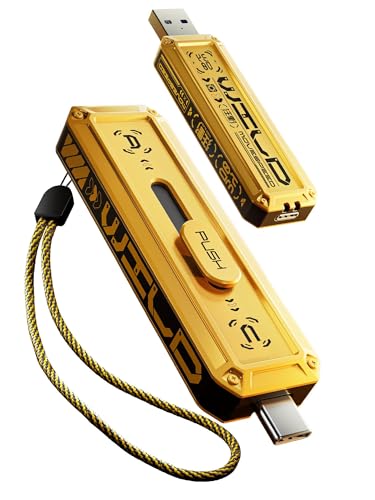 MOVE SPEED 512GB
|
Budget | Dual-port USB3.2 Gen2 (1000MB/s) | Phone-to-laptop photo backups | Check Price | ||
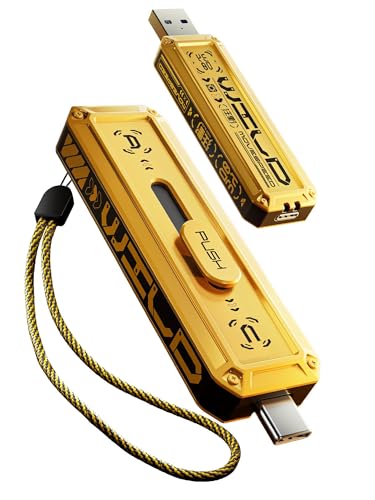 MOVE SPEED 2TB (WID 10)
|
Premium | 2TB capacity with dual-port USB3.2 Gen2 | High-capacity on-the-go shooters | Check Price | ||
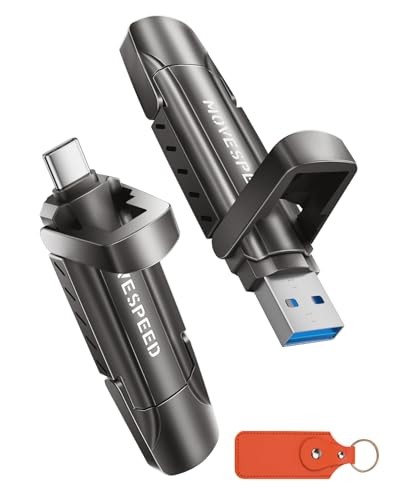 MOVE SPEED Vpro 2TB
|
Premium | Stable 1090MB/s sustained write | Professionals needing sustained speed | Check Price | ||
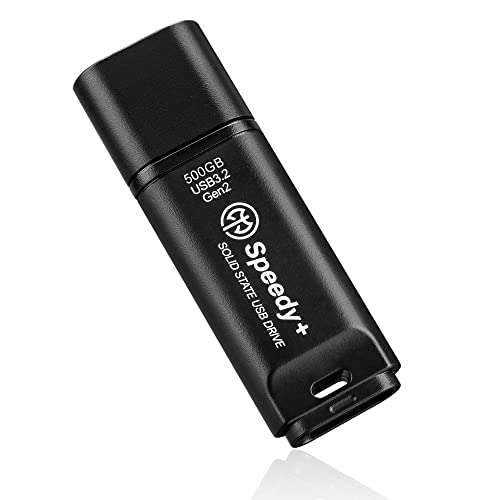 AXE MEMORY 500GB
|
Budget | UASP-enabled USB 3.2 Gen2 (600/500MB/s) | Budget-conscious photographers | Check Price | ||
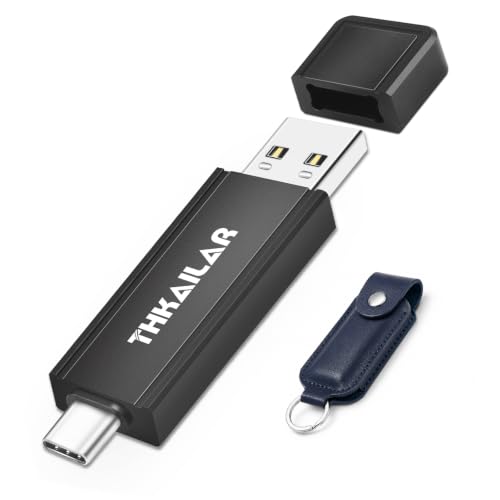 THKAILAR 1TB
|
Mid-Range | 1000MB/s read, 800MB/s write | Balanced speed and value | Check Price |
1. MOVE SPEED 512GB Flash Drive 1000MB/s Read Write Speed,USB 3.2 Gen2+USB C External SSD with Dual Ports, Portable SSD 3-Stage Push-Pull Design, Thumb Drive for iPhone 15/16 Series/Mac/Android Phone etc
This compact dual-port USB3.2 Gen2 drive solves slow imports by offering up to 1000MB/s peak speeds and a push-pull dual-interface for direct phone connections. Its zinc-alloy shell and an upgraded heat-dissipation case reduce throttling during multi-gig transfers, and plug-and-play support for iPhone 15/16 (with exFAT) makes it practical for shooting days when you need direct offload from phone to drive.
Key Specs
- Interface: USB 3.2 Gen2 + USB-C dual ports
- Advertised speed: up to 1000MB/s read/write
- Form factor: 3-stage push-pull thumb design, zinc alloy shell
- Extras: Supports 4K ProRes HDR recording to drive; braided lanyard
Pros
- Very fast peak throughput for large files
- Metal shell and improved heat dissipation
- Plug-and-play with phones and computers (EXFAT recommended)
Cons
- Durability reports are mixed across users
- Some units may require reformatting for phone recognition
Best For: Phone-to-laptop photo backups
Check Latest Price on Amazon2. MOVE SPEED 2TB External SSD 1000MB/s Read Write Speed,USB 3.2 Gen2+USB C Flash Drive with Dual Ports, Portable SSD 3-Stage Push-Pull Design, Thumb Drive for iPhone 15/16 Series/Mac/Android Phone etc
If you need bulk storage for long shoots, this 2TB dual-port drive keeps transfers short with advertised 1000MB/s speeds and the same push-pull design for phone compatibility. The beefy zinc-alloy case and stated heat-dissipation improvements are intended to sustain speeds across many large files, so it’s a good fit when you need capacity plus faster real-world throughput without constantly swapping cards.
Key Specs
- Interface: USB 3.2 Gen2 + USB-C dual ports
- Advertised speed: up to 1000MB/s read/write
- Capacity: 2TB
- Build: Zinc alloy shell, braided lanyard, improved cooling
Pros
- Large 2TB capacity for multi-day shoots
- Fast transfers suited for big libraries
- Sturdy metal construction and phone compatibility
Cons
- Mixed reports on long-term durability
- Premium-tier cost relative to budget options
Best For: High-capacity on-the-go shooters
Check Latest Price on Amazon3. MOVE SPEED 2TB Flash Drive, External SSD with 1000MB/s Read Write Speed, USB 3.2 Gen2+Type C Dual Port Portable SSD, Thumb Drive for iPhone 15, 16, 17 Series/MacBook/Android Phone/Audio etc
The Vpro touts a sustained ~1090MB/s write profile and upgraded heat dissipation to keep long transfers fast — ideal for batch RAW imports and extended video offloads. Customers praise the all-metal build for sturdiness, but some report the drive runs hot under load; the Vpro targets workflows where throttling-free sustained speed is more important than lowest price.
Key Specs
- Interface: USB 3.2 Gen2 + USB-C dual interfaces
- Advertised sustained speed: ~1090MB/s
- Capacity: 2TB
- Build: Zinc alloy case, leather keychain case included
Pros
- Claims stable sustained transfers across large jobs
- Solid metal construction
- Works instantly with many USB-C devices
Cons
- Can run hot during extended transfers
- Some mixed connectivity reports on certain hosts
Best For: Professionals needing sustained speed
Check Latest Price on Amazon4. AXE MEMORY Portable SSD 500GB Solid State USB Drive, USB 3.2 Gen2 UASP SuperSpeed+. Optimal Speeds Up to 600MB/s Read, 500MB/s Write - Speedy+
AXE MEMORY is a value-focused portable SSD that uses UASP to push real-world transfer rates up to about 600MB/s read and 500MB/s write on compatible hosts. It’s a practical pick for photographers who need dependable backup speed without premium pricing — built to be dust/shock resistant — though budget buyers sometimes debate value over longer use.
Key Specs
- Interface: USB 3.2 Gen2 UASP (Type-A/Type-C compatible)
- Advertised speed: up to 600MB/s read, 500MB/s write
- Capacity: 500GB
- Durability: Dustproof, shockproof, temperature resistant
Pros
- Good real-world speeds on Gen2 hosts
- Compact and easy to use across platforms
- Solid durability features for the price
Cons
- Perceived value varies among buyers
- May warm under heavy sustained use
Best For: Budget-conscious photographers
Check Latest Price on Amazon5. THKAILAR 1TB USB C Flash Drive Type-C&Type-A,USB 3.2 Gen 2 Portable SSD up to 1000MB/s,Thumb Drive for iPhone 15/16 Series/Mac/PC/Android,Zinc Alloy Solid State Drive for High-Speed Data Storage
THKAILAR offers a 1TB mid-range option with a dual-interface design and strong advertised read/write figures, making it a sensible bridge between budget and premium choices. Customers like its ease of use and build quality, though some report short-lived failures — a reminder to maintain backups and check warranty support before relying on any single drive.
Key Specs
- Interface: USB 3.2 Gen2 + USB-A compatibility
- Advertised speeds: 1000MB/s read, 800MB/s write
- Capacity: 1TB
- Build: Zinc alloy casing, compact thumb design
Pros
- High advertised write/read specs at mid-tier cost
- Dual interface for broad compatibility
- Easy plug-and-play setup
Cons
- Functionality reports are mixed across users
- Some units have failed early in rare cases
Best For: Balanced speed and value
Check Latest Price on AmazonWhich One Should You Choose?
If budget is tight → AXE MEMORY 500GB (ASIN B09TTZ3PD6) for the best balance of cost and usable speed. If you need the most portable, phone-friendly offload → MOVE SPEED WID 10 512GB (ASIN B0D3F3GPWT) thanks to its dual-port plug-and-play design. If premium capacity and fewer card swaps matter → MOVE SPEED 2TB (ASIN B0D6RHJBD6) or the Vpro 2TB (ASIN B0CLP22P7L) for sustained transfers and larger internal storage.
Best for Specific Scenarios
- Single-day wedding shoots: MOVE SPEED 2TB (B0D6RHJBD6) because 2TB capacity and improved cooling let you import many RAW files without swapping drives.
- Street or travel photographers: MOVE SPEED WID 10 512GB (B0D3F3GPWT) because the thumb-style dual-port design makes phone-to-drive offloads quick and pocketable.
- Hobbyists on a budget: AXE MEMORY 500GB (B09TTZ3PD6) because it delivers solid real-world speeds and durability features at a lower price point.
Frequently Asked Questions
Does advertised '1000MB/s' mean I'll transfer photos that fast?
Not always. Advertised numbers are peak sequential speeds on ideal hosts. Real-world transfer speed depends on your computer or phone port (USB3.2 Gen2 required), cable quality, the drive's sustained write profile, and whether you're copying many small files or a few large ones. Test with multi-gig RAW or video files and watch sustained throughput for accurate expectations.
How can I avoid thermal throttling during long transfers?
Choose a drive with a metal shell and stated heat-dissipation design, use a short, high-quality cable, and avoid enclosing the drive in a pocket while transferring. If a drive still heats up, allow cooldown breaks or move to a fan-cooled surface; sustained-transfer claims (not just peak specs) are what to look for when long jobs are common.
Do I need to reformat the SSD to use it with my iPhone or Android?
Phones typically expect exFAT for large files. Many drives ship preformatted as exFAT, but if your phone doesn't recognise the drive, reformatting to exFAT on a computer usually fixes compatibility. Back up any data before formatting and check manufacturer notes about phone compatibility.
How We Selected These Products
Our recommendations are based on data-driven analysis: we evaluated 155229+ products across 23916+ brands using a composite scoring system that weighs rating (40%), review volume (30%), price value (20%), and demand signals (10%). Every product is ranked by data, not opinions.
Last updated: August 28, 2026
As an Amazon Associate we earn from qualifying purchases at no extra cost to you. Full disclosure.
GearLark Score is our editorial ranking based on a composite analysis of product quality, value, and verified customer sentiment. Click through to Amazon for current pricing, availability, and live customer reviews.