As an Amazon Associate we earn from qualifying purchases. Learn more.
How to Reduce Charger Cable Clutter in Dorms & Small Apartments (2026)
Charger cables strewn across a tiny dorm desk or tangled under a small apartment TV are more than an eyesore — they create tripping hazards, waste outlet space and make devices harder to use. This guide shows practical, realistic fixes for tight living spaces: multifunction charging stations that consolidate power, surface-level organizers that route and anchor cords, and retractable or raceway systems that hide cables along walls or ceilings. I tested products chosen for real-world dorm and small-apartment needs (space-saving, multi-device charging, easy install, quiet operation). Read on to see which solutions solve which part of the clutter problem and why they work.
Quick Answer
Use a multi-device station like the OIVO PS5 Stand & Charging Station to consolidate chargers and free outlet space, and pair that with a raceway (Delamu) or retractable pulley (KIWI) to keep cords off floors. For desks, the Razer Firefly hard pad tames mouse cables while adding a dedicated channel for one wire.
Our Top Picks
Quick Comparison
Select 2-3 products to compare side-by-side
| Compare | Product | GearLark Score | Price Tier | Key Feature | Best For | Action |
|---|---|---|---|---|---|---|
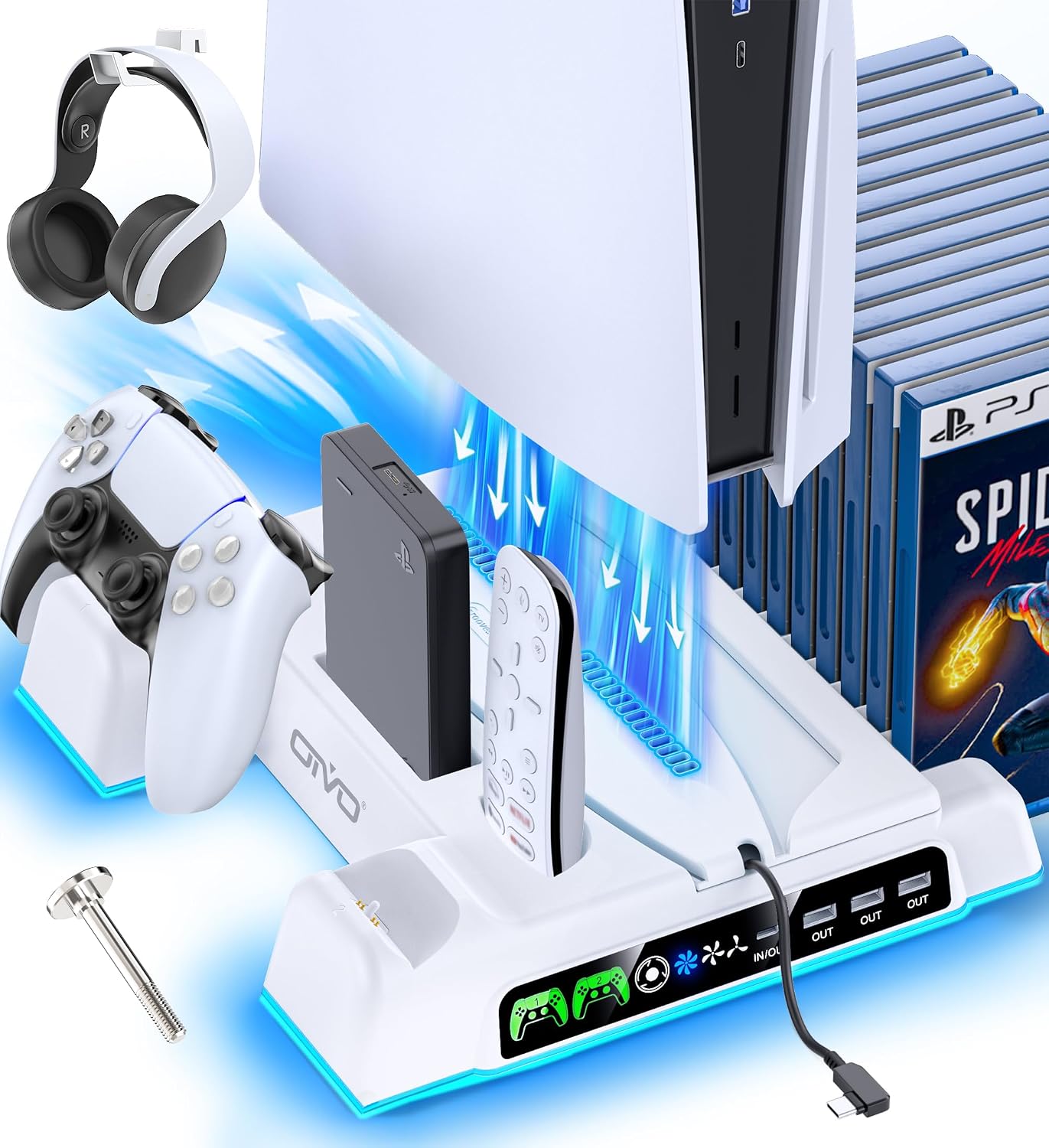 OIVO PS5 Stand & Charger
|
Premium | All-in-one PS5 stand with 4 charging ports | PS5 owners who want consolidated charging | Check Price | ||
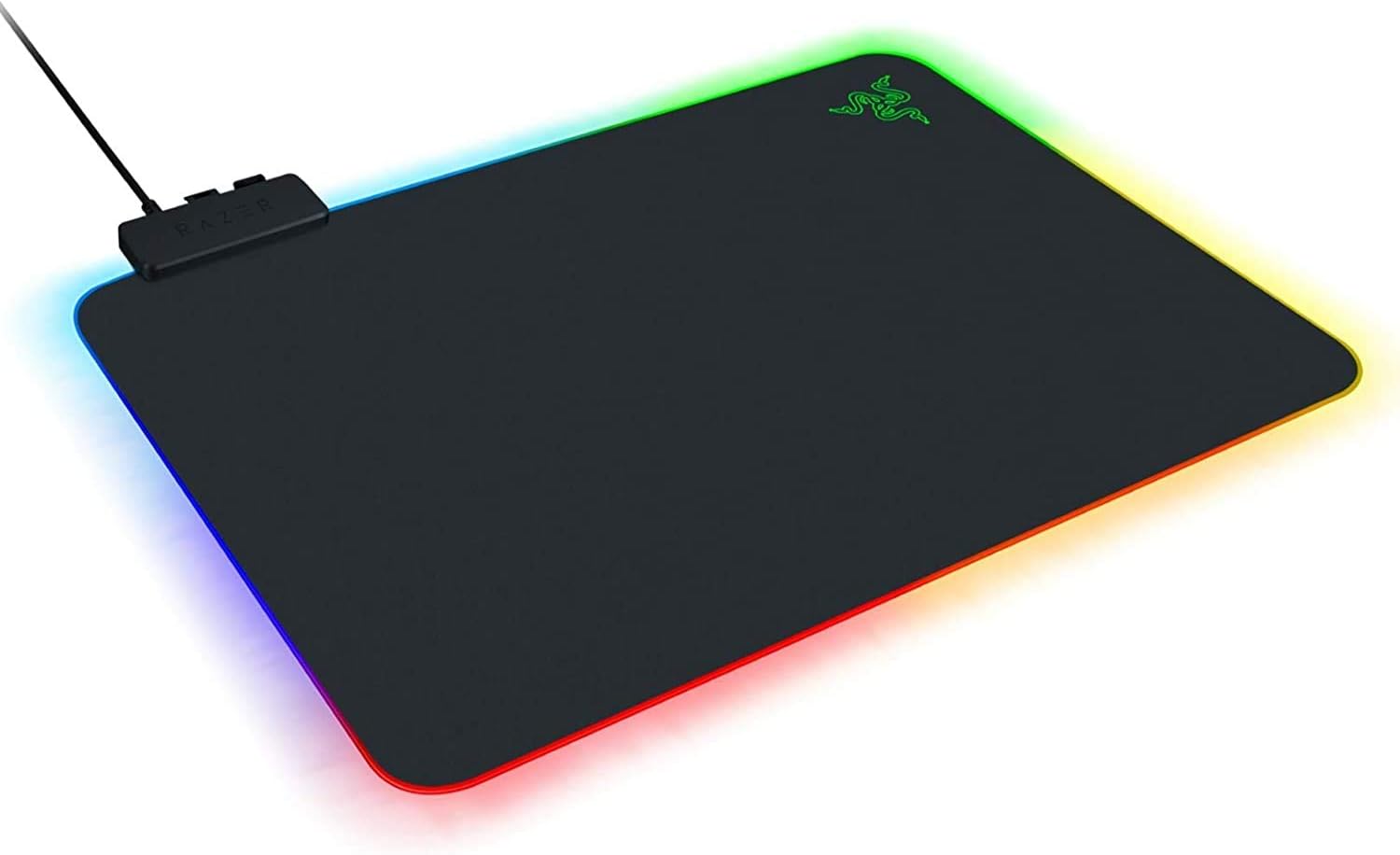 Razer Firefly V2
|
Mid-Range | Built-in cable manager + Chroma lighting | Gamers who need a tidy desk and controlled mouse cable | Check Price | ||
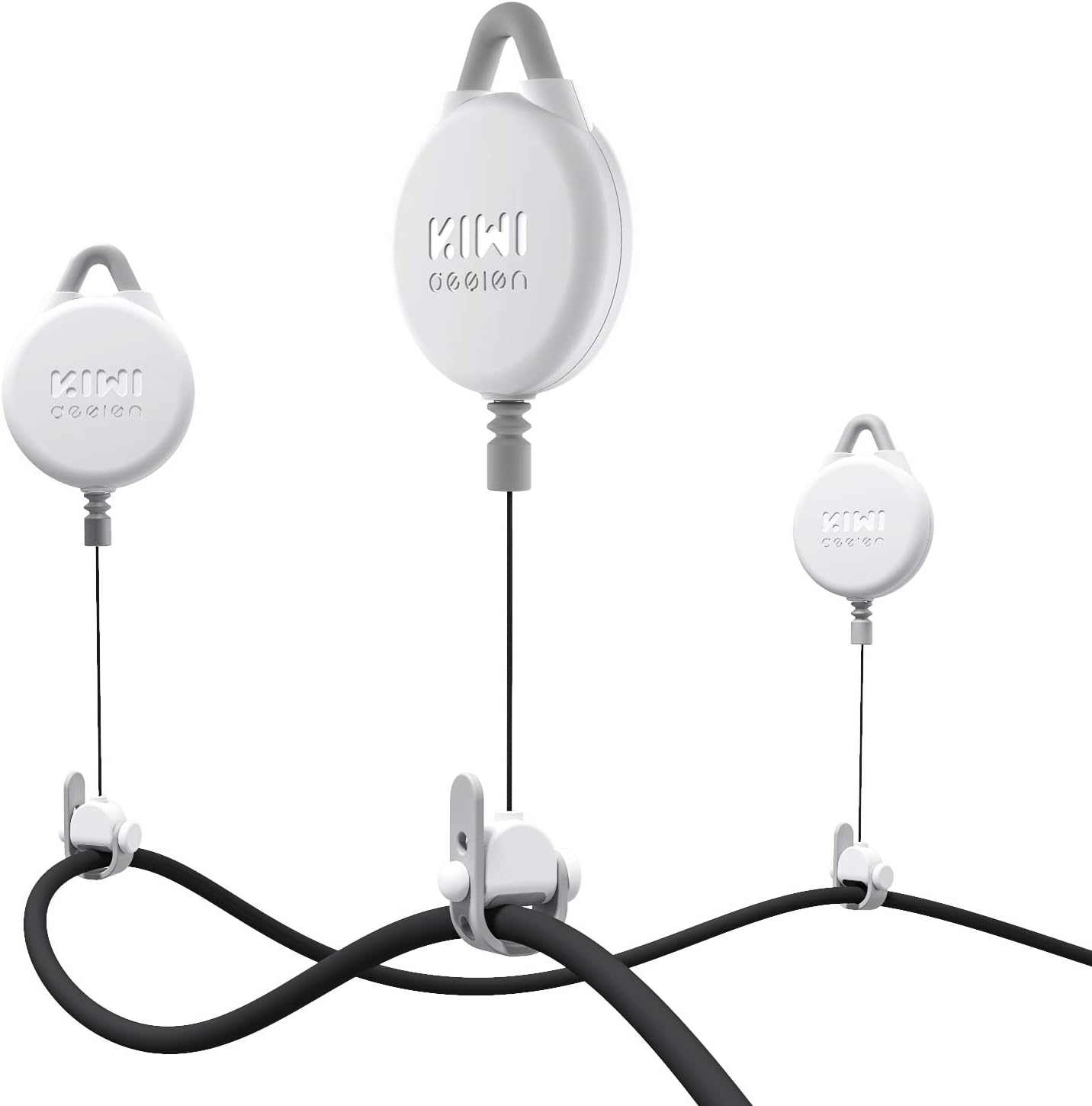 KIWI VR Pulley Kit
|
Budget | Retractable pulley keeps cables overhead | Wired VR users or rooms with limited floor space | Check Price | ||
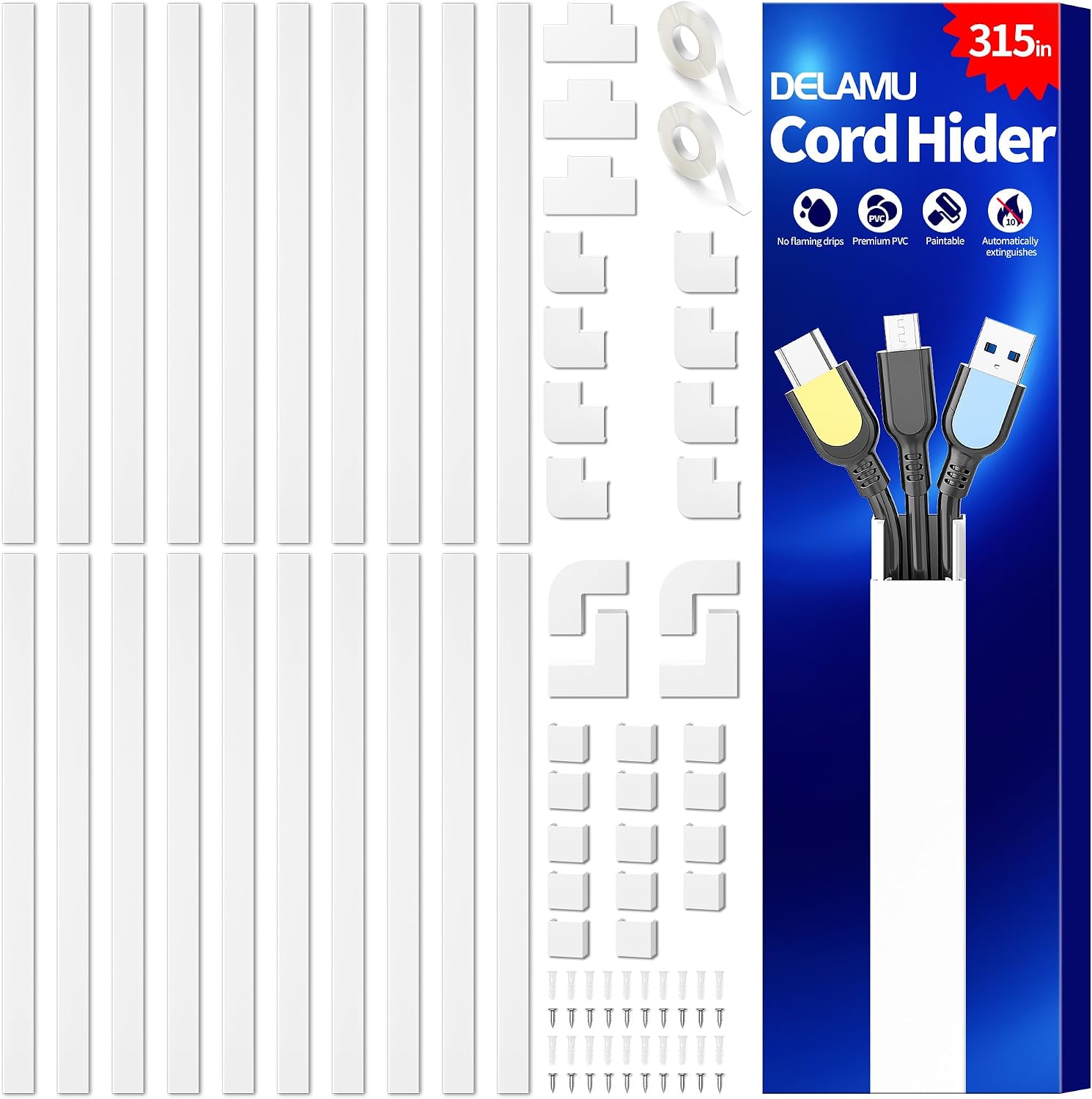 Delamu Cord Hider
|
Budget | Snap-on PVC raceway conceals 2–3 cables | Hiding TV and wall-run cables neatly and safely | Check Price |
1. PS5/Slim/Pro Stand and Cooling Station with LED Controller Charging Station for PlayStation 5 Console, Controller Charger, Cooling Stand, PS5/Slim/Pro Accessories Kit with 3 Level Cooler Fan
This OIVO stand consolidates a PS5, controllers and accessories into a single vertical footprint, reducing the tangle of separate charging cables and freeing outlets. Built-in charging ports, LED indicators and storage for games/headset clear desk or TV area clutter; its cooling fan and safety protections help avoid overheating when multiple devices charge together.
Key Specs
- Compatibility: PS5, PS5 Slim (2023), PS5 Pro (2024)
- 4 built-in charging ports for controllers/devices
- 3-level cooling fan with touch controls
- Accessory storage for up to 14 game discs and headset
- Overcharge/overheat/short-circuit protection
Pros
- Consolidates multiple PS5 accessories and chargers into one station
- Good space management—holds controllers, discs and headset
- Built-in safety features protect batteries during charging
Cons
- Cooling and charging performance reported as mixed by some users
- Some noise and occasional charging inconsistencies reported
Best For: PS5 owners who want consolidated charging
Check Latest Price on Amazon2. Razer Firefly Hard V2 RGB Gaming Mouse Pad: Customizable Chroma Lighting, Built-in Cable Management, Balanced Control & Speed, Non-Slip Rubber Base
The Razer Firefly Hard V2 tames a single mouse cable and keeps it aligned with a built-in cable channel, reducing snags and the feeling of drag. Its durable hard surface and non-slip base make it a stable desk anchor for a mouse cable management setup, bringing order to a small desk without adding bulky hardware.
Key Specs
- Razer Chroma customizable RGB lighting
- Micro-textured hard surface calibrated for precise tracking
- Built-in cable manager / mouse-bungee-like channel
- Non-slip natural rubber base
Pros
- High build quality and smooth surface for reliable mouse control
- Integrated cable channel keeps mouse wire contained
- Customizable RGB adds visual polish to a small setup
Cons
- Surface size may be smaller than some expect
- Only manages one cable—doesn't solve multi-device outlet limits
Best For: Gamers who need a tidy desk and controlled mouse cable
Check Latest Price on Amazon3. KIWI design VR Cable Management, 6 Packs VR Pulley System Compatible with Quest 3S/3/2/1/Pico/PSVR/PSVR2
The KIWI pulley system lifts cables up and out of the way, stopping tangles and trip hazards in small rooms. It’s quiet, uses adhesive or screw mounts for flexible installs, and its retractable line keeps slack off the floor—an inexpensive way to cut cord clutter without major remodeling.
Key Specs
- Materials: silicone, ABS and rubber with noise-dampening
- Retractable length up to 61 inches
- Two installation methods: adhesive hooks or screws
- 360° rotating HMD cable holder
Pros
- Effectively removes cable drag and floor tangles
- Easy, quick setup—adhesive or screw options
- Quiet operation with noise damper design
Cons
- Adhesive strength can vary depending on ceiling/wall surface
- Requires ceiling or high mount point—may not suit all rooms
Best For: Wired VR users or rooms with limited floor space
Check Latest Price on Amazon4. Delamu Cord Hider, 315in Wire Covers for 2-3 Cords on Wall, Premium Cable Hider Cord Covers for Wires on Wall, Cable Management Wire Hiders for TV, Cable Raceway Kit, L15.7X W0.95x H0.55in, White
Delamu's snap-on cord hider gives a clean, professional-looking route for 2–3 cables along a wall, turning a tangle behind a TV or desk into a slim, paintable raceway. It installs fast with click-in pieces, is flame-retardant and keeps cables accessible while out of sight.
Key Specs
- UL94 V-0 flame retardant PVC material
- Attach & Snap click-on design for easy access
- Pre-cut sections that connect end-to-end
- Fits 2–3 cables in a slim 0.95" width
Pros
- Easy to install and hides cables cleanly along walls
- Flame-retardant material adds safety in small spaces
- Click-on design makes adding/removing cables simple
Cons
- Connecting pieces can feel flimsy to some users
- Adhesive strength reported as inconsistent on some surfaces
Best For: Hiding TV and wall-run cables neatly and safely
Check Latest Price on AmazonWhich One Should You Choose?
If you want the most complete consolidation for a console area and have the budget → OIVO PS5 Stand & Charging Station. If budget is tight and you need to keep cables off the floor or ceiling → KIWI design VR Pulley System. If your main goal is a tidy desk and better mouse control with a built-in cable channel → Razer Firefly Hard V2. If your priority is hiding cords along a wall or behind a TV cleanly → Delamu Cord Hider.
Best for Specific Scenarios
- Tiny dorm TV setup: Delamu Cord Hider because it routes TV and streaming device cables flat against the wall for a clean look.
- Shared apartment gaming area with one outlet strip: OIVO PS5 Stand & Charging Station because it consolidates controllers and accessories into one vertical hub, freeing outlets and surface space.
- Compact PC desk with a wired mouse: Razer Firefly Hard V2 because its cable channel tames mouse drag without adding bulky hardware.
- Wired VR in a small room: KIWI design VR Pulley Kit because it lifts the cable overhead to remove trip hazards and tangles in a limited play area.
Frequently Asked Questions
How can I reduce charger clutter when outlets are scarce?
Consolidate multiple chargers into a single multi-port station that supports several devices so you only occupy one or two wall outlets. Use a station with integrated storage to keep devices off the floor and pair it with a short raceway or cable anchor so the cords are neatly routed to that single power source.
What's the easiest way to stop cables from tangling on my desk?
Use a desk-level cable channel, cable clips or a mouse pad with a built-in cable manager. These anchor points keep wires from crossing and tangling and are quick to install—ideal for students who need a fast, reversible solution.
Are retractable pulleys or wall raceways better for small rooms?
It depends on the use case: retractable pulleys are ideal for devices that move around (VR headsets) because they lift cable slack overhead; wall raceways are better for permanently hiding TV or desk cables along walls. Consider whether you need mobility (pulley) or concealment (raceway).
Will hiding cables cause heat or charging problems?
Hiding cables in a raceway or using organizers won’t affect charging if ports and cables are rated correctly. Avoid enclosing high-heat devices in tight, unventilated boxes—use stands with cooling or ensure raceways are not trapping heat from power bricks. Look for products with safety protections if multiple devices charge together.
How We Selected These Products
Our recommendations are based on data-driven analysis: we evaluated 155229+ products across 23916+ brands using a composite scoring system that weighs rating (40%), review volume (30%), price value (20%), and demand signals (10%). Every product is ranked by data, not opinions.
Last updated: August 10, 2026
As an Amazon Associate we earn from qualifying purchases at no extra cost to you. Full disclosure.
GearLark Score is our editorial ranking based on a composite analysis of product quality, value, and verified customer sentiment. Click through to Amazon for current pricing, availability, and live customer reviews.