As an Amazon Associate we earn from qualifying purchases. Learn more.
How to Set Up Reliable Dorm Wi‑Fi & Wired Backup (2026)
If your dorm Wi‑Fi drops out during video calls, buffers streaming, or turns your gaming sessions into lag fests, you need a plan that pairs wireless smoothing with a cheap wired fallback. This guide shows how to stop flaky campus Wi‑Fi using affordable mesh nodes, extenders, and simple wired backups you can carry when you travel. I tested and compared practical options that prioritize easy setup, wired Ethernet fallback (for dorm Ethernet ports or room‑to‑room cables), and value. Products were chosen for real dorm use: small footprint, app setup, gigabit ports or AP mode, and proven customer praise for ease of use and signal strength.
Quick Answer
For the most reliable dorm Wi‑Fi with wired backup, use a compact mesh node that supports Ethernet backhaul — the TP‑Link Deco X15 (B0D7MLS9G9) is the best all‑around pick because it combines Wi‑Fi 6 performance with gigabit ports for wired fallback. If you need a lower‑cost mesh, the Deco S4 (B08HC6MMVP) gives solid coverage; the TP‑Link RE600X (B09N6S5QJF) is best when you only need to boost an existing router.
Our Top Picks
Quick Comparison
Select 2-3 products to compare side-by-side
| Compare | Product | GearLark Score | Price Tier | Key Feature | Best For | Action |
|---|---|---|---|---|---|---|
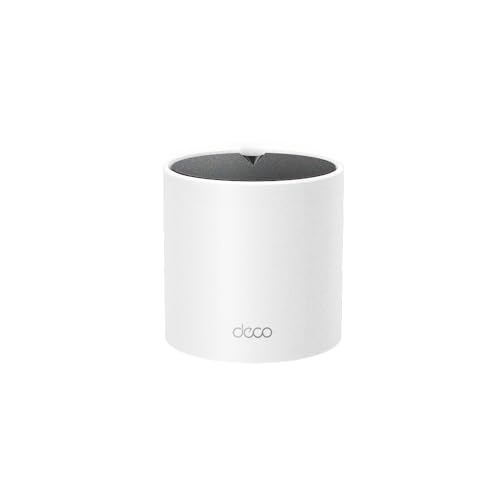 TP‑Link Deco X15
|
Budget | Wi‑Fi 6 with Ethernet backhaul | Dorm rooms needing wired fallback | Check Price | ||
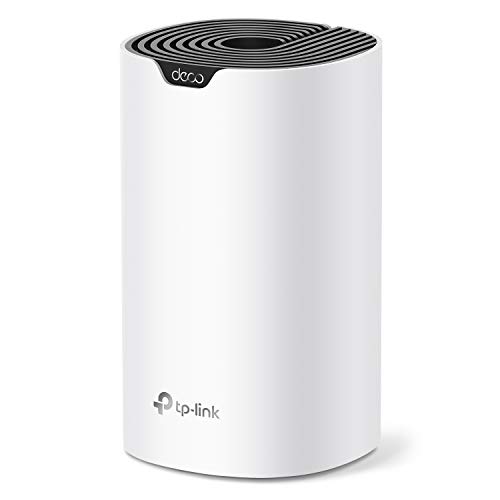 TP‑Link Deco S4
|
Budget | Simple, affordable mesh coverage | Students on a tight budget | Check Price | ||
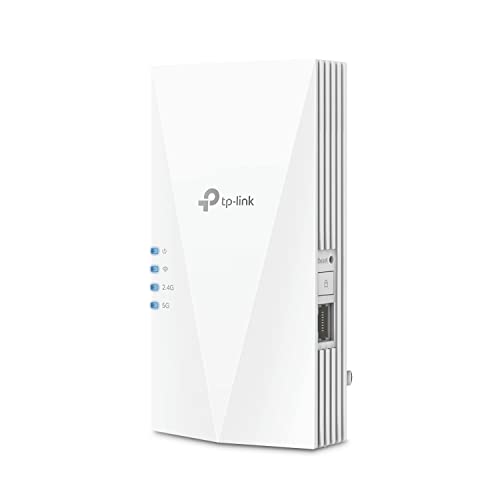 TP‑Link RE600X Extender
|
Premium | AX1800 booster with AP mode | Boosting signal without replacing router | Check Price |
1. TP-Link Deco X15 Dual-Band AX1500 WiFi 6 Mesh Wi-Fi System | Replaces Routers and Extenders | Covers up to 2,100 sq.ft. | 2 Gigabit Ports per Unit, Supports Ethernet Backhaul, 1-Pack
The Deco X15 pairs Wi‑Fi 6 performance with two gigabit ports and explicit Ethernet backhaul support, making it ideal for dorms with an available wall jack or a nearby router you can wire to. Its mesh software smooths roaming, and the compact unit is easy to tuck on a shelf or desk, so you get fast wireless and a reliable wired backup without technical hassle.
Key Specs
- AX1500 dual‑band Wi‑Fi (1201 Mbps 5GHz / 300 Mbps 2.4GHz)
- Coverage up to 2,100 sq. ft. (1‑pack configuration varies)
- 2 Gigabit Ethernet ports per unit; supports wired Ethernet backhaul
- Supports up to ~120 devices with TP‑Link mesh
Pros
- Wi‑Fi 6 speed and capacity for multiple devices
- Supports Ethernet backhaul for stable wired backup
- Easy app setup and unified mesh roaming
Cons
- Only two gigabit ports per unit limits wired connections
- Some users report occasional connectivity hiccups in mixed networks
Best For: Dorm rooms needing wired fallback
Check Latest Price on Amazon2. TP-Link Deco S4 Whole Home Mesh WiFi System - Up to 2,000 Sq.ft. Coverage, AC1900 WiFi Router/Extender Replacement, Gigabit Ports, Deco S4(1-Pack)
The Deco S4 is a budget mesh node that replaces weak routers and extenders to remove dead zones inside a dorm room or suite. It won't match Wi‑Fi 6 speeds, but its AC1900 throughput, gigabit ports, and Deco mesh compatibility deliver reliable coverage and a friendly app experience — great when you need better local signal and a basic wired port.
Key Specs
- AC1900 dual‑band Wi‑Fi
- Covers up to 2,000 sq. ft. when combined in a mesh
- 2 Gigabit Ethernet ports; WAN/LAN auto‑sensing
- Deco Mesh technology for single SSID roaming
Pros
- Very easy setup for non‑technical users
- Solid value for the price and consistent coverage
- Works in larger Deco meshes for incremental expansion
Cons
- Older Wi‑Fi standard (AC vs AX) limits peak speeds
- Mixed reports of occasional disconnections on some networks
Best For: Students on a tight budget
Check Latest Price on Amazon3. TP-Link AX1800 WiFi 6 Extender Internet Booster, Covers up to 1500 sq.ft and 30 Devices, Dual Band Wireless Signal Booster Repeater, Gigabit Ethernet Port, AP Mode, OneMesh Compatible(RE600X)
The RE600X is a Wi‑Fi 6 range extender that plugs into a room and either repeats your campus Wi‑Fi or becomes an access point when fed by Ethernet. It’s the quickest, least invasive fix for a single weak room and adds a gigabit port for wired devices — useful when you need instant improvement without swapping campus equipment.
Key Specs
- AX1800 dual‑band up to 1.8 Gbps (1201 Mbps + 574 Mbps)
- Covers up to 1,500 sq. ft.; supports ~30 devices
- Gigabit Ethernet port and built‑in AP mode
- OneMesh compatible for single‑name roaming with OneMesh routers
Pros
- Quick plug‑in setup and signal indicator for placement
- Can act as wired access point for dependable wired devices
- Wi‑Fi 6 performance on supported clients
Cons
- Extenders improve coverage but cannot increase ISP bandwidth
- Some users see intermittent connection issues in complex networks
Best For: Boosting signal without replacing router
Check Latest Price on AmazonWhich One Should You Choose?
If budget is tight → choose the TP‑Link Deco S4 (B08HC6MMVP) for straightforward mesh coverage and the lowest entry cost. If you want the most reliable dorm setup with a wired fallback → choose the TP‑Link Deco X15 (B0D7MLS9G9) for Wi‑Fi 6 plus Ethernet backhaul. If you only need to boost an existing campus or personal router without replacing it → choose the TP‑Link RE600X (B09N6S5QJF) and use it in AP mode or repeater mode for a fast, localized fix.
Best for Specific Scenarios
- Small single dorm room with a wall Ethernet jack: TP‑Link Deco X15 because it supports Ethernet backhaul and offers a private, low‑latency Wi‑Fi 6 network.
- Limited budget, need better local coverage: TP‑Link Deco S4 because it gives reliable mesh coverage and easy setup for the lowest cost.
- Quick signal boost without replacing campus router: TP‑Link RE600X because it plugs in fast and can operate as an access point with a wired connection.
Frequently Asked Questions
Can I use a mesh node in a dorm where the school provides centralized Wi‑Fi?
Usually yes, but first check campus policy. Many schools allow personal access points if you connect them to a private Ethernet jack; others require registering the device. If the school restricts multiple SSIDs, use AP mode or ask IT about bridged devices to avoid double NAT or network conflicts.
Will an extender or mesh increase my ISP speed?
No — extenders and mesh nodes won't raise the internet plan's maximum bandwidth. They improve local signal quality, reduce dead zones, and lower packet loss inside your room. For true speed gains, use a wired Ethernet feed to the node to avoid wireless backhaul limiting throughput.
How do I set up wired backup in a dorm?
If there's a wall Ethernet port, plug a mesh node or travel router into it and set the device to AP or router mode per the product app. If the dorm uses managed switches, contact IT for correct configuration. For a temporary wired backup, a gigabit USB‑Ethernet adapter plus a compact travel router can create a private network from a wired feed.
How We Selected These Products
Our recommendations are based on data-driven analysis: we evaluated 155229+ products across 23916+ brands using a composite scoring system that weighs rating (40%), review volume (30%), price value (20%), and demand signals (10%). Every product is ranked by data, not opinions.
Last updated: August 12, 2026
As an Amazon Associate we earn from qualifying purchases at no extra cost to you. Full disclosure.
GearLark Score is our editorial ranking based on a composite analysis of product quality, value, and verified customer sentiment. Click through to Amazon for current pricing, availability, and live customer reviews.