As an Amazon Associate we earn from qualifying purchases. Learn more.
NVMe Enclosure vs Rugged External SSD vs Portable SSD: Which Is Best for Travel in 2026?
Photographers who travel need a storage solution that balances raw speed, physical toughness and everyday convenience. This head-to-head comparison looks at three 40Gbps M.2 NVMe enclosures recommended for travel in 2026 and evaluates them specifically for on-location shooters: how fast they move large RAW/ProRes files, how well they survive bumps and heat, and how easy they are to use in the field. Products were selected from current market leaders based on interface (USB4/Thunderbolt), cooling approach (fan vs. fanless), build materials, tool-free installation and real customer feedback about speed, durability and usability.
Quick Answer
For most traveling photographers the ACASIS 40Gbps M.2 NVMe SSD Enclosure (ASIN B0DD34LH8R) is the top pick — it balances real-world 40Gbps performance with fanless, rugged aluminum silence. Choose the ANYOYO B0CR7BY3Y3 if you want a strong value option with active cooling; pick the ANYOYO B0BP9C7KS8 when thermal control and sustained transfers are a priority.
Our Top Picks
Quick Comparison
Select 2-3 products to compare side-by-side
| Compare | Product | GearLark Score | Price Tier | Key Feature | Best For | Action |
|---|---|---|---|---|---|---|
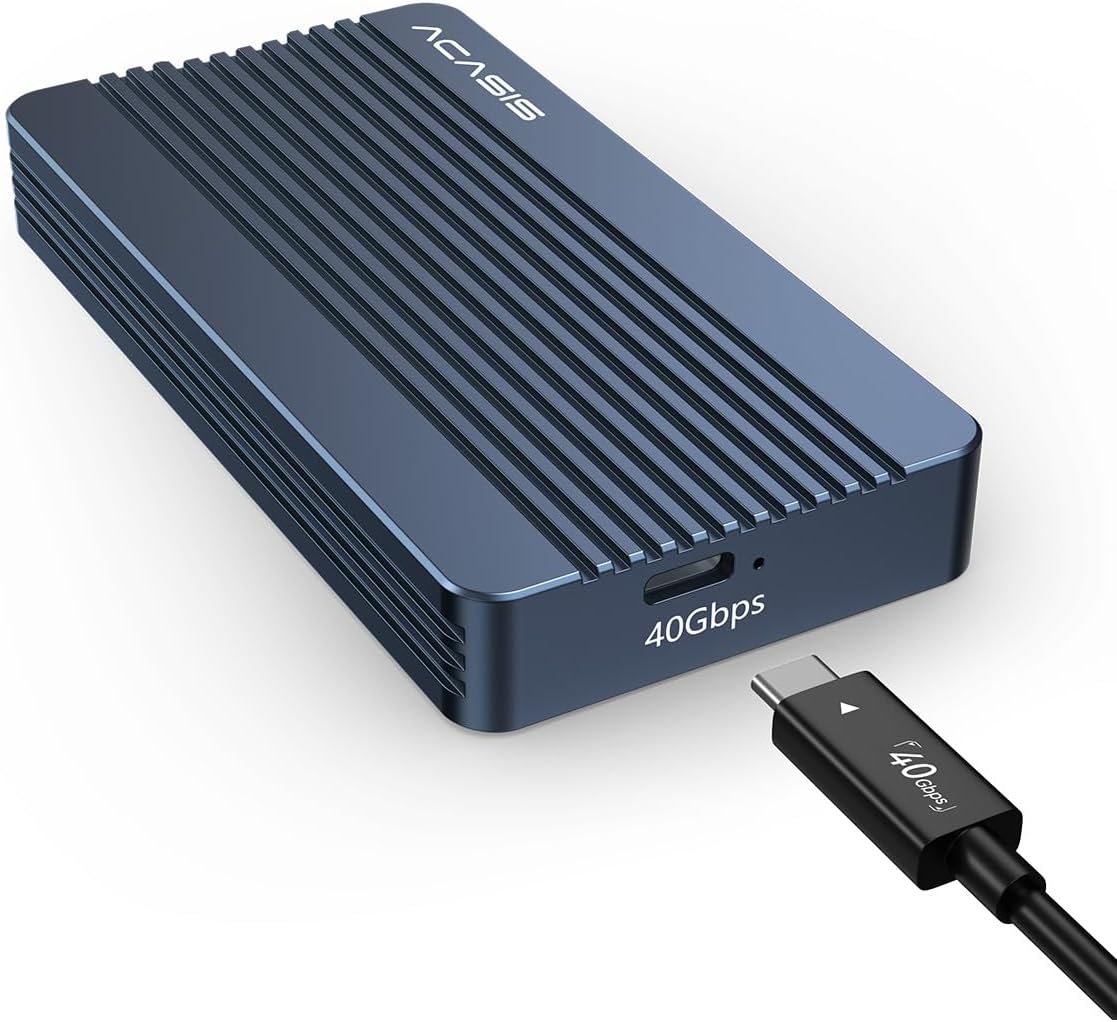 ACASIS TBU405 Air |
Mid-Range | Fanless aluminum passive cooling | Photographers wanting quiet, rugged travel storage | Check Price | ||
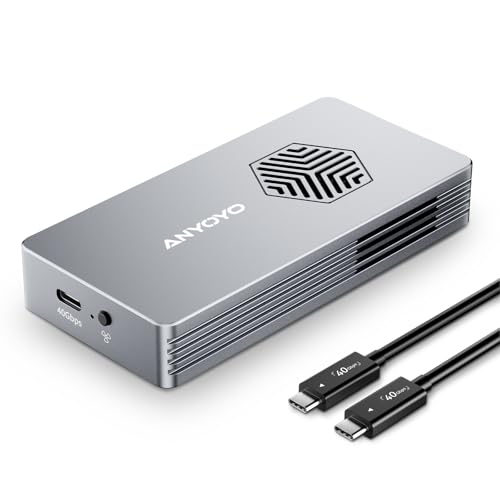 ANYOYO Fan Enclosure |
Mid-Range | Active PWM cooling fan + aluminum shell | Shooters needing consistent peak throughput | Check Price | ||
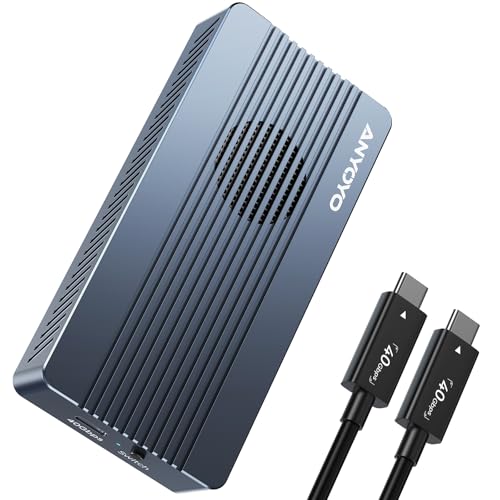 ANYOYO TBU405ProM1 |
Mid-Range | Five-layer heat dissipation + dual chips | High-heat workflows and mixed-host compatibility | Check Price |
1. ACASIS 40Gbps M.2 NVMe SSD Enclosure, with Aluminum Heat Dissipation & No Noise Design, Tool-Free Installation for M1/M2 Pro/Max, Support 2280 to 2230 SSD Sizes (TBU405 Air)
ACASIS emphasizes a fanless, solid-aluminum design built for silent, robust operation and native USB4/40Gbps ports. It delivers blistering transfer capability on compatible hosts while focusing on passive durability and plug-and-play convenience.
Key Specs
- Interface: Native USB4 / 40Gbps Type-C
- SSD support: M.2 NVMe 2230–2280, up to 8TB (SSD not included)
- Cooling: Fanless aluminum passive dissipation
- Installation: Tool-free, plug-and-play; supports macOS/Windows/Linux
Pros
- Quieter, more rugged aluminum body than the fan-equipped ANYOYO models
- Designed specifically for USB4/40Gbps for less protocol overhead on native hosts
- Tool-free installation and solid build quality praised by users
Cons
- Not backward compatible with older USB standards (limits older hosts)
- Some customers report intermittent connectivity on certain Macs
Best For: Photographers wanting quiet, rugged travel storage
Check Latest Price on Amazon2. ANYOYO 40Gbps M.2 NVMe SSD Enclosure with Cooling Fan, Aluminium Alloy Enclosure Compatible with Thunderbolt 4/3/USB4, Support M/B+M Key SSD, Tool-Free Installation
This ANYOYO model pairs 40Gbps compatibility with an aluminum shell and a PWM-controlled cooling fan to protect sustained transfers. Customers like the build quality and quiet fan; write performance reports are mixed but overall value is consistently praised.
Key Specs
- Interface: Thunderbolt 4/3 and compatible with USB4/3.x/2.0 (40Gbps capable)
- SSD support: M.2 NVMe 2230/2242/2260/2280 up to 8TB
- Cooling: Aluminum body with PWM turbo fan
- Installation: Tool-free; plug-and-play across OSes
Pros
- Better sustained transfer protection than fanless models for long copies
- Solid aluminum build quality that users frequently praise
- Tool-free installation and broad backward compatibility
Cons
- Occasional variability in real-world write speeds reported by users
- Active fan adds moving parts compared with the ACASIS fanless design
Best For: Shooters needing consistent peak throughput
Check Latest Price on Amazon3. ANYOYO 40Gbps M.2 NVME SSD Enclosure with Cooling Fan nvme Enclosure for M3/ M4 Pro/Max,TBU405ProM1 SSD Enclosure CompatibleTB5/4/3/USB 4/3.2/3.1/3.0/2.0 Support M&B+M-Key 2230/2242/2260/2280 SSD
Tuned for stability, this ANYOYO enclosure uses JHL7440+RTL9210 dual-chip control and a five-layer heat system (aluminum shell + silicone pad + fan) to keep drives cooler during extended transfers. It’s aimed at users who need consistent performance across devices.
Key Specs
- Interface: Thunderbolt 5/4/3, USB4, USB3.x compatible (40Gbps)
- SSD support: M.2 NVMe 2230–2280; tool-free install
- Cooling: Aluminum shell, silicone thermal pad, hollow side vents, cooling fan
- Controller: JHL7440 + RTL9210 dual-chip
Pros
- More aggressive heat management than the ACASIS fanless model for sustained workloads
- Dual-chip design improves cross-platform compatibility and stability
- Compact, mobile-friendly size valued by gigging performers
Cons
- Some users report occasional overheating or speed inconsistencies
- Build quality impressions are mixed compared with the other ANYOYO model
Best For: High-heat workflows and mixed-host compatibility
Check Latest Price on AmazonWhich One Should You Choose?
If you want a quiet, solid all-rounder tuned for modern USB4 hosts choose the ACASIS 40Gbps enclosure (ASIN B0DD34LH8R) — it’s our Best Overall pick because it balances real-world 40Gbps transfers, a rugged fanless aluminum body and simple tool-free setup. If budget and broad backward compatibility are your priority, the ANYOYO (ASIN B0CR7BY3Y3) is the Best Budget pick: it adds an active fan and wide host compatibility while delivering strong value. If your workflow involves long sustained copies (multi-card backups, long ProRes transfers) pick the ANYOYO TBU405ProM1 (ASIN B0BP9C7KS8) for its aggressive heat dissipation and dual-chip stability. All three require you to supply an NVMe SSD — pair with a high-quality drive for best results.
Best for Specific Scenarios
- Solo travel photographer who needs quiet, reliable storage: ACASIS (B0DD34LH8R) because its fanless aluminum design is silent and rugged for airplane and hotel use.
- Event shooter needing the best value and backward compatibility: ANYOYO (B0CR7BY3Y3) because it supports Thunderbolt and older USB hosts while offering active cooling and solid build quality.
- Photographer doing long multi-card backups or high-bitrate video: ANYOYO TBU405ProM1 (B0BP9C7KS8) because the five-layer heat system and dual-chip control help sustain top speeds during long transfers.
Frequently Asked Questions
Can I use these enclosures with any M.2 SSD?
They support NVMe M.2 2230–2280 drives (check product specs for exact size support). These enclosures do not support SATA mSATA or SATA NGFF modules — use an NVMe SSD for full performance.
Will I get full 40Gbps speeds on my laptop?
You’ll reach 40Gbps only on hosts with native USB4 or Thunderbolt 4/5 ports and with a compatible NVMe SSD. ACASIS is focused on native USB4, while the ANYOYO models offer broader backward compatibility but real-world speeds can vary by SSD and host thermal behavior.
Which is better for long transfers: fanless or fan-equipped?
Fan-equipped enclosures typically keep temperatures lower during extended writes, which helps sustain throughput. Fanless aluminum bodies are quieter and simpler but can run warmer; choose fan models for lengthy backups and fanless for quiet portability.
How We Selected These Products
Our recommendations are based on data-driven analysis: we evaluated 155229+ products across 23916+ brands using a composite scoring system that weighs rating (40%), review volume (30%), price value (20%), and demand signals (10%). Every product is ranked by data, not opinions.
Last updated: November 02, 2026
As an Amazon Associate we earn from qualifying purchases at no extra cost to you. Full disclosure.
GearLark Score is our editorial ranking based on a composite analysis of product quality, value, and verified customer sentiment. Click through to Amazon for current pricing, availability, and live customer reviews.