As an Amazon Associate we earn from qualifying purchases. Learn more.
Best NVMe SSDs Under $150 for Photo Editing Students (2026)
If you're a photo editing student juggling large RAW files and limited time, a value-focused NVMe SSD can dramatically cut import, preview and export times. This guide highlights three NVMe M.2 drives we vetted for reliability, install ease, sustained write performance and overall value — traits students praise most. Products were chosen for real-world editing speed, thermal behavior, warranty support and strong value-per-gigabyte. Read on to learn what each tier gives you and which drive best matches your laptop or desktop workflow.
Quick Answer
For photo editing students who want the fastest edit and export times without overcomplicating upgrades, the Addlink G55 delivers leading PCIe Gen5 throughput and a solid warranty, making it our top pick. If you need the best price-to-performance balance, the PNY CS2150 (1TB) is the strongest budget pick.
Quick Comparison
Select 2-3 products to compare side-by-side
| Compare | Product | GearLark Score | Price Tier | Key Feature | Best For | Action |
|---|---|---|---|---|---|---|
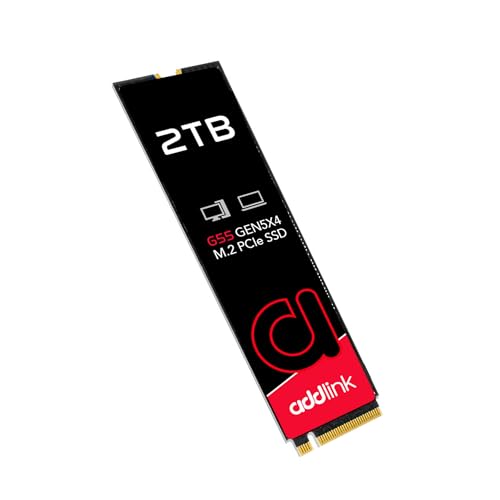 Addlink G55 2TB
|
Premium | PCIe Gen5 peak throughput | Students who want top speed for large RAW sets | Check Price | ||
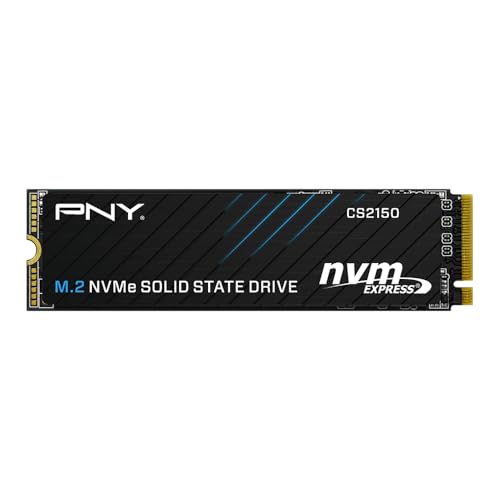 PNY CS2150 2TB
|
Mid-Range | High capacity + Gen5 speeds | Students needing roomy storage and steady performance | Check Price | ||
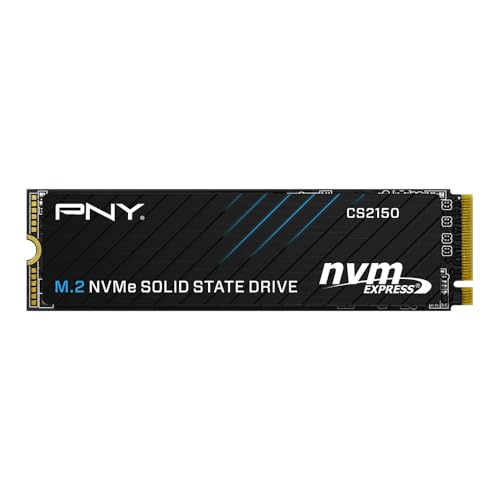 PNY CS2150 1TB
|
Budget | Best price-to-performance | Students on a tight budget who still want Gen5 speed | Check Price |
1. Addlink G55 2TB PCIe 5.0 Gen5 NVMe M.2 SSD- Up to 10,300 MB/s - PC Gaming Upgrade, Photography, Video Editing & Design - Internal Solid State Drive (ad2TBG55M2P)
The Addlink G55 pushes Gen5 performance with very high sequential read/write figures and a modern 7nm controller, making large-file transfers and previews snappier. It’s a strong choice for students who prioritize raw speed and compatibility with modern platforms, though a small number of users report mixed durability—so keep an eye on backups and firmware updates.
Key Specs
- Interface: PCIe Gen5 x4 (backward compatible)
- Sequential speeds: up to 10,300 MB/s read, 9,000 MB/s write
- NAND/controller: 3D TLC NAND with TSMC 7nm controller and HMB
- Form factor: M.2 2280 single-sided; 5-year warranty
Pros
- Elite Gen5 read/write throughput for faster preview/export
- Slim single-sided M.2 fits many laptops and small builds
- 5-year warranty and drive toolbox for firmware and health
Cons
- Some customers report early failures—keep backups
- May need a heatsink for sustained heavy workloads
Best For: Students who want top speed for large RAW sets
Check Latest Price on Amazon2. PNY CS2150 2TB Gen5 PCIe NVMe M.2 2280 3D NAND SSD Up to 10,300/8,600 MBs - PC/Laptop Upgrade, Gaming, Photography, Video Editing, Direct Storage Enabled-Internal Solid-State Drive M280CS2150-2TB-TB
PNY’s CS2150 2TB balances high Gen5 throughput with larger capacity—handy for students keeping full project libraries on a single drive. Customers consistently praise its reliability, reasonable temps during operation, and the overall value it delivers for creative workloads.
Key Specs
- Interface: PCIe Gen5 x4
- Sequential speeds: up to 10,300 MB/s read, 8,600 MB/s write
- NAND: 3D NAND with hardware encryption (TCG Opal 2.0)
- Warranty: 5-year limited warranty
Pros
- Large 2TB capacity for catalogs and projects
- Strong sustained write performance for exports
- Hardware encryption and DirectStorage compatibility
Cons
- Mid-range tier may still benefit from additional cooling
- Larger size options are heavier on power in laptops
Best For: Students needing roomy storage and steady performance
Check Latest Price on Amazon3. PNY CS2150 1TB Gen5 PCIe NVMe M.2 2280 3D NAND SSD Up to 10,200/8,300 MBs - PC/Laptop Upgrade, Gaming, Photography, Video Editing, Direct Storage Enabled-Internal Solid-State Drive M280CS2150-1TB-TB
The 1TB PNY CS2150 is the budget-conscious Gen5 pick: it delivers most of the speed benefits of newer NVMe tech while keeping costs lower and installation easy. Users report reliable operation, sensible temperatures, and noticeable improvement over HDDs and older NVMe drives for editing workflows.
Key Specs
- Interface: PCIe Gen5 x4
- Sequential speeds: up to 10,200 MB/s read, 8,300 MB/s write
- NAND: 3D NAND, supports DirectStorage
- Warranty: 5-year limited warranty
Pros
- Excellent value for raw Gen5 performance
- Easy installation and broadly compatible
- Reasonable thermal behavior during edits
Cons
- 1TB may fill quickly with many RAW/PSD collections
- Budget tier may have lower sustained write than premium parts
Best For: Students on a tight budget who still want Gen5 speed
Check Latest Price on AmazonWhich One Should You Choose?
If budget is tight → choose the PNY CS2150 1TB (B0DPNLRP6W). It delivers Gen5 responsiveness and easy installation at the best price-to-performance ratio. If you need lots of local storage without sacrificing speed → the PNY CS2150 2TB (B0DPNNDB78) balances capacity and sustained write performance for larger catalogs. If maximum speed and a modern controller are your priority → the Addlink G55 2TB (B0DHGQCYCG) is the top overall pick for the fastest transfers and previews; just pair it with proper cooling and maintain backups to mitigate rare durability reports.
Best for Specific Scenarios
- Lightweight campus laptop editing: PNY CS2150 1TB because it’s compact, easy to install and offers Gen5 speed without extra cost.
- Keeping a full project library locally: PNY CS2150 2TB because the larger capacity reduces constant shuffling to external drives and maintains strong sustained writes for exports.
- Speed-first workflows and large RAW batches: Addlink G55 2TB because its peak Gen5 throughput and modern controller shave seconds (or minutes) off large transfers and exports when cooling is managed.
Frequently Asked Questions
Do I need a PCIe Gen5 slot for these drives?
You don't strictly need a Gen5 slot. All three drives are backward compatible with PCIe Gen4 and Gen3 — they'll still deliver significant speed gains over SATA or older NVMe drives. To fully reach the drives' peak numbers you need a Gen5-capable motherboard or laptop interface.
Will these M.2 SSDs fit my laptop?
Most modern laptops that accept NVMe drives support the M.2 2280 form factor used here. Check your laptop manual or spec sheet to confirm M.2 2280 compatibility and whether the slot is single-sided. If your system has limited airflow, consider a low-profile heatsink or choose a single-sided module for easier fit.
How important is a heatsink for photo editing workloads?
A heatsink helps prevent thermal throttling during sustained exports and long editing sessions. Lighter edit work (short edits, single-file exports) typically won't trigger throttling, but frequent large exports or batch processes benefit from additional cooling. For compact laptops, passive cooling from a case or a slim heatsink can make a measurable difference.
How We Selected These Products
Our recommendations are based on data-driven analysis: we evaluated 155229+ products across 23916+ brands using a composite scoring system that weighs rating (40%), review volume (30%), price value (20%), and demand signals (10%). Every product is ranked by data, not opinions.
Last updated: August 27, 2026
As an Amazon Associate we earn from qualifying purchases at no extra cost to you. Full disclosure.
GearLark Score is our editorial ranking based on a composite analysis of product quality, value, and verified customer sentiment. Click through to Amazon for current pricing, availability, and live customer reviews.