As an Amazon Associate we earn from qualifying purchases. Learn more.
Complete Photographer Backup: SD Cards, Portable SSDs & Power (2026)
Photographers working in the field need a complete, dependable backup workflow — SD card capture, fast transfer to a portable SSD, and independent power for long days. This guide walks you through a full photographer backup kit (what to pack, how to copy and verify files, and what hardware to choose). I evaluated products for speed, durability, portability and real-world fit with cameras and laptops, then prioritized drives that protect large RAW/ProRes files and keep transfers fast under real conditions. Read on for quick winners, full reviews, and a step-by-step buying guide to build your complete backup setup.
Quick Answer
For fast, rugged field backups choose the SAMSUNG T7 Shield 2TB (ASIN B09VLHR4JC) — it combines USB 3.2 Gen 2 speeds with IP65 dust/water resistance. If you need the cheapest entry point, the SAMSUNG T7 Shield 1TB (ASIN B09VLJB2DC) is the budget pick.
Our Top Picks
Quick Comparison
Select 2-3 products to compare side-by-side
| Compare | Product | GearLark Score | Price Tier | Key Feature | Best For | Action |
|---|---|---|---|---|---|---|
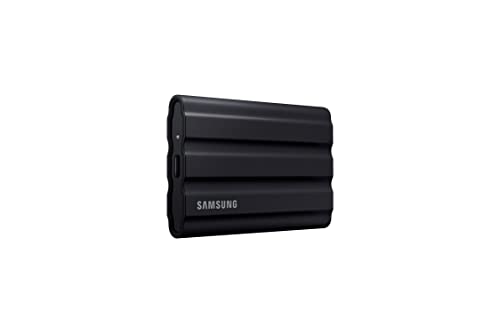 SAMSUNG T7 Shield 2TB
|
Premium | Up to 1,050/1,000 MB/s NVMe speed | Photographers needing fast rugged backups | Check Price | ||
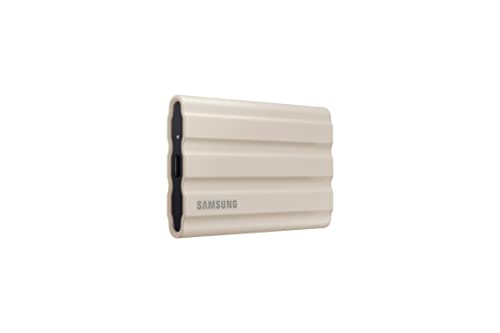 T7 Shield 2TB (Beige)
|
Mid-Range | Same NVMe speed with IP65 protection | Value-conscious shooters who want rugged speed | Check Price | ||
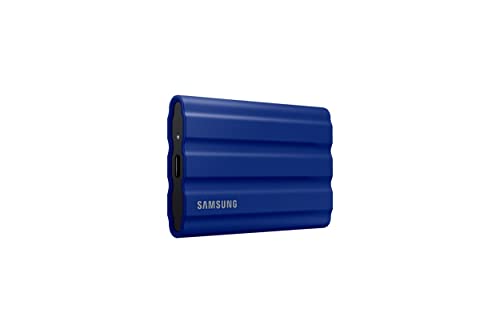 T7 Shield 2TB (Blue)
|
Mid-Range | Rugged NVMe speed in a colorful shell | Photographers who want ruggedness + style | Check Price | ||
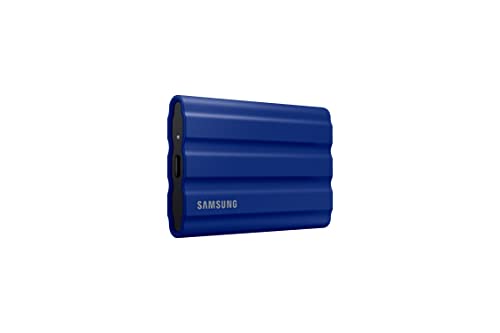 T7 Shield 1TB
|
Budget | 1TB NVMe speed in rugged housing | Budget-minded photographers & quick backups | Check Price |
1. SAMSUNG T7 Shield 2TB, Portable SSD, up-to 1050MB/s, USB 3.2 Gen2, Rugged,IP65 Water & Dust Resistant, for Photographers, Content Creators and Gaming, Extenal Solid State Drive (MU-PE2T0S/AM), Black
The SAMSUNG T7 Shield 2TB is a fast, rugged portable SSD built for field use: PCIe NVMe speeds over USB 3.2 Gen 2 let you transfer large RAW and video files quickly, and the IP65-rated elastomer shell protects against water, dust and drops. Customers consistently praise its speed and compact size, though some report mixed experiences with long-term durability or device compatibility—so pair it with good cable/host support and routine verification.
Key Specs
- Max sequential read/write up to 1,050/1,000 MB/s
- USB 3.2 Gen 2 (UASP recommended)
- IP65 water & dust resistance; drop-resistant to ~9.8 ft
- Capacities available 1TB–4TB; Dynamic Thermal Guard
Pros
- Very fast transfers — edit directly from the drive
- Rugged IP65-rated housing for field conditions
- Compact, pocketable form factor
Cons
- Some users report intermittent compatibility on older hosts
- Mixed reports on long-term durability in heavy use
Best For: Photographers needing fast rugged backups
Check Latest Price on Amazon2. SAMSUNG T7 Shield 2TB, Portable SSD, up to 1050MB/s, USB 3.2 Gen2, Rugged, IP65 Rated, for Photographers, Content Creators and Gaming, External Solid State Drive (MU-PE2T0K/AM, 2022), Beige
This beige SAMSUNG T7 Shield 2TB delivers the same NVMe performance and rugged specs as other T7 Shield variants but often lands in the mid-range price tier. It's a great pick if you want high transfer speeds and dust/water resistance while keeping overall kit costs reasonable. As with other T7 Shields, compatibility and long-term endurance are mixed in user reports — test with your camera, phone, or laptop before relying on a single drive.
Key Specs
- Sequential speeds up to 1,050/1,000 MB/s
- USB 3.2 Gen 2 connectivity (UASP mode supported)
- IP65 dust/water resistance; tested for 9.8-ft drops
- Compatible with PC, Mac, Android, and select phones
Pros
- High transfer speed for large photo/video files
- Solid build with protective elastomer coating
- Good storage capacity option for long shoots
Cons
- Reports of variable device recognition on some systems
- Durability experiences vary with heavy field use
Best For: Value-conscious shooters who want rugged speed
Check Latest Price on Amazon3. SAMSUNG T7 Shield 2TB Portable SSD, USB 3.2 Gen2, Rugged, IP65 Rated, for Photographers, Content Creators and Gaming, External Solid State Drive (MU-PE2T0R/AM, 2022), Blue
The blue SAMSUNG T7 Shield 2TB matches the Beige and Black variants for performance and features, offering quick transfers and field-friendly protection in a distinct color. It’s suited to content creators who move large libraries between cameras and workstations. Like other T7 Shields, practical strengths are speed and compactness; weaknesses reported by some users include occasional compatibility quirks and inconsistent longevity under heavy use.
Key Specs
- Up to 1,050/1,000 MB/s sequential read/write
- USB 3.2 Gen 2 interface; UASP recommended
- IP65 water/dust rating; drop protection to ~3m
- Supports Samsung Magician software for monitoring
Pros
- Fast enough to edit from the drive
- Protective elastomer casing for outdoors
- Distinct color option for easy identification
Cons
- Compatibility issues reported on some hosts
- Mixed long-term durability feedback
Best For: Photographers who want ruggedness + style
Check Latest Price on Amazon4. SAMSUNG T7 Shield 1TB, Portable SSD, up-to 1050MB/s, USB 3.2 Gen2, Rugged, IP65 Rated, for Photographers, Content Creators and Gaming , External Solid State Drive (MU-PE1T0R/AM, 2022), Blue
The 1TB SAMSUNG T7 Shield delivers the same feature set as larger T7 Shields but at a lower capacity and budget tier. It’s ideal if you want the speed and IP65 protection but don’t need multi-terabyte storage. Customers like its value and portability; however, if you shoot lots of high-bit-depth RAW or long video, you may fill this drive quickly and should consider the 2TB+ options.
Key Specs
- Sequential read/write up to 1,050/1,000 MB/s
- USB 3.2 Gen 2 connectivity
- IP65 water/dust resistant with 9.8-ft drop protection
- Supports Samsung Magician optimization tools
Pros
- Most affordable way to get T7 Shield speed/features
- Compact and easy to stow in a camera bag
- Good value for single-day shoots
Cons
- Smaller capacity may not suit multi-day shoots
- Same mixed durability/compatibility reports as larger models
Best For: Budget-minded photographers & quick backups
Check Latest Price on AmazonWhich One Should You Choose?
If budget is tight → pick the SAMSUNG T7 Shield 1TB (ASIN B09VLJB2DC); it gives rugged NVMe speed at the lowest capacity and price tier. If you want the best balance of cost, capacity and protection → the SAMSUNG T7 Shield 2TB (ASIN B09VLHP827) is the best value. If durable performance and the most confident field use are your priority → the SAMSUNG T7 Shield 2TB (ASIN B09VLHR4JC) is our Best Overall pick for its combination of speed, rugged design and vendor tooling (Magician) for drive health monitoring.
Best for Specific Scenarios
- One-day editorial shoots: SAMSUNG T7 Shield 1TB (B09VLJB2DC) — compact, affordable and fast enough for quick offloads.
- Multi-day weddings or travel: SAMSUNG T7 Shield 2TB (B09VLHP827 or B09VLJ7VBM) — larger capacity and fast transfers reduce downtime between shoots.
- On-location video/ProRes work: SAMSUNG T7 Shield 2TB (B09VLHR4JC) — highest confidence for continuous large-file transfers and editing from the drive.
Frequently Asked Questions
Do I need an NVMe portable SSD or is a regular external HDD OK?
For RAW images and especially for video, NVMe portable SSDs are strongly recommended — they offer far faster transfer speeds, lower latency for editing from the drive, and better shock resistance than spinning HDDs. HDDs can be okay for long-term archive if weight and cost are constraints, but in-field backups benefit from SSDs.
How should I verify files after copying from SD cards?
Use a two-step verification: visually confirm file counts/folder structure, then use a checksum or verification tool (some SSD vendor software includes health and verification utilities) or a dedicated copy app that performs bitwise verification to ensure files were copied without corruption.
What causes compatibility issues with these drives and how can I avoid them?
Compatibility problems often come from older USB controllers, missing UASP support, or poor cables/adapters. Use quality USB-C or USB-A cables rated for USB 3.2 Gen 2, update host drivers/firmware, and test the drive with your camera, phone and laptop before a critical shoot. If a device doesn't recognize the drive, try a different cable or a modern USB port.
How We Selected These Products
Our recommendations are based on data-driven analysis: we evaluated 155229+ products across 23916+ brands using a composite scoring system that weighs rating (40%), review volume (30%), price value (20%), and demand signals (10%). Every product is ranked by data, not opinions.
Last updated: June 29, 2026
As an Amazon Associate we earn from qualifying purchases at no extra cost to you. Full disclosure.
GearLark Score is our editorial ranking based on a composite analysis of product quality, value, and verified customer sentiment. Click through to Amazon for current pricing, availability, and live customer reviews.