As an Amazon Associate we earn from qualifying purchases. Learn more.
Complete Photographer's Backup Storage + Power Setup (2026 Guide)
If you shoot on location, travel frequently, or manage high-resolution video, you need a complete backup & power kit that moves as fast as your camera. This 2026 guide shows a practical, integrated workflow built around fast external SSDs (for instant backups and editing), reliable power banks (to top up camera batteries), and the right card readers to get files off media fast. I selected rugged, NVMe-based portable SSDs from trusted entries in the Samsung T7 Shield line based on real-world transfer specs, rugged features, and common customer feedback about speed, build quality and compatibility. Read on to see which model suits your workflow and how to assemble a full kit that keeps your shoots running smoothly.
Quick Answer
For an integrated photographer backup and power workflow, the SAMSUNG T7 Shield 2TB (B09VLHR4JC) is the top pick — it combines NVMe-level speeds, IP65 ruggeding and compact portability so you can ingest, edit, and back up quickly on location. Choose the 1TB model (B09VLJB2DC) if budget is key, or the 2TB Best Value beige model (B09VLHP827) for the best mix of price and features.
Our Top Picks
Quick Comparison
Select 2-3 products to compare side-by-side
| Compare | Product | GearLark Score | Price Tier | Key Feature | Best For | Action |
|---|---|---|---|---|---|---|
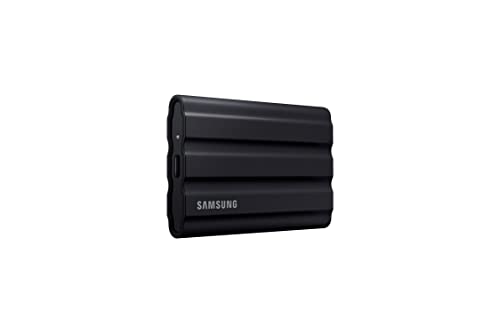 Samsung T7 Shield 2TB (Black)
|
Premium | Up to 1,050/1,000 MB/s NVMe speeds | Photographers needing rugged high-speed storage | Check Price | ||
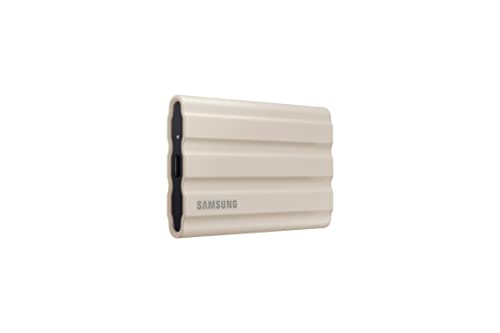 Samsung T7 Shield 2TB (Beige)
|
Mid-Range | Rugged NVMe performance with strong value | Value-conscious creators who want rugged speed | Check Price | ||
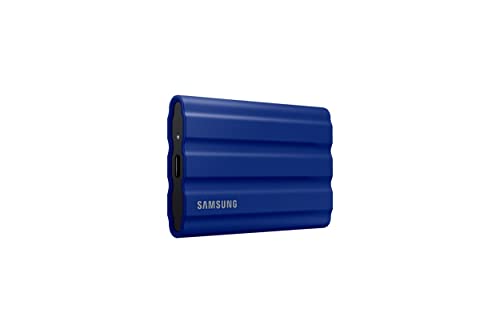 Samsung T7 Shield 2TB (Blue)
|
Mid-Range | Fast NVMe speeds with field-ready protection | Photographers wanting a color option plus performance | Check Price | ||
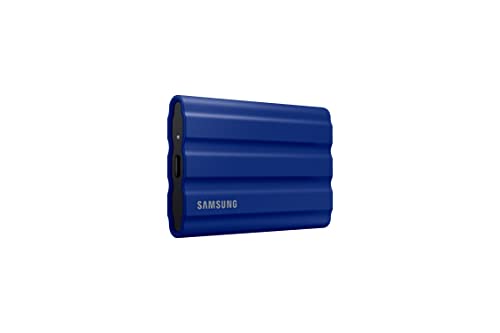 Samsung T7 Shield 1TB (Blue)
|
Budget | 1TB NVMe speed in a rugged shell | Budget photographers wanting fast, rugged 1TB | Check Price |
1. SAMSUNG T7 Shield 2TB, Portable SSD, up-to 1050MB/s, USB 3.2 Gen2, Rugged,IP65 Water & Dust Resistant, for Photographers, Content Creators and Gaming, Extenal Solid State Drive (MU-PE2T0S/AM), Black
The top pick for an on-location backup workflow, this 2TB T7 Shield pairs PCIe NVMe performance with IP65 water/dust resistance and a drop-resistant design. It moves large RAW and video files quickly, supports editing directly off the drive, and includes Samsung optimization tools for monitoring drive health.
Key Specs
- Interface: USB 3.2 Gen2 (UASP recommended)
- Speed: Up to 1,050 MB/s read, 1,000 MB/s write (PCIe NVMe)
- Ruggeding: IP65 water & dust resistant; tested to 9.8 ft drop
- Extras: Dynamic Thermal Guard + Samsung Magician software
Pros
- Blazing transfer speeds for fast ingest and editing
- Rugged IP65 design and drop resistance for field use
- Compact, pocket-sized and easy to pack
Cons
- Some customers report mixed durability over long-term use
- Occasional compatibility problems reported on certain hosts
Best For: Photographers needing rugged high-speed storage
Check Latest Price on Amazon2. SAMSUNG T7 Shield 2TB, Portable SSD, up to 1050MB/s, USB 3.2 Gen2, Rugged, IP65 Rated, for Photographers, Content Creators and Gaming, External Solid State Drive (MU-PE2T0K/AM, 2022), Beige
This beige T7 Shield gives most photographers the same NVMe-level performance and IP65 protection at a more wallet-friendly tier. It’s a practical pick for travel shoots where capacity and speed matter but you want a smarter price-to-features ratio.
Key Specs
- Interface: USB 3.2 Gen2
- Speed: PCIe NVMe up to 1,050/1,000 MB/s
- Ruggeding: IP65 rated; drop-resistant casing
- Compatibility: PC, Mac, Android, gaming consoles
Pros
- Great transfer speeds for the price
- Solid build quality and practical ruggeding
- Holds a large library for day-long shoots
Cons
- Durability reports are mixed across users
- Some computers may require drivers or settings to recognize the drive
Best For: Value-conscious creators who want rugged speed
Check Latest Price on Amazon3. SAMSUNG T7 Shield 2TB Portable SSD, USB 3.2 Gen2, Rugged, IP65 Rated, for Photographers, Content Creators and Gaming, External Solid State Drive (MU-PE2T0R/AM, 2022), Blue
The blue 2TB T7 Shield delivers the same core performance and rugged features as the other T7 Shield 2TB variants. It’s suited to creators who want dependable speed and a compact package for frequent travel and outdoor shoots.
Key Specs
- Interface: USB 3.2 Gen2
- Speed: Up to 1,050/1,000 MB/s (PCIe NVMe)
- Ruggeding: IP65 water & dust resistance; drop protection
- Software: Samsung Magician support
Pros
- Consistent high transfer speeds for large files
- Durable elastomer casing for daily travel
- Portable and pocket-friendly
Cons
- Some users note compatibility quirks on certain systems
- Mixed durability experiences reported by customers
Best For: Photographers wanting a color option plus performance
Check Latest Price on Amazon4. SAMSUNG T7 Shield 1TB, Portable SSD, up to 1050MB/s, USB 3.2 Gen2, Rugged, IP65 Rated, for Photographers, Content Creators and Gaming , External Solid State Drive (MU-PE1T0R/AM, 2022), Blue
The 1TB version keeps the high transfer speeds and IP65 protection of the T7 family but at lower capacity and a more accessible tier. It’s the best budget pick for shooters who need fast on-site backups without paying for extra terabytes.
Key Specs
- Interface: USB 3.2 Gen2
- Speed: PCIe NVMe up to 1,050/1,000 MB/s
- Ruggeding: IP65 rated and drop-tested design
- Capacity: 1TB standard option
Pros
- Excellent speed-to-price ratio
- Small, lightweight, and easy to carry
- Suitable for quick day-shot backups
Cons
- Lower capacity than 2TB options for longer shoots
- Some reports of early failures exist in user feedback
Best For: Budget photographers wanting fast, rugged 1TB
Check Latest Price on AmazonWhich One Should You Choose?
If budget is tight → choose the SAMSUNG T7 Shield 1TB (B09VLJB2DC) for fast NVMe-level transfers at a lower capacity and cost. If you want the best mix of price and capability → choose the SAMSUNG T7 Shield 2TB Beige (B09VLHP827) as the Best Value. If portable performance and the most robust feature set matter most → choose the SAMSUNG T7 Shield 2TB Black (B09VLHR4JC) as the Best Overall. For color preference or identical spec parity, the Blue 2TB (B09VLJ7VBM) is functionally equivalent and a solid alternative.
Best for Specific Scenarios
- Single-day travel/tour shoots: SAMSUNG T7 Shield 1TB (B09VLJB2DC) because it’s compact and fast enough to ingest and back up a day’s worth of RAW files.
- Multi-day weddings or events: SAMSUNG T7 Shield 2TB (B09VLHP827) because the extra capacity and solid value let you keep a second copy on hand without overspending.
- Adventure, outdoor, or harsh conditions: SAMSUNG T7 Shield 2TB (B09VLHR4JC) because the IP65 rating, drop resistance and thermal management support a rugged field workflow.
Frequently Asked Questions
Can I edit video directly from a Samsung T7 Shield SSD?
Yes — the T7 Shield’s PCIe NVMe speeds (up to around 1,050/1,000 MB/s over USB 3.2 Gen2) let you edit many DSLR/mirrorless RAW files and some 4K codecs directly from the drive. For very high-bitrate formats or multi-stream editing, a Thunderbolt or USB4 drive may be preferable.
Will a power bank reliably charge camera batteries?
A power bank with USB-C Power Delivery and sufficient output wattage can charge many modern cameras and USB-compatible battery chargers. Confirm your camera’s USB charging specs; look for PD-capable banks (30W+ for mirrorless bodies) and higher capacity (20,000mAh+) for multiple recharges. If your camera uses proprietary battery chargers, carry a compatible USB-input charger or adapter.
Which card reader should I pair with an SSD?
Match the reader to your card type and speed: choose a UHS-II reader for fast SD cards and a CFexpress reader for pro-level cards. Prefer USB-C readers with bus power to maintain a fast single-cable workflow when transferring to a high-speed SSD.
How We Selected These Products
Our recommendations are based on data-driven analysis: we evaluated 155229+ products across 23916+ brands using a composite scoring system that weighs rating (40%), review volume (30%), price value (20%), and demand signals (10%). Every product is ranked by data, not opinions.
Last updated: June 07, 2026
As an Amazon Associate we earn from qualifying purchases at no extra cost to you. Full disclosure.
GearLark Score is our editorial ranking based on a composite analysis of product quality, value, and verified customer sentiment. Click through to Amazon for current pricing, availability, and live customer reviews.